Desk painShoulder Pain From Using a Computer Mouse: 3 Causes and Fixes
If your shoulder aches by mid-afternoon, but only on your mouse side, you don't have a mystery injury. You have a positioning problem, and it's one of the most fixable ones I see.

By AJ Prince, HEAS
Healthcare Ergonomic Assessment Specialist. Updated 14 Jun 2026. A 7-minute read.
Desk Doctor earns a commission on some links, at no cost to you. It never changes a score. How we make money
In my assessments, one-sided shoulder pain in desk workers is almost always on the mouse side, and almost never caused by the mouse itself. It's where the mouse sits, how high you're working, and what your chair is (or isn't) doing behind you.
Here's the mechanism, because it explains everything that follows. Your arm is heavy: each one is about 5% of your body weight. The moment your hand leaves a supported surface to reach, hover and click, your shoulder muscles switch on to hold that weight up. They don't fire hard. They fire constantly, for hours, and that low, unrelenting load is what produces the deep ache and the knot no amount of stretching seems to clear.
Three changes solve most cases: pull the mouse back in, drop your work surface to elbow height, and give your arm something to rest on. Here are the three causes, the research behind them, and the product that fixes each.
Cause 1 of 3
You're reaching for the mouse ("mouse arm")
This is the one I catch most. The mouse drifts out to the right, past the keyboard, a little farther than it should be. Every click now starts with a small forward-and-out reach. That reach lifts the arm away from the body, and holding the arm out under load is what tires the shoulder.
What the research says
Gonçalves and colleagues measured the upper trapezius and front shoulder muscle at shoulder angles from 0 to 60 degrees, with and without the forearm supported. Supporting the forearm cut muscle activity at every angle, and it mattered more than the angle itself.1 So the fix isn't to push through the reach. It's to shrink it, and to give the forearm somewhere to rest.
The fix
Start with the mouse itself. A lighter mouse that keeps your hand in a handshake position, rather than flat and twisted, lets the whole arm sit closer and calmer. Then put it where your relaxed hand falls.

The mouse I start most people on
Contour Unimouse
DEAS 8.0 out of 10
Right- and left-handed versions.
It tilts anywhere from 35° to 70°, so you set the angle your forearm actually wants, and the thumb rest takes the pinch out of your grip. A lighter, handshake-angle mouse lets the whole arm sit closer and calmer, with less of the gripping that travels up into the shoulder. If your shoulder lights up the second you grab the mouse, start here.
Good: adjustable tilt lets your forearm rest at its natural angle; light and easy to glide, so the hand moves, not the arm; the thumb rest ends the constant low-grade clench. Less good: no published ergonomic certification; a bigger footprint and a short learning curve; it won't fix a reach problem if it still sits too far out.
Score breakdown
Clinical performance8.4
I.1Neutral posture support9.0
I.2Adjustability range8.5
I.3Injury risk reduction9.0
I.4Population accommodation6.5
I.5Wrist neutral and grip position9.0
Product quality5.1
II.1Material & construction7.0
II.2Published certification2.5
II.3Warranty vs benchmark5.0
II.4Verified user reliability6.0
Market value6.8
III.1Price vs category benchmark6.5
III.2Ergonomic value ratio7.0
Composite 8.0 on the DEAS (Desk Ergonomics Assessment Score). How we score
Quick test
Sit back, relax your shoulder, and let your mousing arm fall naturally. Where your hand lands is where the mouse should be. If you have to reach forward or out to touch it, it's too far, and your shoulder has been paying for that gap all day.
Cause 2 of 3
Your desk is too high, so your shoulders shrug
Most desks are built at about 29 inches, a height that suits very few people once a keyboard and mouse sit on top. If the surface is even an inch above your seated elbow height, you can't reach it without quietly lifting your shoulders. People rarely notice they're doing it. They just feel a burning band across the tops of their shoulders by lunchtime.
That shrug is the upper trapezius contracting all day, the same low-level load the forearm support research points to. Your arm weighs what it weighs, and an unsupported arm working above elbow height leaves the shoulder holding it without a break.
The fix
Stop working on the desk and start working below it. A negative-tilt keyboard tray drops your keyboard and mouse to true elbow height and angles them slightly away from you, so your wrists stay flat and your shoulders drop back where they belong. If your desk adjusts, lower it to your elbows instead.

Best for a desk that sits too high
Humanscale Keyboard Tray System
DEAS 8.0 out of 10
It has the widest height range of any tray I've scored and holds its position without sagging. It's genuinely expensive, and its value scores say so honestly, but for a deep, persistent shoulder ache from a too-high desk, nothing else I've tested fixes it as reliably.
Good: drops the keyboard and mouse to elbow height, ending the shrug at its source; negative tilt keeps your wrists flat; a commercial-grade mechanism that holds height for years. Less good: a premium price; needs clearance under the desk and a willingness to mount it; overkill if your desk already adjusts to elbow height.
Score breakdown
Clinical performance8.6
I.1Neutral posture support9.0
I.2Adjustability range8.0
I.3Injury risk reduction9.0
I.4Population accommodation8.0
I.5Negative tilt and wrist neutral9.0
Product quality8.7
II.1Material & construction9.0
II.2Published certification8.0
II.3Warranty vs benchmark9.0
Market value3.0
III.1Price vs category benchmark2.0
III.2Ergonomic value ratio4.0
Composite 8.0 on the DEAS (Desk Ergonomics Assessment Score). How we score
Cause 3 of 3
Your chair lets you round forward
The third cause sits behind you. When a chair is bolt upright and its armrests are too low, too hard or angled wrong, your shoulder blades never touch the backrest. You drift forward into a rounded hunch, and your shoulders end up carrying your arms in mid-air all day with nothing to lean on.
Two things go wrong at once. The rounded position puts your head out in front of your body, so the muscles at the back of the neck and the tops of the shoulders work harder to hold it up. And with no usable armrest, the forearm gets no support, which is exactly when the research in Cause 1 found shoulder muscle activity at its highest.
The fix
Ease the backrest into a slight recline so your shoulder blades rest against it, and get armrests that support your forearm while you mouse. Together they take both loads off at once.

Best arms for mousing
Steelcase Gesture
DEAS 8.6 out of 10
Seat height 16.3–21.5 in. Holds up to 400 lb.
Its arms are the best I've assessed. They move in nearly every direction, so they follow your forearm out to the mouse and keep supporting it instead of leaving your elbow hanging off the edge. Add a recline that keeps your shoulder blades against the back, and it's the chair that most consistently lets the shoulder rest.
Good: arms that track out to the mouse and hold the forearm; recline with full back contact keeps your shoulder blades supported; built and warrantied for all-day use. Less good: a significant investment, with low value scores on price alone; the arms take a few minutes to dial in; it only helps if you use the recline and arms instead of perching forward.
Score breakdown
Clinical performance9.0
I.1Neutral posture support9.2
I.2Adjustability range9.0
I.3Injury risk reduction9.0
I.4Population accommodation8.8
I.5Lumbar support quality9.2
Product quality9.2
II.1Material & construction9.3
II.2Published certification9.0
II.3Warranty vs benchmark9.5
II.4Verified user reliability9.0
Market value1.8
III.1Price vs category benchmark1.5
III.2Ergonomic value ratio2.0
Composite 8.6 on the DEAS (Desk Ergonomics Assessment Score). How we score
The 6-step shoulder-safe mouse setup
- 1
Set your chair first. Feet flat, hips level with or just above your knees. Everything else is set from here.
- 2
Bring the armrests up. Until your forearms rest on them with your shoulders completely relaxed: not lifted, not dropped. Elbows at roughly 90 degrees.
- 3
Match the work surface to your elbows. If the desk is higher than your relaxed elbows, that's your shrug. Lower it, or add a tray that drops below it.
- 4
Pull the mouse in. Right beside the keyboard, not out beyond it, where your relaxed hand falls. No forward reach.
- 5
Let the forearm relax. Use a mouse that keeps your forearm at a slight handshake angle rather than flat and twisted. Let the hand glide; don't grip.
- 6
Recline slightly. Ease the backrest back so your shoulder blades stay in contact with the chair. Supported, not perched on the front edge.
One closing note
Change position every 30 to 45 minutes, however good the setup is. Even a perfect posture becomes a load if you never move out of it.
Is it really your mouse? Three patterns I see
Top-of-shoulder burning
Feels like
A hot band across the top of the shoulder that builds through the day.
What helps
Usually shrugging: bring the work surface down to elbow height (Cause 2).
A deep ache behind the joint
Feels like
A dull, hard-to-pinpoint ache deep in the shoulder, worse after long sessions.
What helps
Usually reaching: pull the mouse in and support the forearm (Cause 1).
A tight, knotted upper back
Feels like
Knots between the shoulder blade and the spine that never fully let go.
What helps
Usually rounding forward: recline and get your shoulder blades onto the backrest (Cause 3).
Common questions
Why does my shoulder hurt from the mouse but not from typing?
Because your mouse hand spends far more time alone and reaching than your typing hands do. Both hands rest on the keyboard, but the mouse hand keeps travelling out, hovering and clicking: small reaches that keep one shoulder loaded while the other rests. That's why mouse shoulder pain is so often one-sided.
Will a vertical or trackball mouse fix shoulder pain?
It helps, but be honest about what it does. A vertical or adjustable mouse mainly relieves the forearm and wrist, and it cuts the grip tension that travels upward. The evidence for fixing the shoulder itself is strongest for position and support: pulling the mouse in and supporting the forearm.1 Change the mouse, but also change where it sits and what holds your arm.
Should I buy a keyboard tray or a new chair first?
Start with whichever cause matches your pain. Burning across the top of the shoulder points to a desk that's too high: the tray. Knots and a forward hunch point to your chair. If you can only do one thing and you're not sure, fix the chair and armrests first. Supporting the forearm takes load off the shoulder whatever else is going on.
How long until my shoulder feels better after fixing my setup?
Most people notice the daily build-up is gone within a week or two of working in the corrected position. A long-standing knot can take longer to settle. If you've genuinely fixed the reach, the height and the support and nothing has changed after three to four weeks, get it looked at: the setup may not be the whole story.
How many products did you look at, and what else came close?
The three picks above came out on top of our full rankings: 49 mice, 12 keyboard trays and 41 office chair models. Close runners-up: among mice, the 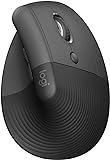 Logitech Lift (DEAS 7.7) and
  Logitech MX Vertical (7.4); among trays, the
  VIVO Premium Platform (6.5) as a budget step down; and among chairs, the
  Herman Miller Aeron and
  Embody (both 8.6).
When should I see a doctor instead of changing my setup?
If the pain wakes you at night, runs down the arm with numbness or tingling, follows a specific injury, or doesn't budge after a few weeks of a corrected setup, see a clinician. Ergonomics fixes shoulder pain from load. It doesn't treat a rotator cuff tear or an impingement that needs hands-on care.
References
- Gonçalves JS, et al. The effects of forearm support and shoulder posture on upper trapezius and anterior deltoid activity. J Phys Ther Sci. 2017. PMID: 28603347. PubMed
This article is general education, not medical advice, diagnosis or treatment. Ergonomic changes address discomfort from load; they are not a substitute for evaluation by a qualified healthcare provider. If you have persistent, severe or worsening shoulder pain, see a clinician.
AJ Prince, HEAS
Healthcare Ergonomic Assessment Specialist. Conducts over a thousand workstation assessments a year across a multi-campus health system, and authored the DEAS standard used to rank every product on this site.
