Desk painThe Top 5 Reasons Desk Workers Have Neck Pain
Desk neck pain isn't random, and it's rarely just age. It's loaded slowly, all day, by five things your setup does to you. Here's each one and its fix.

By AJ Prince, HEAS
Healthcare Ergonomic Assessment Specialist. Updated 22 Apr 2026. A 10-minute read.
Desk Doctor earns a commission on some links, at no cost to you. It never changes a score. How we make money
Most people who come to me with neck pain blame stress, a bad pillow, or getting older. More often than not, it's mechanical, and it's traceable.
What makes desk neck pain so stubborn is that it loads slowly, all day, every day. You don't feel it building. You feel it at 4 p.m. on a Thursday, when you notice your shoulders are up by your ears, or on a Monday morning, with the same stiff side you've had for months.
Here are the five causes in the order I check them: what each feels like, why it happens, and what fixes it.
Cause 1 of 5
Your screen is off to the side
If your neck pain is worse on one side, builds through the week and mostly fades over the weekend, look at where your monitor sits. An off-center screen is one of the most common reasons for one-sided neck pain I see, and almost nobody spots it on their own, because the turn feels like nothing in the moment.
A monitor six inches to one side holds your neck in a small turn for hours. OSHA's guidance is to put the monitor directly in front of you, because working with your head turned for long periods loads the neck muscles unevenly and increases fatigue and pain.1 The long-term data are less clear-cut: a three-year study found no clear link between neck rotation and neck pain, while sitting for most of the working day more than doubled the risk.2 Center the screen anyway; it costs nothing.
The fix
Center your main monitor on your nose, not on your keyboard. With two screens you use equally, put them in front of you with the inside edges touching, angled into a shallow curve; with one main screen, put it straight ahead and the second to one side, angled in.3
The one-side test
If you can name which side hurts without thinking about it, start here. Center the monitor for a week and see.
Cause 2 of 5
Your screen is too low
A monitor sitting straight on the desk puts the text below your eyes, and your head tips forward to meet it. That matters because of leverage: the further your head moves in front of your spine, the harder the muscles at the back of your neck pull to keep it from dropping. A widely cited 2014 model put the effective load at about 27 pounds with the head tipped 15 degrees forward and about 60 pounds at 60 degrees, against 10 to 12 upright.4
Adults with neck pain do tend to carry their heads further forward than adults without it, though those studies show a link, not proof of cause.5 It's still the cheapest fix in desk ergonomics.
The fix
Raise the screen until its top edge is level with your eyes, so your gaze drops slightly to the middle.1 Two ways to get there, by the size of the gap.

The budget fix, for a small gap
Klearlook Foldable Height Adjustable Monitor Stand
DEAS 6.8 out of 10
One monitor. Lifts it 1.4 to 3.2 inches.
It's the top-scoring monitor stand we've rated, and nearly all of that is in one place: within its range, it puts the screen at eye level better than any other riser. That range is small, so measure your gap first. If you need more than about 3 inches, go to the arm below.
Good: the top monitor stand score; a perfect score for getting the screen to eye level within its range; a low price; folds flat. Less good: only 1.4 to 3.2 inches of lift; one screen; no third-party certification.
Score breakdown
Clinical performance6.4
I.1Neutral posture support5.8
I.2Adjustability range5.0
I.3Injury risk reduction5.2
I.4Population accommodation6.0
I.5Fixed height vs eye alignment10.0
Product quality5.0
II.1Material & construction5.5
II.2Published certification2.0
II.3Warranty vs benchmark5.0
II.4Verified user reliability7.5
Market value7.8
III.1Price vs category benchmark8.0
III.2Ergonomic value ratio7.5
Composite 6.8 on the DEAS (Desk Ergonomics Assessment Score). How we score

The full fix: a monitor arm
Humanscale M8.1 Monitor Arm
DEAS 8.2 out of 10
A spring counterbalance, no gas spring; holds 6 to 28 lb with up to 12 inches of height travel. SCS Indoor Advantage Gold; 15-year warranty.
When a monitor is sitting flat on the desk, this is the arm I reach for first. The counterbalance lets you move the screen with one finger, which is what gets people to readjust it when they switch between sitting and standing, and it holds exactly where you set it.
Good: holds eye level precisely, with no sag or drift; the range fits shorter and taller users; a 15-year warranty. Less good: a premium price, its weakest score; more arm than you need for a few inches of lift.
Score breakdown
Clinical performance8.6
I.1Neutral posture support9.0
I.2Adjustability range8.5
I.3Injury risk reduction8.5
I.4Population accommodation8.0
I.5Eye-level range and tilt precision9.0
Product quality8.8
II.1Material & construction9.0
II.2Published certification9.0
II.3Warranty vs benchmark9.5
II.4Verified user reliability7.5
Market value3.2
III.1Price vs category benchmark3.0
III.2Ergonomic value ratio3.5
Composite 8.2 on the DEAS (Desk Ergonomics Assessment Score). How we score
Cause 3 of 5
Your keyboard is too high
Run your hand from the base of your skull out to the top of your shoulder. That's the upper trapezius, and when the keyboard sits too high it's the muscle that pays: your shoulders lift to reach the keys and stay lifted. By the end of the day it aches; by the end of the week it's the dull, knotted pain that climbs into the base of the skull.
In a one-year randomized trial of 182 call-center computer operators, a wide forearm support plus ergonomics training roughly halved the risk of a diagnosed neck or shoulder disorder compared with training alone.6 In a prospective study of computer users, typing with the elbows below the height of the keyboard's home row went with more neck and shoulder problems,7 and in a meta-analysis of office-worker studies, a keyboard close to the body, with the forearms left floating, was a risk factor for new neck pain.8
The fix
Bring the keyboard down to elbow height, with your upper arms hanging and your shoulders relaxed, and give your forearms somewhere to rest. If the desk is too high, an under-desk tray does it without a new desk.

To bring the keyboard down
Humanscale 6G Keyboard Tray System
DEAS 8.0 out of 10
Tilts away from you to -15 degrees with a dial; 1.75 inches above to 5.25 inches below its 22-inch track. A 25-inch board with a foam palm rest.
This is the tray I install in clinical settings. It brings the keyboard down to elbow height without a new desk and tilts it slightly away from you, so your shoulders can drop and your wrists stay straight.
Good: the top tray score and the best clinical scores; tilts to -15 degrees; a 15-year warranty. Less good: priced far above the category benchmark; keyboard and mouse share the 25-inch board; the track needs about 22 inches of depth under the desk.
Score breakdown
Clinical performance8.6
I.1Neutral posture support9.0
I.2Adjustability range8.0
I.3Injury risk reduction9.0
I.4Population accommodation8.0
I.5Negative tilt and wrist neutral9.0
Product quality8.7
II.1Material & construction9.0
II.2Published certification8.0
II.3Warranty vs benchmark9.0
Market value3.0
III.1Price vs category benchmark2.0
III.2Ergonomic value ratio4.0
Composite 8.0 on the DEAS (Desk Ergonomics Assessment Score). How we score
The check
Sit with your hands on the keyboard. If your shoulders are higher than when your hands are in your lap, the keyboard is too high. The number of degrees doesn't matter; the fact that they moved does.
Cause 4 of 5
You look down at a laptop, phone or paper
Phones, a laptop on the desk, printed pages lying flat: they all tip your head down, and none of them feels like effort, so the hours add up unnoticed.
Laptops are the clearest case, because the screen and keyboard are joined: if one is at the right height, the other isn't. Over four hours, raising a laptop on a laptop station cut the load on the lower neck, lowered perceived neck strain and scored higher on productivity than a standard laptop setup.9 Even a simple 12-degree incline under a notebook reduced head tilt and neck flexion, while bending the wrists back further,10 which is why I never raise a laptop without adding a separate keyboard and mouse.
The fix
Treat the laptop as a monitor: raise it to eye level on a stand and add an external keyboard and mouse. For paper, keep documents at the same height and distance as the screen,11 with a holder between the keyboard and the monitor. For your phone, bring it up to your eyes instead of your eyes down to it.

For laptops
Roost V3 Portable Laptop Stand
DEAS 6.9 out of 10
Weighs 6 ounces; lifts the screen 6.5 to 12.5 inches, with 7 height settings; folds flat.
For people who move between home, the office and the kitchen table, this is the stand I recommend most. It lifts the screen high enough to actually change your neck angle, then folds into a laptop bag, so it goes where you go.
Good: raises the screen higher than most folding stands; small enough to carry every day; 7 height settings. Less good: no third-party certification; does nothing for your neck unless you add an external keyboard and mouse.
Score breakdown
Clinical performance7.6
I.1Neutral posture support8.0
I.2Adjustability range8.0
I.3Injury risk reduction7.0
I.4Population accommodation7.0
I.5Screen height and viewing angle8.0
Product quality5.5
II.1Material & construction7.0
II.2Published certification3.0
II.3Warranty vs benchmark5.0
II.4Verified user reliability7.0
Market value5.5
III.1Price vs category benchmark5.0
III.2Ergonomic value ratio6.0
Composite 6.9 on the DEAS (Desk Ergonomics Assessment Score). How we score

If you work from paper
3M Inline Adjustable Document Holder
DEAS 6.6 out of 10
Sits in line between the keyboard and the monitor; adjusts in height and angle. The DH640 holds 300 sheets with a 5-year warranty, the DH630 150 with a 2-year warranty.
If you work from printouts, charts or notes, this holder puts the page between your keyboard and screen, so your chin stops dropping to the desk every few seconds.
Good: inline placement keeps your eyes near screen height; adjustable angle and height; simple, sturdy, nothing to set up. Less good: no third-party ergonomic certification; only helps if paper is part of your day.
Score breakdown
Clinical performance6.5
I.1Neutral posture support6.5
I.2Adjustability range6.0
I.3Injury risk reduction6.0
I.4Population accommodation6.5
I.5Neck neutral and viewing distance7.5
Product quality5.1
II.1Material & construction6.0
II.2Published certification2.0
II.3Warranty vs benchmark5.0
II.4Verified user reliability7.5
Market value6.0
III.1Price vs category benchmark6.0
III.2Ergonomic value ratio6.0
Composite 6.6 on the DEAS (Desk Ergonomics Assessment Score). How we score
One more
If you look down at the keys while you type, that's a neck load you can remove for good: learn to touch-type.
Cause 5 of 5
Tight and weak muscles hold the pattern
The four causes above don't just hurt in the moment; they train a pattern. The chest, the tops of the shoulders and the muscles up the side of the neck get tight; the muscles between and below the shoulder blades get weak. Physical therapists call it upper crossed syndrome,12 and it keeps your head and shoulders drifting forward even after you fix the desk.
Strength work reverses it, and it has the best evidence in this article. In a randomized trial of 48 women in computer-heavy jobs with chronic trapezius pain, ten weeks of specific strength training cut worst pain by about 79%.13 In another, two minutes a day of progressive resistance training with elastic tubing, five days a week for ten weeks, reduced neck and shoulder pain.14 After six weeks of training the deep muscles at the front of the neck, people with chronic neck pain held a more neutral neck through a long computer task.15 And in a small trial in men with upper crossed syndrome, an eight-week corrective exercise program improved alignment and muscle balance, with the gains holding four weeks after it ended.16
About 79%less worst pain after ten weeks of specific strength training, in women with chronic trapezius pain.13 2 mina day of resistance training reduced neck and shoulder pain over ten weeks.14 The fix
A few minutes a day: chin tucks for the deep neck muscles, band pull-aparts and rows for the shoulder blades, and a doorway stretch for the chest. A brace can cue you between sessions, as a reminder, not a fix.
A cue between sessions
DonJoy Posture Support
DEAS 6.8 out of 10
The brace I'd use as a short daily reminder, 30 to 60 minutes during the part of the day you slump most, not as all-day support. It's firm enough to register a slump without locking you in place. Pair it with the strength work.
Good: the second-highest posture corrector score we've given; a better price score than the top-ranked brace. Less good: too few user reviews to score its reliability; a cue, not a treatment.
Score breakdown
Clinical performance6.3
I.1Neutral posture support6.5
I.2Adjustability range5.5
I.3Injury risk reduction6.5
I.4Population accommodation6.0
I.5Postural cue effectiveness7.0
Product quality6.7
II.1Material & construction7.0
II.2Published certification7.0
II.3Warranty vs benchmark6.0
Market value5.5
III.1Price vs category benchmark5.5
III.2Ergonomic value ratio5.5
Composite 6.8 on the DEAS (Desk Ergonomics Assessment Score). How we score
Important
A posture brace is a cue, not a treatment. Wear it for short stretches during the part of the day you slump most, and let the strength work do the rest.
The six-step neck-friendly setup
Work through these in order: each step changes the geometry of the next.
- 1
Sit all the way back. Pelvis against the backrest, lower back supported. This is your reference for everything else.
- 2
Find your elbow height. Shoulders relaxed, upper arms hanging at your sides, forearms roughly level.17 Wherever your hands land is where the keyboard goes.
- 3
Bring the keyboard there. If the desk is too high, use a keyboard tray rather than raising the chair until your feet dangle.
- 4
Center the main monitor on your nose. Not on the keyboard. Move the monitor, not your head.1
- 5
Raise it so the top edge is at eye level. Test with a stack of books; once the height feels right, make it permanent.1
- 6
Bring everything else up to the same line. The phone to eye level, documents level with the screen, the laptop on a stand with a separate keyboard.
Then move
Then move. In a six-month trial of office workers at high risk, new neck pain developed in 17% of those prompted to take active breaks, against 44% of those with no prompts.18
Three common neck pain patterns
One-sided neck stiffness
Feels like
Tightness on one side, worse on Friday, better on Sunday, sometimes running into one shoulder.
What helps
Center the screen on your nose (Cause 1).
A dull ache at the base of the skull
Feels like
Pressure at the back of the head that builds through the day, often blamed on stress or eye strain.
What helps
Raise the monitor and lower the keyboard (Cause 2, Cause 3).
Knots between the shoulder blades
Feels like
Massage helps for a couple of days, then they're back by midweek.
What helps
The setup, plus a few minutes a day of pull-aparts and chin tucks (Cause 5).
When to see a doctor
Neck pain that runs down an arm, comes with numbness, tingling or weakness, wakes you at night, or doesn't follow your work hours needs a clinical evaluation, not an article.
Common questions
How long until my neck feels better after I fix the setup?
In my experience, most people notice relief within two weeks of fixing the screen position, the screen height and the keyboard height. Undoing the tight-and-weak muscle pattern takes longer: plan on six to twelve weeks of strength work. If you've fixed the setup and still hurt after about a month, see a clinician.
Is my pillow causing my neck pain?
It can add to it, but it's rarely the main cause. If your neck hurts when you wake and eases through the morning, look at your pillow; if it's fine in the morning and worsens through the workday, look at your desk. A 2021 meta-analysis found latex and spring pillows reduced neck pain and waking symptoms in people with chronic neck pain.19
Should I get a standing desk for neck pain?
Not to fix the screen height: a sit-stand desk raises the keyboard along with the screen, so a low monitor stays low. Where it helps is movement. In a three-year study, sitting for more than 95% of working time came with more than double the risk of neck pain.2 If you want one for that, the 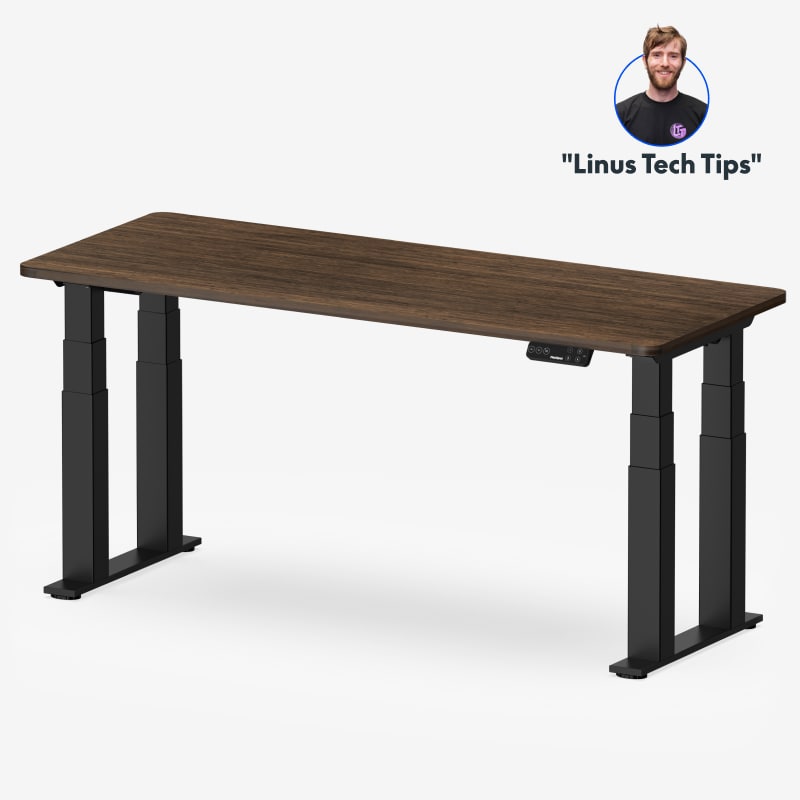 FlexiSpot E7 Plus is the steadiest desk we've scored.
Should I wear a posture corrector all day?
No. Use it as a short reminder during the part of the day you slump most, and put the rest of the effort into strength work. A meta-analysis of 27 workplace trials found moderate-quality evidence that neck and shoulder strengthening reduces neck pain in office workers, with ergonomic changes on lower-quality evidence.20
How do I know if my neck pain is from my desk?
Desk neck pain follows a pattern: worse at the end of the workday, better on weekends, and better when the setup changes. Pain that runs down an arm, comes with numbness or tingling, wakes you at night, or doesn't track your work hours needs a clinical evaluation.
How many products did you score for this guide?
152, across the seven categories that fix desk neck pain: 21 monitor stands, 24 monitor arms, 29 standing desks, 12 keyboard trays, 21 laptop stands, 20 document holders and 25 posture correctors.
References
- OSHA. Computer Workstations eTool: monitors. osha.gov
- Ariëns GA, Bongers PM, Douwes M, Miedema MC, Hoogendoorn WE, van der Wal G, Bouter LM, van Mechelen W. Are neck flexion, neck rotation, and sitting at work risk factors for neck pain? Results of a prospective cohort study. Occup Environ Med. 2001;58(3):200–207. PMID: 11171934. doi:10.1136/oem.58.3.200
- Canadian Centre for Occupational Health and Safety. OSH Answers: positioning the monitor. ccohs.ca
- Hansraj KK. Assessment of stresses in the cervical spine caused by posture and position of the head. Surg Technol Int. 2014;25:277–279. PMID: 25393825. PubMed
- Mahmoud NF, Hassan KA, Abdelmajeed SF, Moustafa IM, Silva AG. The relationship between forward head posture and neck pain: a systematic review and meta-analysis. Curr Rev Musculoskelet Med. 2019;12(4):562–577. PMID: 31773477. doi:10.1007/s12178-019-09594-y
- Rempel DM, Krause N, Goldberg R, Benner D, Hudes M, Goldner GU. A randomised controlled trial evaluating the effects of two workstation interventions on upper body pain and incident musculoskeletal disorders among computer operators. Occup Environ Med. 2006;63(5):300–306. oem.bmj.com
- Marcus M, Gerr F, Monteilh C, Ortiz DJ, Gentry E, Cohen S, Edwards A, Ensor C, Kleinbaum D. A prospective study of computer users: II. Postural risk factors for musculoskeletal symptoms and disorders. Am J Ind Med. 2002;41(4):236–249. PMID: 11920967. doi:10.1002/ajim.10067
- Jun D, Zoe M, Johnston V, O'Leary S. Physical risk factors for developing non-specific neck pain in office workers: a systematic review and meta-analysis. Int Arch Occup Environ Health. 2017;90(5):373–410. PMID: 28224291. doi:10.1007/s00420-017-1205-3
- Berkhout AL, Hendriksson-Larsén K, Bongers P. The effect of using a laptopstation compared to using a standard laptop PC on the cervical spine torque, perceived strain and productivity. Appl Ergon. 2004;35(2):147–152.
- Asundi K, Odell D, Luce A, Dennerlein JT. Changes in posture through the use of simple inclines with notebook computers placed on a standard desk. Appl Ergon. 2012;43(2):400–407. CDC Stacks record
- OSHA. Computer Workstations eTool: document holders. osha.gov
- Page P. Shoulder muscle imbalance and subacromial impingement syndrome in overhead athletes. Int J Sports Phys Ther. 2011;6(1):51–58. PMID: 21655457. PubMed
- Andersen LL, Kjaer M, Søgaard K, Hansen L, Kryger AI, Sjøgaard G. Effect of two contrasting types of physical exercise on chronic neck muscle pain. Arthritis Rheum. 2008;59(1):84–91. PMID: 18163419. doi:10.1002/art.23256
- Andersen LL, Saervoll CA, Mortensen OS, Poulsen OM, Hannerz H, Zebis MK. Effectiveness of small daily amounts of progressive resistance training for frequent neck/shoulder pain: randomised controlled trial. Pain. 2011;152(2):440–446. PEDro record
- Falla D, Jull G, Russell T, Vicenzino B, Hodges P. Effect of neck exercise on sitting posture in patients with chronic neck pain. Phys Ther. 2007;87(4):408–417. PMID: 17341512. doi:10.2522/ptj.20060009
- Seidi F, Bayattork M, Minoonejad H, Andersen LL, Page P. Comprehensive corrective exercise program improves alignment, muscle activation and movement pattern of men with upper crossed syndrome: randomized controlled trial. Sci Rep. 2020;10(1):20688. PMID: 33244045. doi:10.1038/s41598-020-77571-4
- OSHA. Computer Workstations eTool: neutral working postures. osha.gov
- Waongenngarm P, van der Beek AJ, Akkarakittichoke N, Janwantanakul P. Effects of an active break and postural shift intervention on preventing neck and low-back pain among high-risk office workers: a 3-arm cluster-randomized controlled trial. Scand J Work Environ Health. 2021;47(4):306–317. PMID: 33906239. doi:10.5271/sjweh.3949
- Pang JCY, Tsang SMH, Fu ACL. The effects of pillow designs on neck pain, waking symptoms, neck disability, sleep quality and spinal alignment in adults: a systematic review and meta-analysis. Clin Biomech (Bristol). 2021;85:105353. PMID: 33895703. doi:10.1016/j.clinbiomech.2021.105353
- Chen X, Coombes BK, Sjøgaard G, Jun D, O'Leary S, Johnston V. Workplace-based interventions for neck pain in office workers: systematic review and meta-analysis. Phys Ther. 2018;98(1):40–62. doi:10.1093/ptj/pzx101
This article is general education, not medical advice. Neck pain that runs down an arm, comes with numbness, tingling or weakness, or persists after you fix your setup needs a licensed clinician.
AJ Prince, HEAS
Healthcare Ergonomic Assessment Specialist. Conducts over a thousand workstation assessments a year across a multi-campus health system, and authored the DEAS standard used to rank every product on this site.

