Desk painThe Top 5 Reasons Desk Workers Have Wrist and Hand Pain
It starts as an ache you can shake out. Months later it's waking you up. Usually one or two things at your desk are behind it, and the fix for one won't touch the other. The five I see most.

By AJ Prince, HEAS
Healthcare Ergonomic Assessment Specialist. Updated 22 Apr 2026. A 10-minute read.
Desk Doctor earns a commission on some links, at no cost to you. It never changes a score. How we make money
Most people who come to me with wrist pain tell the same story. It started as an end-of-day ache they could shake out. A few months later it was waking them up. By the time they sat down with me, they were sure something was permanently wrong. Usually it isn't, but they're usually doing one or two specific things at their desk that keep loading the same tissues.
None of the five causes below is exotic, and none needs a scan to spot. What they need is honesty about which one is driving your pain, because the fix for a mouse problem won't help a keyboard-height problem, and a fancy keyboard can't undo a chair at the wrong height. Read them in order.
Cause 1 of 5
Your mouse bends your wrist sideways
It starts as a dull ache on the little-finger side of the wrist by mid-afternoon, sometimes with tingling that creeps into the thumb and index finger by evening. Shaking your hand out helps for about thirty seconds.
A flat mouse turns your forearm palm-down and lets the wrist bend sideways, toward the little finger, and back; a 2008 review reported the wrist bent back about 23 degrees on average during mouse use.1 The carpal tunnel, the narrow channel the median nerve shares with nine tendons, gets tighter as the wrist bends: in healthy volunteers, about 33 degrees of extension, or about 15 degrees of sideways bend toward the little finger, pushed carpal tunnel pressure over a common risk threshold in a quarter of them.2
33°of wrist extension pushed carpal tunnel pressure over the risk threshold in a quarter of healthy people.2 15°of sideways bend toward the little finger did the same.2 That's load, not a diagnosis: the same 2008 review found too little evidence to say computer work causes carpal tunnel syndrome.1 Taking the load off is still the first thing I change.
The fix
Turn your hand toward a handshake. In a controlled comparison, a vertical mouse cut forearm rotation from 42 to 28 degrees and lowered wrist extensor effort.3 Keep your wrist level as you do it: in people with carpal tunnel syndrome, a vertical mouse cut the sideways bend but bent the wrist back the most.4
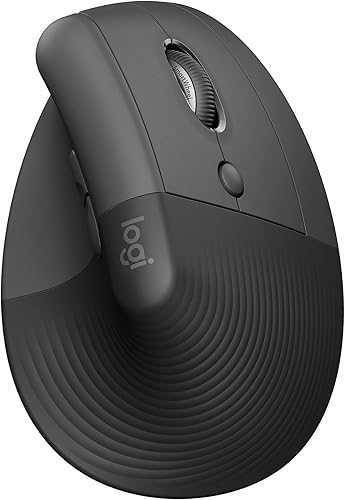
The vertical mouse I start with
Logitech Lift
DEAS 7.7 out of 10
57-degree angle; for small to medium hands; right- and left-handed versions; one AA battery, rated for about 24 months.
It fits a wide range of hands, comes in true right- and left-handed versions, and is priced so a first vertical mouse doesn't feel like a gamble. The 57-degree angle takes your forearm out of full palm-down. If your hands are large, the  MX Vertical is the bigger version.
Good: sized for small to medium hands; the best reliability score of these picks; right and left versions. Less good: a fixed angle; too small for large hands; a 1-year warranty in the US.
Score breakdown
Clinical performance7.4
I.1Neutral posture support8.5
I.2Adjustability range6.5
I.3Injury risk reduction8.0
I.4Population accommodation5.5
I.5Wrist neutral and grip position8.5
Product quality5.8
II.1Material & construction6.5
II.2Published certification3.0
II.3Warranty vs benchmark5.0
II.4Verified user reliability8.5
Market value8.0
III.1Price vs category benchmark8.0
III.2Ergonomic value ratio8.0
Composite 7.7 on the DEAS (Desk Ergonomics Assessment Score). How we score
Cause 2 of 5
Your keyboard sits too high
It feels like a tight band across the top of the forearm that won't release however much you stretch, and an ache on the back of the wrist by the end of a typing-heavy day.
A standard fixed desk sits at about 29 inches. Set your chair so your feet are flat and, for many people, the desk ends up above their elbows, so the wrists bend back to reach the keys. In a lab study of 20 people typing, carpal tunnel pressure was lowest with the wrist near neutral and climbed as it bent back, roughly doubling by 45 degrees; the authors' advice was to keep extension under 30 degrees.5 In a lab comparison of keyboard designs, keyboards flat to slightly tilted away from you gave the least wrist extension.6
The fix
Put the keyboard where your elbows are: at elbow height or a little below, flat or tilted slightly away from you. A flat desk can't tilt away from you; an under-desk tray can.

To bring the keyboard down
Humanscale 6G Keyboard Tray System
DEAS 8.0 out of 10
Tilts away from you to -15 degrees with a dial; 1.75 inches above to 5.25 inches below its 22-inch track. A 25-inch board with a foam palm rest.
An under-desk platform that holds the keyboard at your elbows and tilts it away from you, with the mouse on the same board. It's the most expensive thing in this article, and it fixes the cause no keyboard can.
Good: the top tray score and the best clinical scores; tilts to -15 degrees; a 15-year warranty. Less good: priced far above the category benchmark; keyboard and mouse share the 25-inch board; the track needs about 22 inches of depth under the desk.
Score breakdown
Clinical performance8.6
I.1Neutral posture support9.0
I.2Adjustability range8.0
I.3Injury risk reduction9.0
I.4Population accommodation8.0
I.5Negative tilt and wrist neutral9.0
Product quality8.7
II.1Material & construction9.0
II.2Published certification8.0
II.3Warranty vs benchmark9.0
Market value3.0
III.1Price vs category benchmark2.0
III.2Ergonomic value ratio4.0
Composite 8.0 on the DEAS (Desk Ergonomics Assessment Score). How we score
On a tighter budget, the  VIVO Premium Keyboard Platform (DEAS 6.5) has 6.3 inches of height adjustment, and any tray at the right height beats none.
Cause 3 of 5
Your mouse doesn't fit your hand
It feels like fatigue and cramping in the small muscles of the hand by lunch: your fingers feel tight, your thumb aches at its base, and you catch yourself squeezing the mouse harder than you need to.
A mouse that's too small curls your fingers into a pinch; one that's too big stretches your thumb out and pushes your fingertips past the buttons. In a lab study of small notebook mice, the smallest put the hand in less neutral postures, curled the fingers further and raised the effort of the wrist extensors, and people with larger hands were affected most.7 OSHA's advice is a mouse that fits the hand using it, in the right size and in a left- or right-handed model.8 The comfortable handshake angle also varies from person to person, which a fixed-angle mouse can't allow for.
The fix
Measure your hand: lay a credit card, long side, from your wrist crease to the tip of your middle finger. Under two cards is small, about two is medium, more than two and a quarter is large. Then, if a fixed-angle vertical mouse didn't suit you, try one whose angle you can set.

If a fixed angle doesn't suit you
Contour Unimouse
DEAS 8.0 out of 10
Tilt adjusts from 35 to 70 degrees; adjustable thumb support; right- and left-handed versions; wireless.
For someone who has tried a fixed-angle vertical mouse and found it uncomfortable, this is the next step. The angle adjusts from 35 to 70 degrees and the thumb support moves, so you fit the mouse to your hand and forearm instead of the other way round.
Good: an angle you set yourself; an adjustable thumb support; right and left versions; the top score of any mouse we've rated. Less good: Contour publishes no hand-size range; it takes a few days to find your angle.
Score breakdown
Clinical performance8.4
I.1Neutral posture support9.0
I.2Adjustability range8.5
I.3Injury risk reduction9.0
I.4Population accommodation6.5
I.5Wrist neutral and grip position9.0
Product quality5.1
II.1Material & construction7.0
II.2Published certification2.5
II.3Warranty vs benchmark5.0
II.4Verified user reliability6.0
Market value6.8
III.1Price vs category benchmark6.5
III.2Ergonomic value ratio7.0
Composite 8.0 on the DEAS (Desk Ergonomics Assessment Score). How we score
Cause 4 of 5
A straight keyboard bends both wrists out
It feels like an aching tightness on the little-finger side of both wrists by late morning, more noticeable when you stop typing than while you type, sometimes with a creeping numbness in the ring and little fingers.
A standard keyboard is narrower than your shoulders. To reach the home row, both forearms angle in and both wrists bend outward, toward the little finger, all day. A split fixes that: in a study of 90 experienced office workers, split keyboards set up correctly cut average ulnar deviation from about 12 degrees to within 5 of neutral.9 A curved one-piece board is the gentler step, with almost no learning curve.
Keep expectations honest: a Cochrane review found too little high-quality evidence to call any ergonomic device a treatment for carpal tunnel syndrome. Its two keyboard trials were small and split: one found less pain at 12 weeks, the other no difference at six months.10 A keyboard works best as part of a setup change, not on its own.
The fix
Split the keyboard so each hand lines up with its own shoulder.

The split I recommend first
Cloud Nine C989M
DEAS 7.7 out of 10
Two halves that separate up to 6 inches; a built-in 7-degree tent; full size with a number pad; Kailh Box mechanical switches; molded palm rests.
For mild to moderate symptoms, when you can't afford weeks of slow typing, start here. Pull the halves apart until your wrists stop bending out; the built-in tent and palm rests come with it.
Good: halves that separate up to 6 inches; a gentle built-in tent; a number pad; palm rests. Less good: the tent is fixed at 7 degrees; a large footprint; a learning period for the split.
Score breakdown
Clinical performance7.8
I.1Neutral posture support8.5
I.2Adjustability range7.5
I.3Injury risk reduction8.0
I.4Population accommodation6.5
I.5Wrist neutral and key actuation8.5
Product quality4.7
II.1Material & construction7.0
II.2Published certification2.0
II.3Warranty vs benchmark5.0
Market value6.0
III.1Price vs category benchmark6.0
III.2Ergonomic value ratio6.0
Composite 7.7 on the DEAS (Desk Ergonomics Assessment Score). How we score
For severe or long-standing symptoms, a contoured split like the 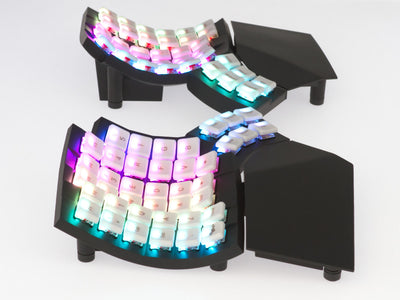 Glove80 or the
 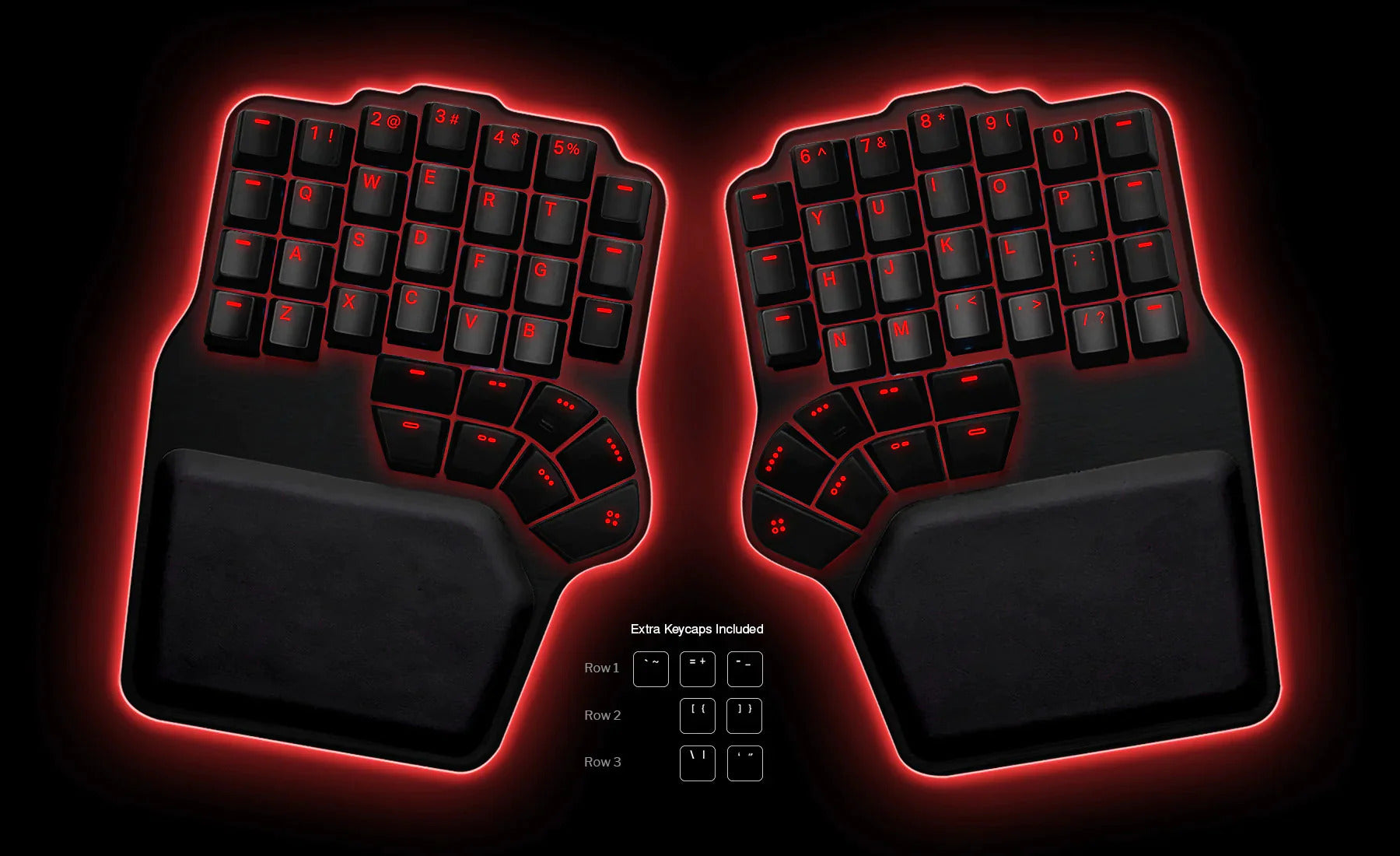 Dygma Defy is worth the longer learning period. The
  Logitech ERGO K860 is the middle ground if a full split is too much.
Cause 5 of 5
Your hand pain starts at your shoulders
It feels like numbness across the hand that doesn't follow one nerve's pattern. It gets worse the longer you sit, eases when you stand up and roll your shoulders back, and comes with neck or upper-back tightness.
The nerves and blood vessels to your arm pass through a tight space at the base of the neck, behind the collarbone. When they're squeezed there, it's called thoracic outlet syndrome. It's more common in people with poor posture, and poor posture can bring the symptoms on,11 which is why I look at the chair before the hand.
The fix
Sit back with your shoulders relaxed and your elbows bent 90 to 120 degrees,12 for hours, which takes three things together: the right chair height, a desk that meets your elbows at that height, and your feet flat on the floor or a footrest.
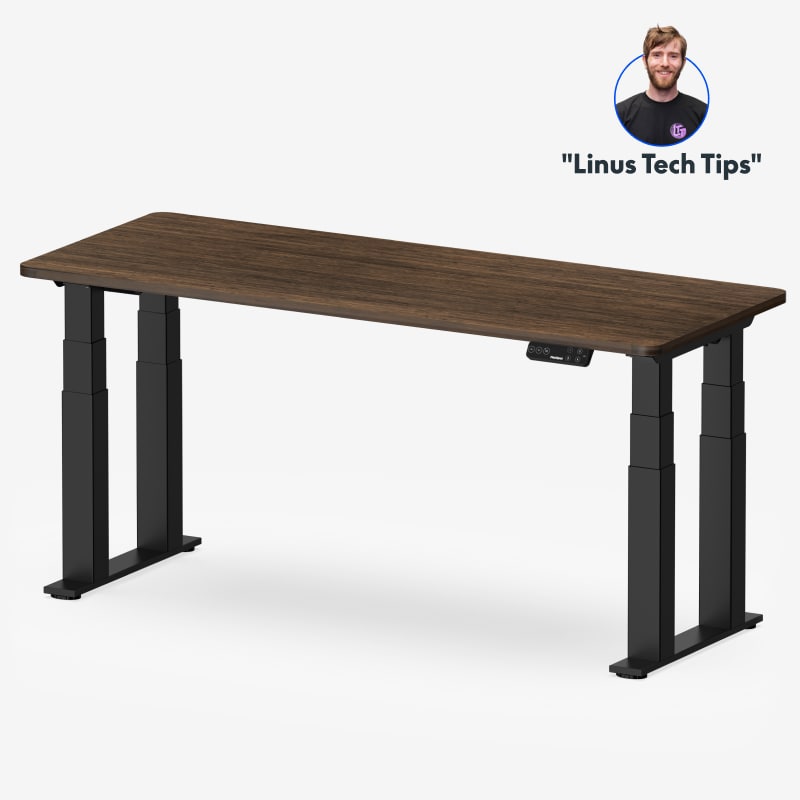
To set the desk to your elbows
FlexiSpot E7 Plus
DEAS 8.4 out of 10
Four 3-stage legs; 26 to 51.6 inches; lifts 440 pounds. Frame, motor and mechanisms covered for 15 years.
At a fixed 29- or 30-inch desk, you may not be able to get your elbows, wrists and back in line at the same time. A sit-stand desk lets you set the surface to your elbows, and this is the steadiest we've scored. Its lowest setting is 26 inches, so if you're under about 5'6", the 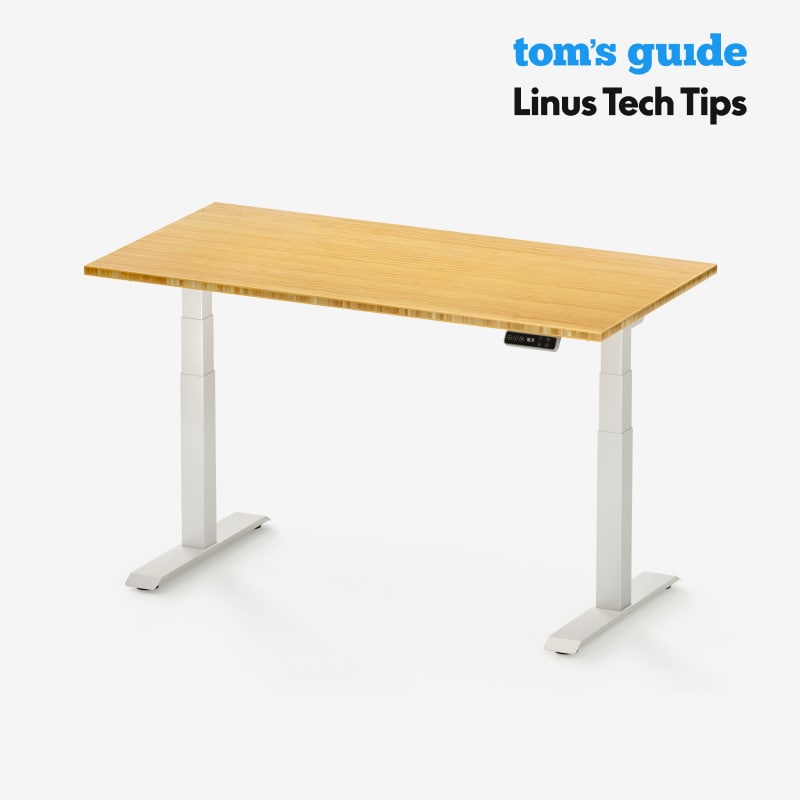 FlexiSpot E7 goes lower.
Good: the top desk score and the top stability score; lifts 440 pounds; the top reliability score from user reviews; a 15-year warranty. Less good: its lowest height, 26 inches, is too high for many shorter people to sit at; no third-party certification listed.
Score breakdown
Clinical performance8.7
I.1Neutral posture support8.8
I.2Adjustability range8.7
I.3Injury risk reduction8.7
I.4Population accommodation8.3
I.5Height range and stability9.2
Product quality8.5
II.1Material & construction8.8
II.2Published certification6.8
II.3Warranty vs benchmark9.5
II.4Verified user reliability8.8
Market value7.0
III.1Price vs category benchmark6.5
III.2Ergonomic value ratio7.5
Composite 8.4 on the DEAS (Desk Ergonomics Assessment Score). How we score
.jpg)
Pairs with it
Humanscale FR300 Foot Rocker
DEAS 7.1 out of 10
Height 3.75 to 6.75 inches; rocks on ball-bearing rollers. A hardwood platform on a steel frame.
If your feet don't reach the floor once the chair is at the right height, this brings the floor up, so you stop perching on the seat edge and slumping. The platform rocks, so your ankles keep moving.
Good: the top footrest score; 3.75 to 6.75 inches of height; rocks smoothly; a 15-year warranty. Less good: priced well above the category benchmark; a low certification score; the rocking takes a day or two to get used to.
Score breakdown
Clinical performance7.6
I.1Neutral posture support8.0
I.2Adjustability range7.0
I.3Injury risk reduction8.0
I.4Population accommodation7.0
I.5Knee angle and contact pressure8.0
Product quality6.8
II.1Material & construction9.0
II.2Published certification3.0
II.3Warranty vs benchmark9.0
II.4Verified user reliability6.0
Market value3.5
III.1Price vs category benchmark3.0
III.2Ergonomic value ratio4.0
Composite 7.1 on the DEAS (Desk Ergonomics Assessment Score). How we score
Get it checked
Numbness that spreads across the hand, comes with arm weakness or color changes, or doesn't settle when you change position needs a clinician. Other problems can feel the same.
The seven-step setup, in order
The order matters. Most people set the monitor first and fit everything else around it; that's backwards.
- 1
Set the chair height first. Feet flat on the floor or a footrest, thighs roughly level.12 Everything else calibrates to this.
- 2
Bring the keyboard to elbow height. Upper arms relaxed at your sides, elbows bent 90 to 120 degrees.12 For many people that means below the desk surface, on a tray.
- 3
Tilt it flat or slightly away from you. Don't use the keyboard's back feet if they bend your wrists up;13 flat to slightly negative gave the least wrist extension.6
- 4
Put the mouse beside the keyboard, at the same height. Reaching forward or up for it breaks the elbow angle and loads the shoulder.8
- 5
Check the fit. Fingertips rest on the buttons and your thumb rests on the side without stretching. If you're gripping, it's the wrong size.
- 6
Set the monitor last. Top edge at eye level, an arm's length away, so it doesn't pull you forward.
- 7
Move every 30 to 45 minutes. Stand, walk, roll your shoulders. A minute is enough.
Common diagnoses and which cause they map to
Carpal tunnel syndrome
Feels like
Numbness and tingling in the thumb, index and middle fingers, often worse at night: the median nerve.
What helps
A vertical mouse, and a keyboard at the right height and tilt (Cause 1, Cause 2). See a clinician if night numbness continues.
De Quervain's tenosynovitis
Feels like
Pain on the thumb side of the wrist, at the base of the thumb; moving the thumb and bending the wrist side to side make it worse.14
What helps
A mouse that fits your hand and a split keyboard (Cause 3, Cause 4).
Thoracic outlet syndrome
Feels like
Numbness, tingling or weakness in the arm and hand, often with neck tightness.11
What helps
Fix the posture chain from the chair up (Cause 5), and get it diagnosed.
Common questions
Should I rest my wrists on a wrist rest while I type?
Not while you're pressing keys. OSHA's guidance is that your hands should move freely above the rest while you type, and that when you do rest, the pad should meet the heel of your palm, not your wrist.15 The  Fellowes PlushTouch (DEAS 6.1) and
  Gorilla Grip (6.0) wrist rests are fine for pauses; neither should carry your wrists while you type.
Will a vertical mouse fix carpal tunnel?
It changes the posture, which takes load off the forearm. But in people with carpal tunnel syndrome, a vertical mouse didn't lower carpal tunnel pressure, partly because their wrists bent back more,4 and a Cochrane review found too little evidence to call any ergonomic device a treatment.10 If numbness wakes you at night, see a clinician first.
How long before ergonomic changes ease my pain?
In my experience, symptoms from the mouse, the keyboard height and the keyboard shape often improve within two to four weeks of the right setup, and a mouse that fits helps within about a week. The posture chain takes longer, six to eight weeks. Give any change four to six weeks before you decide it didn't work.
Wave keyboard or split keyboard?
A wave keyboard curves the keys to follow your hands and asks almost nothing of you. A split separates the halves so each sits at shoulder width, which straightens the wrists more9 and takes one to four weeks to get used to, in my experience. Start with a wave for mild symptoms; go split for moderate or severe ones.
When should I stop buying equipment and see a doctor?
If numbness or tingling wakes you at night, you notice weakness or clumsiness when you grip, the muscle at the base of your thumb looks thinner, or the pain hasn't eased after a few weeks of setup changes. Equipment manages the mechanics; it doesn't diagnose.
What about trackballs and roller mice?
A trackball keeps your arm still, which helps if moving the mouse is what hurts; the  Logitech MX Ergo S (DEAS 7.0) is the one I see most. A roller bar like the
  Contour RollerMouse Red (6.4) sits below the keyboard and removes the reach altogether; its clinical scores are strong, but its price drags the total down.
Are there higher-end keyboards worth it?
For established symptoms, if you can absorb a longer learning period: the Glove80 (7.6), the  Kinesis Advantage360 (7.6) and the Dygma Defy (7.5) are among the highest clinical scores of the 53 keyboards we rate. The Logitech ERGO K860 (7.3) is a middle ground when a full split is too disruptive but a wave isn't enough.
References
- Thomsen JF, Gerr F, Atroshi I. Carpal tunnel syndrome and the use of computer mouse and keyboard: a systematic review. BMC Musculoskelet Disord. 2008;9:134. PMID: 18838001. doi:10.1186/1471-2474-9-134
- Keir PJ, Bach JM, Hudes M, Rempel DM. Guidelines for wrist posture based on carpal tunnel pressure thresholds. Hum Factors. 2007;49(1):88–99. PMID: 17315846. PubMed
- Quemelo PRV, Vieira ER. Biomechanics and performance when using a standard and a vertical computer mouse. Ergonomics. 2013;56(8):1336–1344. PMID: 23777482. doi:10.1080/00140139.2013.805251
- Schmid AB, Kubler PA, Johnston V, Coppieters MW. A vertical mouse and ergonomic mouse pads alter wrist position but do not reduce carpal tunnel pressure in patients with carpal tunnel syndrome. Appl Ergon. 2015;47:151–156. PMID: 25479984. doi:10.1016/j.apergo.2014.08.020
- Rempel DM, Keir PJ, Bach JM. Effect of wrist posture on carpal tunnel pressure while typing. J Orthop Res. 2008;26(9):1269–1273. PMID: 18383144. doi:10.1002/jor.20599
- Rempel D, Nathan-Roberts D, Chen BY, Odell D. The effects of split keyboard geometry on upper body postures. Ergonomics. 2009;52(1):104–111. PMID: 19308823. doi:10.1080/00140130802481040
- Oude Hengel KM, Houwink A, Odell D, van Dieën JH, Dennerlein JT. Smaller external notebook mice have different effects on posture and muscle activity. Clin Biomech (Bristol). 2008;23(6):727–734. PMID: 18348899. doi:10.1016/j.clinbiomech.2008.01.013
- OSHA. Computer Workstations eTool: pointer/mouse. osha.gov
- Marklin RW, Simoneau GG, Monroe JF. Wrist and forearm posture from typing on split and vertically inclined computer keyboards. Hum Factors. 1999;41(4):559–569. PMID: 10774127. doi:10.1518/001872099779656770
- O'Connor D, Page MJ, Marshall SC, Massy-Westropp N. Ergonomic positioning or equipment for treating carpal tunnel syndrome. Cochrane Database Syst Rev. 2012;(1):CD009600. PMID: 22259003. doi:10.1002/14651858.CD009600
- Kaplan J, Kanwal A. Thoracic outlet syndrome. In: StatPearls. Treasure Island (FL): StatPearls Publishing; updated 2023 Apr 10. NCBI Bookshelf
- OSHA. Computer Workstations eTool: neutral working postures. osha.gov
- OSHA. Computer Workstations eTool: keyboards. osha.gov
- Satteson E, Tannan SC. De Quervain tenosynovitis. In: StatPearls. Treasure Island (FL): StatPearls Publishing; updated 2023 Nov 22. NCBI Bookshelf
- OSHA. Computer Workstations eTool: wrist/palm supports. osha.gov
This article is general education, not medical advice. Numbness that persists or wakes you at night, weakness, or wasting at the base of the thumb needs a licensed clinician.
AJ Prince, HEAS
Healthcare Ergonomic Assessment Specialist. Conducts over a thousand workstation assessments a year across a multi-campus health system, and authored the DEAS standard used to rank every product on this site.
