FAQThe Short Person's Guide to a Perfect Desk Setup (Under 5'4")
Standard furniture fits someone about 5'10". Here are the numbers your frame needs, and the gear that actually goes low enough.

By AJ Prince, HEAS
Healthcare Ergonomic Assessment Specialist. Updated 4 Jun 2026. A 13-minute read.
Desk Doctor earns a commission on some links, at no cost to you. It never changes a score. How we make money
If you're under 5'4", you know the routine. You sit down at a standard desk, drop the chair as low as it goes, and your feet still swing like you're waiting for the school bus. Your shoulders hike up to reach the keyboard, and your wrists bend up to clear the desk edge. The furniture isn't broken. It was never built for you.
Here's the part nobody tells you. By the numbers the Desk Doctor assessment uses, a standard 29-inch desk fits someone about 5'10". Office furniture is designed to the ANSI/HFES 100 standard, which aims to fit everyone from the 5th percentile woman to the 95th percentile man,1 and the 5th percentile woman in the US is about 4'11".2 Shorter than that, you aren't at the edge of the design range. You're outside it. That's why the same three things go wrong in my assessments of shorter people: the desk sits too high, the chair won't drop low enough, and once they raise the chair to reach the desk, their feet dangle.
Every one of those has a fix, and none of them is exotic. Where a tall person fights to get things high enough, your whole game is getting the work surface down to you, or building your feet a floor. The numbers below are the assessment's own, and the gear is what fits a smaller frame.
The chair: low enough, with a short enough seat
Everything starts here. If your chair can't drop low enough to put your feet flat, you perch, and a perched body slides forward, loses the backrest and slumps within the hour. A smaller frame needs a seat that goes genuinely low and a seat pan short enough that the front edge doesn't press into the backs of your knees.
Here's the seat height that puts your feet flat, and the seat depth that fits your thighs. These are the assessment's numbers for each height, allowing about an inch for normal shoes.
Now the problem. Of the 41 chair models we've scored, most mainstream ones bottom out at 17 to 18 inches, and most premium ones at 16 to 16.5, with a seat pan built for an average-length thigh. Under about 4'6", none goes low enough to put your feet flat, so plan on a small footrest even with the desk lowered. These two go lowest and shallowest:

The small-size chair I recommend most
Herman Miller Aeron Size A
DEAS 8.6 out of 10
Seat 14.8 to 19 inches high. Fixed seat depth of 15.8 inches.
The Aeron Size A is the one I steer most shorter people toward first. The whole chair is scaled down, not just relabeled, it drops to one of the lowest seats we've scored, and the suspension supports a lighter body without the over-firm push a full-size chair gives someone smaller. Check two things first: the 15.8-inch seat depth fits about 5'0" and up, and the seat tops out at 19 inches, so it can't be raised to meet a standard desk.
Good: one of the two lowest seats we've scored; scaled to a small frame; top clinical and build scores; a long warranty. Less good: a fixed seat depth that's too deep under about 5'0"; tops out at 19 inches; priced far above the category benchmark.
Score breakdown
Clinical performance8.9
I.1Neutral posture support9.0
I.2Adjustability range8.5
I.3Injury risk reduction8.8
I.4Population accommodation9.2
I.5Lumbar support quality8.8
Product quality9.4
II.1Material & construction9.6
II.2Published certification9.0
II.3Warranty vs benchmark10.0
II.4Verified user reliability9.0
Market value1.6
III.1Price vs category benchmark1.2
III.2Ergonomic value ratio2.0
Composite 8.6 on the DEAS (Desk Ergonomics Assessment Score). How we score

For the shortest thighs
ergoCentric tCentric Petite
DEAS 8.0 out of 10
Seat 15 to 20 inches high. Seat depth 14 to 16 inches on a slider.
If your thighs are short, this edges out the  Aeron. Its seat pan slides in to 14 inches, the shallowest we've measured, which is what keeps the front edge off the backs of your knees, and the seat still drops to 15 inches.
Good: the shallowest seat we've scored, on a slider; a 15-inch low setting; strong clinical and build scores. Less good: tops out at 20 inches, high enough for a 29-inch desk only from about 5'0" up; priced far above the category benchmark.
Score breakdown
Clinical performance8.6
I.1Neutral posture support8.6
I.2Adjustability range8.7
I.3Injury risk reduction8.5
I.4Population accommodation8.8
I.5Lumbar support quality8.5
Product quality8.4
II.1Material & construction8.8
II.2Published certification8.5
II.3Warranty vs benchmark9.0
II.4Verified user reliability7.5
Market value1.2
III.1Price vs category benchmark1.0
III.2Ergonomic value ratio1.5
Composite 8.0 on the DEAS (Desk Ergonomics Assessment Score). How we score
If you'll raise the chair to meet a fixed desk instead (see the footrest table), the job flips: you need a chair that goes high, around 20 to 23 inches, while still having a short seat. The  Steelcase Series 2 (DEAS 7.4) goes up to 21.5 inches, and its seat slider comes in to 15.5.
The desk: bring the surface down to your elbows
A standard fixed desk sits at about 29 inches. Put a 5'0" frame at it and your elbows climb to reach the surface, your shoulders shrug to follow, and your wrists bend back over the edge. That combination is behind a lot of the upper-back tightness and wrist ache shorter people bring to me.
The number that matters is your own elbow height. Sit with your back against the backrest and your feet flat, let your shoulders drop, and the keyboard surface should be at elbow height or up to about 4 inches below it. Here's that window by height, with the standing height too:
Look at the seated column: your surface needs to sit 3 to 10 inches below a standard desk. That's why a shorter person should default to a sit-stand desk, the cleanest way to bring the surface down to your elbows. Of the 29 we've scored, this one goes lowest with the best score:
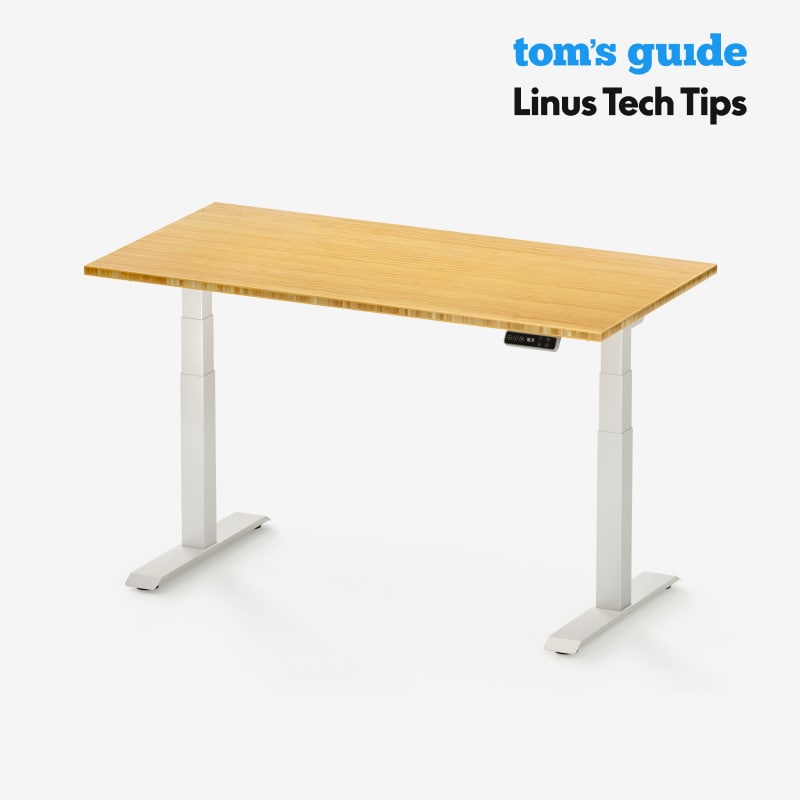
The low-going desk I recommend most
FlexiSpot E7
DEAS 8.3 out of 10
Height range 23 to 48.4 inches.
The E7 is the one I point shorter people to, and the reason is that low number. At 23 inches it bottoms out lower than nearly any quality desk we've scored, which puts a proper seated surface within reach for people down to about 4'8". Standing, it clears everyone in this guide with room to spare.
Good: drops to 23 inches, tied for the lowest we've scored; strong clinical scores; a long warranty and a strong price for what it does. Less good: certification is its weakest score; under about 4'8" you'll still need a keyboard tray or a footrest.
Score breakdown
Clinical performance8.2
I.1Neutral posture support8.5
I.2Adjustability range8.2
I.3Injury risk reduction8.2
I.4Population accommodation7.8
I.5Category clinical function8.5
Product quality8.2
II.1Material & construction8.0
II.2Published certification6.8
II.3Warranty vs benchmark9.5
II.4Verified user reliability8.5
Market value7.5
III.1Price vs category benchmark7.5
III.2Ergonomic value ratio7.5
Composite 8.3 on the DEAS (Desk Ergonomics Assessment Score). How we score
The 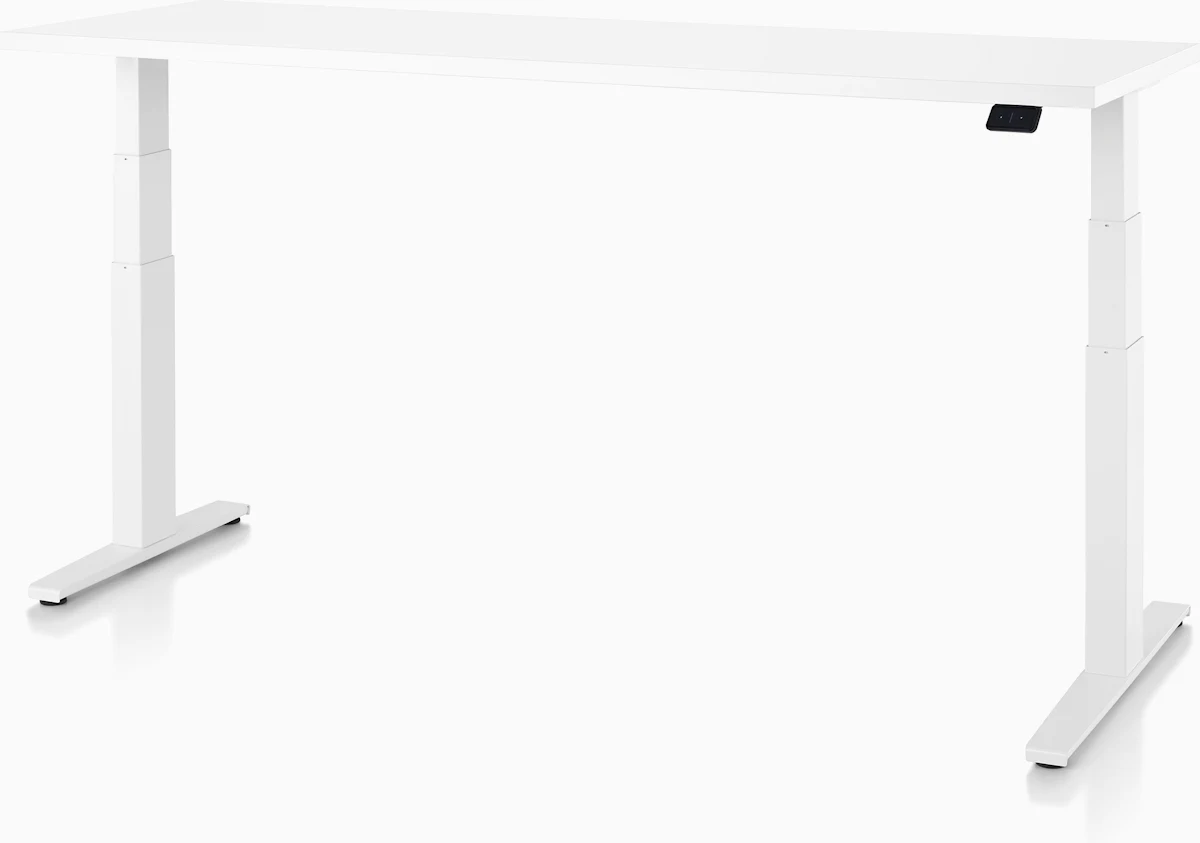 Herman Miller Motia (DEAS 7.8) also reaches 23 inches if you want the premium build, and the
  Desky Dual Laminate (7.7) gets to 23.6.
Under about 4'8"? Read this first.
Your seated surface needs to be below 23 inches, and no desk we've scored goes that low. You have two moves: a keyboard tray to carry the keyboard and mouse down the extra inches (below), or raise your chair to meet the desk and give your feet a footrest (below that). Many shorter setups use a bit of both.
When you can't lower the desk: a keyboard tray
Plenty of shorter people are stuck with a desk they can't change: a built-in surface, an office-issued desk, a table at 29 inches or more. The fix is an under-desk keyboard tray. It carries your keyboard and mouse down to your seated elbow height, so you can sit at your natural seat height with your feet flat.
How far down? Take your desk height minus the top of your seated window in the table above. At a 29-inch desk, that's about 3 inches at 5'4", 4.5 at 5'0", 6 at 4'8" and 7.5 at 4'4". Check the tray's maximum drop before you buy: it has to reach your number.

The keyboard tray I recommend most
Humanscale Keyboard Tray System
DEAS 8.0 out of 10
Mounts under the desk. Drops up to 5.25 inches, with height, tilt and swivel adjustment.
It brings the keyboard down below the desk without touching the desk itself, and its mechanism tilts the keyboard away from you, so your wrists stop bending back. Its deepest drop is 5.25 inches, enough for about 5'0" and taller at a 29-inch desk.
Good: the highest clinical scores of any keyboard tray we've rated; height, tilt and swivel in one mechanism; build quality and a warranty well beyond the category. Less good: a 5.25-inch maximum drop, short for anyone under about 5'0" at a 29-inch desk; priced well above the category benchmark; needs clearance and a solid surface under the desk.
Score breakdown
Clinical performance8.6
I.1Neutral posture support9.0
I.2Adjustability range8.0
I.3Injury risk reduction9.0
I.4Population accommodation8.0
I.5Negative tilt and wrist neutral9.0
Product quality8.7
II.1Material & construction9.0
II.2Published certification8.0
II.3Warranty vs benchmark9.0
Market value3.0
III.1Price vs category benchmark2.0
III.2Ergonomic value ratio4.0
Composite 8.0 on the DEAS (Desk Ergonomics Assessment Score). How we score
Shorter than about 5'0", or at a desk taller than 29 inches, you need a deeper drop. The  VIVO Premium Keyboard & Mouse Platform (DEAS 6.5) goes down 6.3 inches, and the
  HUANUO Adjustable Under Desk Keyboard Tray (5.4) reaches 7.5, the deepest we've measured.
Keyboard and mouse for a shorter reach
This is the part most shorter people skip. A full-size keyboard with a number pad pushes your mouse far out to the side, and the shorter your arms, the further you reach across your body to get to it. That repeated reach loads the shoulder and neck on your mouse side.
The fix is a smaller keyboard. A compact layout drops the number pad, so the mouse sits inches closer to your centerline, where a shorter reach can hold it. The assessment recommends a compact keyboard for everyone under about 5'6".

The compact keyboard I recommend most
Kinesis mWave
DEAS 7.7 out of 10
One piece, with the split and a gentle tent built in. Compact, no number pad.
It's the top-scoring compact keyboard we've rated. With no number pad, your mouse sits closer in, and the split and tent are built into one piece, so your wrists sit straighter with nothing to set up. Magnetic legs raise the front for a 5° negative tilt.
Good: no number pad, so the mouse comes closer; the built-in split and tent straighten the wrist with no setup; a 5° negative tilt; a padded palm rest for pauses. Less good: the split is fixed; too new for a long reliability record; no independent ergonomic certification.
Score breakdown
Clinical performance7.8
I.1Neutral posture support8.5
I.2Adjustability range7.5
I.3Injury risk reduction8.0
I.4Population accommodation6.5
I.5Wrist neutral and key actuation8.5
Product quality4.7
II.1Material & construction7.0
II.2Published certification2.0
II.3Warranty vs benchmark5.0
Market value6.0
III.1Price vs category benchmark6.0
III.2Ergonomic value ratio6.0
Composite 7.7 on the DEAS (Desk Ergonomics Assessment Score). How we score
On the mouse side, an oversized mouse makes a small hand stretch and grip. The assessment sizes yours from your hand: lay a credit card, long side, from your wrist crease toward the tip of your middle finger. Under two card lengths is a small hand; about two is medium.
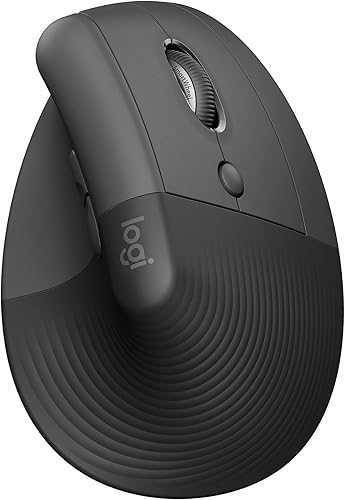
The mouse I recommend for smaller hands
Logitech Lift
DEAS 7.7 out of 10
Right- and left-handed versions. Made for small to medium hands.
It's sized so a smaller hand rests on it naturally instead of stretching, with the same handshake angle as the big vertical mice, which takes the twist out of your forearm. It comes in a true left-handed version, and it has the strongest long-term reliability record of any vertical mouse I've scored.
Good: made for small to medium hands; a true left-handed version; the best verified reliability of any vertical mouse here; a strong price for its clinical scores. Less good: a fixed angle you can't adjust; too small for large hands; no independent ergonomic certification.
Score breakdown
Clinical performance7.4
I.1Neutral posture support8.5
I.2Adjustability range6.5
I.3Injury risk reduction8.0
I.4Population accommodation5.5
I.5Wrist neutral and grip position8.5
Product quality5.8
II.1Material & construction6.5
II.2Published certification3.0
II.3Warranty vs benchmark5.0
II.4Verified user reliability8.5
Market value8.0
III.1Price vs category benchmark8.0
III.2Ergonomic value ratio8.0
Composite 7.7 on the DEAS (Desk Ergonomics Assessment Score). How we score
If you want the highest-scoring option and a fit you can fine-tune, the  Contour Unimouse (DEAS 8.0) adjusts its angle and suits small to medium hands.
The build order
- 1
Lower the desk to your seated elbow height, if it adjusts. Bringing the surface down to you solves most of the problem before you touch anything else.
- 2
Set the chair so your feet are flat, with your back against the backrest. Use the seat height from the chair table.
- 3
Slide the seat pan in to fit your thighs. Leave two to three fingers between the seat edge and the backs of your knees.
- 4
If the desk won't come down, choose: tray or footrest. A keyboard tray keeps you at your natural seat height. Or raise the chair until your elbows meet the desk, and set a footrest to the height in the footrest table.
- 5
Set the screen and keyboard. The top edge of the screen level with your eyes, and a compact keyboard pulled close so the mouse sits within easy reach.
- 6
Test it for a full afternoon. Fine-tune by feel. Trust your feet, knees and elbows over the numbers.
One closing note
The numbers here are a starting point, not a rule. Two people the same height can have different leg and torso proportions, which is why the assessment also asks how your current setup actually fits you.
The three complaints I hear most from shorter people
Numb, dangling feet
Feels like
Pins and needles or pressure under your thighs, and a lower back that won't stay against the backrest. The chair is raised to reach a too-high desk and your feet have nothing to rest on.
What helps
A footrest set to your number (footrest table), or bring the work down with a keyboard tray (tray).
Shrugged shoulders and a sore neck
Feels like
Tightness across the tops of the shoulders that builds through the day. The surface sits above your elbows, so your shoulders climb to meet it.
What helps
Bring the surface down: a sit-stand desk (desk) or a keyboard tray (tray).
An aching mouse shoulder
Feels like
A deep ache in the shoulder of your mousing arm from reaching past a full-size keyboard all day.
What helps
A compact keyboard so the mouse sits closer (keyboard and mouse).
Common questions
Should I raise my chair or lower my desk?
Lower the desk whenever you can. It brings the surface down to you and keeps your feet on the floor, which solves two problems at once. Raise the chair only when the desk is fixed and too high, and when you do, add a footrest and check that your chair goes high enough.
Do I really need a footrest?
If you've raised your chair to reach the desk and your feet no longer rest flat, yes. Dangling feet put pressure on the backs of your thighs and tip your pelvis back, away from the lumbar support. A footrest gives your feet a floor at the new height.
What if even my adjustable desk won't go low enough?
The lowest desks we've scored bottom out at 23 inches, which suits people down to about 4'8". Shorter than that, mount a keyboard tray to carry the keyboard and mouse the rest of the way down, or raise the chair and use a footrest.
Why does a smaller keyboard help a shorter person?
A full-size keyboard's number pad pushes your mouse out to the side. With shorter arms, reaching across to it all day loads the shoulder and neck. A compact keyboard drops the number pad, so the mouse sits inches closer to your centerline.
Why does seat depth matter so much for me?
Shorter legs mean shorter thighs, and a seat pan built for an average thigh leaves the front edge pressing into the backs of your knees, which pushes you forward and away from the backrest. A small-size chair, or one with a seat slider, lets you shorten the pan to fit.
Where do these numbers come from?
From the model the Desk Doctor assessment uses: seat height, seat depth, elbow height and standing height worked out as proportions of your height, plus about an inch for normal shoes. The assessment's methodology draws on the CAESAR body measurement survey, Tilley's The Measure of Man and Woman, ANSI/HFES 100-2007 and BIFMA G1-2013. In the assessment you also set your shoes and your desk height, so its numbers are more exact than any table.
How many products did you score for this guide?
204 across the categories a shorter setup touches: 41 chair models, 29 standing desks, 12 keyboard trays, 20 footrests, 53 keyboards and 49 mice. The full ranked lists are in the guides linked on this page.
References
- Duke University Occupational and Environmental Safety Office. Standards and guidelines for computer workstations (based on ANSI/HFES 100-2007). safety.duke.edu
- Fryar CD, Carroll MD, Gu Q, Afful J, Ogden CL. Anthropometric reference data for children and adults: United States, 2015–2018. National Center for Health Statistics. Vital Health Stat 3(46). 2021. CDC Stacks
This article is general education, not medical advice, diagnosis or treatment. If you have persistent or worsening pain, see a licensed clinician.
AJ Prince, HEAS
Healthcare Ergonomic Assessment Specialist. Conducts over a thousand workstation assessments a year across a multi-campus health system, and authored the DEAS standard used to rank every product on this site.

.jpg)

