FAQWhat the Research Says About Mouse Use and Wrist Pain (2026)
Your mouse is the input device the evidence actually implicates. But the pressure comes from what your hand does, not the shape of the thing.

By AJ Prince, HEAS
Healthcare Ergonomic Assessment Specialist. Updated 13 Jul 2026. A 10-minute read.
Desk Doctor earns a commission on some links, at no cost to you. It never changes a score. How we make money
Almost everyone who sits down in front of me with wrist pain has already bought a new keyboard. Almost nobody has counted their mouse hours.
That's backwards, and the research is fairly clear about why. In studies of computer work, the keyboard mostly comes up empty. The mouse doesn't: it keeps turning up with a link to wrist problems, small, contested and inconsistent, but there. And the mechanism isn't what the product marketing tells you. Here's the evidence, what it supports, and what it doesn't.
What mousing does inside your wrist
Start with scale. A study followed 632 people newly hired into jobs with at least 15 hours a week of computer work. Hand and arm symptoms ran at 39 new cases per 100 person-years and diagnosed hand and arm disorders at 21, with neck and shoulder rates higher still. More than half reported some symptom in their first year.1
Now the mechanism. Researchers placed pressure sensors in the carpal tunnels of 14 healthy volunteers while they used three different mice. Pressure was higher while dragging and pointing than with the hand resting on the mouse: about 29 to 33 mmHg while dragging, roughly 12 above resting. Dragging ran a little higher than pointing, though that gap was borderline. And the three mice gave similar wrist extension and similar pressures.2
The authors noted that in many participants, those pressures exceeded levels known to affect how a nerve works, so jobs with long stretches of intensive mousing may carry more risk. Their advice: keep the wrist from bending back, keep dragging short, and give the mousing hand other tasks often.2 For context, 30 mmHg is a common risk threshold: in healthy volunteers, about 33 degrees of wrist extension, or about 15 degrees of sideways bend toward the little finger, was enough to cross it in a quarter of them.3
~12 mmHgmore carpal tunnel pressure while dragging than with the hand resting on the mouse.2 39new cases of hand and arm symptoms per 100 person-years in new computer workers.1 What I do with this in an assessment
I ask what the person's day actually looks like. A designer dragging vector handles for six hours and an accountant clicking through cells have different exposures, and the second is milder. If your work is drag-heavy, task structure and hours are bigger levers than the shape of the mouse.
Does mouse use cause carpal tunnel syndrome?
Here's where the field gets messy, and where most articles quietly pick the study that agrees with them. This is all of it.
In a one-year study of nearly 7,000 computer users, using a mouse for more than 20 hours a week was linked to possible carpal tunnel syndrome, judged from symptoms, while keyboard use showed no significant link. Possible carpal tunnel syndrome was uncommon overall, and the authors concluded computer use doesn't pose a severe occupational hazard for it.4
A 2008 systematic review found eight studies, every one with important weaknesses, and three found risks below 1. It concluded there isn't enough evidence that computer work causes carpal tunnel syndrome. Pressures under typical computer conditions were mostly below harmful levels, though during actual mouse use one study found them rising to potentially harmful ones.5
Two meta-analyses put numbers on it. The first pooled six studies: odds of 1.67 for computer use, 1.11 for keyboarding and 1.94 for mouse use, but every one of those ranges crossed 1, so no link could be shown.6 The second pooled 12 studies and exposed a trap. Compared with the general population and other jobs, computer users looked protected, with odds of 0.72. Compared with office workers who used computers less, the direction flipped: odds of 1.34 for computer use and 1.93 for mouse use. The authors concluded excessive computer use, particularly of the mouse, might be a minor risk factor.7
The honest summary
Mouse use may be a minor risk factor for carpal tunnel syndrome. The effect is small, the studies are inconsistent, and no mouse has been shown to prevent it.
Do vertical mice and trackballs work?
This is the question most people came for, and the answer has three layers that get mixed up.
They change your posture
In 21 people with carpal tunnel syndrome, a vertical mouse cut the sideways bend toward the little finger, and a gel mouse pad and a gliding palm support reduced how far the wrist bent back. But the vertical mouse bent the wrist back the most of the devices tested.8 In healthy people, another alternative mouse cut forearm twist by up to 11.5 degrees, and wrist muscle activity fell only after people were shown how to use it.9
They didn't lower the pressure
In that study of 21 people, none of the devices lowered carpal tunnel pressure. The authors didn't endorse a strong recommendation for or against any of them; the choice came down to personal preference.8 That's consistent with the earlier pressure study, where three different mice gave similar pressures.2
The trial benefit showed up in a different nerve
A randomized trial gave 206 engineers a conventional mouse, an alternative mouse with a vertical handle, a forearm support board, or both, for a year. The alternative mouse showed a protective trend against new right-arm disorders that didn't reach significance.10 In the 154 who had nerve testing, it protected the ulnar nerve at the wrist, the one on the little-finger side, but had no effect on the median nerve, the one carpal tunnel syndrome involves.11 That's one trial and a nerve-test measure, not symptoms, so it's a lead, not a verdict.
So the popular story, "vertical mouse, therefore no carpal tunnel," isn't what the trials show. They show a better posture, and possibly some protection for the ulnar nerve.
What actually beat the control group
If you read one section, make it this one.
The 2018 Cochrane review included 15 trials with 2,165 office workers. Its strongest equipment finding came from two of them: a forearm support combined with an alternative mouse cut new neck and shoulder disorders roughly in half, on moderate-quality evidence, though it didn't cut right-arm disorders. Pooled, neither change on its own made a clear difference, and the reviewers called the evidence inconsistent overall.12
One of those two trials gave 182 call-centre operators a wide forearm support board, a trackball, both or neither, on top of ergonomics training, for a year. The forearm support halved new neck and shoulder disorders and eased neck, shoulder and right-arm pain. The trackball didn't reduce right-arm disorders, and some people found it hard to use.13
48%fewer new neck and shoulder disorders with forearm support plus an alternative mouse, from two trials.12 1 of 15trials in the Cochrane review was at low risk of bias.12 The clinical read
If nothing carries your arm while you mouse, your neck and shoulder do. The clearest pooled result is for supporting the forearm together with an alternative mouse (a vertical mouse in one trial, a trackball in the other); each change on its own gave mixed results.
The practical answer: what to change, in order
- Support the forearm. Armrests at elbow height, or the chair pulled in so the desk carries your forearm. Paired with an alternative mouse, it's the change with the best trial evidence.12,13
- Bring the mouse in, right beside the keyboard, so you're not reaching.14 A keyboard without a number pad lets it sit closer to your body.
- Cut the drag. Pressure rose while dragging, not resting.2 Use drag lock or click lock if your mouse has it, and learn the shortcuts for the moves you repeat all day.
- Then fit the mouse to your hand, and learn to use it. Instruction made an alternative mouse work better in the lab.9
An alternative mouse changes your posture, with less sideways bend and forearm twist, though sometimes more bend back,8,9 and it may protect the ulnar nerve.11 It hasn't been shown to lower carpal tunnel pressure, and on its own it didn't clearly reduce disorders in the trials.10,12 Pair it with forearm support and learn to use it, and you're doing what the evidence actually supports.
The mice that fit the evidence
Of the 49 mice and trackballs we've scored, these three are the ones I reach for most. None of them is a treatment; each makes the posture part easier.

If your wrist already hurts
Contour Unimouse
DEAS 8.0 out of 10
Tilt adjusts from 35 to 70 degrees; adjustable thumb support; right- and left-handed versions; wireless.
The one I put on the desk when a wrist is already angry, because you set the tilt to suit your forearm instead of accepting a fixed angle. Start near the flatter end and turn your hand further toward a handshake as it gets comfortable, keeping your wrist level rather than bent back.
Good: an angle you set yourself; an adjustable thumb support; the top score of any mouse we've rated; right and left versions. Less good: Contour publishes no hand-size range, so try it if you can; no third-party certification.
Score breakdown
Clinical performance8.4
I.1Neutral posture support9.0
I.2Adjustability range8.5
I.3Injury risk reduction9.0
I.4Population accommodation6.5
I.5Wrist neutral and grip position9.0
Product quality5.1
II.1Material & construction7.0
II.2Published certification2.5
II.3Warranty vs benchmark5.0
II.4Verified user reliability6.0
Market value6.8
III.1Price vs category benchmark6.5
III.2Ergonomic value ratio7.0
Composite 8.0 on the DEAS (Desk Ergonomics Assessment Score). How we score
For small to medium hands
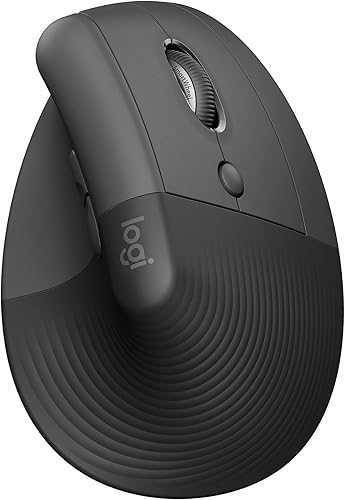
Logitech Lift
DEAS 7.7 out of 10
57-degree angle; for small to medium hands; right- and left-handed versions; one AA battery, rated for about 24 months.
A vertical mouse sized for small to medium hands. The 57-degree angle takes much of the twist out of your forearm without feeling extreme, and it's the cheapest way to find out whether a vertical mouse suits you.
Good: sized for small to medium hands; a gentle 57-degree angle; the best reliability score of our top mice; right and left versions. Less good: a fixed angle; too small for large hands; a 1-year warranty in the US.
Score breakdown
Clinical performance7.4
I.1Neutral posture support8.5
I.2Adjustability range6.5
I.3Injury risk reduction8.0
I.4Population accommodation5.5
I.5Wrist neutral and grip position8.5
Product quality5.8
II.1Material & construction6.5
II.2Published certification3.0
II.3Warranty vs benchmark5.0
II.4Verified user reliability8.5
Market value8.0
III.1Price vs category benchmark8.0
III.2Ergonomic value ratio8.0
Composite 7.7 on the DEAS (Desk Ergonomics Assessment Score). How we score
For larger hands
Logitech MX Vertical
DEAS 7.4 out of 10
57-degree angle; for medium to large hands; right-handed only.
The same 57-degree angle as the  Lift in a bigger body, so a larger hand can rest on it without clawing or pinching to grip.
Good: a 57-degree angle; sized for bigger hands; a good reliability score from user reviews. Less good: right-handed only; too big for small hands; a 1-year warranty in the US.
Score breakdown
Clinical performance7.5
I.1Neutral posture support8.5
I.2Adjustability range6.5
I.3Injury risk reduction8.0
I.4Population accommodation6.0
I.5Wrist neutral and grip position8.5
Product quality5.4
II.1Material & construction6.5
II.2Published certification3.0
II.3Warranty vs benchmark5.0
II.4Verified user reliability7.0
Market value7.5
III.1Price vs category benchmark7.5
III.2Ergonomic value ratio7.5
Composite 7.4 on the DEAS (Desk Ergonomics Assessment Score). How we score
#ProductDEAS
1  Contour Unimouse Right Best overall Lift (vertical) 8.0 DEAS
Clinical performance8.4
I.1Neutral posture support9.0
I.2Adjustability range8.5
I.3Injury risk reduction9.0
I.4Population accommodation6.5
I.5Wrist neutral and grip position9.0
Product quality5.1
II.1Material & construction7.0
II.2Published certification2.5
II.3Warranty vs benchmark5.0
II.4Verified user reliability6.0
Market value6.8
III.1Price vs category benchmark6.5
III.2Ergonomic value ratio7.0
2  Contour Unimouse Left Best overall Lift (vertical) 8.0 DEAS
Clinical performance8.4
I.1Neutral posture support9.0
I.2Adjustability range8.5
I.3Injury risk reduction9.0
I.4Population accommodation6.5
I.5Wrist neutral and grip position9.0
Product quality5.1
II.1Material & construction7.0
II.2Published certification2.5
II.3Warranty vs benchmark5.0
II.4Verified user reliability6.0
Market value6.8
III.1Price vs category benchmark6.5
III.2Ergonomic value ratio7.0
3  Logitech Lift Right Best for smaller hands Lift (vertical) 7.7 DEAS
Clinical performance7.4
I.1Neutral posture support8.5
I.2Adjustability range6.5
I.3Injury risk reduction8.0
I.4Population accommodation5.5
I.5Wrist neutral and grip position8.5
Product quality5.8
II.1Material & construction6.5
II.2Published certification3.0
II.3Warranty vs benchmark5.0
II.4Verified user reliability8.5
Market value8.0
III.1Price vs category benchmark8.0
III.2Ergonomic value ratio8.0
4  Logitech Lift Left Best for smaller hands Lift (vertical) 7.7 DEAS
Clinical performance7.4
I.1Neutral posture support8.5
I.2Adjustability range6.5
I.3Injury risk reduction8.0
I.4Population accommodation5.5
I.5Wrist neutral and grip position8.5
Product quality5.8
II.1Material & construction6.5
II.2Published certification3.0
II.3Warranty vs benchmark5.0
II.4Verified user reliability8.5
Market value8.0
III.1Price vs category benchmark8.0
III.2Ergonomic value ratio8.0
5  R-Go HE Break Vertical Mouse, left-handed Best for left-handers Lift (vertical) 7.5 DEAS
Clinical performance8.0
I.1Neutral posture support9.0
I.2Adjustability range6.5
I.3Injury risk reduction8.5
I.4Population accommodation7.5
I.5Wrist neutral and grip position8.5
Product quality5.9
II.1Material & construction7.0
II.2Published certification3.0
II.3Warranty vs benchmark6.5
II.4Verified user reliability7.0
Market value6.0
III.1Price vs category benchmark5.5
III.2Ergonomic value ratio6.5
6  Logitech MX Vertical Best for larger hands Lift (vertical) 7.4 DEAS
Clinical performance7.5
I.1Neutral posture support8.5
I.2Adjustability range6.5
I.3Injury risk reduction8.0
I.4Population accommodation6.0
I.5Wrist neutral and grip position8.5
Product quality5.4
II.1Material & construction6.5
II.2Published certification3.0
II.3Warranty vs benchmark5.0
II.4Verified user reliability7.0
Market value7.5
III.1Price vs category benchmark7.5
III.2Ergonomic value ratio7.5
7  Evoluent VerticalMouse 4 Right Best wired vertical mouse Lift (vertical) 7.1 DEAS
Clinical performance7.3
I.1Neutral posture support8.5
I.2Adjustability range6.0
I.3Injury risk reduction8.0
I.4Population accommodation5.5
I.5Wrist neutral and grip position8.5
Product quality4.9
II.1Material & construction6.0
II.2Published certification2.5
II.3Warranty vs benchmark5.0
II.4Verified user reliability6.0
Market value6.8
III.1Price vs category benchmark6.5
III.2Ergonomic value ratio7.0
8  Evoluent VerticalMouse 4 Left Best wired vertical mouse Lift (vertical) 7.1 DEAS
Clinical performance7.3
I.1Neutral posture support8.5
I.2Adjustability range6.0
I.3Injury risk reduction8.0
I.4Population accommodation5.5
I.5Wrist neutral and grip position8.5
Product quality4.9
II.1Material & construction6.0
II.2Published certification2.5
II.3Warranty vs benchmark5.0
II.4Verified user reliability6.0
Market value6.8
III.1Price vs category benchmark6.5
III.2Ergonomic value ratio7.0
9  Logitech MX Ergo Trackball 7.0 DEAS
Clinical performance7.2
I.1Neutral posture support8.0
I.2Adjustability range6.5
I.3Injury risk reduction7.5
I.4Population accommodation6.0
I.5Wrist neutral and grip position8.0
Product quality5.6
II.1Material & construction7.0
II.2Published certification3.0
II.3Warranty vs benchmark5.0
II.4Verified user reliability7.5
Market value6.2
III.1Price vs category benchmark6.0
III.2Ergonomic value ratio6.5
10  Logitech MX Ergo S Best thumb trackball Trackball 7.0 DEAS
Clinical performance7.2
I.1Neutral posture support8.0
I.2Adjustability range6.5
I.3Injury risk reduction7.5
I.4Population accommodation6.0
I.5Wrist neutral and grip position8.0
Product quality5.6
II.1Material & construction7.0
II.2Published certification3.0
II.3Warranty vs benchmark5.0
II.4Verified user reliability7.5
Market value6.2
III.1Price vs category benchmark6.0
III.2Ergonomic value ratio6.5
Show all 49
11  Logitech Trackman Marble Best value trackball Trackball 7.0 DEAS
Clinical performance6.7
I.1Neutral posture support7.5
I.2Adjustability range5.5
I.3Injury risk reduction7.0
I.4Population accommodation6.0
I.5Wrist neutral and grip position7.5
Product quality5.4
II.1Material & construction6.5
II.2Published certification3.0
II.3Warranty vs benchmark5.0
II.4Verified user reliability7.0
Market value8.0
III.1Price vs category benchmark8.5
III.2Ergonomic value ratio7.5
12  Kensington Expert Mouse Wireless Trackball Trackball 7.0 DEAS
Clinical performance7.1
I.1Neutral posture support8.0
I.2Adjustability range6.0
I.3Injury risk reduction7.5
I.4Population accommodation6.0
I.5Wrist neutral and grip position8.0
Product quality5.5
II.1Material & construction7.0
II.2Published certification3.0
II.3Warranty vs benchmark5.0
II.4Verified user reliability7.0
Market value6.5
III.1Price vs category benchmark6.5
III.2Ergonomic value ratio6.5
13  Kensington SlimBlade Pro Trackball Best big-ball trackball Trackball 7.0 DEAS
Clinical performance7.1
I.1Neutral posture support8.0
I.2Adjustability range6.0
I.3Injury risk reduction7.5
I.4Population accommodation6.0
I.5Wrist neutral and grip position8.0
Product quality5.2
II.1Material & construction6.5
II.2Published certification3.0
II.3Warranty vs benchmark5.0
II.4Verified user reliability6.5
Market value6.2
III.1Price vs category benchmark6.0
III.2Ergonomic value ratio6.5
14  ELECOM EX-G Left Trackball Best left-handed trackball Trackball 7.0 DEAS
Clinical performance6.9
I.1Neutral posture support8.0
I.2Adjustability range5.5
I.3Injury risk reduction7.5
I.4Population accommodation6.0
I.5Wrist neutral and grip position7.5
Product quality5.1
II.1Material & construction6.0
II.2Published certification2.5
II.3Warranty vs benchmark5.0
II.4Verified user reliability7.0
Market value8.0
III.1Price vs category benchmark8.5
III.2Ergonomic value ratio7.5
15  Evoluent VMC Vertical Mouse Wireless Right Lift (vertical) 6.9 DEAS
Clinical performance7.0
I.1Neutral posture support8.0
I.2Adjustability range6.0
I.3Injury risk reduction7.5
I.4Population accommodation5.5
I.5Wrist neutral and grip position8.0
Product quality4.5
II.1Material & construction6.0
II.2Published certification2.5
II.3Warranty vs benchmark5.0
Market value7.0
III.1Price vs category benchmark7.0
III.2Ergonomic value ratio7.0
16  Anker Vertical Ergonomic Mouse Wireless Lift (vertical) 6.8 DEAS
Clinical performance6.6
I.1Neutral posture support7.5
I.2Adjustability range5.5
I.3Injury risk reduction7.0
I.4Population accommodation5.5
I.5Wrist neutral and grip position7.5
Product quality4.5
II.1Material & construction5.5
II.2Published certification2.0
II.3Warranty vs benchmark4.5
II.4Verified user reliability6.0
Market value8.5
III.1Price vs category benchmark9.0
III.2Ergonomic value ratio8.0
17  Anker Vertical Ergonomic Mouse Wired Lift (vertical) 6.8 DEAS
Clinical performance6.6
I.1Neutral posture support7.5
I.2Adjustability range5.5
I.3Injury risk reduction7.0
I.4Population accommodation5.5
I.5Wrist neutral and grip position7.5
Product quality4.5
II.1Material & construction5.5
II.2Published certification2.0
II.3Warranty vs benchmark4.5
II.4Verified user reliability6.0
Market value8.5
III.1Price vs category benchmark9.0
III.2Ergonomic value ratio8.0
18  Microsoft Sculpt Ergonomic Mouse Standard ergonomic 6.8 DEAS
Clinical performance6.3
I.1Neutral posture support7.0
I.2Adjustability range5.5
I.3Injury risk reduction6.5
I.4Population accommodation6.0
I.5Wrist neutral and grip position6.5
Product quality5.4
II.1Material & construction6.5
II.2Published certification3.0
II.3Warranty vs benchmark5.0
II.4Verified user reliability7.0
Market value7.0
III.1Price vs category benchmark7.5
III.2Ergonomic value ratio6.5
19  Razer Pro Click V2 Vertical Lift (vertical) 6.8 DEAS
Clinical performance7.1
I.1Neutral posture support8.0
I.2Adjustability range6.5
I.3Injury risk reduction7.5
I.4Population accommodation5.5
I.5Wrist neutral and grip position8.0
Product quality5.1
II.1Material & construction6.5
II.2Published certification3.0
II.3Warranty vs benchmark5.0
II.4Verified user reliability6.0
Market value5.2
III.1Price vs category benchmark5.0
III.2Ergonomic value ratio5.5
20  Kensington Pro Fit Left Ergo Standard ergonomic 6.8 DEAS
Clinical performance6.4
I.1Neutral posture support7.0
I.2Adjustability range5.5
I.3Injury risk reduction6.5
I.4Population accommodation6.5
I.5Wrist neutral and grip position6.5
Product quality5.4
II.1Material & construction6.5
II.2Published certification3.0
II.3Warranty vs benchmark5.0
II.4Verified user reliability7.0
Market value6.8
III.1Price vs category benchmark7.0
III.2Ergonomic value ratio6.5
21  MEETION Left Vertical Mouse Lift (vertical) 6.8 DEAS
Clinical performance6.8
I.1Neutral posture support8.0
I.2Adjustability range5.5
I.3Injury risk reduction7.5
I.4Population accommodation5.5
I.5Wrist neutral and grip position7.5
Product quality4.5
II.1Material & construction5.5
II.2Published certification2.0
II.3Warranty vs benchmark4.5
II.4Verified user reliability6.0
Market value8.5
III.1Price vs category benchmark9.0
III.2Ergonomic value ratio8.0
22  Evoluent VerticalMouse D Right Lift (vertical) 6.7 DEAS
Clinical performance7.3
I.1Neutral posture support8.5
I.2Adjustability range6.0
I.3Injury risk reduction8.0
I.4Population accommodation5.5
I.5Wrist neutral and grip position8.5
Product quality4.8
II.1Material & construction6.0
II.2Published certification2.5
II.3Warranty vs benchmark5.0
II.4Verified user reliability5.5
Market value5.2
III.1Price vs category benchmark5.0
III.2Ergonomic value ratio5.5
23  Kensington Orbit Trackball Trackball 6.7 DEAS
Clinical performance6.4
I.1Neutral posture support7.0
I.2Adjustability range5.5
I.3Injury risk reduction6.5
I.4Population accommodation6.0
I.5Wrist neutral and grip position7.0
Product quality5.0
II.1Material & construction6.0
II.2Published certification3.0
II.3Warranty vs benchmark5.0
II.4Verified user reliability6.0
Market value7.5
III.1Price vs category benchmark8.0
III.2Ergonomic value ratio7.0
24  Kensington MY630 EQ Wireless Standard ergonomic 6.7 DEAS
Clinical performance6.5
I.1Neutral posture support7.5
I.2Adjustability range5.5
I.3Injury risk reduction6.5
I.4Population accommodation6.0
I.5Wrist neutral and grip position7.0
Product quality5.0
II.1Material & construction6.0
II.2Published certification3.0
II.3Warranty vs benchmark5.0
II.4Verified user reliability6.0
Market value7.2
III.1Price vs category benchmark7.5
III.2Ergonomic value ratio7.0
25  Logitech Signature M750 Standard ergonomic 6.6 DEAS
Clinical performance5.6
I.1Neutral posture support6.0
I.2Adjustability range5.5
I.3Injury risk reduction5.5
I.4Population accommodation6.0
I.5Wrist neutral and grip position5.0
Product quality5.8
II.1Material & construction6.5
II.2Published certification3.0
II.3Warranty vs benchmark5.0
II.4Verified user reliability8.5
Market value8.0
III.1Price vs category benchmark8.5
III.2Ergonomic value ratio7.5
26  Contour Touch Trackpad 6.6 DEAS
Clinical performance6.7
I.1Neutral posture support7.5
I.2Adjustability range5.0
I.3Injury risk reduction7.0
I.4Population accommodation6.5
I.5Wrist neutral and grip position7.5
Product quality5.2
II.1Material & construction7.0
II.2Published certification2.5
II.3Warranty vs benchmark5.0
II.4Verified user reliability6.5
Market value5.0
III.1Price vs category benchmark4.5
III.2Ergonomic value ratio5.5
27  Microsoft Bluetooth Ergonomic Mouse Standard ergonomic 6.6 DEAS
Clinical performance6.0
I.1Neutral posture support6.5
I.2Adjustability range5.5
I.3Injury risk reduction6.0
I.4Population accommodation6.0
I.5Wrist neutral and grip position6.0
Product quality5.1
II.1Material & construction6.0
II.2Published certification3.0
II.3Warranty vs benchmark5.0
II.4Verified user reliability6.5
Market value7.5
III.1Price vs category benchmark8.0
III.2Ergonomic value ratio7.0
28  Logitech Signature M550 L Standard ergonomic 6.6 DEAS
Clinical performance5.8
I.1Neutral posture support6.0
I.2Adjustability range5.5
I.3Injury risk reduction5.5
I.4Population accommodation6.5
I.5Wrist neutral and grip position5.5
Product quality5.6
II.1Material & construction6.5
II.2Published certification3.0
II.3Warranty vs benchmark5.0
II.4Verified user reliability8.0
Market value8.0
III.1Price vs category benchmark8.5
III.2Ergonomic value ratio7.5
29  ProtoArc Trackpad Trackpad 6.5 DEAS
Clinical performance5.9
I.1Neutral posture support6.5
I.2Adjustability range4.5
I.3Injury risk reduction6.0
I.4Population accommodation6.0
I.5Wrist neutral and grip position6.5
Product quality4.9
II.1Material & construction5.5
II.2Published certification2.0
II.3Warranty vs benchmark4.5
II.4Verified user reliability7.5
Market value8.0
III.1Price vs category benchmark8.5
III.2Ergonomic value ratio7.5
30  Contour Design Ultimate Workstation RollerMouse Red Roller bar 6.4 DEAS
Clinical performance8.5
I.1Neutral posture support9.0
I.2Adjustability range8.0
I.3Injury risk reduction9.0
I.4Population accommodation7.5
I.5Wrist neutral and grip position9.0
Product quality5.5
II.1Material & construction8.0
II.2Published certification2.5
II.3Warranty vs benchmark5.0
II.4Verified user reliability6.5
Market value1.5
III.1Price vs category benchmark1.0
III.2Ergonomic value ratio2.0
31  Logitech M720 Triathlon Standard ergonomic 6.3 DEAS
Clinical performance5.6
I.1Neutral posture support6.0
I.2Adjustability range5.5
I.3Injury risk reduction5.5
I.4Population accommodation6.0
I.5Wrist neutral and grip position5.0
Product quality5.6
II.1Material & construction6.5
II.2Published certification3.0
II.3Warranty vs benchmark5.0
II.4Verified user reliability8.0
Market value7.5
III.1Price vs category benchmark8.0
III.2Ergonomic value ratio7.0
32  Contour RollerMouse Red Roller bar 6.3 DEAS
Clinical performance8.1
I.1Neutral posture support9.0
I.2Adjustability range7.0
I.3Injury risk reduction8.5
I.4Population accommodation7.0
I.5Wrist neutral and grip position9.0
Product quality5.4
II.1Material & construction7.5
II.2Published certification2.5
II.3Warranty vs benchmark5.0
II.4Verified user reliability6.5
Market value2.0
III.1Price vs category benchmark1.5
III.2Ergonomic value ratio2.5
33  Microsoft Classic IntelliMouse Standard ergonomic 6.3 DEAS
Clinical performance5.6
I.1Neutral posture support6.0
I.2Adjustability range5.0
I.3Injury risk reduction5.5
I.4Population accommodation6.0
I.5Wrist neutral and grip position5.5
Product quality5.2
II.1Material & construction6.5
II.2Published certification3.0
II.3Warranty vs benchmark5.0
II.4Verified user reliability6.5
Market value7.5
III.1Price vs category benchmark8.0
III.2Ergonomic value ratio7.0
34 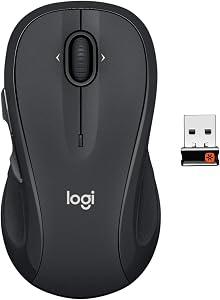 Logitech M510 Standard ergonomic 6.2 DEAS
Clinical performance5.2
I.1Neutral posture support5.5
I.2Adjustability range5.0
I.3Injury risk reduction5.0
I.4Population accommodation6.0
I.5Wrist neutral and grip position4.5
Product quality5.2
II.1Material & construction6.0
II.2Published certification3.0
II.3Warranty vs benchmark5.0
II.4Verified user reliability7.0
Market value8.2
III.1Price vs category benchmark9.0
III.2Ergonomic value ratio7.5
35  Logitech MX Master 3S Standard ergonomic 6.1 DEAS
Clinical performance5.9
I.1Neutral posture support6.5
I.2Adjustability range6.0
I.3Injury risk reduction6.0
I.4Population accommodation6.0
I.5Wrist neutral and grip position5.0
Product quality5.8
II.1Material & construction7.0
II.2Published certification3.0
II.3Warranty vs benchmark5.0
II.4Verified user reliability8.0
Market value6.0
III.1Price vs category benchmark6.0
III.2Ergonomic value ratio6.0
36  Logitech M705 Marathon Standard ergonomic 6.1 DEAS
Clinical performance5.2
I.1Neutral posture support5.5
I.2Adjustability range5.0
I.3Injury risk reduction5.0
I.4Population accommodation6.0
I.5Wrist neutral and grip position4.5
Product quality5.4
II.1Material & construction6.0
II.2Published certification3.0
II.3Warranty vs benchmark5.0
II.4Verified user reliability7.5
Market value7.8
III.1Price vs category benchmark8.5
III.2Ergonomic value ratio7.0
37  Adesso iMouse E10 Lift (vertical) 6.1 DEAS
Clinical performance6.2
I.1Neutral posture support7.0
I.2Adjustability range5.0
I.3Injury risk reduction6.5
I.4Population accommodation5.5
I.5Wrist neutral and grip position7.0
Product quality4.1
II.1Material & construction4.5
II.2Published certification2.0
II.3Warranty vs benchmark4.5
II.4Verified user reliability5.5
Market value8.0
III.1Price vs category benchmark8.5
III.2Ergonomic value ratio7.5
38  Razer Pro Click Standard ergonomic 6.1 DEAS
Clinical performance6.0
I.1Neutral posture support6.5
I.2Adjustability range6.0
I.3Injury risk reduction6.0
I.4Population accommodation6.0
I.5Wrist neutral and grip position5.5
Product quality5.2
II.1Material & construction6.5
II.2Published certification3.0
II.3Warranty vs benchmark5.0
II.4Verified user reliability6.5
Market value6.0
III.1Price vs category benchmark6.0
III.2Ergonomic value ratio6.0
39  Acer Wireless Vertical Ergonomic Mouse Lift (vertical) 6.0 DEAS
Clinical performance6.2
I.1Neutral posture support7.0
I.2Adjustability range5.0
I.3Injury risk reduction6.5
I.4Population accommodation5.5
I.5Wrist neutral and grip position7.0
Product quality3.8
II.1Material & construction5.0
II.2Published certification2.0
II.3Warranty vs benchmark4.5
Market value8.2
III.1Price vs category benchmark9.0
III.2Ergonomic value ratio7.5
40  Incase Bluetooth Ergonomic Mouse Standard ergonomic 6.0 DEAS
Clinical performance5.6
I.1Neutral posture support6.0
I.2Adjustability range5.5
I.3Injury risk reduction5.5
I.4Population accommodation5.5
I.5Wrist neutral and grip position5.5
Product quality4.5
II.1Material & construction6.0
II.2Published certification2.5
II.3Warranty vs benchmark5.0
Market value7.0
III.1Price vs category benchmark7.5
III.2Ergonomic value ratio6.5
41 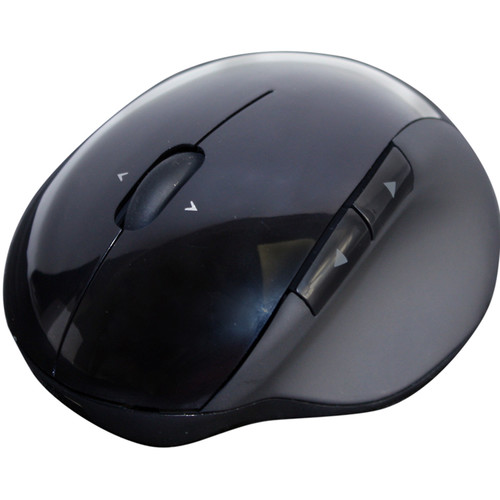 Adesso iMouse E50 Lift (vertical) 5.9 DEAS
Clinical performance6.2
I.1Neutral posture support7.0
I.2Adjustability range5.0
I.3Injury risk reduction6.5
I.4Population accommodation5.5
I.5Wrist neutral and grip position7.0
Product quality3.7
II.1Material & construction4.5
II.2Published certification2.0
II.3Warranty vs benchmark4.5
Market value7.5
III.1Price vs category benchmark8.0
III.2Ergonomic value ratio7.0
42  Adesso iMouse X1 Standard ergonomic 5.9 DEAS
Clinical performance5.5
I.1Neutral posture support6.0
I.2Adjustability range5.0
I.3Injury risk reduction5.5
I.4Population accommodation5.5
I.5Wrist neutral and grip position5.5
Product quality3.8
II.1Material & construction5.0
II.2Published certification2.0
II.3Warranty vs benchmark4.5
Market value8.2
III.1Price vs category benchmark9.0
III.2Ergonomic value ratio7.5
43  Razer Pro Click Mini Standard ergonomic 5.9 DEAS
Clinical performance5.4
I.1Neutral posture support6.0
I.2Adjustability range5.5
I.3Injury risk reduction5.5
I.4Population accommodation5.0
I.5Wrist neutral and grip position5.0
Product quality5.0
II.1Material & construction6.0
II.2Published certification3.0
II.3Warranty vs benchmark5.0
II.4Verified user reliability6.0
Market value6.8
III.1Price vs category benchmark7.0
III.2Ergonomic value ratio6.5
44  Logitech G Pro Wireless Standard ergonomic 5.9 DEAS
Clinical performance5.2
I.1Neutral posture support5.5
I.2Adjustability range5.5
I.3Injury risk reduction5.0
I.4Population accommodation5.5
I.5Wrist neutral and grip position4.5
Product quality5.9
II.1Material & construction7.0
II.2Published certification3.0
II.3Warranty vs benchmark5.0
II.4Verified user reliability8.5
Market value6.0
III.1Price vs category benchmark6.0
III.2Ergonomic value ratio6.0
45  Logitech MX Anywhere 2S Standard ergonomic 5.7 DEAS
Clinical performance4.7
I.1Neutral posture support5.0
I.2Adjustability range5.0
I.3Injury risk reduction4.5
I.4Population accommodation5.0
I.5Wrist neutral and grip position4.0
Product quality5.5
II.1Material & construction6.5
II.2Published certification3.0
II.3Warranty vs benchmark5.0
II.4Verified user reliability7.5
Market value6.5
III.1Price vs category benchmark7.0
III.2Ergonomic value ratio6.0
46  Logitech G502 X Lightspeed Standard ergonomic 5.6 DEAS
Clinical performance5.3
I.1Neutral posture support5.5
I.2Adjustability range6.0
I.3Injury risk reduction5.0
I.4Population accommodation5.5
I.5Wrist neutral and grip position4.5
Product quality5.5
II.1Material & construction7.0
II.2Published certification3.0
II.3Warranty vs benchmark5.0
II.4Verified user reliability7.0
Market value4.8
III.1Price vs category benchmark4.5
III.2Ergonomic value ratio5.0
47  Logitech G Pro X Superlight Standard ergonomic 5.6 DEAS
Clinical performance4.9
I.1Neutral posture support5.0
I.2Adjustability range5.5
I.3Injury risk reduction4.5
I.4Population accommodation5.5
I.5Wrist neutral and grip position4.0
Product quality6.0
II.1Material & construction7.0
II.2Published certification3.0
II.3Warranty vs benchmark5.0
II.4Verified user reliability9.0
Market value5.0
III.1Price vs category benchmark5.0
III.2Ergonomic value ratio5.0
48  SteelSeries Aerox 5 Wireless Standard ergonomic 5.6 DEAS
Clinical performance5.2
I.1Neutral posture support5.5
I.2Adjustability range5.5
I.3Injury risk reduction5.0
I.4Population accommodation5.5
I.5Wrist neutral and grip position4.5
Product quality5.5
II.1Material & construction7.0
II.2Published certification3.0
II.3Warranty vs benchmark5.0
II.4Verified user reliability7.0
Market value4.8
III.1Price vs category benchmark4.5
III.2Ergonomic value ratio5.0
49  Razer Naga V2 HyperSpeed Standard ergonomic 5.4 DEAS
Clinical performance4.9
I.1Neutral posture support5.0
I.2Adjustability range5.5
I.3Injury risk reduction4.5
I.4Population accommodation5.5
I.5Wrist neutral and grip position4.0
Product quality5.2
II.1Material & construction6.5
II.2Published certification3.0
II.3Warranty vs benchmark5.0
II.4Verified user reliability6.5
Market value5.8
III.1Price vs category benchmark6.0
III.2Ergonomic value ratio5.5
Left-handed? The  Contour Unimouse, the
  Logitech Lift, the
  Evoluent VerticalMouse 4, the
  R-Go HE and the
  ELECOM EX-G trackball all come in true left-hand versions. The full reviews are in the mouse guide.
How to set up your mouse to the evidence
- 1
Get the forearm carried. Armrests at elbow height, or the chair pulled in so the desk edge supports the forearm. This is the step with trial evidence behind it.12,13
- 2
Move the mouse next to the keyboard. If you're reaching, your shoulder holds your arm up all day.14
- 3
Keep the wrist level. Not bent back over the mouse. The pressure study authors put that first.2
- 4
Don't anchor on the side of your hand. Move from the elbow and shoulder rather than pivoting on a planted wrist.
- 5
Shorten the drags. Drag lock, click lock and keyboard shortcuts all cut the time you spend holding a button down.
- 6
Then fit the mouse. Sized to your hand, and used the way it was designed: instruction helped in the lab.9
- 7
Take short, frequent breaks. In a study of computer workers, microbreaks every 20 minutes eased discomfort the most, with no loss of productivity.15
The point of the setup
Buying a vertical mouse and then reaching for it, anchoring your wrist and dragging for six hours is a purchase, not a fix.
What mouse-related wrist pain feels like
Pinky-side wrist pain and weakness
Feels like
An ache or tingling along the ring and little fingers, and a clumsy grip late in the day.
What helps
Stop anchoring the side of your hand on the desk and move from the elbow. This is the ulnar side, where one trial's nerve tests favored an alternative mouse.
Thumb and index numbness
Feels like
Pins and needles in the thumb, index and middle fingers, sometimes waking you at night.
What helps
Cut the drag time first. Night symptoms need a clinician, not a new mouse.
Neck and shoulder ache on the mouse side
Feels like
A one-sided ache from the base of the neck into the shoulder blade that builds through the afternoon.
What helps
Forearm support with an alternative mouse, the combination with the best pooled trial result, and the mouse moved closer.
When to get it checked
Numbness that persists, wakes you at night or comes with weakness needs a clinician. A mouse is not a treatment.
Common questions
Do vertical mice prevent carpal tunnel syndrome?
No study has shown that. In 21 people with carpal tunnel syndrome, a vertical mouse cut the sideways bend of the wrist but didn't lower carpal tunnel pressure, and it bent the wrist back more than the other devices did.8 What a vertical mouse does is ease forearm twist and sideways bend, and some people find it more comfortable. That's worth having, but it isn't prevention.
Does using a mouse cause wrist pain?
Possibly, in a small way. The research mostly looks at carpal tunnel syndrome. In a one-year study, more than 20 hours of mouse use a week was linked to possible carpal tunnel syndrome, while keyboard use wasn't.4 Among office workers, one meta-analysis linked mouse use to about double the odds,7 while an earlier one couldn't show a link.6 The signal is small and inconsistent.
What actually reduced problems in the trials?
Forearm support paired with an alternative mouse. Pooled across two trials in the 2018 Cochrane review, the combination cut new neck and shoulder disorders roughly in half; neither change alone made a clear difference in the pooled results.12 In one of those trials, a wide forearm support on its own halved neck and shoulder disorders in call-centre operators.13
Is a trackball better than a mouse?
Not proven. A trackball doesn't travel, so your arm doesn't either, but in the call-centre trial it didn't reduce right-arm disorders and some people found it hard to use.13 Thumb-operated trackballs also shift the work onto the thumb. Several trackballs score well in our ranking, so they're a legitimate option, just not a proven upgrade.
Should I switch my mouse to my other hand?
Using your other hand for part of the day spreads the load; switching entirely just moves it. It takes practice: in a small study, 11 right-handed people trained their other hand on a mouse for 15 minutes a day, five days a week, for six weeks, and it learned the skill.16 Several of our top mice come in true left-hand versions.
How many mice did you score, and which do you recommend?
We've scored 49 mice and trackballs. The  Contour Unimouse (DEAS 8.0) is the one I use for an angry wrist because you set its angle, the Logitech Lift (7.7) suits small to medium hands, and the
  Logitech MX Vertical (7.4) suits larger ones. The full ranking is above and in the mouse guide.
References
- Gerr F, Marcus M, Ensor C, et al. A prospective study of computer users: I. Study design and incidence of musculoskeletal symptoms and disorders. Am J Ind Med. 2002;41(4):221–235. PMID: 11920966. doi:10.1002/ajim.10066
- Keir PJ, Bach JM, Rempel D. Effects of computer mouse design and task on carpal tunnel pressure. Ergonomics. 1999;42(10):1350–1360. PMID: 10582504. doi:10.1080/001401399184992
- Keir PJ, Bach JM, Hudes M, Rempel DM. Guidelines for wrist posture based on carpal tunnel pressure thresholds. Hum Factors. 2007;49(1):88–99. PMID: 17315846. PubMed
- Andersen JH, Thomsen JF, Overgaard E, et al. Computer use and carpal tunnel syndrome: a 1-year follow-up study. JAMA. 2003;289(22):2963–2969. PMID: 12799404. doi:10.1001/jama.289.22.2963
- Thomsen JF, Gerr F, Atroshi I. Carpal tunnel syndrome and the use of computer mouse and keyboard: a systematic review. BMC Musculoskelet Disord. 2008;9:134. PMID: 18838001. doi:10.1186/1471-2474-9-134
- Mediouni Z, de Roquemaurel A, Dumontier C, et al. Is carpal tunnel syndrome related to computer exposure at work? A review and meta-analysis. J Occup Environ Med. 2014;56(2):204–208. PMID: 24451617. doi:10.1097/JOM.0000000000000080
- Shiri R, Falah-Hassani K. Computer use and carpal tunnel syndrome: a meta-analysis. J Neurol Sci. 2015;349(1–2):15–19. PMID: 25582979. doi:10.1016/j.jns.2014.12.037
- Schmid AB, Kubler PA, Johnston V, Coppieters MW. A vertical mouse and ergonomic mouse pads alter wrist position but do not reduce carpal tunnel pressure in patients with carpal tunnel syndrome. Appl Ergon. 2015;47:151–156. PMID: 25479984. doi:10.1016/j.apergo.2014.08.020
- Houwink A, Oude Hengel KM, Odell D, Dennerlein JT. Providing training enhances the biomechanical improvements of an alternative computer mouse design. Hum Factors. 2009;51(1):46–55. PMID: 19634308. doi:10.1177/0018720808329843
- Conlon CF, Krause N, Rempel DM. A randomised controlled trial evaluating an alternative mouse and forearm support on upper body discomfort and musculoskeletal disorders among engineers. Occup Environ Med. 2008;65(5):311–318. PMID: 17626135. doi:10.1136/oem.2006.032243
- Conlon CF, Krause N, Rempel DM. A randomized controlled trial evaluating an alternative mouse or forearm support on change in median and ulnar nerve motor latency at the wrist. Am J Ind Med. 2009;52(4):304–310. PMID: 19142961. doi:10.1002/ajim.20674
- Hoe VCW, Urquhart DM, Kelsall HL, Zamri EN, Sim MR. Ergonomic interventions for preventing work-related musculoskeletal disorders of the upper limb and neck among office workers. Cochrane Database Syst Rev. 2018;10(10):CD008570. PMID: 30350850. doi:10.1002/14651858.CD008570.pub3
- Rempel DM, Krause N, Goldberg R, Benner D, Hudes M, Goldner GU. A randomised controlled trial evaluating the effects of two workstation interventions on upper body pain and incident musculoskeletal disorders among computer operators. Occup Environ Med. 2006;63(5):300–306. oem.bmj.com
- OSHA. Computer Workstations eTool: pointer/mouse. osha.gov
- McLean L, Tingley M, Scott RN, Rickards J. Computer terminal work and the benefit of microbreaks. Appl Ergon. 2001;32(3):225–237. PMID: 11394463. doi:10.1016/S0003-6870(00)00071-5
- Schweiger D, Stone R, Genschel U. Nondominant hand computer mouse training and the bilateral transfer effect to the dominant hand. Sci Rep. 2021;11:4211. PMID: 33603055. doi:10.1038/s41598-021-83770-4
This article is general education, not medical advice. A mouse is not a treatment for any condition; persistent numbness, tingling, pain or weakness in the hand needs a licensed clinician.
AJ Prince, HEAS
Healthcare Ergonomic Assessment Specialist. Conducts over a thousand workstation assessments a year across a multi-campus health system, and authored the DEAS standard used to rank every product on this site.

