Desk painThe Top 5 Reasons Desk Workers Have Back Pain, and How to Fix Each One
It's rarely the chair alone. It's a chain of small mechanical mistakes that add up over a workday. The five I see most, and the fix for each.

By AJ Prince, HEAS
Healthcare Ergonomic Assessment Specialist. Updated 12 Apr 2026. A 10-minute read.
Desk Doctor earns a commission on some links, at no cost to you. It never changes a score. How we make money
If you sit for a living and your lower back hurts, you're in very large company: low back pain is the leading cause of disability in the world.1 What surprises most people I assess is that the cause is rarely the chair alone. It's a chain of small mechanical mistakes that add up over a workday.
The body doesn't care what you do for a living. It cares whether you're held bolt upright or slumped for hours, whether your feet reach the floor, whether you reach forward to type, whether you move at all, and whether the muscles that hold you up still get any work.
Here are the five in the order I check them, with the fix for each. The products are the ones I recommend in assessments, chosen because they correct the mechanics, not because they're cheap.
Cause 1 of 5
You sit bolt upright at 90 degrees
The textbook picture of good posture, back vertical and hips at 90 degrees, is harder work than it looks. Holding your torso upright keeps the muscles along your spine busy, and when they tire, most people slide into a slump, which is worse: in a computer model of the lumbar spine, slumped sitting raised the pressure on the discs significantly, while upright, supported sitting loaded them about the same as standing.2
A slight recline changes the deal. In the classic disc-pressure studies, pressure in the lower back fell as the backrest reclined from upright toward 120 degrees, and fell further with lumbar support.3 The backrest carries some of your weight, so your back muscles aren't holding you up all day. OSHA's chair guidance includes a backrest that reclines at least 15 degrees from vertical.4
The fix
Lean back so your torso sits about 105 to 120 degrees from your thighs, what OSHA calls reclined sitting,5 with the lumbar support at the small of your back, and keep the screen and keyboard where you can reach them from there.

The chair I start with
Steelcase Gesture
DEAS 8.6 out of 10
Armrests that pivot through 360 degrees; seat 16.3 to 21.5 inches high, depth 15.75 to 18.75; rated to 400 lb. BIFMA level 3; 12-year multi-shift warranty.
If your lower back is the first thing that hurts, this is the chair I'd put you in. The back moves with you as you recline, the seat slides so you can sit all the way back, and the adjustments fit a very wide range of bodies. Add the adjustable lumbar when you order it.
Good: a backrest that moves with you; the widest adjustment range of any chair we've scored; rated to 400 lb; a 12-year multi-shift warranty. Less good: priced far above the category benchmark; adjustable lumbar costs extra.
Score breakdown
Clinical performance9.0
I.1Neutral posture support9.2
I.2Adjustability range9.0
I.3Injury risk reduction9.0
I.4Population accommodation8.8
I.5Lumbar support quality9.2
Product quality9.2
II.1Material & construction9.3
II.2Published certification9.0
II.3Warranty vs benchmark9.5
II.4Verified user reliability9.0
Market value1.8
III.1Price vs category benchmark1.5
III.2Ergonomic value ratio2.0
Composite 8.6 on the DEAS (Desk Ergonomics Assessment Score). How we score
If the budget says no
If a Gesture isn't in the budget, look for three things in any chair, in this order: a backrest that reclines at least 15 degrees and holds there, lumbar support you can move to the small of your back,4 and a seat shallow enough that you can sit all the way back.
Cause 2 of 5
Your feet don't sit flat
Look at a row of people at their desks from the side. Plenty have the seat set for the desk, not for their legs: high enough to reach the keyboard, so their feet dangle, their heels lift, or they tuck their feet under the chair. Shorter people get this most, because a standard desk sits at about 29 inches.
OSHA links a seat that's too high, with the feet unsupported, to fatigue, restricted circulation, swelling, numbness and pain,4 and many people slide forward to the seat edge, leaving the backrest behind. Dropping the seat isn't the answer either: with the knees up above the hips, the pelvis rolls back and the lower back flattens.6
The fix
Set the seat for the desk, then bring the floor up to your feet: feet flat, thighs roughly level or hips slightly above your knees.5 If your feet don't reach, add a footrest rather than lowering the seat.4
.jpg)
The footrest I reach for first
Humanscale FR300 Foot Rocker
DEAS 7.1 out of 10
Height 3.75 to 6.75 inches; rocks on ball-bearing rollers. A hardwood platform on a steel frame.
If your feet dangle, swing or tuck under the chair by mid-afternoon, this fixes it. Three inches of height adjustment covers the gap most shorter people are dealing with, and the platform rocks, so your ankles keep moving instead of locking up.
Good: the top footrest score; 3.75 to 6.75 inches of height; rocks smoothly; a 15-year warranty. Less good: priced well above the category benchmark; a low certification score; the rocking takes a day or two to get used to.
Score breakdown
Clinical performance7.6
I.1Neutral posture support8.0
I.2Adjustability range7.0
I.3Injury risk reduction8.0
I.4Population accommodation7.0
I.5Knee angle and contact pressure8.0
Product quality6.8
II.1Material & construction9.0
II.2Published certification3.0
II.3Warranty vs benchmark9.0
II.4Verified user reliability6.0
Market value3.5
III.1Price vs category benchmark3.0
III.2Ergonomic value ratio4.0
Composite 7.1 on the DEAS (Desk Ergonomics Assessment Score). How we score
Quick test
Sit all the way back. If your heels lift, your feet dangle, or you tuck them under the chair, the seat is too high for your floor. Lower the chair if the desk allows it, or raise the floor.
Cause 3 of 5
You round forward to reach the keyboard
Watch yourself type for ten minutes. If your shoulders drift forward and your upper back curls into a C, the cause is usually mechanical: the keyboard is too far away, too high, or both, so your arms reach and your shoulder blades get pulled around your ribs. Once the upper back rounds, the lower back follows it off the backrest.
Two things fix it: position and support. Your hands should land on the keys with your back against the chair and your elbows close to your sides.5 And your forearms need somewhere to rest: in lab studies, arm supports lowered shoulder muscle activity.7,8 At a standard desk, shorter people often can't get there: by the assessment's body model, a 5'4" person at a 29-inch desk needs the keyboard about 3 inches lower, and a 5'0" person about 4.5.
The fix
An under-desk keyboard tray drops the keyboard to your elbows and tilts it slightly away from you, so you can type with your back against the chair.

If you reach to type
Humanscale 6G Keyboard Tray System
DEAS 8.0 out of 10
Tilts away from you to -15 degrees with a dial; 1.75 inches above to 5.25 inches below its 22-inch track. A 25-inch board with a foam palm rest.
If you can't keep your back against the chair while you type, this is the piece that fixes it. It brings the keyboard down to your elbows and in toward you, so your shoulders stop being recruited just to reach the keys.
Good: the top tray score and the best clinical scores; tilts to -15 degrees; a 15-year warranty. Less good: priced far above the category benchmark; keyboard and mouse share the 25-inch board; the track needs about 22 inches of depth under the desk.
Score breakdown
Clinical performance8.6
I.1Neutral posture support9.0
I.2Adjustability range8.0
I.3Injury risk reduction9.0
I.4Population accommodation8.0
I.5Negative tilt and wrist neutral9.0
Product quality8.7
II.1Material & construction9.0
II.2Published certification8.0
II.3Warranty vs benchmark9.0
Market value3.0
III.1Price vs category benchmark2.0
III.2Ergonomic value ratio4.0
Composite 8.0 on the DEAS (Desk Ergonomics Assessment Score). How we score
The 90-degree test
Sit back fully, let your upper arms hang and bend your elbows to about 90 degrees. If your hands don't land on the keys without reaching or shrugging, the keyboard is in the wrong place. That's geometry, not posture.
Cause 4 of 5
You sit too long without moving
Even a perfect chair, tray and footrest can't undo eight hours of stillness. A 2025 review of office-worker studies found the most consistent link to low back pain wasn't total sitting time but sitting behavior: fewer breaks and more static sitting. Most of those studies were cross-sectional, so it's an association, not proof of cause.9
Movement is what helps. In a lab study, two-minute walking breaks every 40 minutes gave real relief to people whose backs began to ache, but it faded within about 10 minutes of sitting back down,10 which is an argument for moving often, not occasionally. Standing all day isn't the answer either: older studies measured higher disc pressure sitting than standing, but newer ones haven't found a clear difference.11
2 minwalking breaks every 40 minutes eased sitting-induced back pain in a lab study.10 About 100 minless sitting a day at first with a sit-stand desk, in a Cochrane review.12 The fix
Change position every 30 to 45 minutes: stand, walk, then sit again. A sit-stand desk makes that a button press instead of a project; a Cochrane review found sit-stand desks cut sitting at work by about 100 minutes a day at first, on low-quality evidence.12
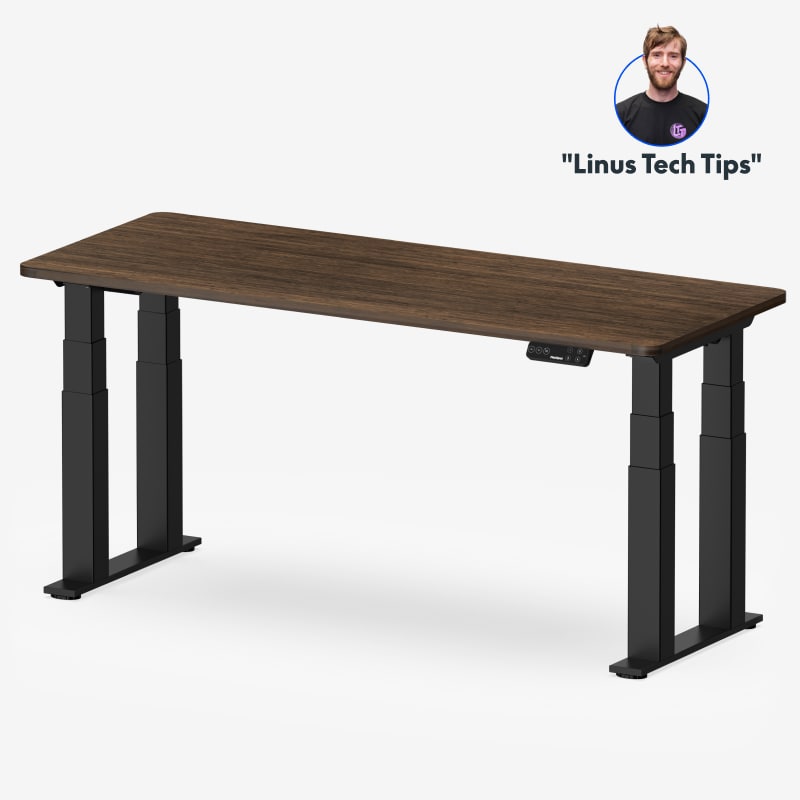
To make moving easy
FlexiSpot E7 Plus
DEAS 8.4 out of 10
Four 3-stage legs; 26 to 51.6 inches; lifts 440 pounds. Frame, motor and mechanisms covered for 15 years.
If you want to actually use a sit-stand desk rather than buy one and forget it, the switch has to be effortless. Four legs keep this one steady at standing height, where most desks start to sway, and it's a button press between sitting and standing. Under about 5'6"? The 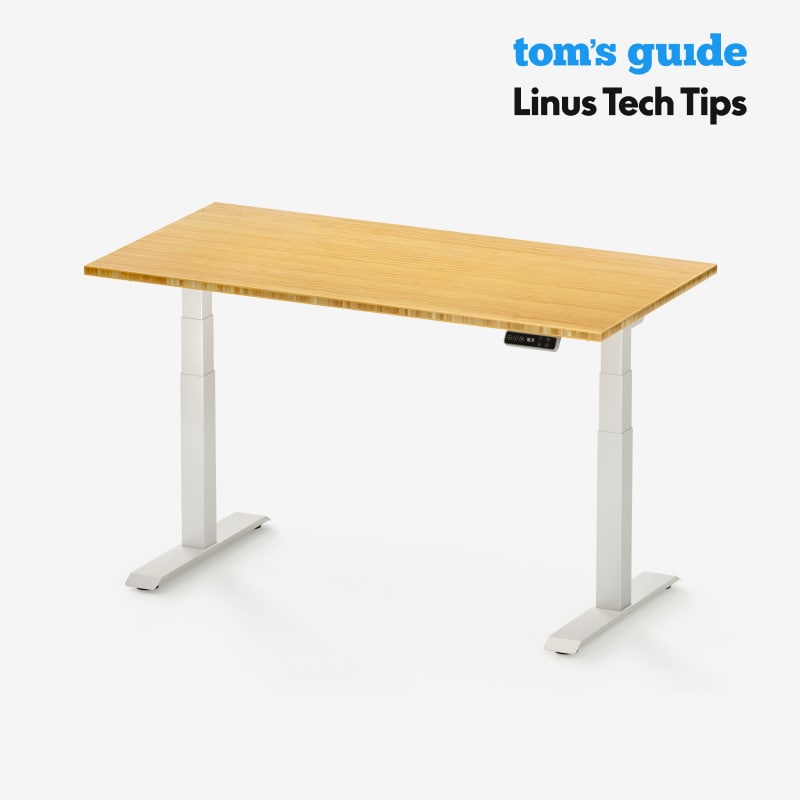 FlexiSpot E7 goes lower.
Good: the top desk score and the top stability score; lifts 440 pounds; the top reliability score from user reviews; a 15-year warranty. Less good: its lowest height, 26 inches, is too high for many shorter people to sit at; no third-party certification listed.
Score breakdown
Clinical performance8.7
I.1Neutral posture support8.8
I.2Adjustability range8.7
I.3Injury risk reduction8.7
I.4Population accommodation8.3
I.5Height range and stability9.2
Product quality8.5
II.1Material & construction8.8
II.2Published certification6.8
II.3Warranty vs benchmark9.5
II.4Verified user reliability8.8
Market value7.0
III.1Price vs category benchmark6.5
III.2Ergonomic value ratio7.5
Composite 8.4 on the DEAS (Desk Ergonomics Assessment Score). How we score
Ease in
Don't switch to standing all day overnight. An expert statement suggests building toward two hours a day of standing and light activity at work, then four, and breaking up seated work often.13 Standing still for hours brings its own problems, including low back and leg pain and fatigue.14
Cause 5 of 5
The muscles that hold you up are out of practice
This is the cause people least want to hear about, because you can't buy your way out of it. A chair that holds you up all day asks little of the muscles that hold your trunk upright, and no chair trains them.
Strength work is also the best-supported thing on this page. A meta-analysis of 21 trials and more than 30,000 people found that exercise combined with education cut the risk of a new episode of low back pain by about 45%, and exercise alone by about 35%, while back belts and shoe insoles didn't prevent it.15 A brace can remind you where your shoulders belong: in a lab study, a shoulder brace lowered trapezius activity while people typed, but didn't change their pain or fatigue.16
About 45%lower risk of a new episode of low back pain with exercise plus education.15 About 35%lower risk with exercise alone, on weaker evidence.15 The fix
Two layers: a cue during the day, if you want one, and the actual strength work. Banded rows, pull-aparts, dead bugs and bird dogs, about 10 minutes, three days a week.

If you want a posture cue
Ottobock Dorso Direxa Posture Corrector
DEAS 7.0 out of 10
An elastic brace for the upper back with built-in aluminum supports; sizes XS to XXL by waist, 27.6 to 51.2 inches.
If your shoulders roll forward by mid-morning and won't stay back unless you think about it, this is the brace I'd use to break the pattern. Its straps cue your shoulder blades back without locking you in place. Use it as a training aid alongside the strength work, not on its own.
Good: medical-grade build; straps that cue your shoulder blades back; discreet under clothing. Less good: priced above the category average; too few user reviews to score its reliability; a training aid, not a fix on its own.
Score breakdown
Clinical performance6.8
I.1Neutral posture support7.0
I.2Adjustability range6.0
I.3Injury risk reduction7.0
I.4Population accommodation6.5
I.5Postural cue effectiveness7.5
Product quality7.0
II.1Material & construction7.5
II.2Published certification7.0
II.3Warranty vs benchmark6.5
Market value4.2
III.1Price vs category benchmark4.0
III.2Ergonomic value ratio4.5
Composite 7.0 on the DEAS (Desk Ergonomics Assessment Score). How we score

For the strength work
THERABAND Resistance Band Set (Rehab Kit)
DEAS 7.3 out of 10
If you do nothing else for your back muscles, do banded rows and pull-aparts with this set. The resistance levels are clearly graded, so you can add load week to week instead of guessing. It's the cheapest thing on this page, and the one with the most evidence behind what it's for.
Good: clearly graded resistance for real progression; excellent value; strong long-term reliability. Less good: warranty below the category benchmark; it only works if you use it.
Score breakdown
Clinical performance6.5
I.1Neutral posture support6.5
I.2Adjustability range5.5
I.3Injury risk reduction7.0
I.4Population accommodation6.5
I.5Resistance range and exercise specificity7.0
Product quality6.8
II.1Material & construction6.5
II.2Published certification8.0
II.3Warranty vs benchmark4.0
II.4Verified user reliability8.5
Market value8.8
III.1Price vs category benchmark9.0
III.2Ergonomic value ratio8.5
Composite 7.3 on the DEAS (Desk Ergonomics Assessment Score). How we score
Clinical note
A brace that does the holding for you all day isn't the goal. Wear it for short stretches as a reminder, and let the strength work do the rest.
The full setup, start to finish
Do it in this order. Strength work before the geometry is right wastes your effort, because the bad geometry undoes it.
- 1
Set the chair height first. Sit all the way back. Feet flat, thighs roughly level;5 if your feet don't reach, add a footrest.4
- 2
Place the lumbar support. At the small of your back.4
- 3
Recline a little. Torso about 105 to 120 degrees from your thighs, not bolt upright.5
- 4
Bring the keyboard to your elbows. Back against the chair, elbows close to your sides, hands on the keys without reaching. If they can't get there, add a keyboard tray.
- 5
Set the monitor. Top edge level with your eyes, about an arm's length away, so the screen doesn't pull you forward out of everything you just set.
- 6
Build in movement. Stand or walk every 30 to 45 minutes.10
- 7
Add the strength work last. About 10 minutes, three days a week. Once the setup is right, it compounds.
What to expect
In my experience, the setup changes help within a week or two, and the strength work takes about six weeks to show. If you're not better by about eight weeks, see a clinician.
Common back pain patterns and what helps
A dull ache across the low back by mid-afternoon
Feels like
Both sides, just above the belt line. Standing up hurts for a moment, then helps.
What helps
A supported recline and movement breaks (Cause 1, Cause 4).
Stiffness when you finally stand up
Feels like
You straighten up slowly after a long stretch in the chair.
What helps
Break up the sitting: two minutes on your feet every 30 to 45 minutes (Cause 4).
Tightness between the shoulder blades
Feels like
Your upper back aches by midday from reaching forward.
What helps
A keyboard at your elbows, and banded rows three times a week (Cause 3).
When to see a doctor
Back pain that runs down a leg, comes with numbness or weakness, follows a fall, or comes with changes in bladder or bowel control needs a clinician, and the last one needs one urgently.
Common questions
If I can only fix one thing, what should it be?
For the setup, the chair: a backrest that reclines and holds the curve of your lower back gives your spine somewhere to rest, and everything else builds on it. But the strongest evidence for preventing back pain isn't equipment, it's exercise, which cut the risk of a new episode by about 35% on its own and about 45% with education in a meta-analysis of prevention trials.15
Can I just buy a posture brace and skip the rest?
No. A brace is a reminder, not a fix. If your chair, desk and keyboard pull you forward, the brace fights that all day and loses. Use it as the last layer, once the setup is right and you're doing the strength work.
Is standing all day better than sitting all day?
No. Newer studies haven't found a clear difference in disc pressure between sitting and standing,11 and long hours of standing bring their own problems, including low back and leg pain.14 What helps is changing position: stand or walk every 30 to 45 minutes.10
How long until I notice a change?
In my experience, the setup fixes help within a week or two, and the strength work takes about six weeks to show in how you sit. If you've fixed everything and still hurt at eight weeks, see a clinician.
How many products did you score for this guide?
These six come from categories we score in full: 39 chairs, 20 footrests, 12 keyboard trays, 29 standing desks, 25 posture correctors and 18 resistance band sets. Each one is matched to the cause in its section.
Do I need all six products?
Probably not. Most people I assess have two or three of these causes, not all five. Work out which ones describe you and fix those first; buy everything at once and you won't know what helped.
References
- GBD 2021 Low Back Pain Collaborators. Global, regional, and national burden of low back pain, 1990–2020, its attributable risk factors, and projections to 2050: a systematic analysis of the Global Burden of Disease Study 2021. Lancet Rheumatol. 2023;5(6):e316–e329. PMID: 37273833. doi:10.1016/S2665-9913(23)00098-X
- Cho M, Han JS, Kang S, et al. Biomechanical effects of different sitting postures and physiologic movements on the lumbar spine: a finite element study. Bioengineering. 2023;10(9):1051. doi:10.3390/bioengineering10091051
- Andersson BJG, Örtengren R, Nachemson A, Elfström G. Lumbar disc pressure and myoelectric back muscle activity during sitting. I. Studies on an experimental chair. Scand J Rehabil Med. 1974;6(3):104–114. PMID: 4417801. PubMed
- OSHA. Computer Workstations eTool: chairs. osha.gov
- OSHA. Computer Workstations eTool: neutral working postures. osha.gov
- Yasukouchi A, Isayama T. The relationships between lumbar curves, pelvic tilt and joint mobilities in different sitting postures in young adult males. Appl Human Sci. 1995;14(1):15–21. doi:10.2114/ahs.14.15
- Feng Y, Grooten W, Wretenberg P, Arborelius UP. Effects of arm support on shoulder and arm muscle activity during sedentary work. Ergonomics. 1997;40(8):834–848. PMID: 9336107. doi:10.1080/001401397187829
- Gonçalves JS, et al. The effects of forearm support and shoulder posture on upper trapezius and anterior deltoid activity. J Phys Ther Sci. 2017. PMID: 28603347. PubMed
- Alaca N, Acar AÖ, Öztürk S. Low back pain and sitting time, posture and behavior in office workers: a scoping review. J Back Musculoskelet Rehabil. 2025;38(5):919–943. doi:10.1177/10538127251320320
- De Carvalho D, Callaghan JP. Does a break from sitting change biomechanical outcome measures or transient pain? A laboratory-based experimental study. Work. 2023;75(2):553–566. doi:10.3233/WOR-211266
- Li JQ, Kwong WH, Chan YL, Kawabata M. Comparison of in vivo intradiscal pressure between sitting and standing in human lumbar spine: a systematic review and meta-analysis. Life. 2022;12(3):457. doi:10.3390/life12030457
- Shrestha N, Kukkonen-Harjula KT, Verbeek JH, Ijaz S, Hermans V, Pedisic Z. Workplace interventions for reducing sitting at work. Cochrane Database Syst Rev. 2018;12:CD010912. doi:10.1002/14651858.CD010912.pub5
- Buckley JP, Hedge A, Yates T, Copeland RJ, Loosemore M, Hamer M, Bradley G, Dunstan DW. The sedentary office: an expert statement on the growing case for change towards better health and productivity. Br J Sports Med. 2015;49(21):1357–1362. doi:10.1136/bjsports-2015-094618
- Waters TR, Dick RB. Evidence of health risks associated with prolonged standing at work and intervention effectiveness. Rehabil Nurs. 2015;40(3):148–165. PMID: 25041875. doi:10.1002/rnj.166
- Steffens D, Maher CG, Pereira LSM, et al. Prevention of low back pain: a systematic review and meta-analysis. JAMA Intern Med. 2016;176(2):199–208. JAMA Network
- Leung M, Kan MMP, Cheng HMH, De Carvalho DE, Anwer S, Li H, Wong AYL. Effects of using a shoulder/scapular brace on the posture and muscle activity of healthy university students during prolonged typing: a randomized controlled cross-over trial. Healthcare. 2023;11(11):1555. doi:10.3390/healthcare11111555
This article is general education, not medical advice. Back pain that runs down a leg, comes with numbness or weakness, or hasn't improved after several weeks needs a licensed clinician; changes in bladder or bowel control need urgent care.
AJ Prince, HEAS
Healthcare Ergonomic Assessment Specialist. Conducts over a thousand workstation assessments a year across a multi-campus health system, and authored the DEAS standard used to rank every product on this site.
