Ergonomic productsBest Ergonomic Chairs Under $500 in 2026: 5 Ranked Picks
Under $500, every chair makes a trade-off: build, adjustment range or warranty. I scored 39 chairs on the DEAS standard and kept the ones I could buy for under $500. These are the five I'd sit you in.

By AJ Prince, HEAS
Healthcare Ergonomic Assessment Specialist. Updated 12 May 2026. A 6-minute read.
Desk Doctor earns a commission on some links, at no cost to you. It never changes a score. How we make money
A lot of the people I assess bought their chair under $500 for the word “ergonomic” on the box. The lumbar pad sits in the wrong place, the seat is too deep, and the arms won't come down far enough. The chair looks the part and does none of the work.
Three things matter at this price, and none of them is marketing: lumbar support you can move to the small of your back, a seat height and depth that fit your legs, and armrests that let your shoulders drop. Everything else, from the mesh weave to the headrest, comes after.
So I took the 39 chairs I've scored and kept the ones I could buy for under $500 when I checked prices on 30 October 2026. The Steelcase and HON chairs this guide used to lead with now cost a little more; they're in the FAQ. Prices move, so check the current one before you buy.
All 15 under $500, ranked
Best to worst by DEAS score, from the 39 chairs we've scored, keeping the ones I could buy for under $500 on 30 October 2026. Tap a row for its full score breakdown; the quick guide adds a fit finder for your height and desk.
#ProductDEAS
1  Branch Ergonomic Chair Pro Best overall 7.1 DEAS
Clinical performance7.3
I.1Neutral posture support7.4
I.2Adjustability range7.4
I.3Injury risk reduction7.2
I.4Population accommodation7.2
I.5Lumbar support quality7.2
Product quality7.1
II.1Material & construction7.2
II.2Published certification6.5
II.3Warranty vs benchmark7.0
II.4Verified user reliability7.8
Market value5.9
III.1Price vs category benchmark5.8
III.2Ergonomic value ratio6.0
2  SIHOO Doro C300 Best value 6.9 DEAS
Clinical performance7.0
I.1Neutral posture support7.0
I.2Adjustability range7.2
I.3Injury risk reduction7.0
I.4Population accommodation6.8
I.5Lumbar support quality6.8
Product quality6.7
II.1Material & construction6.8
II.2Published certification6.0
II.3Warranty vs benchmark6.5
II.4Verified user reliability7.5
Market value6.8
III.1Price vs category benchmark6.8
III.2Ergonomic value ratio6.8
3 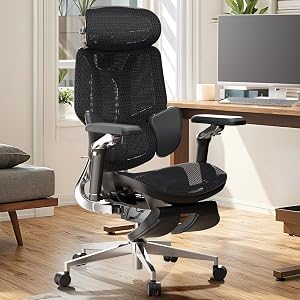 HBADA E3 Ultra Three-zone lumbar 6.9 DEAS
Clinical performance7.1
I.1Neutral posture support7.2
I.2Adjustability range7.4
I.3Injury risk reduction7.2
I.4Population accommodation6.8
I.5Lumbar support quality6.8
Product quality6.7
II.1Material & construction6.8
II.2Published certification6.0
II.3Warranty vs benchmark6.5
II.4Verified user reliability7.5
Market value5.7
III.1Price vs category benchmark5.5
III.2Ergonomic value ratio5.8
4  HBADA E3 Pro The E3 for less 6.9 DEAS
Clinical performance6.9
I.1Neutral posture support7.0
I.2Adjustability range7.2
I.3Injury risk reduction7.0
I.4Population accommodation6.7
I.5Lumbar support quality6.7
Product quality6.7
II.1Material & construction6.7
II.2Published certification6.0
II.3Warranty vs benchmark6.5
II.4Verified user reliability7.5
Market value6.1
III.1Price vs category benchmark6.0
III.2Ergonomic value ratio6.2
5  Nouhaus Ergo3D Arms that flip up 6.8 DEAS
Clinical performance6.7
I.1Neutral posture support6.8
I.2Adjustability range7.0
I.3Injury risk reduction6.8
I.4Population accommodation6.5
I.5Lumbar support quality6.5
Product quality6.3
II.1Material & construction6.5
II.2Published certification5.5
II.3Warranty vs benchmark6.0
II.4Verified user reliability7.2
Market value6.9
III.1Price vs category benchmark7.0
III.2Ergonomic value ratio6.8
Show all 15
6  Autonomous ErgoChair Pro 6.7 DEAS
Clinical performance6.8
I.1Neutral posture support6.8
I.2Adjustability range7.2
I.3Injury risk reduction6.8
I.4Population accommodation6.6
I.5Lumbar support quality6.5
Product quality6.5
II.1Material & construction6.8
II.2Published certification6.0
II.3Warranty vs benchmark6.0
II.4Verified user reliability7.0
Market value6.1
III.1Price vs category benchmark6.0
III.2Ergonomic value ratio6.2
7  Newtral H Pro 6.7 DEAS
Clinical performance6.6
I.1Neutral posture support6.7
I.2Adjustability range6.8
I.3Injury risk reduction6.6
I.4Population accommodation6.5
I.5Lumbar support quality6.5
Product quality6.2
II.1Material & construction6.5
II.2Published certification5.5
II.3Warranty vs benchmark6.0
II.4Verified user reliability7.0
Market value6.8
III.1Price vs category benchmark6.8
III.2Ergonomic value ratio6.8
8  IKEA JÄRVFJÄLLET 6.6 DEAS
Clinical performance6.3
I.1Neutral posture support6.4
I.2Adjustability range6.3
I.3Injury risk reduction6.3
I.4Population accommodation6.4
I.5Lumbar support quality6.2
Product quality6.9
II.1Material & construction6.5
II.2Published certification5.5
II.3Warranty vs benchmark8.0
II.4Verified user reliability7.5
Market value6.1
III.1Price vs category benchmark6.0
III.2Ergonomic value ratio6.2
9  Staples Dexley 6.6 DEAS
Clinical performance6.1
I.1Neutral posture support6.2
I.2Adjustability range6.2
I.3Injury risk reduction6.2
I.4Population accommodation6.0
I.5Lumbar support quality6.0
Product quality6.5
II.1Material & construction6.2
II.2Published certification5.5
II.3Warranty vs benchmark7.0
II.4Verified user reliability7.5
Market value7.1
III.1Price vs category benchmark7.2
III.2Ergonomic value ratio7.0
10 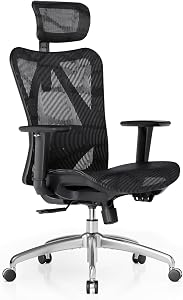 SIHOO M57 6.6 DEAS
Clinical performance6.3
I.1Neutral posture support6.4
I.2Adjustability range6.6
I.3Injury risk reduction6.4
I.4Population accommodation6.2
I.5Lumbar support quality6.0
Product quality6.2
II.1Material & construction6.2
II.2Published certification5.5
II.3Warranty vs benchmark6.0
II.4Verified user reliability7.0
Market value6.9
III.1Price vs category benchmark7.0
III.2Ergonomic value ratio6.8
11  Autonomous ErgoChair Core 6.5 DEAS
Clinical performance6.3
I.1Neutral posture support6.4
I.2Adjustability range6.5
I.3Injury risk reduction6.2
I.4Population accommodation6.2
I.5Lumbar support quality6.0
Product quality6.2
II.1Material & construction6.2
II.2Published certification5.5
II.3Warranty vs benchmark6.0
II.4Verified user reliability7.0
Market value6.8
III.1Price vs category benchmark6.8
III.2Ergonomic value ratio6.8
12 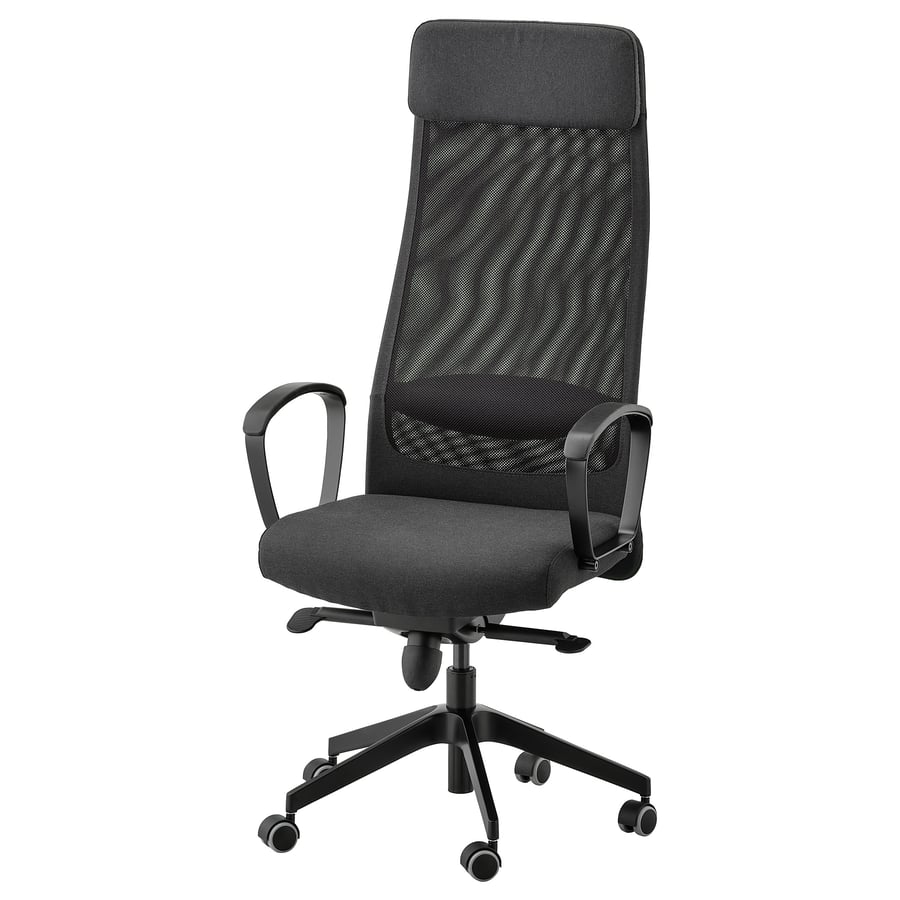 IKEA MARKUS 6.4 DEAS
Clinical performance6.0
I.1Neutral posture support6.2
I.2Adjustability range5.8
I.3Injury risk reduction6.0
I.4Population accommodation6.1
I.5Lumbar support quality5.8
Product quality6.8
II.1Material & construction6.3
II.2Published certification5.5
II.3Warranty vs benchmark8.0
II.4Verified user reliability7.5
Market value6.5
III.1Price vs category benchmark6.5
III.2Ergonomic value ratio6.5
13  Staples Hyken 6.4 DEAS
Clinical performance6.0
I.1Neutral posture support6.0
I.2Adjustability range6.0
I.3Injury risk reduction6.0
I.4Population accommodation6.0
I.5Lumbar support quality5.8
Product quality6.5
II.1Material & construction6.0
II.2Published certification5.5
II.3Warranty vs benchmark7.0
II.4Verified user reliability7.5
Market value7.3
III.1Price vs category benchmark7.5
III.2Ergonomic value ratio7.2
14 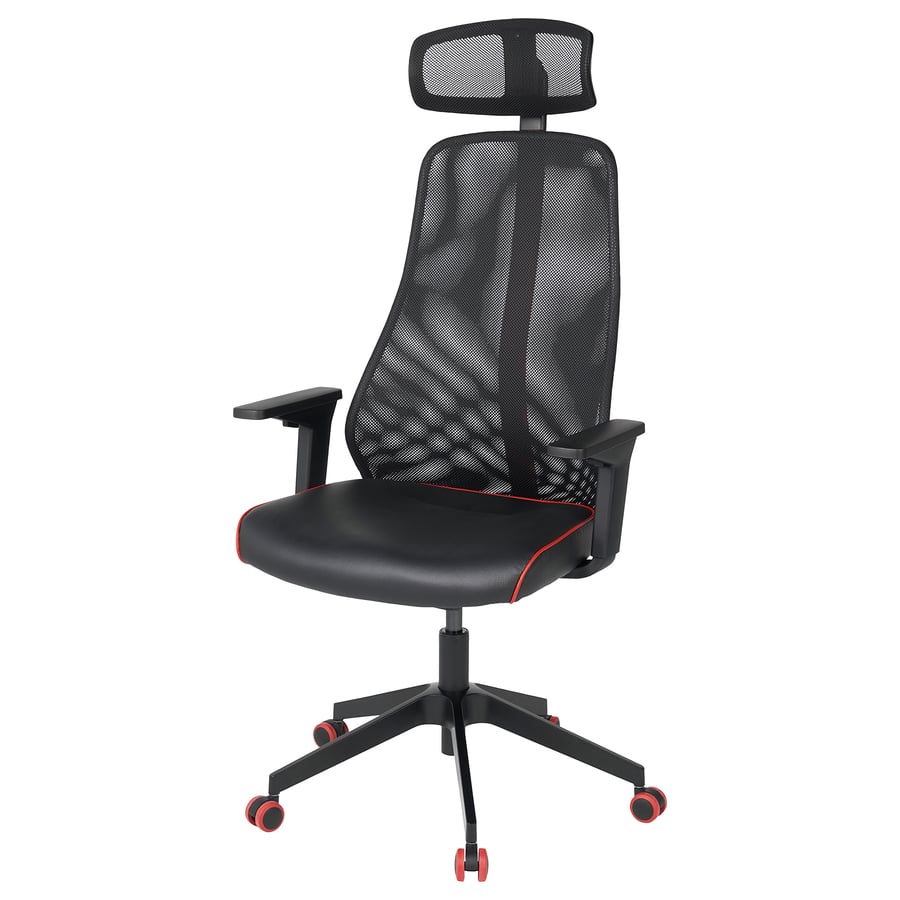 IKEA MATCHSPEL 6.2 DEAS
Clinical performance5.6
I.1Neutral posture support5.8
I.2Adjustability range5.6
I.3Injury risk reduction5.6
I.4Population accommodation5.6
I.5Lumbar support quality5.5
Product quality6.6
II.1Material & construction6.0
II.2Published certification5.5
II.3Warranty vs benchmark8.0
II.4Verified user reliability7.0
Market value6.8
III.1Price vs category benchmark6.8
III.2Ergonomic value ratio6.8
15  Newtral Freedom-X Criss Cross 6.2 DEAS
Clinical performance5.8
I.1Neutral posture support6.0
I.2Adjustability range5.8
I.3Injury risk reduction6.0
I.4Population accommodation5.8
I.5Lumbar support quality5.5
Product quality5.9
II.1Material & construction6.0
II.2Published certification5.5
II.3Warranty vs benchmark5.5
II.4Verified user reliability6.5
Market value7.2
III.1Price vs category benchmark7.5
III.2Ergonomic value ratio7.0
What they cost
Prices I found on 30 October 2026, for the standard version. They change often, so check before you buy.
What matters under $500
The three things above, and OSHA's chair guidance backs each one: lumbar support that adjusts in height so it fits the small of your back, a seat that supports most of your thigh without touching the back of your knee, and armrests low enough for your shoulders to relax.1 Certifications tell you the frame was tested to hold up; they don't make a chair fit you.
What the research says
In a computer model of the lumbar spine, upright sitting loaded the discs about the same as standing, while slumped sitting raised the pressure on them significantly; the authors' advice was to keep the lumbar curve while seated.2 In a lab study, a lumbar support pillow kept the lower back slightly closer to neutral and cut fidgeting on the seat, although the changes were small and people didn't report feeling more comfortable.3
What that means when you shop
Above $500 you mostly pay for build, adjustment range and a longer warranty. Fit still comes first: a chair here that fits you will do more than a premium one that doesn't.
Full reviews

1 of 15. Best overall
Branch Ergonomic Chair Pro
DEAS 7.1 out of 10
14 points of adjustment; lumbar that moves in height and depth; 5D armrests; forward seat tilt; rated to 275 lb; optional headrest. 7-year warranty.
The most adjustable chair I'd buy for under $500: 14 adjustments, including lumbar that moves up and down and in and out, so it lands where your curve actually is, and armrests that adjust five ways. It's the top score under $500. If your proportions are unusual, a long torso or short thighs, this is the one to try.
Good: the top score under $500; lumbar that adjusts two ways; 5D armrests; forward tilt; the best reliability score from user reviews here; a 7-year warranty. Less good: rated to 275 lb; no independent certification listed; the headrest costs extra.
Score breakdown
Clinical performance7.3
I.1Neutral posture support7.4
I.2Adjustability range7.4
I.3Injury risk reduction7.2
I.4Population accommodation7.2
I.5Lumbar support quality7.2
Product quality7.1
II.1Material & construction7.2
II.2Published certification6.5
II.3Warranty vs benchmark7.0
II.4Verified user reliability7.8
Market value5.9
III.1Price vs category benchmark5.8
III.2Ergonomic value ratio6.0
Composite 7.1 on the DEAS (Desk Ergonomics Assessment Score). How we score
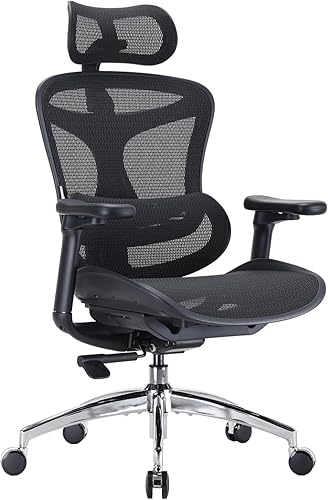
2 of 15. Best value
SIHOO Doro C300
DEAS 6.9 out of 10
Self-adapting lumbar that moves with you; mesh seat and back; headrest that adjusts in height, tilt and depth; rated to 330 lb. BIFMA and TÜV; 3-year warranty.
Lumbar support that adapts as you move, a mesh seat and back, and a headrest that adjusts three ways, for well under $300 on sale. It scores two tenths behind the Branch for a little over half the price. The trade-offs are a plastic frame and a 3-year warranty.
Good: lumbar that adapts as you move; a 330-pound rating; an adjustable headrest; a low price on sale. Less good: a plastic frame; a 3-year warranty; a narrower seat than some.
Score breakdown
Clinical performance7.0
I.1Neutral posture support7.0
I.2Adjustability range7.2
I.3Injury risk reduction7.0
I.4Population accommodation6.8
I.5Lumbar support quality6.8
Product quality6.7
II.1Material & construction6.8
II.2Published certification6.0
II.3Warranty vs benchmark6.5
II.4Verified user reliability7.5
Market value6.8
III.1Price vs category benchmark6.8
III.2Ergonomic value ratio6.8
Composite 6.9 on the DEAS (Desk Ergonomics Assessment Score). How we score
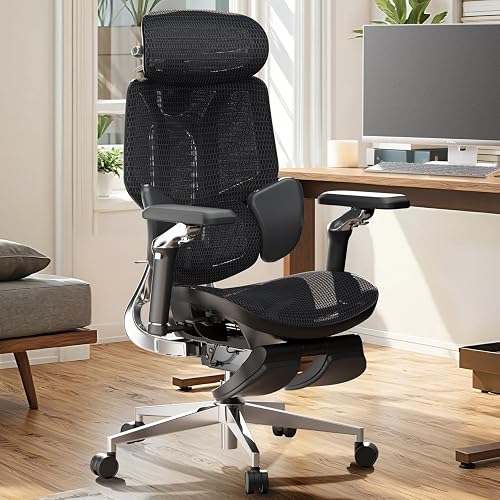
3 of 15. Three-zone lumbar
HBADA E3 Ultra
DEAS 6.9 out of 10
Three-zone elastic lumbar; aluminum-alloy back frame; comes with a footrest; rated to 330 lb. BIFMA, IGR, SGS and TÜV; up to a 5-year warranty.
Three-zone lumbar on an aluminum-framed back, with third-party certifications and a footrest in the box. It ties the Branch for the widest adjustment range under $500, but it's under $500 only on sale.
Good: three-zone lumbar; tied for the widest adjustment range under $500; third-party certifications; a 330-pound rating. Less good: under $500 only on sale ($809 regular).
Score breakdown
Clinical performance7.1
I.1Neutral posture support7.2
I.2Adjustability range7.4
I.3Injury risk reduction7.2
I.4Population accommodation6.8
I.5Lumbar support quality6.8
Product quality6.7
II.1Material & construction6.8
II.2Published certification6.0
II.3Warranty vs benchmark6.5
II.4Verified user reliability7.5
Market value5.7
III.1Price vs category benchmark5.5
III.2Ergonomic value ratio5.8
Composite 6.9 on the DEAS (Desk Ergonomics Assessment Score). How we score
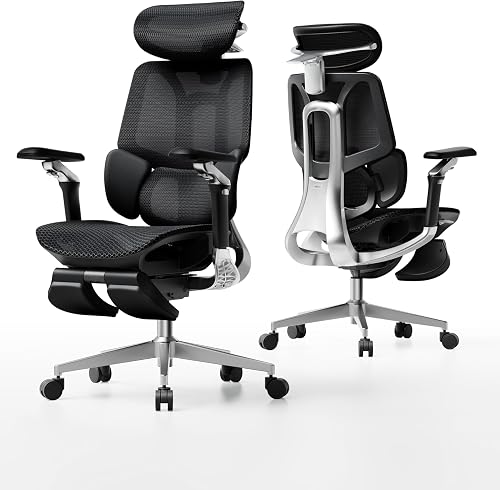
4 of 15. The E3 for less
HBADA E3 Pro
DEAS 6.9 out of 10
CloudMesh seat; the same listed headrest and armrests as the E3 Ultra; rated to 330 lb. BIFMA, IGR, SGS and TÜV Rheinland; 5 years on the base, gas lift and casters, 3 on the rest.
Most of the E3 Ultra for less: the same certifications and the same listed headrest and armrests, at $469 on sale without the footrest. It matches the Ultra's overall score, with slightly lower clinical marks.
Good: third-party certifications; a 330-pound rating; 5 years on the base and gas lift; cheaper than the Ultra. Less good: under $500 only on sale ($659 regular); 3 years on everything but the base, gas lift and casters.
Score breakdown
Clinical performance6.9
I.1Neutral posture support7.0
I.2Adjustability range7.2
I.3Injury risk reduction7.0
I.4Population accommodation6.7
I.5Lumbar support quality6.7
Product quality6.7
II.1Material & construction6.7
II.2Published certification6.0
II.3Warranty vs benchmark6.5
II.4Verified user reliability7.5
Market value6.1
III.1Price vs category benchmark6.0
III.2Ergonomic value ratio6.2
Composite 6.9 on the DEAS (Desk Ergonomics Assessment Score). How we score
5 of 15. Arms that flip up
Nouhaus Ergo3D
DEAS 6.8 out of 10
4D armrests that flip up; mesh back; headrest; rated to 300 lb; SGS-certified grade 4 gas cylinder. Passed BIFMA testing.
A mesh-backed chair with 4D armrests that flip up out of the way, so you can pull right in to the desk. It costs $299.99 without a sale, and Nouhaus now rates it to 300 pounds.
Good: arms that adjust four ways and flip up; a 300-pound rating; under $300 without a sale. Less good: a lower adjustment score than the chairs above it.
Score breakdown
Clinical performance6.7
I.1Neutral posture support6.8
I.2Adjustability range7.0
I.3Injury risk reduction6.8
I.4Population accommodation6.5
I.5Lumbar support quality6.5
Product quality6.3
II.1Material & construction6.5
II.2Published certification5.5
II.3Warranty vs benchmark6.0
II.4Verified user reliability7.2
Market value6.9
III.1Price vs category benchmark7.0
III.2Ergonomic value ratio6.8
Composite 6.8 on the DEAS (Desk Ergonomics Assessment Score). How we score
How to set up your new chair
- 1
Start with seat height. Sit all the way back and set the seat so your elbows are level with the desk or keyboard. If your feet don't rest flat, add a footrest.1
- 2
Set the seat depth. Leave about two to three inches between the front edge of the seat and the back of your knees, with no contact.1
- 3
Position the lumbar. At your belt line, in the inward curve of your lower back. A gentle push, not pressure.1
- 4
Adjust the armrests. Shoulders relaxed, upper arms by your sides, forearms resting lightly.1
- 5
Set the tilt tension. You should be able to lean back without pushing hard, and without falling back.
- 6
Check the screen. Top edge level with your eyes, about an arm's length away.
- 7
Test it for ten minutes. If anything pinches, presses or strains, go back to step one.
Clinical note
A chair that fits should feel boring. If you notice it in the first hour, something is still off.
Which chair pain are you solving?
A lower-back ache
Feels like
Dull pressure across the belt line that builds over the afternoon and eases when you stand.
What helps
Lumbar that adjusts in height, ideally depth too, like the  Branch, set to your curve.
Numb or tingling thighs
Feels like
Pressure or tingling along the back of the thigh, often worse on long calls.
What helps
Seat depth adjustment, so the front edge clears the back of your knees, and the right seat height.
Tight shoulders and neck
Feels like
Knots at the base of the neck that tighten through the day.
What helps
Armrests that drop low and come in close, so your shoulders can relax.
Common questions
What should I look for in a chair under $500?
In order: lumbar support that adjusts in height, and ideally depth; a seat depth adjustment so your knees clear the front edge; and armrests that adjust in height, width and depth. Under $500 you'll usually trade something else, like build quality or warranty length, to get all three.
Which good chairs cost a little more than $500?
When I checked on 30 October 2026: the  Steelcase Series 2 (7.4) at $599 at Perigold and from $710 at UPLIFT; the
  HON Ignition 2.0 (7.3) from $569.99 at Office Depot and $608.99 at Staples; the
  Steelcase Series 1 (6.9) at $518 on sale at Perigold; and the
  Haworth Soji (7.2) at $545 from Haworth. If you find the Series 2 or the Ignition 2.0 for under $500, it belongs near the top of this list.
Is a chair under $500 good enough?
Yes, if it fits. Under $500 you can get real lumbar adjustment, a seat depth adjustment and armrests that move. What premium chairs add is build, a wider adjustment range and longer warranties; our best chairs of 2026 covers them.
How long should a chair under $500 last?
The warranty is your best guide: 7 years on the Branch, up to 5 on HBADA's E3 chairs, 3 on the  SIHOO Doro C300. In my experience, the parts that go first are the gas cylinder and the armrest mechanisms.
Should I buy a refurbished premium chair instead?
It's worth a look if you can stretch a little, like a refurbished  Steelcase Leap V2, but check the warranty: Steelcase's covers only the original buyer, so a refurbished one is covered by whatever the seller offers. The
  Aeron's maker sells its own refurbished chairs with a 5-year limited warranty.
What is the DEAS score?
The Desk Ergonomics Assessment Score, Desk Doctor's product rating out of 10. Every product is scored on eleven dimensions in three layers: clinical performance, product quality and value. For chairs, the category-specific part is lumbar support quality: how well the backrest holds the curve of your lower back, and how far it adjusts. Tap any row in the ranking for the full breakdown. How we score.
References
- OSHA. Computer Workstations eTool: chairs. osha.gov
- Cho M, Han JS, Kang S, et al. Biomechanical effects of different sitting postures and physiologic movements on the lumbar spine: a finite element study. Bioengineering. 2023;10(9):1051. doi:10.3390/bioengineering10091051
- Grondin DE, Triano JJ, Tran S, Soave D. The effect of a lumbar support pillow on lumbar posture and comfort during a prolonged seated task. Chiropr Man Therap. 2013;21:21. doi:10.1186/2045-709X-21-21
This article is general education, not medical advice. If you have back pain that lasts, or pain, numbness or tingling down a leg, see a licensed clinician.
AJ Prince, HEAS
Healthcare Ergonomic Assessment Specialist. Conducts over a thousand workstation assessments a year across a multi-campus health system, and authored the DEAS standard used to rank every product on this site.