Ergonomic productsThe Best Ergonomic Keyboards of 2026
A flat keyboard bends your wrists out toward your little fingers, and back toward your forearms if its feet are up, for hours. A split or contoured one straightens them. I scored 53 on the DEAS standard; these are the ten I'd put in front of you, then the full ranking.

By AJ Prince, HEAS
Healthcare Ergonomic Assessment Specialist. Updated 23 Apr 2026. A 9-minute read.
Desk Doctor earns a commission on some links, at no cost to you. It never changes a score. How we make money
When someone comes to me with wrist pain, forearm tightness or tingling fingers, the keyboard is one of the first things I check. A standard keyboard keeps both hands close together, so your wrists angle out toward your little fingers to reach the keys, and if its back feet are up, they bend back too. OSHA flags both.1
The fix is geometry. Split the keys and your wrists can line up with your forearms; tent them and your forearms don't have to lie flat; tilt the board away from you, or keep it flat, and your wrists stop bending back. Switches, macros and lighting are preferences.
Of the 53 keyboards I scored, three tie at the top, and the  Cloud Nine C989M is the one I'd start most people on. If you want the contoured design, buy the
  Kinesis Advantage360: the
  Advantage2 is being wound down.
All 53, ranked
Best to worst by DEAS score, with each keyboard's style. Tap a row for its full score breakdown; the quick guide sizes the list to your height and filters it by style.
#ProductDEAS
1  Cloud Nine C989M Best overall Advanced split 7.7 DEAS
Clinical performance7.8
I.1Neutral posture support8.5
I.2Adjustability range7.5
I.3Injury risk reduction8.0
I.4Population accommodation6.5
I.5Wrist neutral and key actuation8.5
Product quality4.7
II.1Material & construction7.0
II.2Published certification2.0
II.3Warranty vs benchmark5.0
Market value6.0
III.1Price vs category benchmark6.0
III.2Ergonomic value ratio6.0
2  Kinesis mWave Best compact split Split 7.7 DEAS
Clinical performance7.8
I.1Neutral posture support8.5
I.2Adjustability range7.5
I.3Injury risk reduction8.0
I.4Population accommodation6.5
I.5Wrist neutral and key actuation8.5
Product quality4.7
II.1Material & construction7.0
II.2Published certification2.0
II.3Warranty vs benchmark5.0
Market value6.0
III.1Price vs category benchmark6.0
III.2Ergonomic value ratio6.0
3  Kinesis Advantage2 Contoured, while stocks last Advanced split 7.7 DEAS
Clinical performance8.7
I.1Neutral posture support9.5
I.2Adjustability range8.5
I.3Injury risk reduction9.0
I.4Population accommodation7.0
I.5Wrist neutral and key actuation9.5
Product quality5.0
II.1Material & construction8.0
II.2Published certification2.0
II.3Warranty vs benchmark5.0
Market value1.8
III.1Price vs category benchmark1.5
III.2Ergonomic value ratio2.0
4  Kinesis Advantage360 Best contoured keyboard Advanced split 7.6 DEAS
Clinical performance8.8
I.1Neutral posture support9.5
I.2Adjustability range9.0
I.3Injury risk reduction9.0
I.4Population accommodation7.0
I.5Wrist neutral and key actuation9.5
Product quality5.0
II.1Material & construction8.0
II.2Published certification2.0
II.3Warranty vs benchmark5.0
Market value1.2
III.1Price vs category benchmark1.0
III.2Ergonomic value ratio1.5
5 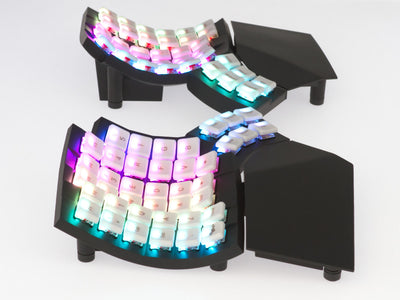 MoErgo Glove80 Best wireless contoured Advanced split 7.6 DEAS
Clinical performance8.8
I.1Neutral posture support9.5
I.2Adjustability range9.0
I.3Injury risk reduction9.0
I.4Population accommodation7.0
I.5Wrist neutral and key actuation9.5
Product quality5.0
II.1Material & construction8.0
II.2Published certification2.0
II.3Warranty vs benchmark5.0
Market value1.8
III.1Price vs category benchmark1.5
III.2Ergonomic value ratio2.0
6 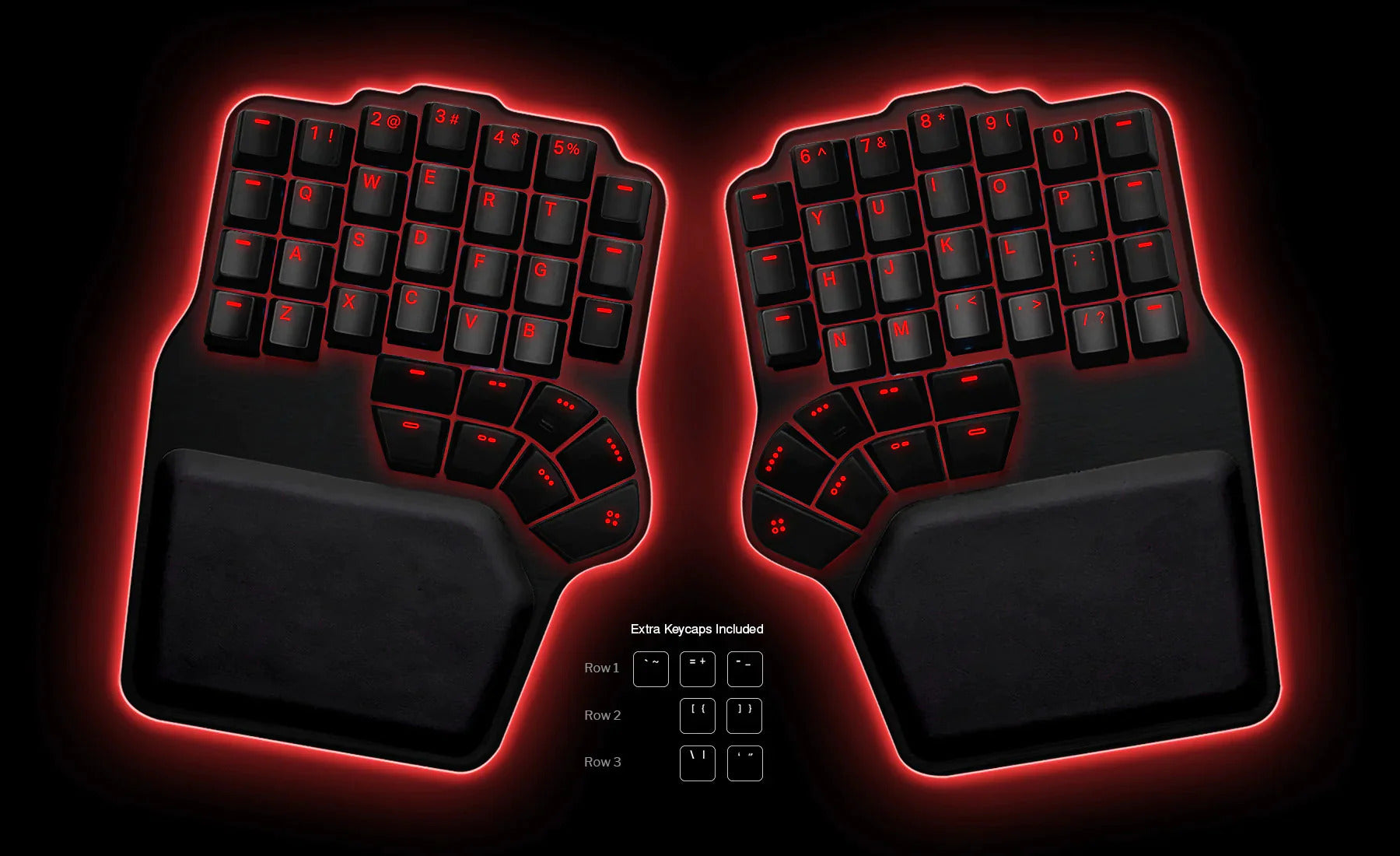 Dygma Defy Most adjustable tent Advanced split 7.5 DEAS
Clinical performance8.4
I.1Neutral posture support9.0
I.2Adjustability range8.5
I.3Injury risk reduction8.5
I.4Population accommodation7.0
I.5Wrist neutral and key actuation9.0
Product quality5.0
II.1Material & construction8.0
II.2Published certification2.0
II.3Warranty vs benchmark5.0
Market value1.2
III.1Price vs category benchmark1.0
III.2Ergonomic value ratio1.5
7  Perixx PERIBOARD-835 Best quiet mechanical split Split 7.4 DEAS
Clinical performance7.5
I.1Neutral posture support8.0
I.2Adjustability range7.5
I.3Injury risk reduction7.5
I.4Population accommodation6.5
I.5Wrist neutral and key actuation8.0
Product quality5.4
II.1Material & construction7.0
II.2Published certification2.0
II.3Warranty vs benchmark5.0
II.4Verified user reliability7.5
Market value4.8
III.1Price vs category benchmark4.5
III.2Ergonomic value ratio5.0
8  R-Go Split Keyboard Best low-profile split Advanced split 7.4 DEAS
Clinical performance7.3
I.1Neutral posture support8.0
I.2Adjustability range7.0
I.3Injury risk reduction7.5
I.4Population accommodation6.5
I.5Wrist neutral and key actuation7.5
Product quality6.6
II.1Material & construction6.5
II.2Published certification7.0
II.3Warranty vs benchmark6.5
II.4Verified user reliability6.5
Market value6.0
III.1Price vs category benchmark6.0
III.2Ergonomic value ratio6.0
9 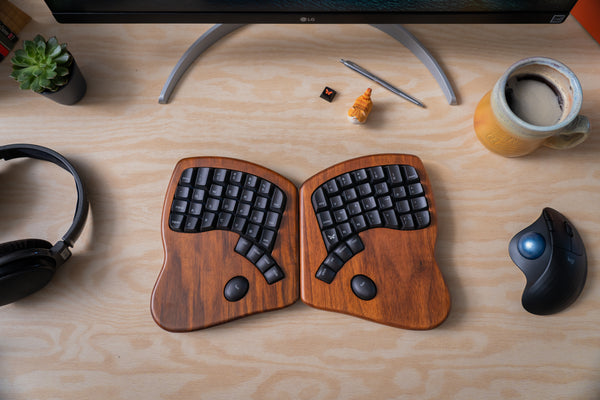 Keyboardio Model 100 Hardwood split Advanced split 7.4 DEAS
Clinical performance8.3
I.1Neutral posture support9.0
I.2Adjustability range8.5
I.3Injury risk reduction8.5
I.4Population accommodation6.5
I.5Wrist neutral and key actuation9.0
Product quality4.8
II.1Material & construction7.5
II.2Published certification2.0
II.3Warranty vs benchmark5.0
Market value2.2
III.1Price vs category benchmark2.0
III.2Ergonomic value ratio2.5
10  Logitech ERGO K860 Easiest to switch to Split 7.3 DEAS
Clinical performance7.4
I.1Neutral posture support8.0
I.2Adjustability range7.0
I.3Injury risk reduction7.5
I.4Population accommodation6.5
I.5Wrist neutral and key actuation8.0
Product quality5.2
II.1Material & construction6.5
II.2Published certification2.0
II.3Warranty vs benchmark5.0
II.4Verified user reliability7.5
Market value6.0
III.1Price vs category benchmark6.0
III.2Ergonomic value ratio6.0
Show all 53
11 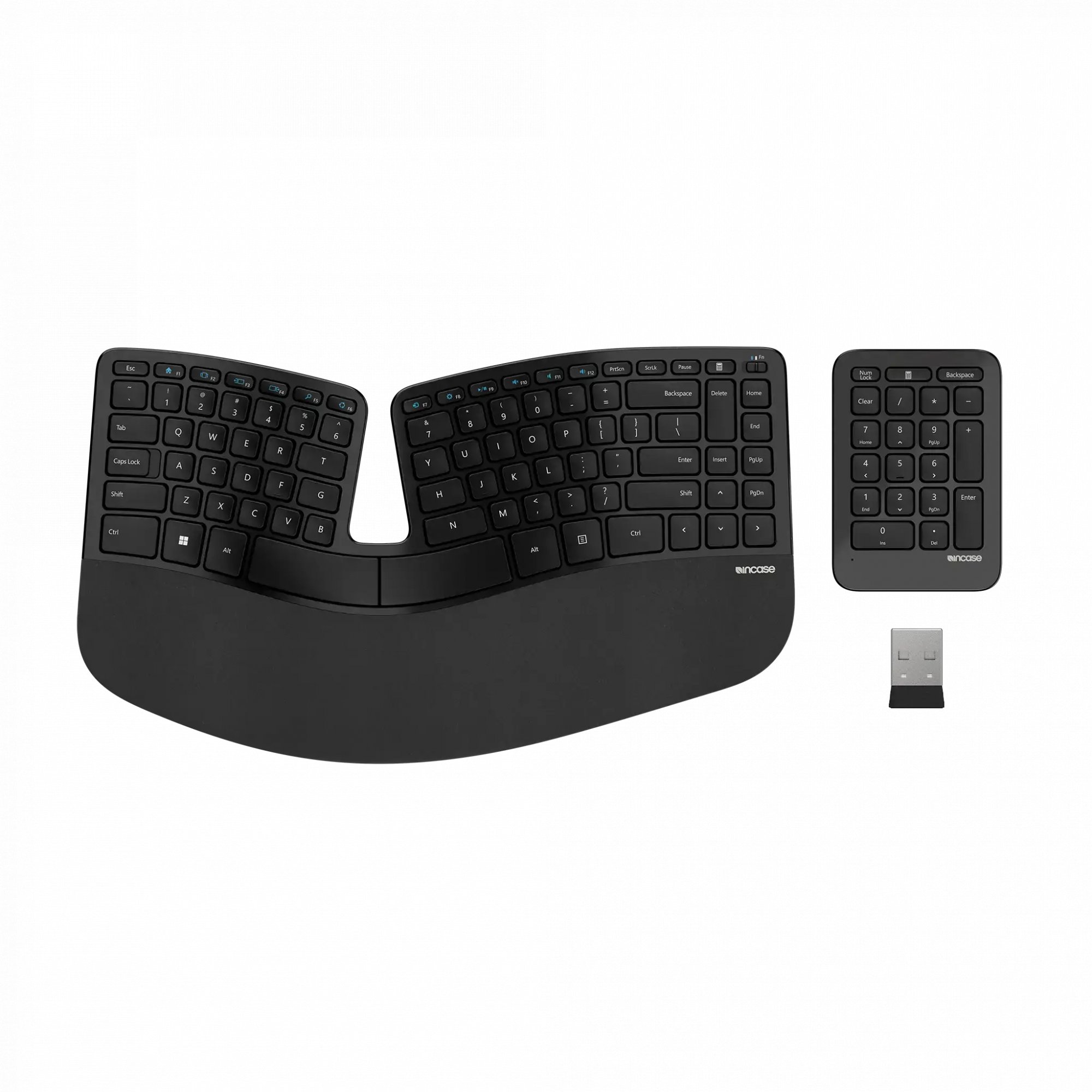 InCase Ergonomic Keyboard Split 7.3 DEAS
Clinical performance7.1
I.1Neutral posture support8.0
I.2Adjustability range6.5
I.3Injury risk reduction7.0
I.4Population accommodation6.5
I.5Wrist neutral and key actuation7.5
Product quality5.4
II.1Material & construction6.5
II.2Published certification2.0
II.3Warranty vs benchmark5.0
II.4Verified user reliability8.0
Market value6.5
III.1Price vs category benchmark6.5
III.2Ergonomic value ratio6.5
12  Matias Ergo Pro Advanced split 7.2 DEAS
Clinical performance7.8
I.1Neutral posture support8.5
I.2Adjustability range7.5
I.3Injury risk reduction8.0
I.4Population accommodation6.5
I.5Wrist neutral and key actuation8.5
Product quality5.1
II.1Material & construction7.0
II.2Published certification2.0
II.3Warranty vs benchmark5.0
II.4Verified user reliability6.5
Market value2.2
III.1Price vs category benchmark2.0
III.2Ergonomic value ratio2.5
13 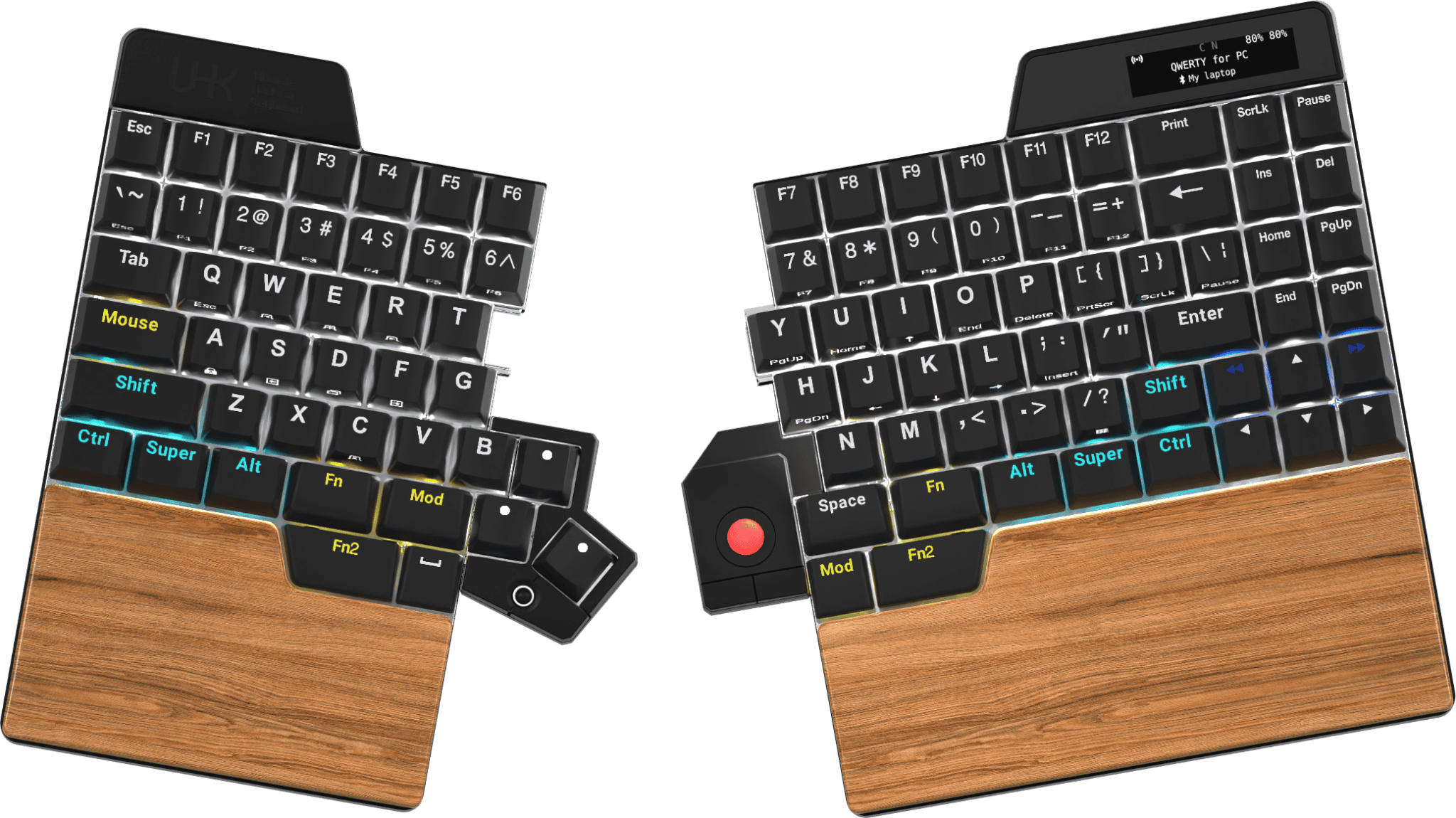 Ultimate Hacking Keyboard UHK v2 Advanced split 7.2 DEAS
Clinical performance7.9
I.1Neutral posture support8.5
I.2Adjustability range8.0
I.3Injury risk reduction8.0
I.4Population accommodation6.5
I.5Wrist neutral and key actuation8.5
Product quality4.8
II.1Material & construction7.5
II.2Published certification2.0
II.3Warranty vs benchmark5.0
Market value2.2
III.1Price vs category benchmark2.0
III.2Ergonomic value ratio2.5
14  Dygma Raise Advanced split 7.2 DEAS
Clinical performance7.9
I.1Neutral posture support8.5
I.2Adjustability range8.0
I.3Injury risk reduction8.0
I.4Population accommodation6.5
I.5Wrist neutral and key actuation8.5
Product quality4.8
II.1Material & construction7.5
II.2Published certification2.0
II.3Warranty vs benchmark5.0
Market value2.2
III.1Price vs category benchmark2.0
III.2Ergonomic value ratio2.5
15  Kinesis Freestyle2 Advanced split 7.1 DEAS
Clinical performance7.3
I.1Neutral posture support8.0
I.2Adjustability range7.0
I.3Injury risk reduction7.5
I.4Population accommodation6.5
I.5Wrist neutral and key actuation7.5
Product quality4.5
II.1Material & construction6.5
II.2Published certification2.0
II.3Warranty vs benchmark5.0
Market value6.5
III.1Price vs category benchmark6.5
III.2Ergonomic value ratio6.5
16  Goldtouch V2 Adjustable Split 7.0 DEAS
Clinical performance7.0
I.1Neutral posture support7.5
I.2Adjustability range7.0
I.3Injury risk reduction7.0
I.4Population accommodation6.0
I.5Wrist neutral and key actuation7.5
Product quality5.0
II.1Material & construction6.0
II.2Published certification2.0
II.3Warranty vs benchmark5.0
II.4Verified user reliability7.0
Market value6.0
III.1Price vs category benchmark6.0
III.2Ergonomic value ratio6.0
17  R-Go Compact Ergo Basic ergonomic 7.0 DEAS
Clinical performance6.7
I.1Neutral posture support7.5
I.2Adjustability range6.5
I.3Injury risk reduction7.0
I.4Population accommodation6.0
I.5Wrist neutral and key actuation6.5
Product quality6.6
II.1Material & construction6.5
II.2Published certification7.0
II.3Warranty vs benchmark6.5
II.4Verified user reliability6.5
Market value6.5
III.1Price vs category benchmark6.5
III.2Ergonomic value ratio6.5
18  Mistel Barocco MD600 Advanced split 7.0 DEAS
Clinical performance7.2
I.1Neutral posture support8.0
I.2Adjustability range7.0
I.3Injury risk reduction7.5
I.4Population accommodation6.0
I.5Wrist neutral and key actuation7.5
Product quality5.1
II.1Material & construction6.5
II.2Published certification2.0
II.3Warranty vs benchmark5.0
II.4Verified user reliability7.0
Market value6.0
III.1Price vs category benchmark6.0
III.2Ergonomic value ratio6.0
19  Kinesis Freestyle Edge RGB Advanced split 6.9 DEAS
Clinical performance7.4
I.1Neutral posture support8.0
I.2Adjustability range7.5
I.3Injury risk reduction7.5
I.4Population accommodation6.5
I.5Wrist neutral and key actuation7.5
Product quality5.4
II.1Material & construction7.0
II.2Published certification2.0
II.3Warranty vs benchmark5.0
II.4Verified user reliability7.5
Market value3.8
III.1Price vs category benchmark3.5
III.2Ergonomic value ratio4.0
20  Perixx PERIBOARD-512 Split 6.9 DEAS
Clinical performance6.5
I.1Neutral posture support7.0
I.2Adjustability range6.5
I.3Injury risk reduction6.5
I.4Population accommodation6.0
I.5Wrist neutral and key actuation6.5
Product quality4.6
II.1Material & construction5.5
II.2Published certification2.0
II.3Warranty vs benchmark5.0
II.4Verified user reliability6.0
Market value8.2
III.1Price vs category benchmark8.5
III.2Ergonomic value ratio8.0
21  Adesso Tru-Form 150 Split 6.9 DEAS
Clinical performance6.5
I.1Neutral posture support7.0
I.2Adjustability range6.5
I.3Injury risk reduction6.5
I.4Population accommodation6.0
I.5Wrist neutral and key actuation6.5
Product quality4.9
II.1Material & construction5.5
II.2Published certification2.0
II.3Warranty vs benchmark5.0
II.4Verified user reliability7.0
Market value8.8
III.1Price vs category benchmark9.0
III.2Ergonomic value ratio8.5
22  Arteck Split Ergonomic Split 6.9 DEAS
Clinical performance6.5
I.1Neutral posture support7.0
I.2Adjustability range6.5
I.3Injury risk reduction6.5
I.4Population accommodation6.0
I.5Wrist neutral and key actuation6.5
Product quality4.6
II.1Material & construction5.0
II.2Published certification2.0
II.3Warranty vs benchmark5.0
II.4Verified user reliability6.5
Market value8.8
III.1Price vs category benchmark9.0
III.2Ergonomic value ratio8.5
23  X-Bows Ergonomic Mechanical Split 6.9 DEAS
Clinical performance7.2
I.1Neutral posture support8.0
I.2Adjustability range7.0
I.3Injury risk reduction7.5
I.4Population accommodation6.0
I.5Wrist neutral and key actuation7.5
Product quality5.1
II.1Material & construction6.5
II.2Published certification2.0
II.3Warranty vs benchmark5.0
II.4Verified user reliability7.0
Market value5.0
III.1Price vs category benchmark5.0
III.2Ergonomic value ratio5.0
24  Mistel MD770 Advanced split 6.9 DEAS
Clinical performance7.2
I.1Neutral posture support8.0
I.2Adjustability range7.0
I.3Injury risk reduction7.5
I.4Population accommodation6.0
I.5Wrist neutral and key actuation7.5
Product quality5.1
II.1Material & construction6.5
II.2Published certification2.0
II.3Warranty vs benchmark5.0
II.4Verified user reliability7.0
Market value5.0
III.1Price vs category benchmark5.0
III.2Ergonomic value ratio5.0
25  Adesso WKB-7500CB Wireless Ergonomic Keyboard Split 6.8 DEAS
Clinical performance6.6
I.1Neutral posture support7.0
I.2Adjustability range6.5
I.3Injury risk reduction6.5
I.4Population accommodation6.5
I.5Wrist neutral and key actuation6.5
Product quality5.2
II.1Material & construction6.0
II.2Published certification2.0
II.3Warranty vs benchmark5.0
II.4Verified user reliability8.0
Market value7.0
III.1Price vs category benchmark7.0
III.2Ergonomic value ratio7.0
26  Kinesis Freestyle Pro Advanced split 6.8 DEAS
Clinical performance7.3
I.1Neutral posture support8.0
I.2Adjustability range7.0
I.3Injury risk reduction7.5
I.4Population accommodation6.5
I.5Wrist neutral and key actuation7.5
Product quality4.5
II.1Material & construction6.5
II.2Published certification2.0
II.3Warranty vs benchmark5.0
Market value4.8
III.1Price vs category benchmark4.5
III.2Ergonomic value ratio5.0
27  Perixx PERIBOARD-612 Split 6.8 DEAS
Clinical performance6.5
I.1Neutral posture support7.0
I.2Adjustability range6.5
I.3Injury risk reduction6.5
I.4Population accommodation6.0
I.5Wrist neutral and key actuation6.5
Product quality4.9
II.1Material & construction5.5
II.2Published certification2.0
II.3Warranty vs benchmark5.0
II.4Verified user reliability7.0
Market value7.2
III.1Price vs category benchmark7.5
III.2Ergonomic value ratio7.0
28  Matias Sculpted Ergonomic Split 6.8 DEAS
Clinical performance6.8
I.1Neutral posture support7.5
I.2Adjustability range6.5
I.3Injury risk reduction7.0
I.4Population accommodation6.0
I.5Wrist neutral and key actuation7.0
Product quality4.3
II.1Material & construction6.0
II.2Published certification2.0
II.3Warranty vs benchmark5.0
Market value6.8
III.1Price vs category benchmark7.0
III.2Ergonomic value ratio6.5
29 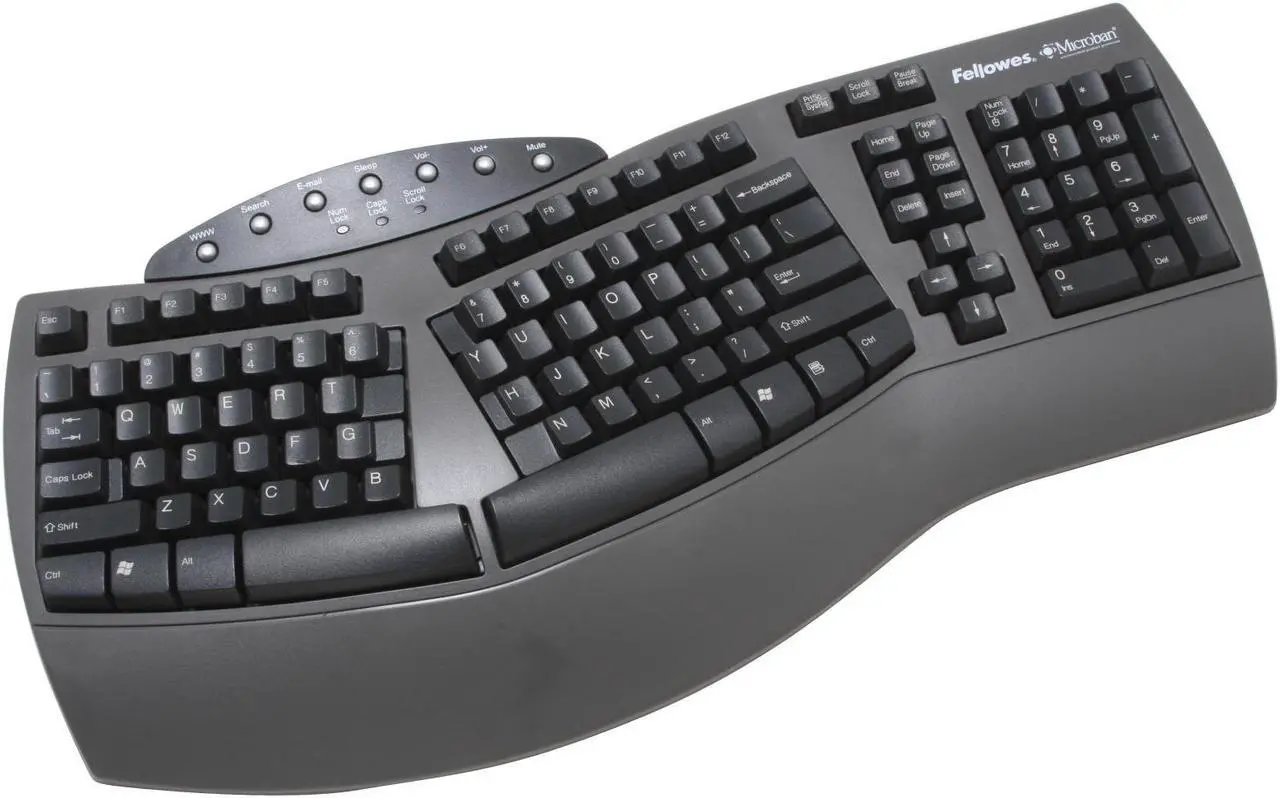 Fellowes Microban Split Split 6.8 DEAS
Clinical performance6.5
I.1Neutral posture support7.0
I.2Adjustability range6.5
I.3Injury risk reduction6.5
I.4Population accommodation6.0
I.5Wrist neutral and key actuation6.5
Product quality4.9
II.1Material & construction5.5
II.2Published certification2.0
II.3Warranty vs benchmark5.0
II.4Verified user reliability7.0
Market value7.8
III.1Price vs category benchmark8.0
III.2Ergonomic value ratio7.5
30  ProtoArc EK01 Split 6.8 DEAS
Clinical performance6.5
I.1Neutral posture support7.0
I.2Adjustability range6.5
I.3Injury risk reduction6.5
I.4Population accommodation6.0
I.5Wrist neutral and key actuation6.5
Product quality4.9
II.1Material & construction5.5
II.2Published certification2.0
II.3Warranty vs benchmark5.0
II.4Verified user reliability7.0
Market value7.8
III.1Price vs category benchmark8.0
III.2Ergonomic value ratio7.5
31 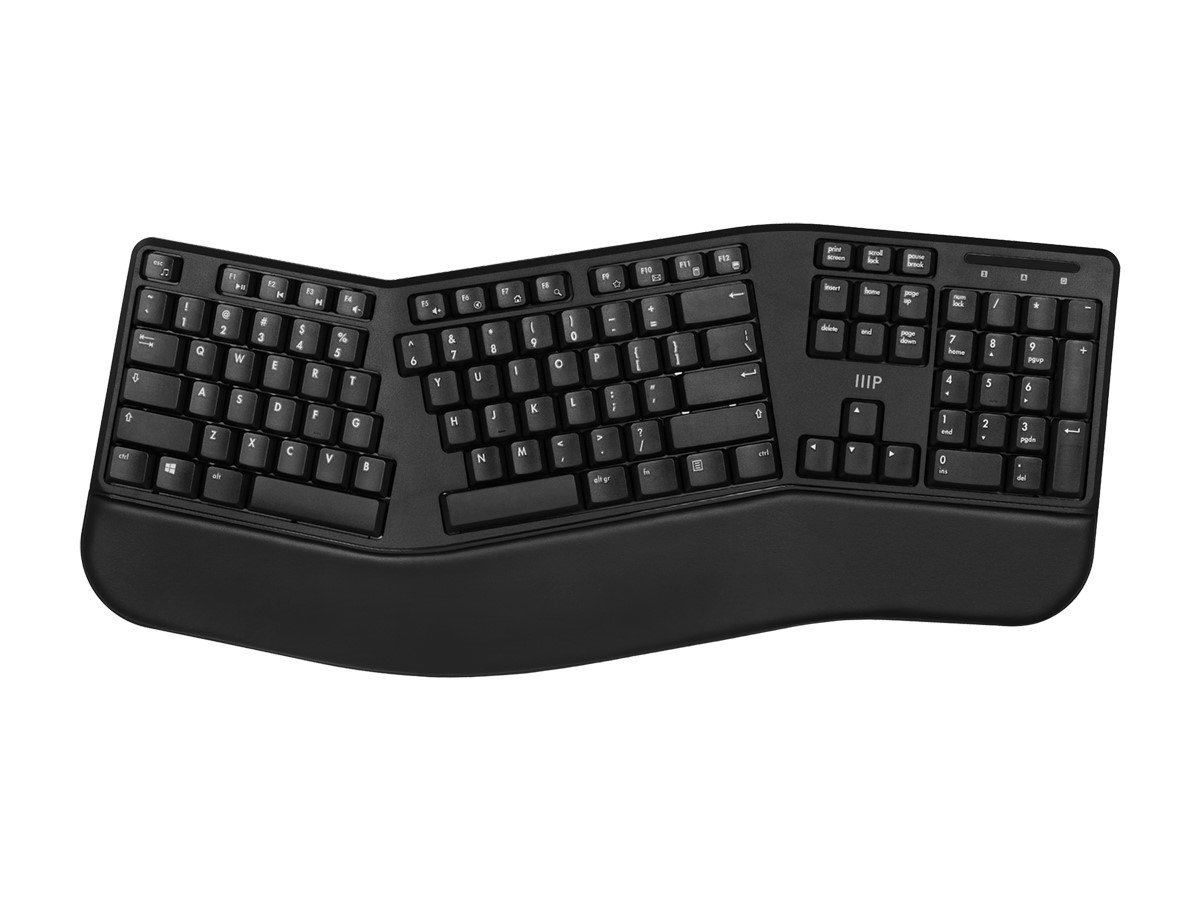 Monoprice Ergonomic Split Split 6.8 DEAS
Clinical performance6.5
I.1Neutral posture support7.0
I.2Adjustability range6.5
I.3Injury risk reduction6.5
I.4Population accommodation6.0
I.5Wrist neutral and key actuation6.5
Product quality4.0
II.1Material & construction5.0
II.2Published certification2.0
II.3Warranty vs benchmark5.0
Market value8.8
III.1Price vs category benchmark9.0
III.2Ergonomic value ratio8.5
32  Logitech Wave Keys Wave 6.7 DEAS
Clinical performance6.2
I.1Neutral posture support6.5
I.2Adjustability range6.0
I.3Injury risk reduction6.0
I.4Population accommodation6.5
I.5Wrist neutral and key actuation6.0
Product quality5.1
II.1Material & construction6.0
II.2Published certification2.0
II.3Warranty vs benchmark5.0
II.4Verified user reliability7.5
Market value7.8
III.1Price vs category benchmark8.0
III.2Ergonomic value ratio7.5
33  Kensington Pro Fit Ergo Split 6.7 DEAS
Clinical performance6.4
I.1Neutral posture support7.0
I.2Adjustability range6.0
I.3Injury risk reduction6.5
I.4Population accommodation6.0
I.5Wrist neutral and key actuation6.5
Product quality5.1
II.1Material & construction6.0
II.2Published certification2.0
II.3Warranty vs benchmark6.5
II.4Verified user reliability6.0
Market value7.0
III.1Price vs category benchmark7.0
III.2Ergonomic value ratio7.0
34  EPOMAKER Split65 Advanced split 6.7 DEAS
Clinical performance6.8
I.1Neutral posture support7.5
I.2Adjustability range6.5
I.3Injury risk reduction7.0
I.4Population accommodation6.0
I.5Wrist neutral and key actuation7.0
Product quality4.5
II.1Material & construction6.5
II.2Published certification2.0
II.3Warranty vs benchmark5.0
Market value6.2
III.1Price vs category benchmark6.5
III.2Ergonomic value ratio6.0
35  Perixx PERIBOARD-624B Advanced split 6.6 DEAS
Clinical performance6.2
I.1Neutral posture support7.0
I.2Adjustability range6.0
I.3Injury risk reduction6.5
I.4Population accommodation5.5
I.5Wrist neutral and key actuation6.0
Product quality4.2
II.1Material & construction5.5
II.2Published certification2.0
II.3Warranty vs benchmark5.0
Market value7.8
III.1Price vs category benchmark8.0
III.2Ergonomic value ratio7.5
36  Cloud Nine ErgoTKL Advanced split 6.6 DEAS
Clinical performance7.0
I.1Neutral posture support7.5
I.2Adjustability range7.0
I.3Injury risk reduction7.0
I.4Population accommodation6.0
I.5Wrist neutral and key actuation7.5
Product quality4.5
II.1Material & construction6.5
II.2Published certification2.0
II.3Warranty vs benchmark5.0
Market value3.2
III.1Price vs category benchmark3.0
III.2Ergonomic value ratio3.5
37  Adesso Tru-Form 450 Split 6.6 DEAS
Clinical performance6.5
I.1Neutral posture support7.0
I.2Adjustability range6.5
I.3Injury risk reduction6.5
I.4Population accommodation6.0
I.5Wrist neutral and key actuation6.5
Product quality4.0
II.1Material & construction5.0
II.2Published certification2.0
II.3Warranty vs benchmark5.0
Market value7.8
III.1Price vs category benchmark8.0
III.2Ergonomic value ratio7.5
38  EPOMAKER Split70 Advanced split 6.6 DEAS
Clinical performance6.8
I.1Neutral posture support7.5
I.2Adjustability range6.5
I.3Injury risk reduction7.0
I.4Population accommodation6.0
I.5Wrist neutral and key actuation7.0
Product quality4.5
II.1Material & construction6.5
II.2Published certification2.0
II.3Warranty vs benchmark5.0
Market value5.8
III.1Price vs category benchmark6.0
III.2Ergonomic value ratio5.5
39  ProtoArc EK01 Plus Split 6.6 DEAS
Clinical performance6.5
I.1Neutral posture support7.0
I.2Adjustability range6.5
I.3Injury risk reduction6.5
I.4Population accommodation6.0
I.5Wrist neutral and key actuation6.5
Product quality4.8
II.1Material & construction5.5
II.2Published certification2.0
II.3Warranty vs benchmark5.0
II.4Verified user reliability6.5
Market value7.2
III.1Price vs category benchmark7.5
III.2Ergonomic value ratio7.0
40  Goldtouch Go!2 Mobile Advanced split 6.5 DEAS
Clinical performance6.3
I.1Neutral posture support7.0
I.2Adjustability range6.0
I.3Injury risk reduction6.5
I.4Population accommodation5.5
I.5Wrist neutral and key actuation6.5
Product quality4.8
II.1Material & construction5.5
II.2Published certification2.0
II.3Warranty vs benchmark5.0
II.4Verified user reliability6.5
Market value6.8
III.1Price vs category benchmark7.0
III.2Ergonomic value ratio6.5
41  Logitech MK850 Performance Wireless Keyboard Basic ergonomic 6.4 DEAS
Clinical performance6.2
I.1Neutral posture support6.5
I.2Adjustability range6.0
I.3Injury risk reduction6.0
I.4Population accommodation6.5
I.5Wrist neutral and key actuation6.0
Product quality5.0
II.1Material & construction6.5
II.2Published certification2.0
II.3Warranty vs benchmark5.0
II.4Verified user reliability6.5
Market value6.5
III.1Price vs category benchmark6.5
III.2Ergonomic value ratio6.5
42  MOFII Wireless Ergonomic Keyboard Split 6.4 DEAS
Clinical performance6.1
I.1Neutral posture support6.5
I.2Adjustability range6.0
I.3Injury risk reduction6.0
I.4Population accommodation6.0
I.5Wrist neutral and key actuation6.0
Product quality5.1
II.1Material & construction6.0
II.2Published certification2.0
II.3Warranty vs benchmark5.0
II.4Verified user reliability7.5
Market value7.0
III.1Price vs category benchmark7.0
III.2Ergonomic value ratio7.0
43  Keychron Q8 Alice Split 6.4 DEAS
Clinical performance6.3
I.1Neutral posture support7.0
I.2Adjustability range6.0
I.3Injury risk reduction6.5
I.4Population accommodation6.0
I.5Wrist neutral and key actuation6.0
Product quality5.5
II.1Material & construction7.5
II.2Published certification2.0
II.3Warranty vs benchmark5.0
II.4Verified user reliability7.5
Market value4.8
III.1Price vs category benchmark4.5
III.2Ergonomic value ratio5.0
44  DeLUX Full Size Ergonomic Keyboard Split 6.2 DEAS
Clinical performance6.1
I.1Neutral posture support6.5
I.2Adjustability range6.0
I.3Injury risk reduction6.0
I.4Population accommodation6.0
I.5Wrist neutral and key actuation6.0
Product quality4.2
II.1Material & construction5.5
II.2Published certification2.0
II.3Warranty vs benchmark5.0
Market value7.2
III.1Price vs category benchmark7.5
III.2Ergonomic value ratio7.0
45  Perixx Periduo-605 Split 6.1 DEAS
Clinical performance6.1
I.1Neutral posture support6.5
I.2Adjustability range6.0
I.3Injury risk reduction6.0
I.4Population accommodation6.0
I.5Wrist neutral and key actuation6.0
Product quality4.2
II.1Material & construction5.5
II.2Published certification2.0
II.3Warranty vs benchmark5.0
Market value6.8
III.1Price vs category benchmark7.0
III.2Ergonomic value ratio6.5
46  X9 Wired Ergonomic Keyboard Split 6.1 DEAS
Clinical performance6.1
I.1Neutral posture support6.5
I.2Adjustability range6.0
I.3Injury risk reduction6.0
I.4Population accommodation6.0
I.5Wrist neutral and key actuation6.0
Product quality4.2
II.1Material & construction5.5
II.2Published certification2.0
II.3Warranty vs benchmark5.0
Market value6.8
III.1Price vs category benchmark7.0
III.2Ergonomic value ratio6.5
47  Kinesis Freestyle Solo Advanced split 6.1 DEAS
Clinical performance6.0
I.1Neutral posture support6.5
I.2Adjustability range5.5
I.3Injury risk reduction6.0
I.4Population accommodation6.0
I.5Wrist neutral and key actuation6.0
Product quality4.3
II.1Material & construction6.0
II.2Published certification2.0
II.3Warranty vs benchmark5.0
Market value6.5
III.1Price vs category benchmark6.5
III.2Ergonomic value ratio6.5
48  HP 680 Comfort Dual-Mode Keyboard Wave 5.9 DEAS
Clinical performance5.7
I.1Neutral posture support6.0
I.2Adjustability range5.5
I.3Injury risk reduction5.5
I.4Population accommodation6.0
I.5Wrist neutral and key actuation5.5
Product quality4.2
II.1Material & construction5.5
II.2Published certification2.0
II.3Warranty vs benchmark5.0
Market value6.2
III.1Price vs category benchmark6.5
III.2Ergonomic value ratio6.0
49  HP 480 Comfort Wired Keyboard Wave 5.9 DEAS
Clinical performance5.7
I.1Neutral posture support6.0
I.2Adjustability range5.5
I.3Injury risk reduction5.5
I.4Population accommodation6.0
I.5Wrist neutral and key actuation5.5
Product quality4.2
II.1Material & construction5.5
II.2Published certification2.0
II.3Warranty vs benchmark5.0
Market value7.2
III.1Price vs category benchmark7.5
III.2Ergonomic value ratio7.0
50  Keychron K11 Pro Split 5.9 DEAS
Clinical performance5.8
I.1Neutral posture support6.5
I.2Adjustability range5.5
I.3Injury risk reduction6.0
I.4Population accommodation5.5
I.5Wrist neutral and key actuation5.5
Product quality4.9
II.1Material & construction6.5
II.2Published certification2.0
II.3Warranty vs benchmark5.0
II.4Verified user reliability6.0
Market value6.8
III.1Price vs category benchmark7.0
III.2Ergonomic value ratio6.5
51  ASUS ROG Strix Scope II 96 Wireless Mechanical Keyboard Basic ergonomic 5.8 DEAS
Clinical performance5.6
I.1Neutral posture support6.0
I.2Adjustability range5.5
I.3Injury risk reduction5.5
I.4Population accommodation6.0
I.5Wrist neutral and key actuation5.0
Product quality5.4
II.1Material & construction7.5
II.2Published certification2.0
II.3Warranty vs benchmark5.0
II.4Verified user reliability7.0
Market value4.5
III.1Price vs category benchmark4.5
III.2Ergonomic value ratio4.5
52  Kensington Pro Fit Ergo Wired Keyboard Split 5.8 DEAS
Clinical performance5.7
I.1Neutral posture support6.0
I.2Adjustability range5.5
I.3Injury risk reduction5.5
I.4Population accommodation6.0
I.5Wrist neutral and key actuation5.5
Product quality4.2
II.1Material & construction5.5
II.2Published certification2.0
II.3Warranty vs benchmark5.0
Market value7.2
III.1Price vs category benchmark7.5
III.2Ergonomic value ratio7.0
53  CORSAIR K70 MAX RGB Magnetic Mechanical Keyboard Basic ergonomic 5.6 DEAS
Clinical performance5.6
I.1Neutral posture support6.0
I.2Adjustability range5.5
I.3Injury risk reduction5.5
I.4Population accommodation6.0
I.5Wrist neutral and key actuation5.0
Product quality4.8
II.1Material & construction7.5
II.2Published certification2.0
II.3Warranty vs benchmark5.0
Market value3.8
III.1Price vs category benchmark3.5
III.2Ergonomic value ratio4.0
Why your keyboard is part of your wrist pain
Two wrist positions matter most: bent back, and bent sideways toward the little finger. OSHA's guidance is wrists straight and in line with your forearms, and it warns that a traditional keyboard can bend your wrists sideways and that raised keyboard feet can bend them up.1
What the research says
The angles matter because of the carpal tunnel. In healthy volunteers, about 33 degrees of wrist extension, or about 15 degrees of sideways bend toward the little finger, pushed carpal tunnel pressure over a common risk threshold in a quarter of them.2 In a lab comparison of six keyboard designs, the one that held wrists and forearms closest to neutral had a moderate fixed split of 12 degrees, a moderate tent of 14 degrees and no slope, though people typed fastest on the conventional keyboard they knew.3 Tilting the keyboard away from you straightens the wrist: in a typing study, a negative-slope support cut average wrist extension from 13 degrees to about –1.4
12° + 14°a moderate split and tent, with no slope: the design that kept wrists and forearms closest to neutral among six keyboards.3 13° → –1°average wrist extension when typing, without and with a negative-slope keyboard support.4 What that means when you shop
Even OSHA is careful here: these keyboards keep wrists closer to neutral, but the research hasn't shown they prevent discomfort or injury.1 Buy the shape your symptoms call for, then set it up well.
Full reviews

1 of 53. Best overall
Cloud Nine C989M
DEAS 7.7 out of 10
Two halves that separate up to 6 inches; a built-in 7-degree tent; full size with a number pad; Kailh Box mechanical switches; molded palm rests.
The keyboard I'd start most people on: a true split you can pull apart to your shoulder width, with a gentle built-in tent and palm rests, in a full-size layout with a number pad. It ties for our top score, and its price score is far better than the contoured keyboards'.
Good: halves that separate up to 6 inches; a number pad; mechanical switches; one of the best price scores here. Less good: the tent is fixed at 7 degrees; too few user reviews yet for a reliability score; no third-party certification.
Score breakdown
Clinical performance7.8
I.1Neutral posture support8.5
I.2Adjustability range7.5
I.3Injury risk reduction8.0
I.4Population accommodation6.5
I.5Wrist neutral and key actuation8.5
Product quality4.7
II.1Material & construction7.0
II.2Published certification2.0
II.3Warranty vs benchmark5.0
Market value6.0
III.1Price vs category benchmark6.0
III.2Ergonomic value ratio6.0
Composite 7.7 on the DEAS (Desk Ergonomics Assessment Score). How we score

2 of 53. Best compact split
Kinesis mWave
DEAS 7.7 out of 10
One piece with a built-in split and tent; compact, no number pad; 5-degree negative tilt; washable palm rest; Gateron switches at 45 or 55 grams. 2-year warranty.
A compact split in one body: the keys are split and tented inside it, and with no number pad, your mouse sits closer to you. It ties with the C989M on every one of our scores, and it's the gentler step for most people.
Good: compact, so the mouse stays close; a built-in split, tent and negative tilt; a choice of light switches; a 2-year warranty. Less good: the split is fixed; too few user reviews yet for a reliability score.
Score breakdown
Clinical performance7.8
I.1Neutral posture support8.5
I.2Adjustability range7.5
I.3Injury risk reduction8.0
I.4Population accommodation6.5
I.5Wrist neutral and key actuation8.5
Product quality4.7
II.1Material & construction7.0
II.2Published certification2.0
II.3Warranty vs benchmark5.0
Market value6.0
III.1Price vs category benchmark6.0
III.2Ergonomic value ratio6.0
Composite 7.7 on the DEAS (Desk Ergonomics Assessment Score). How we score

3 of 53. Contoured, while stocks last
Kinesis Advantage2
DEAS 7.7 out of 10
Two concave key wells tented at 20 degrees; thumb keys; no number pad; Cherry MX Brown switches at 45 grams; programs on the keyboard itself. 3-year warranty.
The contoured design puts each hand in its own bowl, tented 20 degrees, with the modifier keys moved under your thumbs. It ties for our top score. The catch: Kinesis announced in January 2026 that it's winding down production, so buy one while you can find it, or step to the Advantage360.
Good: concave key wells; modifier keys under your thumbs instead of your little fingers; light 45-gram switches; a 3-year warranty. Less good: production is winding down; priced well above the category benchmark; a real learning period.
Score breakdown
Clinical performance8.7
I.1Neutral posture support9.5
I.2Adjustability range8.5
I.3Injury risk reduction9.0
I.4Population accommodation7.0
I.5Wrist neutral and key actuation9.5
Product quality5.0
II.1Material & construction8.0
II.2Published certification2.0
II.3Warranty vs benchmark5.0
Market value1.8
III.1Price vs category benchmark1.5
III.2Ergonomic value ratio2.0
Composite 7.7 on the DEAS (Desk Ergonomics Assessment Score). How we score

4 of 53. Best contoured keyboard
Kinesis Advantage360
DEAS 7.6 out of 10
Contoured key wells in two separate halves, 15.25 to 21.25 inches apart (wired); three tent settings; a wireless Pro version. 3-year warranty.
The contoured design split into two halves, so you can set them to your shoulder width and tent them at three heights. For broad shoulders, or anyone who wants contoured key wells without a fixed width, it's the one to buy now that the Advantage2 is winding down.
Good: fully separate halves for any shoulder width; three tent settings; a wireless version; a 3-year warranty. Less good: tied for the lowest price score here, from $499 at list; the same learning period as the Advantage2.
Score breakdown
Clinical performance8.8
I.1Neutral posture support9.5
I.2Adjustability range9.0
I.3Injury risk reduction9.0
I.4Population accommodation7.0
I.5Wrist neutral and key actuation9.5
Product quality5.0
II.1Material & construction8.0
II.2Published certification2.0
II.3Warranty vs benchmark5.0
Market value1.2
III.1Price vs category benchmark1.0
III.2Ergonomic value ratio1.5
Composite 7.6 on the DEAS (Desk Ergonomics Assessment Score). How we score
5 of 53. Best wireless contoured
MoErgo Glove80
DEAS 7.6 out of 10
Two contoured halves with keys in columns; six thumb keys per hand; low-profile Kailh Choc switches; Bluetooth. 18-month warranty.
Contoured like the Advantage line but lower, 60 millimeters tall by MoErgo's measure, and wireless out of the box. The keys run in straight columns, so your fingers move up and down instead of on a diagonal. Expect a learning period.
Good: contoured and low-profile; wireless; six thumb keys per hand; open-source firmware. Less good: priced well above the category benchmark; an 18-month warranty; columns take getting used to.
Score breakdown
Clinical performance8.8
I.1Neutral posture support9.5
I.2Adjustability range9.0
I.3Injury risk reduction9.0
I.4Population accommodation7.0
I.5Wrist neutral and key actuation9.5
Product quality5.0
II.1Material & construction8.0
II.2Published certification2.0
II.3Warranty vs benchmark5.0
Market value1.8
III.1Price vs category benchmark1.5
III.2Ergonomic value ratio2.0
Composite 7.6 on the DEAS (Desk Ergonomics Assessment Score). How we score
6 of 53. Most adjustable tent
Dygma Defy
DEAS 7.5 out of 10
Two separate halves with built-in tenting legs from 5 to 60 degrees, plus reverse tilt; keys in columns; eight thumb keys per half; hot-swap switches. 2-year warranty.
The widest tenting range here, from 5 to 60 degrees on built-in legs, plus reverse tilt, so you can find your angle and keep it. The keys run in columns, so give it a learning period; Dygma's Bazecor software handles remapping.
Good: tenting from 5 to 60 degrees; reverse tilt; hot-swap switches; magnetic palm pads; a 2-year warranty. Less good: tied for the lowest price score here; columns take getting used to.
Score breakdown
Clinical performance8.4
I.1Neutral posture support9.0
I.2Adjustability range8.5
I.3Injury risk reduction8.5
I.4Population accommodation7.0
I.5Wrist neutral and key actuation9.0
Product quality5.0
II.1Material & construction8.0
II.2Published certification2.0
II.3Warranty vs benchmark5.0
Market value1.2
III.1Price vs category benchmark1.0
III.2Ergonomic value ratio1.5
Composite 7.5 on the DEAS (Desk Ergonomics Assessment Score). How we score

7 of 53. Best quiet mechanical split
Perixx PERIBOARD-835
DEAS 7.4 out of 10
One-piece split with a built-in palm rest; low-profile Kailh mechanical switches, brown and tactile; wired, 2.4 GHz or Bluetooth; legs tilt it to -4 or -7 degrees. 1-year warranty.
A one-piece split with quiet, low-profile mechanical switches, a built-in palm rest, and legs that tilt it away from you. It connects by cable, receiver or Bluetooth, and it shares the best reliability score from user reviews in our top ten.
Good: negative tilt built in; quiet tactile switches; four ways to connect; tied for the best reliability score from user reviews here. Less good: the split is fixed, with no tent; a 1-year warranty.
Score breakdown
Clinical performance7.5
I.1Neutral posture support8.0
I.2Adjustability range7.5
I.3Injury risk reduction7.5
I.4Population accommodation6.5
I.5Wrist neutral and key actuation8.0
Product quality5.4
II.1Material & construction7.0
II.2Published certification2.0
II.3Warranty vs benchmark5.0
II.4Verified user reliability7.5
Market value4.8
III.1Price vs category benchmark4.5
III.2Ergonomic value ratio5.0
Composite 7.4 on the DEAS (Desk Ergonomics Assessment Score). How we score
8 of 53. Best low-profile split
R-Go Split Keyboard
DEAS 7.4 out of 10
Two fully separate halves; flat, light scissor keys like a laptop's; no palm rest.
Two separate halves with light, flat keys, close to typing on a laptop, so it's an easy switch if you like a shallow keyboard. There's no tent and no palm rest; pair it with a palm support if you rest your hands between bursts.
Good: fully separate halves; light, shallow keys; one of the best price scores here. Less good: no tent; no palm rest.
Score breakdown
Clinical performance7.3
I.1Neutral posture support8.0
I.2Adjustability range7.0
I.3Injury risk reduction7.5
I.4Population accommodation6.5
I.5Wrist neutral and key actuation7.5
Product quality6.6
II.1Material & construction6.5
II.2Published certification7.0
II.3Warranty vs benchmark6.5
II.4Verified user reliability6.5
Market value6.0
III.1Price vs category benchmark6.0
III.2Ergonomic value ratio6.0
Composite 7.4 on the DEAS (Desk Ergonomics Assessment Score). How we score
9 of 53. Hardwood split
Keyboardio Model 100
DEAS 7.4 out of 10
Two separate halves in a hardwood case (walnut, maple or cherry); 64 sculpted keycaps in columns; two palm keys; hot-swap switches; open-source firmware. 1-year warranty.
Two sculpted halves in a solid hardwood case, with keys in columns and two keys you press with the heels of your hands. It scores close to the contoured leaders on wrist position, and it's the keyboard people notice on your desk.
Good: sculpted keycaps; keys in columns; palm keys; hot-swap switches; open-source firmware. Less good: priced well above the category benchmark; a 1-year warranty; columns take getting used to.
Score breakdown
Clinical performance8.3
I.1Neutral posture support9.0
I.2Adjustability range8.5
I.3Injury risk reduction8.5
I.4Population accommodation6.5
I.5Wrist neutral and key actuation9.0
Product quality4.8
II.1Material & construction7.5
II.2Published certification2.0
II.3Warranty vs benchmark5.0
Market value2.2
III.1Price vs category benchmark2.0
III.2Ergonomic value ratio2.5
Composite 7.4 on the DEAS (Desk Ergonomics Assessment Score). How we score

10 of 53. Easiest to switch to
Logitech ERGO K860
DEAS 7.3 out of 10
Curved one-piece split; full size with a number pad; front legs tilt it to -4 or -7 degrees; pillowed palm rest; pairs with up to 3 devices. 1-year warranty.
The gentlest step up from a flat keyboard: a standard layout, curved and split in one piece, with a cushioned palm rest and legs that tilt it away from you. Logitech says it's certified ergonomic by United States Ergonomics. When someone won't put up with a learning period, I start them here.
Good: a familiar layout; negative tilt; a number pad; three devices; one of the best price scores here. Less good: a fixed split with no tent; membrane keys; a 1-year warranty.
Score breakdown
Clinical performance7.4
I.1Neutral posture support8.0
I.2Adjustability range7.0
I.3Injury risk reduction7.5
I.4Population accommodation6.5
I.5Wrist neutral and key actuation8.0
Product quality5.2
II.1Material & construction6.5
II.2Published certification2.0
II.3Warranty vs benchmark5.0
II.4Verified user reliability7.5
Market value6.0
III.1Price vs category benchmark6.0
III.2Ergonomic value ratio6.0
Composite 7.3 on the DEAS (Desk Ergonomics Assessment Score). How we score
How to set up your keyboard
- 1
Set your chair and desk first. Elbows about level with the keyboard and hanging by your sides, shoulders relaxed.1 No keyboard fixes a desk that is too high.
- 2
Put it directly in front of you. Center the gap between the halves, or the B key, on your body, close enough that your elbows stay by your sides.1
- 3
Fold the back feet away. Use them only if they keep your wrists straight; flat, or tilted slightly away from you, is better.1,4
- 4
Set the split and tent gradually. Halves about shoulder width apart, so your wrists line up with your forearms. Start with a low tent and raise it if it feels right.
- 5
Keep the mouse close. Right beside the keyboard, as OSHA advises.5
- 6
Hover while you type. Rest the heel of your palm on the palm rest between bursts, not your wrist, and not while you type.6
- 7
Give it time. OSHA notes you may need time to get used to these keyboards,1 and in a learning-curve study, typists quickly regained the speed they lost on a split and a contoured keyboard.7
Clinical note
If your speed still hasn't come back after a few weeks, the keyboard may be wrong for your hands or your work, not the idea of a split.
Which keyboard pain are you solving?
Tingling thumb and fingers
Feels like
Numbness or tingling in the thumb, index and middle fingers, often at night or after a long typing day.
What helps
Keep the wrists straight: feet folded, a flat or negative tilt, and hover while you type. A contoured keyboard like the Advantage360 is the top step if that isn't enough.
Pain on the little-finger side of the wrist
Feels like
An ache along the outer edge of the wrist, worse after long typing.
What helps
A split. Even a gentle one, like the  K860, lets your wrists line up with your forearms.
Tight shoulders and upper back
Feels like
Rounded shoulders and a knot between the shoulder blades by the afternoon.
What helps
Pull the keyboard close and set separate halves, like the C989M's, to your shoulder width.
Common questions
Which keyboard style should I choose?
Work up a ladder, gentlest first: your own keyboard with a palm support, a basic ergonomic keyboard, a wave, a split like the K860, then an advanced split, with fully separate or contoured halves, like the C989M or the Advantage360. Higher steps straighten your wrists more and take longer to learn. The assessment picks your starting step from how much, and how often, your wrists and elbows hurt.
What keyboard size do I need?
One sized to your frame. A narrower keyboard lets the mouse sit closer to your body, and OSHA's guidance is to keep the mouse close to the keyboard.5 The assessment's rule: compact under 5'6", tenkeyless (no number pad) from 5'6" to 6'2", and full size from 6'3".
How long does it take to get used to a split keyboard?
There's a learning period, and OSHA says to expect one.1 It's shorter than most people fear: in a learning-curve study of 16 typists, the speed they lost on a fixed split keyboard and on a contoured split one came back quickly.7 In my experience, keys in columns, like the Glove80's, take longer than a standard layout that's simply split.
Do I need a mechanical keyboard?
No. The shape is what straightens your wrists; switch type is preference. If your fingers tire, a lighter switch can feel easier: the Advantage2 uses 45-gram switches, and the  mWave comes with 45 or 55.
Will an ergonomic keyboard prevent wrist pain?
It lowers the strain, but nobody can promise prevention. OSHA's own summary is that these keyboards help keep wrists neutral, but the research doesn't show they prevent discomfort or injury.1 Setup matters as much as shape: wrists straight, elbows by your sides, the mouse close.
Which keyboards didn't make the top 10?
Forty-three more are in the ranking. Worth a look: the InCase Ergonomic Keyboard (7.3), a compact split with a palm rest; the  Matias Ergo Pro, the Ultimate Hacking Keyboard and the Dygma Raise (all 7.2); and the
  Kinesis Freestyle2 (7.1).
What is the DEAS score?
The Desk Ergonomics Assessment Score, Desk Doctor's product rating out of 10. Every product is scored on eleven dimensions in three layers: clinical performance, product quality and value. For keyboards, the category-specific part is wrist neutral and key actuation: whether the shape keeps your wrists straight (split, tented and negative-tilt designs score higher), and whether the keys take a light press. Tap any row in the ranking for the full breakdown. How we score.
References
- OSHA. Computer Workstations eTool: keyboards. osha.gov
- Keir PJ, Bach JM, Hudes M, Rempel DM. Guidelines for wrist posture based on carpal tunnel pressure thresholds. Hum Factors. 2007;49(1):88–99. PMID: 17315846. PubMed
- Rempel D, Barr A, Brafman D, Young E. The effect of six keyboard designs on wrist and forearm postures. Appl Ergon. 2007;38(3):293–298. PMID: 16806042. doi:10.1016/j.apergo.2006.05.001
- Hedge A, Powers JR. Wrist postures while keyboarding: effects of a negative slope keyboard system and full motion forearm supports. Ergonomics. 1995;38(3):508–517. PMID: 7729392. doi:10.1080/00140139508925122
- OSHA. Computer Workstations eTool: pointer/mouse. osha.gov
- OSHA. Computer Workstations eTool: wrist/palm supports. osha.gov
- Anderson AM, Mirka GA, Joines SMB, Kaber DB. Analysis of alternative keyboards using learning curves. Hum Factors. 2009;51(1):35–45. PMID: 19634307. CDC Stacks
This article is general education, not medical advice. If you have wrist, hand or elbow pain, numbness or tingling that lasts, see a licensed clinician.
AJ Prince, HEAS
Healthcare Ergonomic Assessment Specialist. Conducts over a thousand workstation assessments a year across a multi-campus health system, and authored the DEAS standard used to rank every product on this site.

