Ergonomic productsThe Top 10 Standing Desk Converters of 2026
Most converters do the lifting badly: they wobble at standing height, stop short for tall people, or leave the keyboard too high. I scored 20 on the DEAS standard. These are the ones I'd put on a desk, then the full ranking.

By AJ Prince, HEAS
Healthcare Ergonomic Assessment Specialist. Updated 23 Apr 2026. A 9-minute read.
Desk Doctor earns a commission on some links, at no cost to you. It never changes a score. How we make money
If you can't replace your desk and your lower back is done by mid-afternoon, a converter is usually the first thing the people I assess reach for. It sits on the desk you have and lifts your keyboard and screen to standing height, so you can break up the long stretches of sitting.
The trouble is that most converters do the lifting part badly. Some wobble at standing height. Some stop short of a tall person's elbows. And on many, the keyboard deck and the screen shelf are fixed to each other, so getting one height right puts the other one wrong. A converter that reaches the right height but shakes every time you type hasn't solved anything; it has moved the strain to your shoulders.
What you want is one that reaches your standing elbow height, holds steady while you type, and lets the keyboard sit lower than the screen. That combination is rarer than the product photos suggest. Of the 20 I scored, one stands clearly above the rest. The 10 below are the ones worth your attention, ranked exactly as the numbers fell.
All 20, ranked
Best to worst by DEAS score. Tap a row for its full score breakdown.
#ProductDEAS
1  UPLIFT Desk E7 Electric Converter Best overall 7.6 DEAS
Clinical performance8.0
I.1Neutral posture support8.0
I.2Adjustability range9.0
I.3Injury risk reduction8.0
I.4Population accommodation7.0
I.5Height range and stability8.0
Product quality9.0
II.1Material & construction9.0
II.2Published certification8.0
II.3Warranty vs benchmark10.0
Market value3.0
III.1Price vs category benchmark2.0
III.2Ergonomic value ratio4.0
2  Vari VariDesk Pro Plus 36 Best wide surface 7.0 DEAS
Clinical performance7.0
I.1Neutral posture support8.0
I.2Adjustability range6.0
I.3Injury risk reduction7.0
I.4Population accommodation7.0
I.5Height range and stability7.0
Product quality7.8
II.1Material & construction8.0
II.2Published certification8.0
II.3Warranty vs benchmark10.0
II.4Verified user reliability5.0
Market value4.5
III.1Price vs category benchmark4.0
III.2Ergonomic value ratio5.0
3  Ergotron WorkFit-TX Best for wrist-neutral typing 7.0 DEAS
Clinical performance7.8
I.1Neutral posture support8.0
I.2Adjustability range8.0
I.3Injury risk reduction8.0
I.4Population accommodation7.0
I.5Height range and stability8.0
Product quality6.0
II.1Material & construction8.0
II.2Published certification4.0
II.3Warranty vs benchmark7.0
II.4Verified user reliability5.0
Market value4.0
III.1Price vs category benchmark3.0
III.2Ergonomic value ratio5.0
4  FlexiSpot M7 Best value 6.8 DEAS
Clinical performance6.6
I.1Neutral posture support7.0
I.2Adjustability range7.0
I.3Injury risk reduction7.0
I.4Population accommodation6.0
I.5Height range and stability6.0
Product quality6.2
II.1Material & construction7.0
II.2Published certification7.0
II.3Warranty vs benchmark6.0
II.4Verified user reliability5.0
Market value6.5
III.1Price vs category benchmark7.0
III.2Ergonomic value ratio6.0
5  Humanscale QuickStand Eco Best build quality 6.8 DEAS
Clinical performance6.8
I.1Neutral posture support7.0
I.2Adjustability range7.0
I.3Injury risk reduction7.0
I.4Population accommodation6.0
I.5Height range and stability7.0
Product quality6.5
II.1Material & construction9.0
II.2Published certification8.0
II.3Warranty vs benchmark7.0
II.4Verified user reliability2.0
Market value4.5
III.1Price vs category benchmark4.0
III.2Ergonomic value ratio5.0
6  VersaDesk PowerPro Electric runner-up 6.3 DEAS
Clinical performance6.2
I.1Neutral posture support7.0
I.2Adjustability range6.0
I.3Injury risk reduction6.0
I.4Population accommodation6.0
I.5Height range and stability6.0
Product quality6.0
II.1Material & construction7.0
II.2Published certification4.0
II.3Warranty vs benchmark10.0
II.4Verified user reliability3.0
Market value5.0
III.1Price vs category benchmark5.0
III.2Ergonomic value ratio5.0
7  Desky Zero Value runner-up 5.6 DEAS
Clinical performance5.8
I.1Neutral posture support6.0
I.2Adjustability range6.0
I.3Injury risk reduction6.0
I.4Population accommodation5.0
I.5Height range and stability6.0
Product quality3.8
II.1Material & construction6.0
II.2Published certification2.0
II.3Warranty vs benchmark2.0
II.4Verified user reliability5.0
Market value6.5
III.1Price vs category benchmark7.0
III.2Ergonomic value ratio6.0
8  ApexDesk ZT Electric Converter Entry-level electric 5.5 DEAS
Clinical performance5.8
I.1Neutral posture support6.0
I.2Adjustability range6.0
I.3Injury risk reduction6.0
I.4Population accommodation5.0
I.5Height range and stability6.0
Product quality3.8
II.1Material & construction5.0
II.2Published certification2.0
II.3Warranty vs benchmark6.0
II.4Verified user reliability2.0
Market value5.5
III.1Price vs category benchmark6.0
III.2Ergonomic value ratio5.0
9  UPLIFT Desk E3 Compact Best for laptops 5.2 DEAS
Clinical performance4.0
I.1Neutral posture support4.0
I.2Adjustability range4.0
I.3Injury risk reduction4.0
I.4Population accommodation5.0
I.5Height range and stability3.0
Product quality6.7
II.1Material & construction6.0
II.2Published certification4.0
II.3Warranty vs benchmark10.0
Market value6.5
III.1Price vs category benchmark8.0
III.2Ergonomic value ratio5.0
10  Union & Scale FlexFit Budget manual lift 5.2 DEAS
Clinical performance5.2
I.1Neutral posture support6.0
I.2Adjustability range5.0
I.3Injury risk reduction5.0
I.4Population accommodation5.0
I.5Height range and stability5.0
Product quality3.3
II.1Material & construction5.0
II.2Published certification2.0
II.3Warranty vs benchmark3.0
Market value6.0
III.1Price vs category benchmark7.0
III.2Ergonomic value ratio5.0
Show all 20
11  Mount-It! Electric Converter 5.1 DEAS
Clinical performance5.2
I.1Neutral posture support6.0
I.2Adjustability range5.0
I.3Injury risk reduction5.0
I.4Population accommodation5.0
I.5Height range and stability5.0
Product quality3.0
II.1Material & construction5.0
II.2Published certification2.0
II.3Warranty vs benchmark2.0
Market value6.0
III.1Price vs category benchmark7.0
III.2Ergonomic value ratio5.0
12  Rocelco 32-inch Converter 5.1 DEAS
Clinical performance4.8
I.1Neutral posture support5.0
I.2Adjustability range4.0
I.3Injury risk reduction5.0
I.4Population accommodation5.0
I.5Height range and stability5.0
Product quality3.2
II.1Material & construction5.0
II.2Published certification2.0
II.3Warranty vs benchmark2.0
II.4Verified user reliability4.0
Market value7.5
III.1Price vs category benchmark9.0
III.2Ergonomic value ratio6.0
13  HUANUO 36-inch Converter 5.0 DEAS
Clinical performance5.0
I.1Neutral posture support5.0
I.2Adjustability range5.0
I.3Injury risk reduction5.0
I.4Population accommodation5.0
I.5Height range and stability5.0
Product quality2.7
II.1Material & construction4.0
II.2Published certification2.0
II.3Warranty vs benchmark2.0
Market value7.5
III.1Price vs category benchmark9.0
III.2Ergonomic value ratio6.0
14  VIVO Height Adjustable Converter 5.0 DEAS
Clinical performance5.0
I.1Neutral posture support5.0
I.2Adjustability range5.0
I.3Injury risk reduction5.0
I.4Population accommodation5.0
I.5Height range and stability5.0
Product quality3.2
II.1Material & construction5.0
II.2Published certification2.0
II.3Warranty vs benchmark2.0
II.4Verified user reliability4.0
Market value6.5
III.1Price vs category benchmark8.0
III.2Ergonomic value ratio5.0
15  Realspace P20 4.9 DEAS
Clinical performance5.0
I.1Neutral posture support5.0
I.2Adjustability range5.0
I.3Injury risk reduction5.0
I.4Population accommodation5.0
I.5Height range and stability5.0
Product quality3.2
II.1Material & construction4.0
II.2Published certification2.0
II.3Warranty vs benchmark2.0
II.4Verified user reliability5.0
Market value6.5
III.1Price vs category benchmark8.0
III.2Ergonomic value ratio5.0
16  SANODESK 35-inch Electric Converter 4.8 DEAS
Clinical performance5.0
I.1Neutral posture support5.0
I.2Adjustability range5.0
I.3Injury risk reduction5.0
I.4Population accommodation5.0
I.5Height range and stability5.0
Product quality2.7
II.1Material & construction4.0
II.2Published certification2.0
II.3Warranty vs benchmark2.0
Market value6.0
III.1Price vs category benchmark7.0
III.2Ergonomic value ratio5.0
17  Mount-It! Converter 4.4 DEAS
Clinical performance4.0
I.1Neutral posture support4.0
I.2Adjustability range4.0
I.3Injury risk reduction4.0
I.4Population accommodation4.0
I.5Height range and stability4.0
Product quality2.7
II.1Material & construction4.0
II.2Published certification2.0
II.3Warranty vs benchmark2.0
Market value7.0
III.1Price vs category benchmark9.0
III.2Ergonomic value ratio5.0
18 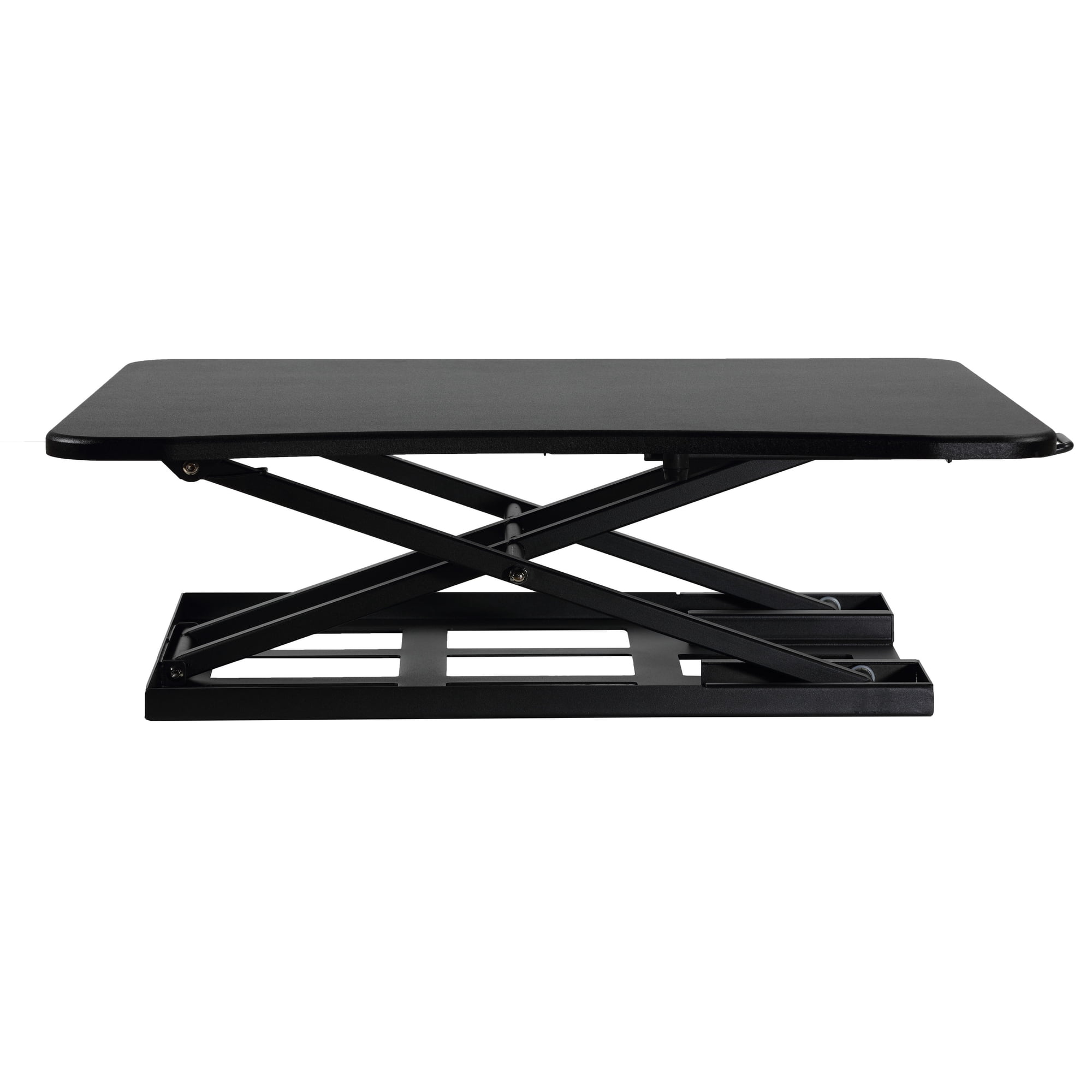 Cortesi Home Ursa 4.2 DEAS
Clinical performance4.0
I.1Neutral posture support4.0
I.2Adjustability range4.0
I.3Injury risk reduction4.0
I.4Population accommodation4.0
I.5Height range and stability4.0
Product quality2.7
II.1Material & construction4.0
II.2Published certification2.0
II.3Warranty vs benchmark2.0
Market value6.0
III.1Price vs category benchmark8.0
III.2Ergonomic value ratio4.0
19 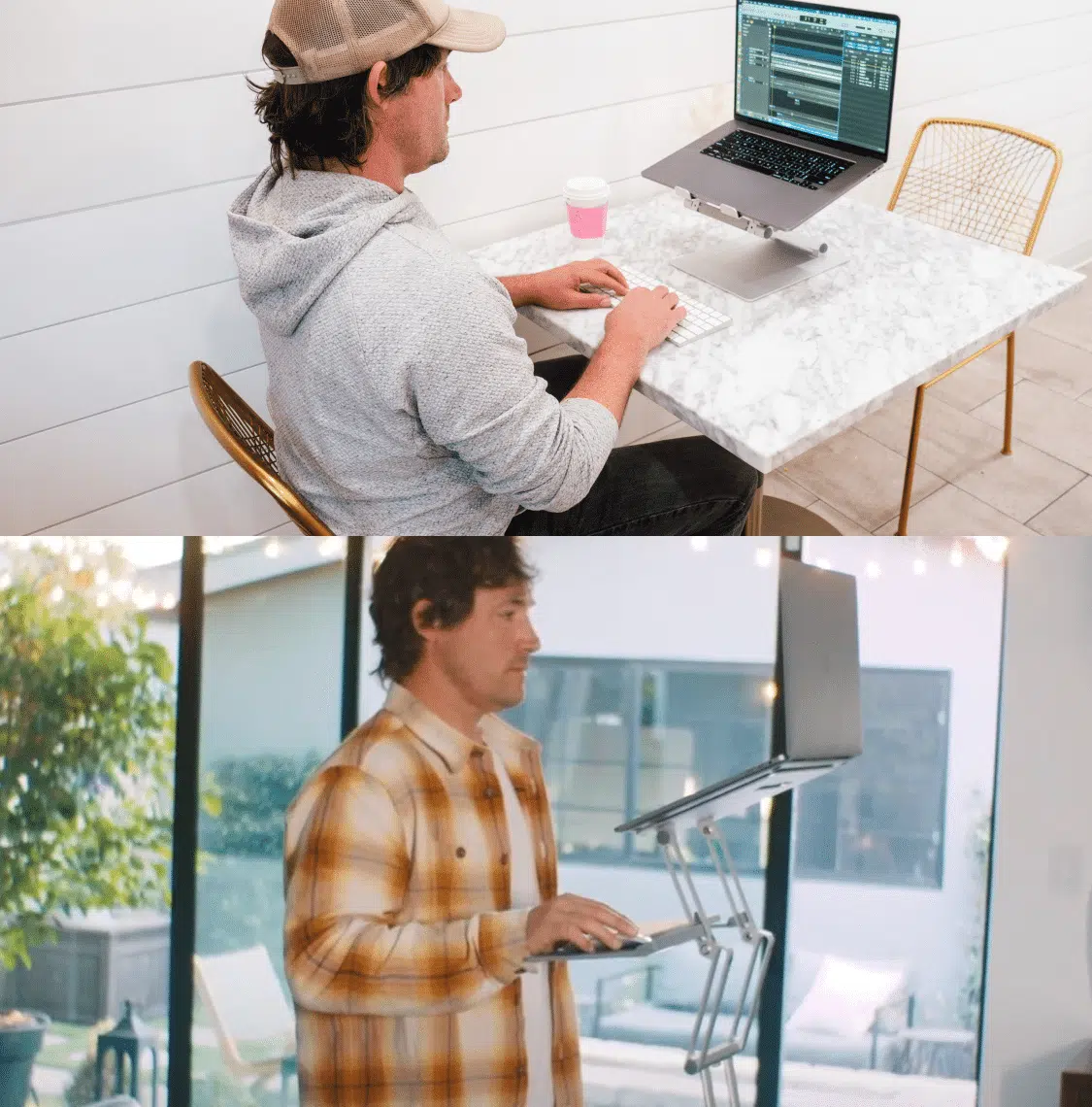 DriftDesk Portable Converter 4.1 DEAS
Clinical performance3.6
I.1Neutral posture support4.0
I.2Adjustability range3.0
I.3Injury risk reduction4.0
I.4Population accommodation4.0
I.5Height range and stability3.0
Product quality2.3
II.1Material & construction3.0
II.2Published certification2.0
II.3Warranty vs benchmark2.0
Market value7.0
III.1Price vs category benchmark9.0
III.2Ergonomic value ratio5.0
20 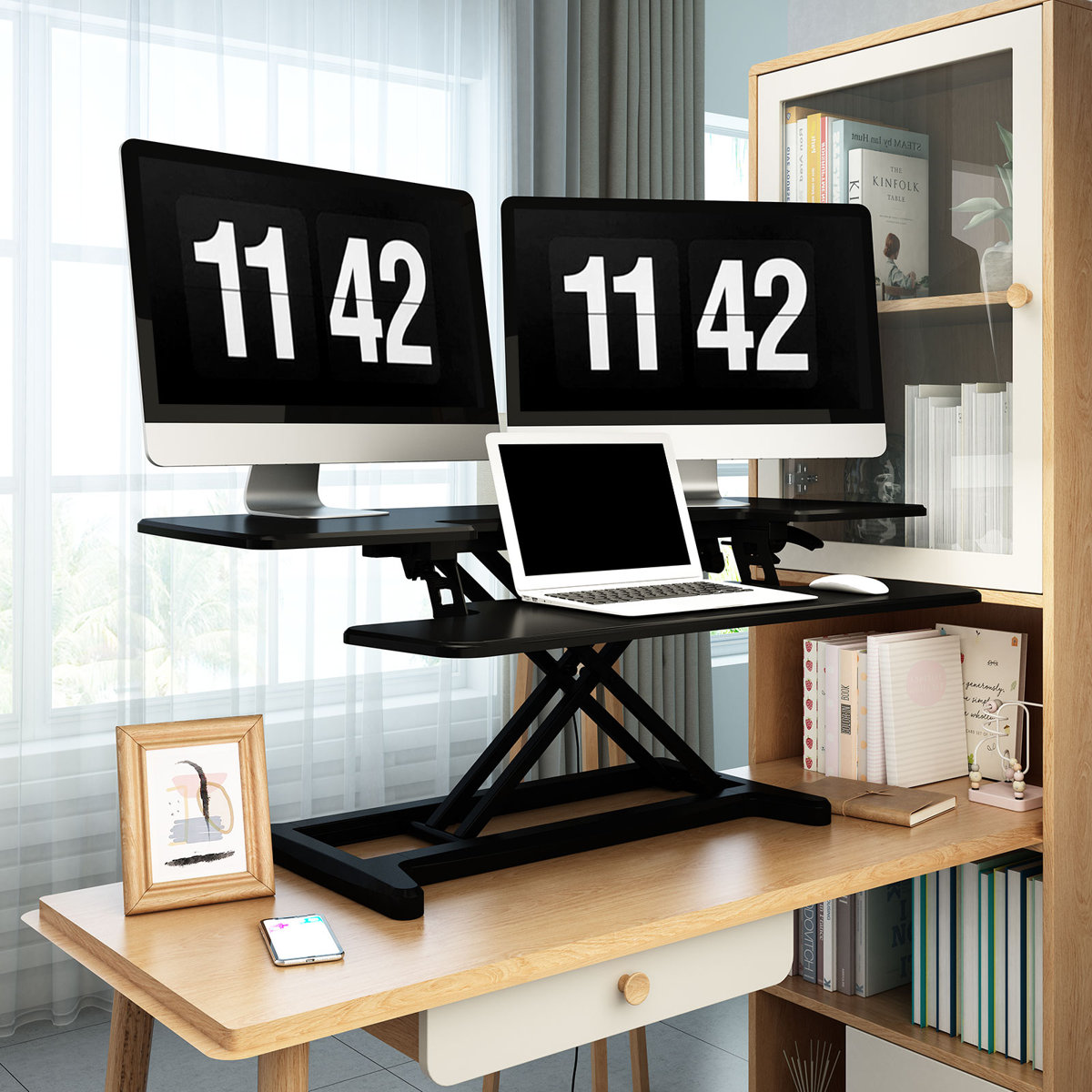 The Twillery Co. Murray 4.0 DEAS
Clinical performance4.0
I.1Neutral posture support4.0
I.2Adjustability range4.0
I.3Injury risk reduction4.0
I.4Population accommodation4.0
I.5Height range and stability4.0
Product quality2.3
II.1Material & construction3.0
II.2Published certification2.0
II.3Warranty vs benchmark2.0
Market value6.0
III.1Price vs category benchmark8.0
III.2Ergonomic value ratio4.0
Why a converter helps, and how it goes wrong
A converter's job is to let you change position through the day. Hours in one position, sitting or standing, keep the same tissues loaded with nothing to break it up; switching is what does. OSHA's guidance is the same: change your working position frequently through the day.1
What the research says
In a small four-week study, office workers given a sit-stand device sat about an hour a day less and reported 54% less upper back and neck pain, and most of the gains were gone within two weeks of the device being taken away.2 The catch with converters is height. Set the keyboard too high and your wrists bend back to reach it: in healthy volunteers, about 33 degrees of that bend pushed carpal tunnel pressure over 30 mmHg, a common risk threshold, in a quarter of them.3
66 minless sitting a day with a sit-stand device, in a small four-week study.2 54%less upper back and neck pain in the same study.2 What that means when you shop
Buy one that reaches your standing elbow height, stays steady while you type, and lets the screen sit higher than the keyboard. Then use it: the switching is what helps, not standing all day.
Full reviews
1 of 20. Best overall
UPLIFT Desk E7 Electric Converter
DEAS 7.6 out of 10
Electric lift with 21 inches of travel. The keyboard tray goes lower than the desktop; the screen sits on its own mount.
This is the converter I point people to when a wobbly converter is part of the problem. A motor does the lifting, the keyboard tray goes lower than the desktop so your hands can sit at elbow height, and the screen sits on its own mount above it. It ties for the top height-range-and-stability score and has the top score of any converter we've rated.
Good: the top score here; an electric lift with a keyboard tray that goes below desktop height; meets the ANSI/BIFMA X5.5 desk standard; a 15-year warranty. Less good: priced further above the category benchmark than any converter here; too few reviews for a reliability score.
Score breakdown
Clinical performance8.0
I.1Neutral posture support8.0
I.2Adjustability range9.0
I.3Injury risk reduction8.0
I.4Population accommodation7.0
I.5Height range and stability8.0
Product quality9.0
II.1Material & construction9.0
II.2Published certification8.0
II.3Warranty vs benchmark10.0
Market value3.0
III.1Price vs category benchmark2.0
III.2Ergonomic value ratio4.0
Composite 7.6 on the DEAS (Desk Ergonomics Assessment Score). How we score

2 of 20. Best wide surface
Vari VariDesk Pro Plus 36
DEAS 7.0 out of 10
Spring-assisted lift with 11 settings, 4.5 to 17.5 inches. 36 inches wide, with a lower keyboard deck.
If you run two monitors or spread papers out, this has the deck to do it without your keyboard creeping toward the edge. It's a proven, well-built design. Know the trade-off: the keyboard deck sits a fixed 4 inches below the top.
Good: a 36-inch top with room for two screens; tested to BIFMA standards and GreenGuard Gold certified; a lifetime warranty. Less good: keyboard and screen tiers rise together, so their heights can't be set separately; priced above the category benchmark.
Score breakdown
Clinical performance7.0
I.1Neutral posture support8.0
I.2Adjustability range6.0
I.3Injury risk reduction7.0
I.4Population accommodation7.0
I.5Height range and stability7.0
Product quality7.8
II.1Material & construction8.0
II.2Published certification8.0
II.3Warranty vs benchmark10.0
II.4Verified user reliability5.0
Market value4.5
III.1Price vs category benchmark4.0
III.2Ergonomic value ratio5.0
Composite 7.0 on the DEAS (Desk Ergonomics Assessment Score). How we score

3 of 20. Best for wrist-neutral typing
Ergotron WorkFit-TX
DEAS 7.0 out of 10
20 inches of lift, down to within 2 inches of the desk. A drop-down keyboard tray below the work surface.
This is the one I recommend when wrists are the main complaint. The keyboard tray drops below the work surface, which is the geometry that lets your hands sit at elbow height while the screen stays up where it belongs. If your forearms ache more than your back, it solves the right problem.
Good: a drop-down keyboard tray for typing at elbow height; ties for the top height-range-and-stability score; stepless height adjustment. Less good: a low certification score; priced well above the category benchmark; the typing area sits about 9 inches out past the desk edge, so you need room in front.
Score breakdown
Clinical performance7.8
I.1Neutral posture support8.0
I.2Adjustability range8.0
I.3Injury risk reduction8.0
I.4Population accommodation7.0
I.5Height range and stability8.0
Product quality6.0
II.1Material & construction8.0
II.2Published certification4.0
II.3Warranty vs benchmark7.0
II.4Verified user reliability5.0
Market value4.0
III.1Price vs category benchmark3.0
III.2Ergonomic value ratio5.0
Composite 7.0 on the DEAS (Desk Ergonomics Assessment Score). How we score

4 of 20. Best value
FlexiSpot M7
DEAS 6.8 out of 10
Gas-spring X-lift, 4.7 to 20.1 inches, with a separate keyboard tray.
The one I steer people to when budget matters. It has the best price score in the top five, and the basics hold up: a separate keyboard tray, a wide height range and a gas spring you can work with one hand. You give up some build polish against the names above it, not the things that matter for your body.
Good: the best price score in the top five; a separate keyboard tray; a 4.7- to 20.1-inch range. Less good: a lower height-range-and-stability score than the leaders; the gas spring and mechanism are covered for 3 years, the frame and top for 5; no certification listed.
Score breakdown
Clinical performance6.6
I.1Neutral posture support7.0
I.2Adjustability range7.0
I.3Injury risk reduction7.0
I.4Population accommodation6.0
I.5Height range and stability6.0
Product quality6.2
II.1Material & construction7.0
II.2Published certification7.0
II.3Warranty vs benchmark6.0
II.4Verified user reliability5.0
Market value6.5
III.1Price vs category benchmark7.0
III.2Ergonomic value ratio6.0
Composite 6.8 on the DEAS (Desk Ergonomics Assessment Score). How we score
5 of 20. Best build quality
Humanscale QuickStand Eco
DEAS 6.8 out of 10
Freestanding, moved by hand with no levers or buttons. 18 inches of travel, plus 5.5 inches of monitor height.
If you want the most refined hardware and price isn't the deciding factor, this is it. There are no levers or buttons: you move it by hand and it holds where you leave it. The screen adjusts separately from the work surface, which makes it easier to get both heights right. The price is where its score takes the hit.
Good: ties for the top build score; screen height adjusts separately from the work surface; no levers, buttons or clamps; single, dual and triple monitor versions. Less good: priced above the category benchmark; tied for the lowest reliability score in the top ten.
Score breakdown
Clinical performance6.8
I.1Neutral posture support7.0
I.2Adjustability range7.0
I.3Injury risk reduction7.0
I.4Population accommodation6.0
I.5Height range and stability7.0
Product quality6.5
II.1Material & construction9.0
II.2Published certification8.0
II.3Warranty vs benchmark7.0
II.4Verified user reliability2.0
Market value4.5
III.1Price vs category benchmark4.0
III.2Ergonomic value ratio5.0
Composite 6.8 on the DEAS (Desk Ergonomics Assessment Score). How we score
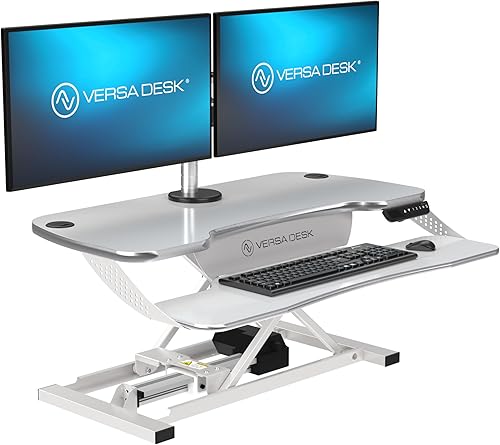
6 of 20. Electric runner-up
VersaDesk PowerPro
DEAS 6.3 out of 10
Electric X-lift, 5 to 20 inches, with a separate keyboard tray.
For someone who wants a motor doing the lifting without paying for the E7. It rises at the press of a button and has its own keyboard tray. The clinical scores are middle-of-the-road, so treat it as a convenience pick rather than a posture upgrade.
Good: an electric lift with a better price score than the E7; a separate keyboard tray; a lifetime frame warranty. Less good: the motor is covered for 3 years; a low certification score; a low reliability score from user reviews.
Score breakdown
Clinical performance6.2
I.1Neutral posture support7.0
I.2Adjustability range6.0
I.3Injury risk reduction6.0
I.4Population accommodation6.0
I.5Height range and stability6.0
Product quality6.0
II.1Material & construction7.0
II.2Published certification4.0
II.3Warranty vs benchmark10.0
II.4Verified user reliability3.0
Market value5.0
III.1Price vs category benchmark5.0
III.2Ergonomic value ratio5.0
Composite 6.3 on the DEAS (Desk Ergonomics Assessment Score). How we score

7 of 20. Value runner-up
Desky Zero
DEAS 5.6 out of 10
Gas-spring lift, 6.3 to 17.5 inches, with a separate keyboard tray.
If the  FlexiSpot M7 is sold out, this is the closest swap: a two-tier gas-spring converter with the same price score. The clinical scores are adequate rather than strong, so I'd use it for a second desk or part-time standing, not eight hours a day.
Good: a good price score; a separate keyboard tray; a fair reliability score from user reviews. Less good: its lowest setting, 6.3 inches above the desk, is the highest in the top ten, which matters when you sit; no third-party certification; a low warranty score.
Score breakdown
Clinical performance5.8
I.1Neutral posture support6.0
I.2Adjustability range6.0
I.3Injury risk reduction6.0
I.4Population accommodation5.0
I.5Height range and stability6.0
Product quality3.8
II.1Material & construction6.0
II.2Published certification2.0
II.3Warranty vs benchmark2.0
II.4Verified user reliability5.0
Market value6.5
III.1Price vs category benchmark7.0
III.2Ergonomic value ratio6.0
Composite 5.6 on the DEAS (Desk Ergonomics Assessment Score). How we score

8 of 20. Entry-level electric
ApexDesk ZT Electric Converter
DEAS 5.5 out of 10
Electric lift, 5.7 to 18.1 inches. A 36 by 24-inch top with a retractable keyboard tier.
A budget way into a motorized converter. The top is big enough for two monitors and the keyboard tier slides away when you don't need it. The modest build score is why I'd only pick it if a motor is non-negotiable and the budget won't stretch.
Good: an electric lift with a better price score than the other electric picks; a top big enough for two screens; a retractable keyboard tier. Less good: a below-average build score; no third-party certification; a low reliability score from user reviews.
Score breakdown
Clinical performance5.8
I.1Neutral posture support6.0
I.2Adjustability range6.0
I.3Injury risk reduction6.0
I.4Population accommodation5.0
I.5Height range and stability6.0
Product quality3.8
II.1Material & construction5.0
II.2Published certification2.0
II.3Warranty vs benchmark6.0
II.4Verified user reliability2.0
Market value5.5
III.1Price vs category benchmark6.0
III.2Ergonomic value ratio5.0
Composite 5.5 on the DEAS (Desk Ergonomics Assessment Score). How we score

9 of 20. Best for laptops
UPLIFT Desk E3 Compact
DEAS 5.2 out of 10
Gas-spring lift, 1 to 16.8 inches. One 26.8 by 13.4-inch surface for a laptop, rated to 11 pounds.
I'll be straight with you: this ranks here on price and warranty, not on clinical performance, which is the weakest in the top ten. It's made for a laptop on a cramped desk and standing now and then. It is not the fix for a serious back problem.
Good: one of the best price scores here; a 15-year warranty; no assembly. Less good: the lowest clinical scores in the top ten; one surface, so the screen and keyboard can't both be at the right height; an 11-pound limit means a laptop, not a monitor; too few reviews for a reliability score.
Score breakdown
Clinical performance4.0
I.1Neutral posture support4.0
I.2Adjustability range4.0
I.3Injury risk reduction4.0
I.4Population accommodation5.0
I.5Height range and stability3.0
Product quality6.7
II.1Material & construction6.0
II.2Published certification4.0
II.3Warranty vs benchmark10.0
Market value6.5
III.1Price vs category benchmark8.0
III.2Ergonomic value ratio5.0
Composite 5.2 on the DEAS (Desk Ergonomics Assessment Score). How we score
10 of 20. Budget manual lift
Union & Scale FlexFit
DEAS 5.2 out of 10
Staples' house-brand converter, and a fair price for a manual lift. Its scores are middling across the board and its warranty score is low, so treat it as an inexpensive way to find out whether standing helps you before you spend more.
Good: a good price score; a simple manual lift with nothing to plug in. Less good: no third-party certification; a low warranty score; too few reviews for a reliability score.
Score breakdown
Clinical performance5.2
I.1Neutral posture support6.0
I.2Adjustability range5.0
I.3Injury risk reduction5.0
I.4Population accommodation5.0
I.5Height range and stability5.0
Product quality3.3
II.1Material & construction5.0
II.2Published certification2.0
II.3Warranty vs benchmark3.0
Market value6.0
III.1Price vs category benchmark7.0
III.2Ergonomic value ratio5.0
Composite 5.2 on the DEAS (Desk Ergonomics Assessment Score). How we score
How to set up your converter
- 1
Find your standing elbow height. Stand naturally, shoulders relaxed, elbows bent about 90 degrees. That is where the keyboard belongs, not where the desktop happens to be.
- 2
Bring the keyboard to it. Forearms level with the floor or sloping slightly down, wrists flat, not bent up toward the screen.
- 3
Top edge of the screen level with your eyes. If the screen and keyboard rise together, lift the screen with a monitor stand or arm.
- 4
Pull the keyboard in. Close enough that your upper arms hang by your sides. Reaching forward brings the shoulder load straight back.
- 5
Check it sitting, too. Fully lowered, a converter still sits on your desk, so the keyboard can end up too high when you sit. Lower it all the way and check your elbows.
- 6
Stand on a mat. A cushioned mat makes the standing part more comfortable.4
- 7
Alternate. Switch every 30 to 45 minutes. Start with twenty minutes of standing at a time and build up as your legs adapt.
The mistake I see most
People raise the converter to a comfortable-looking desktop height and type with their wrists bent up. Set the keyboard to your elbows first, then bring the screen up to your eyes, in that order.
Which desk pain is a converter solving?
A lower-back ache from long sitting
Feels like
A dull ache low in the back that builds through the afternoon.
What helps
Break up the sitting. A converter that reaches your standing height lets you switch every half hour or so.
Wrist and forearm strain
Feels like
Burning or tightness in the wrists and forearms, often from a keyboard set too high, which bends the wrists back.
What helps
Keyboard at elbow height, not desktop height. A converter with a lower or drop-down keyboard tray helps most.
Neck and shoulder tightness
Feels like
Stiffness across the shoulders and the base of the neck from a screen that sits too low.
What helps
Raise the screen until its top edge is level with your eyes. If the converter won't, add a monitor stand or arm.
Common questions
What should I look for in a standing desk converter?
Three things, in order. Height range: it has to bring the keyboard to your standing elbow height, which is where tall people get let down most. Stability: it should stay steady at full height while you type. Then a keyboard tier that sits below the screen, or a screen you can raise separately, so you aren't choosing between bent wrists and a low screen. Build and warranty decide how long it lasts; those three decide whether it helps.
Is a converter as good as a standing desk?
Not quite. A standing desk moves the whole surface as one solid piece, and at its lowest it's an ordinary desk. A converter sits on top of your desk, so even fully lowered it can leave the keyboard too high when you sit, and most lift a smaller surface on a spring or scissor mechanism. When you can't replace your desk, a good converter closes most of that gap. If you're buying new, a standing desk is the cleaner fix.
How long should I stand each day?
Less than you'd think, and never all day: standing still for hours brings its own aches. What helps is changing position, and OSHA's guidance is to do that frequently through the day.1 I start people at about twenty minutes of standing at a time and have them switch every 30 to 45 minutes. A converter makes the switch quick enough that you'll actually do it.
Why do my wrists hurt after switching to a converter?
Almost always because it's set too high. People raise it to a comfortable-looking height and type with their wrists bent back toward the screen, and that bend raises the pressure in the carpal tunnel.3 Set the keyboard to your elbow height, forearms level with the floor. If your converter has one fixed surface, a model with a drop-down keyboard tray, like the  Ergotron WorkFit-TX, fixes it properly.
Which converters didn't make the top 10?
Ten more, all in the ranking above. The best of them, the  Mount-It! Electric and the
  Rocelco 32-inch, score 5.1, just behind the
  Union & Scale FlexFit at number 10. All ten score 2 out of 10 for both certification and warranty.
What is the DEAS score?
The Desk Ergonomics Assessment Score, our rating out of 10. It weighs clinical performance, product quality and value; for converters, the category-specific part is height range and stability: whether it reaches the right heights for most people, sitting and standing, and stays steady at full height. Tap any row in the ranking for the full breakdown. How we score.
References
- OSHA. Computer Workstations eTool: good working positions. osha.gov
- Pronk NP, Katz AS, Lowry M, Payfer JR. Reducing occupational sitting time and improving worker health: the Take-a-Stand Project, 2011. Prev Chronic Dis. 2012;9:110323. doi:10.5888/pcd9.110323
- Keir PJ, Bach JM, Hudes M, Rempel DM. Guidelines for wrist posture based on carpal tunnel pressure thresholds. Hum Factors. 2007;49(1):88–99. PMID: 17315846. PubMed
- Speed G, Harris K, Keegel T. The effect of cushioning materials on musculoskeletal discomfort and fatigue during prolonged standing at work: a systematic review. Appl Ergon. 2018;70:300–314. doi:10.1016/j.apergo.2018.02.021
This article is general education, not medical advice. If you have back, wrist or neck pain that lasts, or pain, numbness or tingling down an arm or leg, see a licensed clinician.
AJ Prince, HEAS
Healthcare Ergonomic Assessment Specialist. Conducts over a thousand workstation assessments a year across a multi-campus health system, and authored the DEAS standard used to rank every product on this site.

