FAQAre Standing Desks Worth It? What the Research Says in 2026
Yes, for most desk workers, if you use one to change position. Here's what the trials show, the standing trap to avoid, and the three desks that earn the money.

By AJ Prince, HEAS
Healthcare Ergonomic Assessment Specialist. Updated 15 Jun 2026. A 7-minute read.
Desk Doctor earns a commission on some links, at no cost to you. It never changes a score. How we make money
Here's where most people land: it's 3 p.m., your lower back has the dull ache it always gets by mid-afternoon, you've read a dozen headlines telling you sitting is killing you, and a decent standing desk costs four to six hundred dollars. So the question isn't really whether standing desks are good. It's whether one will fix what you're feeling, or whether you're about to spend real money on a trend.
"Sitting is the new smoking" did a lot of damage here. It taught people that the chair is the enemy and standing is the cure, and neither half is quite true. The people I assess who buy a standing desk expecting it to erase their back pain on its own are usually the ones who end up disappointed, or standing rigidly for six hours and trading a sore back for sore feet.
The research gives a clear enough answer. Here's what the trials found, and how to use a standing desk so it earns its keep.
What the research shows
The best single piece of evidence is a year-long trial in The BMJ. Researchers gave 146 NHS office workers, in 37 office groups, either a height-adjustable desk with a coaching and behaviour-change programme, or nothing new. A year later, the desk group sat about 83 fewer minutes per workday and reported better job performance, work engagement, fatigue, daily anxiety and quality of life.1 Back pain was more mixed: there was no overall difference in how many people reported low back or other musculoskeletal problems, though fewer in the desk group said back problems stopped them doing their normal activities.1
Two smaller trials looked at back pain head-on. In a 2016 trial of 46 university employees with chronic low back pain, those given a sit-stand workstation reported significantly less current and worst back pain over three months.2 And in a 2025 trial of 56 desk workers with low back pain, all of whom already had sit-stand desks, a fixed rhythm of about 30 minutes sitting to 15 standing cut worst pain by about 1.3 points and average pain by about 0.8 on a 10-point scale over three months. A rhythm people chose for themselves cut only worst pain, by about 0.7.3 Both trials were small and short.
Pooled, the picture is honest but modest. A Cochrane review found sit-stand desks cut sitting at work by about 100 minutes a day over the first three months and about 57 minutes at three to twelve months, on low-quality evidence.4 The evidence that they ease pain is thinner: a second Cochrane review rated it low quality and too limited to call the desks effective for musculoskeletal symptoms,5 while a meta-analysis of workplace studies found a small reduction in low back discomfort.6
83 minless sitting per workday after a year, in a trial of 146 office workers.1 1.3 pointsoff worst back pain, out of 10, with a 30-to-15 sit-stand rhythm over three months.3 What I tell people
A standing desk's most dependable benefit is that it breaks up long stretches of sitting. The back pain relief is real for some people but modest, and it only shows up if you actually alternate. The desk isn't doing the work; the position change is.
Worth it, if you avoid the standing trap
For most desk workers, yes, a standing desk is worth it, as a tool for changing position, not something to stand at all day. A standing desk you never raise is an expensive desk. One you stand at for six straight hours swaps one problem for another.
That second mistake is the one I see most. Canada's occupational safety agency warns that regularly working on your feet can cause sore feet, leg swelling, varicose veins, muscle fatigue, low back pain, and stiffness in the neck and shoulders,7 and a NIOSH review links prolonged standing at work to low back and leg pain, cardiovascular problems, fatigue and discomfort.8 Standing still for hours is sitting's mirror image.
How to use one so it earns its keep
Copy what helped in the trial: about 30 minutes sitting, about 15 standing, repeated.3 Build up to it over a couple of weeks as your legs adapt; an international expert statement suggests working up to 2 hours a day of standing and light activity at work, then 4.9 When you stand, shift your weight, take a few steps, and stand on an anti-fatigue mat rather than a hard floor.
Set it up right, with your elbows bent 90 to 120 degrees and your upper arms at your sides,10 and the top edge of the screen level with your eyes whether you're sitting or standing, and a height-adjustable desk is the easiest way there is to keep changing position through the day. That's the whole case for it.
The three desks that earn it
We've scored 29 standing desks on clinical performance, build quality and value. Most land in the middle. These three came out on top, and they're the ones I point people to first.
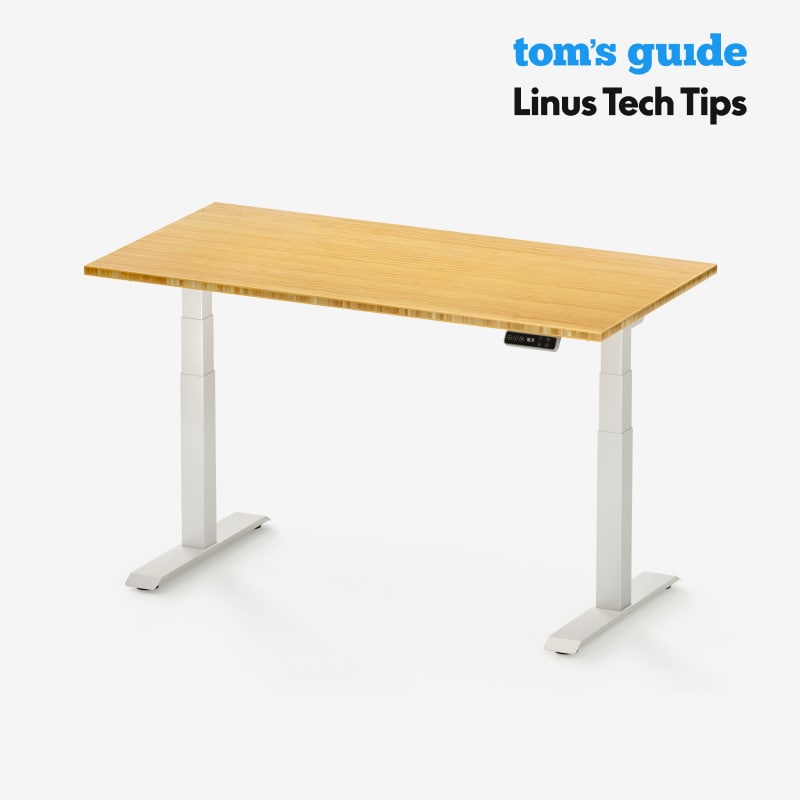
Best overall
FlexiSpot E7
DEAS 8.3 out of 10
Two legs, dual motors; 22.8 to 48.4 inches without the top; 355-pound static load. 15-year warranty.
The desk I put most people at. Its range covers sitting and standing for nearly everyone from about 5'0" to 6'4", it's steady for a two-leg frame, and it scores a tenth behind the 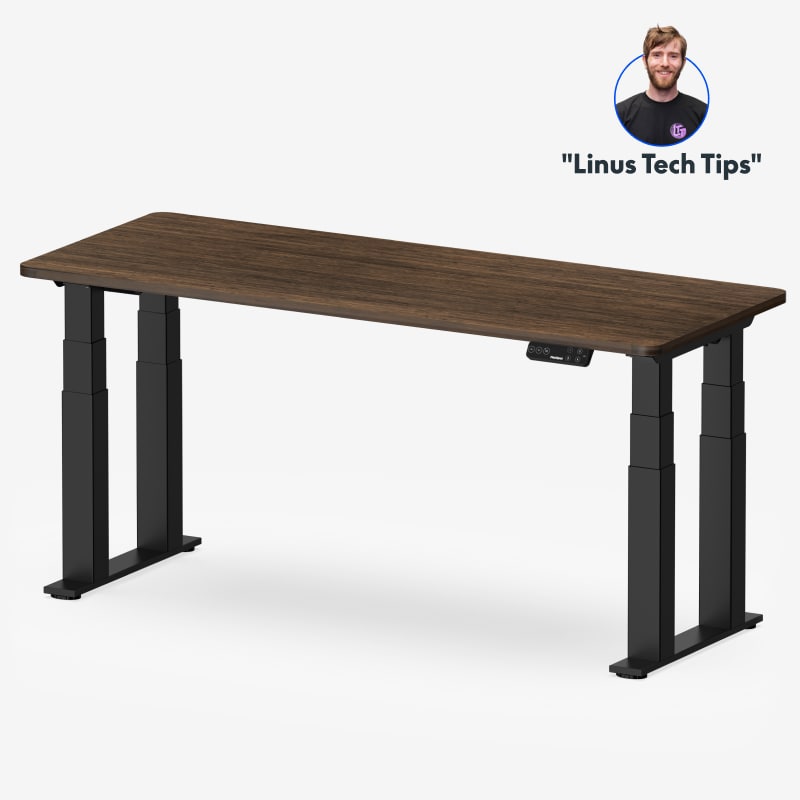 E7 Plus for less money. If price is what's keeping you from alternating, this removes the excuse.
Good: the widest fit of any desk we've scored; near-top stability; a strong price score; a strong reliability score from user reviews; a 15-year warranty. Less good: a two-leg frame sways a little more at full height than the four-leg E7 Plus; no third-party certification listed.
Score breakdown
Clinical performance8.2
I.1Neutral posture support8.5
I.2Adjustability range8.2
I.3Injury risk reduction8.2
I.4Population accommodation7.8
I.5Height range and stability8.5
Product quality8.2
II.1Material & construction8.0
II.2Published certification6.8
II.3Warranty vs benchmark9.5
II.4Verified user reliability8.5
Market value7.5
III.1Price vs category benchmark7.5
III.2Ergonomic value ratio7.5
Composite 8.3 on the DEAS (Desk Ergonomics Assessment Score). How we score
Best for tall people
FlexiSpot E7 Plus
DEAS 8.4 out of 10
Four 3-stage legs; 26 to 51.6 inches; lifts 440 pounds. Frame, motor and mechanisms covered for 15 years.
Our top-scoring desk and the steadiest frame I've scored: four legs keep it planted at standing height, where wobble, in my experience, is one of the biggest reasons people stop using a standing desk. It reaches 51.6 inches, enough for very tall people to stand at. Its lowest setting, 26 inches, is the catch: at about 5'6" and under, it may not come down far enough for you to sit at.
Good: the top desk score and the top stability score; reaches 51.6 inches; lifts 440 pounds; the top reliability score from user reviews; a 15-year warranty. Less good: its lowest height, 26 inches, is too high for many shorter people to sit at; no third-party certification listed.
Score breakdown
Clinical performance8.7
I.1Neutral posture support8.8
I.2Adjustability range8.7
I.3Injury risk reduction8.7
I.4Population accommodation8.3
I.5Height range and stability9.2
Product quality8.5
II.1Material & construction8.8
II.2Published certification6.8
II.3Warranty vs benchmark9.5
II.4Verified user reliability8.8
Market value7.0
III.1Price vs category benchmark6.5
III.2Ergonomic value ratio7.5
Composite 8.4 on the DEAS (Desk Ergonomics Assessment Score). How we score
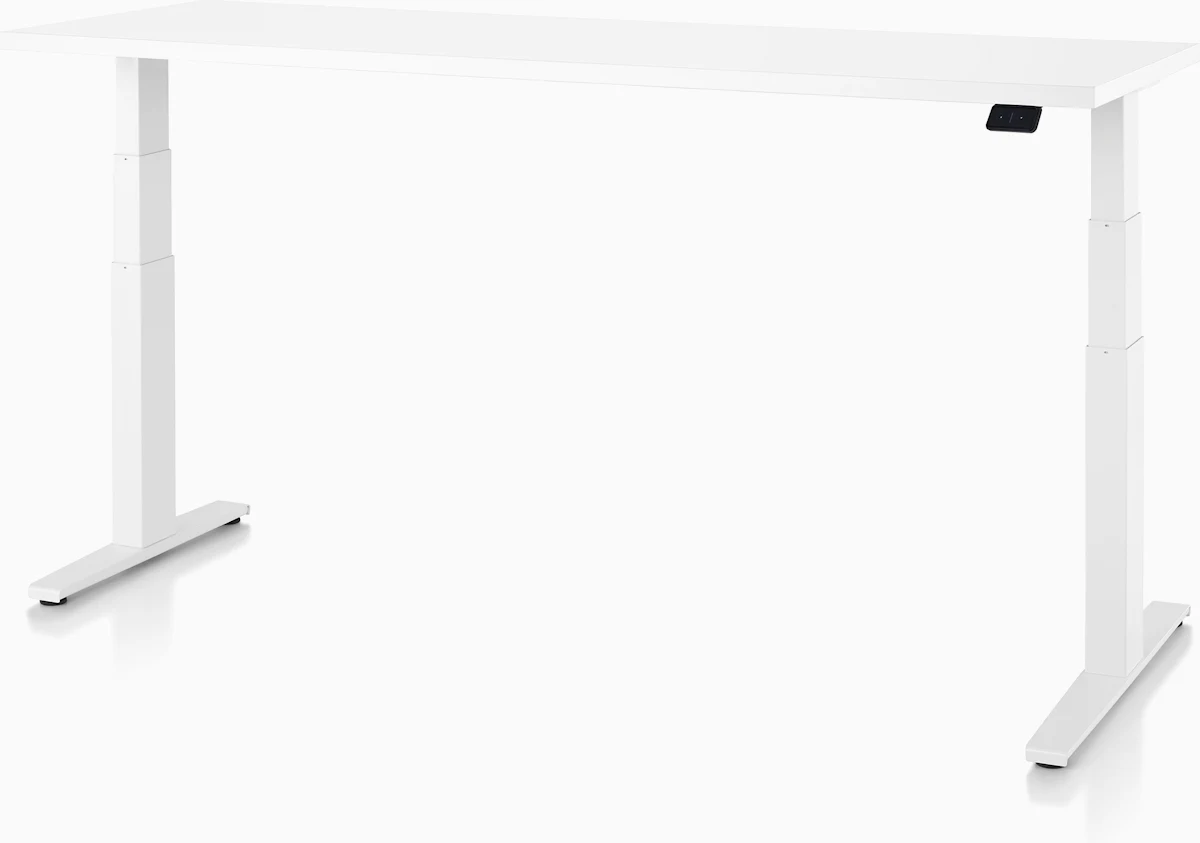
Best build quality
Herman Miller Motia Sit-to-Stand Desk
DEAS 7.8 out of 10
Two height ranges: Extended 22 to 48 inches, or Standard 27 to 46. BIFMA compliant, level certified, SCS Indoor Advantage Gold.
Commercial-grade build, with the certifications to back it: the top build and certification scores of the desks we've rated. Choose the Extended base; the Standard one doesn't come down far enough for shorter people to sit at or go high enough for taller people to stand. It costs far more than the FlexiSpots without being proportionally better for your back.
Good: the top build and certification scores; the Extended base covers 22 to 48 inches; a 12-year warranty on the contract specification. Less good: the lowest desk price score, by far; capacity isn't published; too few consumer reviews for a reliability score.
Score breakdown
Clinical performance8.0
I.1Neutral posture support8.4
I.2Adjustability range7.8
I.3Injury risk reduction8.0
I.4Population accommodation7.4
I.5Height range and stability8.2
Product quality8.9
II.1Material & construction9.2
II.2Published certification8.5
II.3Warranty vs benchmark9.0
Market value1.5
III.1Price vs category benchmark1.0
III.2Ergonomic value ratio2.0
Composite 7.8 on the DEAS (Desk Ergonomics Assessment Score). How we score
See where all 29 landed in the standing desk guide.
How to set up a standing desk so it helps
- 1
Set your sitting height first. Feet flat, thighs roughly level, upper arms at your sides, elbows bent 90 to 120 degrees.10 Save it as a preset.
- 2
Set your standing height separately. The same elbow angle with your shoulders relaxed, not hiked up. Most people set it too low and hunch. Save it too.
- 3
Raise the screen. Top edge level with your eyes at both heights. On a laptop, use a stand and a separate keyboard and mouse.
- 4
Start small. About 15 minutes standing per half hour,3 built up over a couple of weeks. Don't stand all afternoon on day one.
- 5
Stand on a mat. A hard floor is the fastest way to sore feet and a tired back, and one of the most common reasons people give up on the desk.
- 6
Keep moving when you stand. Shift your weight, take a few steps, change your stance. Still standing is the trap.
- 7
Keep what you use within reach. So you're not twisting or leaning to grab it, which undoes what you're standing for.
The one habit
If you only change one habit, break up your sitting about every 30 minutes. The desk just makes it easy.
What a standing desk helps, and what it doesn't
Mid-afternoon lower back ache
Feels like
A dull ache low in the back that builds the longer you sit.
What helps
This is what a standing desk is best at: alternate before it builds.
Sore feet and heavy legs
Feels like
Aching feet, swollen ankles or heavy legs, usually from standing too long and too still.
What helps
An anti-fatigue mat, weight shifts and shorter standing stretches. This is the trap, not a reason to quit.
Neck and shoulder stiffness
Feels like
Tightness at the base of the skull and across the shoulders, often from a screen left too low when you stand.
What helps
Raise the screen at both heights; the desk alone won't fix it.
Common questions
Are standing desks worth the money?
For most desk workers, yes, if you alternate between sitting and standing. Trials show they reliably cut sitting time,1,4 and the back pain benefit is real in some trials but modest.2,3 The value is in being able to change position easily, not in the standing.
How long should I stand each day?
Aim for frequent switching, not a big total. About 30 minutes sitting to 15 standing eased back pain in a small trial,3 and an expert statement suggests building up to 2 hours a day of standing and light activity at work, then 4.9
Can a standing desk cause back pain?
It can, if you stand still for hours. Regular standing work is linked to low back pain, sore feet, leg swelling and varicose veins.7,8 That's why the goal is alternating and moving, with an anti-fatigue mat underfoot, not standing rigidly all day.
Do standing desks help you lose weight?
Barely. Standing burns only about 9 more calories an hour than sitting, roughly 50 extra over a six-hour stretch.11 The real benefits are less sitting and, in the year-long trial, better work engagement and less fatigue.1
Manual or electric?
Electric, for almost everyone. Every one of those trials depended on people actually switching, and in my experience a desk that moves at the press of a button gets switched far more often than a hand crank that takes half a minute of effort.
How many standing desks did you score?
29, on clinical performance, build quality and value. The three above are our highest scorers; the full ranking is in the standing desk guide.
References
- Edwardson CL, Yates T, Biddle SJH, et al. Effectiveness of the Stand More AT (SMArT) Work intervention: cluster randomised controlled trial. BMJ. 2018;363:k3870. PMID: 30305278. doi:10.1136/bmj.k3870
- Ognibene GT, Torres W, von Eyben R, Horst KC. Impact of a sit-stand workstation on chronic low back pain: results of a randomized trial. J Occup Environ Med. 2016;58(3):287–293. PMID: 26735316. doi:10.1097/JOM.0000000000000615
- Brakenridge CL, Johnston V, Andrews NE, Gomersall SR, Russell T, Smith MD. Do fixed or personalised sit-stand desk ratios improve lower back pain? A randomised trial. Appl Ergon. 2026;131:104670 (online 2025). PMID: 41124790. doi:10.1016/j.apergo.2025.104670
- Shrestha N, Kukkonen-Harjula KT, Verbeek JH, Ijaz S, Hermans V, Pedisic Z. Workplace interventions for reducing sitting at work. Cochrane Database Syst Rev. 2018;12:CD010912. doi:10.1002/14651858.CD010912.pub5
- Parry SP, Coenen P, Shrestha N, O'Sullivan PB, Maher CG, Straker LM. Workplace interventions for increasing standing or walking for decreasing musculoskeletal symptoms in sedentary workers. Cochrane Database Syst Rev. 2019;(11):CD012487. doi:10.1002/14651858.CD012487.pub2
- Agarwal S, Steinmaus C, Harris-Adamson C. Sit-stand workstations and impact on low back discomfort: a systematic review and meta-analysis. Ergonomics. 2018;61(4):538–552. PMID: 29115188. doi:10.1080/00140139.2017.1402960
- Canadian Centre for Occupational Health and Safety. OSH Answers: working in a standing position, basic information. ccohs.ca
- Waters TR, Dick RB. Evidence of health risks associated with prolonged standing at work and intervention effectiveness. Rehabil Nurs. 2015;40(3):148–165. PMID: 25041875. doi:10.1002/rnj.166
- Buckley JP, Hedge A, Yates T, Copeland RJ, Loosemore M, Hamer M, Bradley G, Dunstan DW. The sedentary office: an expert statement on the growing case for change towards better health and productivity. Br J Sports Med. 2015;49(21):1357–1362. doi:10.1136/bjsports-2015-094618
- OSHA. Computer Workstations eTool: neutral working postures. osha.gov
- Saeidifard F, Medina-Inojosa JR, Supervia M, et al. Differences of energy expenditure while sitting versus standing: a systematic review and meta-analysis. Eur J Prev Cardiol. 2018;25(5):522–538. PMID: 29385357. doi:10.1177/2047487317752186
This article is general education, not medical advice. A standing desk is not a treatment for any medical condition; persistent or severe back pain needs a licensed clinician.
AJ Prince, HEAS
Healthcare Ergonomic Assessment Specialist. Conducts over a thousand workstation assessments a year across a multi-campus health system, and authored the DEAS standard used to rank every product on this site.
