Ergonomic products The Best Webcams, Ranked Short answer: the Insta360 Link is the best webcam we’ve scored, with the Dell UltraSharp just behind. An external webcam means you stop tilting your screen to frame yourself on calls. Every webcam is ranked below.
By AJ Prince, HEAS
Healthcare Ergonomic Assessment Specialist. Updated 19 May 2026. A 1-minute read.
Desk Doctor earns a commission on some links, at no cost to you. It never changes a score. How we make money
Ranked #1 of 25
Insta360 Link
DEAS 6.9
The ranking Best to worst by DEAS score. An external webcam lets you leave your screen at the right height instead of tilting it for a built-in camera.
# Product DEAS
1 Insta360 Link 6.9 DEAS Clinical performance 6.9
I.1 Neutral posture support 7.0
I.2 Adjustability range 6.5
I.3 Injury risk reduction 6.5
I.4 Population accommodation 6.5
I.5 Adjustability and viewing angle 8.0
Product quality 7.2
II.1 Material & construction 8.0
II.2 Published certification 7.0
II.3 Warranty vs benchmark 6.0
II.4 Verified user reliability 8.0
Market value 3.2
III.1 Price vs category benchmark 3.0
III.2 Ergonomic value ratio 3.5
2 Dell UltraSharp Webcam 6.8 DEAS Clinical performance 6.4
I.1 Neutral posture support 6.5
I.2 Adjustability range 6.0
I.3 Injury risk reduction 6.5
I.4 Population accommodation 6.0
I.5 Adjustability and viewing angle 7.0
Product quality 7.2
II.1 Material & construction 7.5
II.2 Published certification 7.0
II.3 Warranty vs benchmark 7.0
II.4 Verified user reliability 7.5
Market value 5.0
III.1 Price vs category benchmark 5.0
III.2 Ergonomic value ratio 5.0
3 Elgato Facecam 6.7 DEAS Clinical performance 6.0
I.1 Neutral posture support 6.0
I.2 Adjustability range 5.5
I.3 Injury risk reduction 6.0
I.4 Population accommodation 6.0
I.5 Adjustability and viewing angle 6.5
Product quality 7.0
II.1 Material & construction 7.0
II.2 Published certification 6.0
II.3 Warranty vs benchmark 7.0
II.4 Verified user reliability 8.0
Market value 6.5
III.1 Price vs category benchmark 6.5
III.2 Ergonomic value ratio 6.5
4 EMEET S600 6.6 DEAS Clinical performance 6.2
I.1 Neutral posture support 6.5
I.2 Adjustability range 5.5
I.3 Injury risk reduction 6.5
I.4 Population accommodation 6.0
I.5 Adjustability and viewing angle 6.5
Product quality 6.5
II.1 Material & construction 7.0
II.2 Published certification 5.5
II.3 Warranty vs benchmark 6.0
II.4 Verified user reliability 7.5
Market value 7.2
III.1 Price vs category benchmark 7.5
III.2 Ergonomic value ratio 7.0
5 OBSBOT Tiny 2 6.6 DEAS Clinical performance 6.5
I.1 Neutral posture support 6.5
I.2 Adjustability range 6.0
I.3 Injury risk reduction 6.0
I.4 Population accommodation 6.5
I.5 Adjustability and viewing angle 7.5
Product quality 6.9
II.1 Material & construction 8.0
II.2 Published certification 6.5
II.3 Warranty vs benchmark 6.0
II.4 Verified user reliability 7.0
Market value 2.8
III.1 Price vs category benchmark 2.5
III.2 Ergonomic value ratio 3.0
6 Dell Pro Webcam 6.6 DEAS Clinical performance 6.0
I.1 Neutral posture support 6.0
I.2 Adjustability range 5.5
I.3 Injury risk reduction 6.0
I.4 Population accommodation 6.0
I.5 Adjustability and viewing angle 6.5
Product quality 7.0
II.1 Material & construction 7.0
II.2 Published certification 6.5
II.3 Warranty vs benchmark 7.0
II.4 Verified user reliability 7.5
Market value 6.2
III.1 Price vs category benchmark 6.5
III.2 Ergonomic value ratio 6.0
7 Logitech MX Brio 6.5 DEAS Clinical performance 6.1
I.1 Neutral posture support 6.5
I.2 Adjustability range 5.5
I.3 Injury risk reduction 6.0
I.4 Population accommodation 6.0
I.5 Adjustability and viewing angle 6.5
Product quality 7.1
II.1 Material & construction 7.5
II.2 Published certification 7.0
II.3 Warranty vs benchmark 7.0
II.4 Verified user reliability 7.0
Market value 5.0
III.1 Price vs category benchmark 5.0
III.2 Ergonomic value ratio 5.0
8 Elgato Facecam Pro 6.5 DEAS Clinical performance 6.5
I.1 Neutral posture support 6.5
I.2 Adjustability range 6.0
I.3 Injury risk reduction 6.5
I.4 Population accommodation 6.5
I.5 Adjustability and viewing angle 7.0
Product quality 6.9
II.1 Material & construction 7.5
II.2 Published certification 6.5
II.3 Warranty vs benchmark 7.0
II.4 Verified user reliability 6.5
Market value 2.8
III.1 Price vs category benchmark 2.5
III.2 Ergonomic value ratio 3.0
9 HP 960 4K Webcam 6.5 DEAS Clinical performance 6.3
I.1 Neutral posture support 6.5
I.2 Adjustability range 5.5
I.3 Injury risk reduction 6.5
I.4 Population accommodation 6.0
I.5 Adjustability and viewing angle 7.0
Product quality 6.6
II.1 Material & construction 7.5
II.2 Published certification 6.5
II.3 Warranty vs benchmark 6.0
II.4 Verified user reliability 6.5
Market value 5.0
III.1 Price vs category benchmark 5.0
III.2 Ergonomic value ratio 5.0
10 AVerMedia PW513 6.5 DEAS Clinical performance 6.4
I.1 Neutral posture support 6.5
I.2 Adjustability range 6.0
I.3 Injury risk reduction 6.5
I.4 Population accommodation 6.0
I.5 Adjustability and viewing angle 7.0
Product quality 6.5
II.1 Material & construction 7.5
II.2 Published certification 5.5
II.3 Warranty vs benchmark 6.0
II.4 Verified user reliability 7.0
Market value 5.0
III.1 Price vs category benchmark 5.0
III.2 Ergonomic value ratio 5.0
Show all 25 11 Logitech Brio 4K 6.4 DEAS Clinical performance 5.7
I.1 Neutral posture support 6.0
I.2 Adjustability range 5.0
I.3 Injury risk reduction 6.0
I.4 Population accommodation 5.5
I.5 Adjustability and viewing angle 6.0
Product quality 7.4
II.1 Material & construction 7.5
II.2 Published certification 7.0
II.3 Warranty vs benchmark 7.0
II.4 Verified user reliability 8.0
Market value 5.5
III.1 Price vs category benchmark 5.5
III.2 Ergonomic value ratio 5.5
12 Logitech StreamCam 6.4 DEAS Clinical performance 5.7
I.1 Neutral posture support 6.0
I.2 Adjustability range 5.0
I.3 Injury risk reduction 6.0
I.4 Population accommodation 5.5
I.5 Adjustability and viewing angle 6.0
Product quality 7.2
II.1 Material & construction 7.0
II.2 Published certification 6.5
II.3 Warranty vs benchmark 8.0
II.4 Verified user reliability 7.5
Market value 5.5
III.1 Price vs category benchmark 5.5
III.2 Ergonomic value ratio 5.5
13 OBSBOT Tiny SE 6.4 DEAS Clinical performance 5.9
I.1 Neutral posture support 6.0
I.2 Adjustability range 5.5
I.3 Injury risk reduction 5.5
I.4 Population accommodation 6.0
I.5 Adjustability and viewing angle 6.5
Product quality 6.5
II.1 Material & construction 7.0
II.2 Published certification 5.5
II.3 Warranty vs benchmark 6.0
II.4 Verified user reliability 7.5
Market value 6.8
III.1 Price vs category benchmark 7.0
III.2 Ergonomic value ratio 6.5
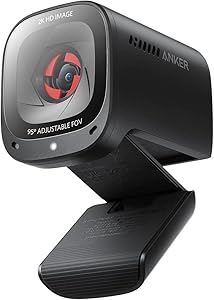
14 Anker PowerConf C200 6.3 DEAS Clinical performance 5.7
I.1 Neutral posture support 6.0
I.2 Adjustability range 5.0
I.3 Injury risk reduction 6.0
I.4 Population accommodation 5.5
I.5 Adjustability and viewing angle 6.0
Product quality 6.6
II.1 Material & construction 6.5
II.2 Published certification 6.0
II.3 Warranty vs benchmark 6.0
II.4 Verified user reliability 8.0
Market value 7.8
III.1 Price vs category benchmark 8.0
III.2 Ergonomic value ratio 7.5
15 Razer Kiyo Pro 6.3 DEAS Clinical performance 5.8
I.1 Neutral posture support 6.0
I.2 Adjustability range 5.0
I.3 Injury risk reduction 6.0
I.4 Population accommodation 5.5
I.5 Adjustability and viewing angle 6.5
Product quality 6.5
II.1 Material & construction 7.0
II.2 Published certification 5.5
II.3 Warranty vs benchmark 6.0
II.4 Verified user reliability 7.5
Market value 6.2
III.1 Price vs category benchmark 6.5
III.2 Ergonomic value ratio 6.0
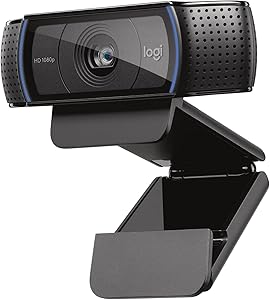
16 Logitech C920 / C920x 6.1 DEAS Clinical performance 5.2
I.1 Neutral posture support 5.5
I.2 Adjustability range 4.5
I.3 Injury risk reduction 5.5
I.4 Population accommodation 5.5
I.5 Adjustability and viewing angle 5.0
Product quality 7.0
II.1 Material & construction 6.5
II.2 Published certification 6.0
II.3 Warranty vs benchmark 7.0
II.4 Verified user reliability 8.5
Market value 7.8
III.1 Price vs category benchmark 8.0
III.2 Ergonomic value ratio 7.5
17 EMEET C960 6.1 DEAS Clinical performance 5.3
I.1 Neutral posture support 5.5
I.2 Adjustability range 4.5
I.3 Injury risk reduction 5.5
I.4 Population accommodation 5.5
I.5 Adjustability and viewing angle 5.5
Product quality 6.5
II.1 Material & construction 6.0
II.2 Published certification 5.5
II.3 Warranty vs benchmark 6.0
II.4 Verified user reliability 8.5
Market value 8.2
III.1 Price vs category benchmark 8.5
III.2 Ergonomic value ratio 8.0
18 NexiGo N60 6.1 DEAS Clinical performance 5.3
I.1 Neutral posture support 5.5
I.2 Adjustability range 4.5
I.3 Injury risk reduction 5.5
I.4 Population accommodation 5.5
I.5 Adjustability and viewing angle 5.5
Product quality 6.5
II.1 Material & construction 6.0
II.2 Published certification 5.5
II.3 Warranty vs benchmark 6.0
II.4 Verified user reliability 8.5
Market value 8.2
III.1 Price vs category benchmark 8.5
III.2 Ergonomic value ratio 8.0
19 Logitech C922 Pro Stream 6.0 DEAS Clinical performance 5.3
I.1 Neutral posture support 5.5
I.2 Adjustability range 4.5
I.3 Injury risk reduction 5.5
I.4 Population accommodation 5.5
I.5 Adjustability and viewing angle 5.5
Product quality 6.8
II.1 Material & construction 6.5
II.2 Published certification 5.5
II.3 Warranty vs benchmark 7.0
II.4 Verified user reliability 8.0
Market value 6.8
III.1 Price vs category benchmark 7.0
III.2 Ergonomic value ratio 6.5
20 Creative Live Cam Sync 6.0 DEAS Clinical performance 5.3
I.1 Neutral posture support 5.5
I.2 Adjustability range 4.5
I.3 Injury risk reduction 5.5
I.4 Population accommodation 5.5
I.5 Adjustability and viewing angle 5.5
Product quality 6.1
II.1 Material & construction 6.0
II.2 Published certification 5.5
II.3 Warranty vs benchmark 6.0
II.4 Verified user reliability 7.0
Market value 8.2
III.1 Price vs category benchmark 8.5
III.2 Ergonomic value ratio 8.0
21 Razer Kiyo Pro Ultra 6.0 DEAS Clinical performance 6.3
I.1 Neutral posture support 6.5
I.2 Adjustability range 5.5
I.3 Injury risk reduction 6.5
I.4 Population accommodation 6.0
I.5 Adjustability and viewing angle 7.0
Product quality 6.4
II.1 Material & construction 7.5
II.2 Published certification 5.5
II.3 Warranty vs benchmark 6.0
II.4 Verified user reliability 6.5
Market value 3.2
III.1 Price vs category benchmark 3.0
III.2 Ergonomic value ratio 3.5
22 AUSDOM AF640 / AF651 6.0 DEAS Clinical performance 5.3
I.1 Neutral posture support 5.5
I.2 Adjustability range 4.5
I.3 Injury risk reduction 5.5
I.4 Population accommodation 5.5
I.5 Adjustability and viewing angle 5.5
Product quality 6.1
II.1 Material & construction 6.0
II.2 Published certification 5.5
II.3 Warranty vs benchmark 6.0
II.4 Verified user reliability 7.0
Market value 8.2
III.1 Price vs category benchmark 8.5
III.2 Ergonomic value ratio 8.0
23 Logitech Brio 300 / Brio 101 5.8 DEAS Clinical performance 4.7
I.1 Neutral posture support 5.0
I.2 Adjustability range 4.0
I.3 Injury risk reduction 5.0
I.4 Population accommodation 5.0
I.5 Adjustability and viewing angle 4.5
Product quality 6.5
II.1 Material & construction 5.5
II.2 Published certification 6.0
II.3 Warranty vs benchmark 7.0
II.4 Verified user reliability 7.5
Market value 8.2
III.1 Price vs category benchmark 8.5
III.2 Ergonomic value ratio 8.0
24 Microsoft LifeCam HD-3000 5.2 DEAS Clinical performance 4.2
I.1 Neutral posture support 4.5
I.2 Adjustability range 3.5
I.3 Injury risk reduction 4.5
I.4 Population accommodation 4.5
I.5 Adjustability and viewing angle 4.0
Product quality 5.3
II.1 Material & construction 5.0
II.2 Published certification 5.0
II.3 Warranty vs benchmark 6.0
Market value 9.2
III.1 Price vs category benchmark 9.5
III.2 Ergonomic value ratio 9.0
25 TROPRO 1080p Webcam 5.2 DEAS Clinical performance 4.2
I.1 Neutral posture support 4.5
I.2 Adjustability range 3.5
I.3 Injury risk reduction 4.5
I.4 Population accommodation 4.5
I.5 Adjustability and viewing angle 4.0
Product quality 5.3
II.1 Material & construction 5.0
II.2 Published certification 5.0
II.3 Warranty vs benchmark 6.0
Market value 9.2
III.1 Price vs category benchmark 9.5
III.2 Ergonomic value ratio 9.0
Common questions What is the best webcam for video calls? The Insta360 Link (DEAS 6.9), then the Dell UltraSharp Webcam (6.8). An external webcam lets you set your screen where your neck needs it, not where the built-in camera frames you best.
What is the DEAS score? The Desk Ergonomics Assessment Score, Desk Doctor's product rating out of 10. Every product is scored on eleven dimensions in three layers: clinical performance, product quality and value. For webcams, the category-specific part is adjustability and viewing angle: whether the camera can sit at eye level, and how far it tilts and pans. Tap any row in the ranking for the full breakdown. How we score .
How does a webcam affect ergonomics? Through your screen. Your neck goes where your eyes go, and a built-in camera can pull the screen out of place: you tilt or lower it to frame yourself better, or you take calls on a laptop parked beside your main screen and turn toward it. An external webcam lets the screen stay put. The assessment recommends one when you set your screen awkwardly for a built-in camera.
Where should an external webcam sit? On top of the screen you look at most, centered. Set the screen first: an arm's length away, top edge level with your eyes. OSHA's guidance is the top at or slightly below eye level.1
How often is this ranking updated? Scores are refreshed as products are revised and new models are scored. The ranking always reflects the current DEAS data.
Are these affiliate links? Some are, which means Desk Doctor may earn a commission at no cost to you. Rankings are set by DEAS score alone and are never influenced by commissions.
References OSHA. Computer Workstations eTool: monitors. osha.gov This guide is general education, not medical advice. If you have persistent neck pain or headaches, see a licensed clinician.
AJ Prince, HEAS
Healthcare Ergonomic Assessment Specialist. Conducts over a thousand workstation assessments a year across a multi-campus health system, and authored the DEAS standard used to rank every product on this site.


 Insta360 Link 6.9 DEAS