Monitor Stand Finder: The Best Stand for the Lift You Need
Short answer: the best monitor stand is the one that lifts the top of your screen to eye level, and how far that is differs for everyone. The Klearlook foldable stand scores highest. Tell the finder below how far your screen sits below your eyes and it picks the stand that lifts it that far.
The top of your screen should sit at about eye level when you sit back properly, so your neck isn’t bending down to read it. The gap between your eye line and the top edge is the lift you need.
Most stands come in fixed heights, so the finder looks for a window rather than an exact number: from half an inch under your gap to an inch over it, the same window the Desk Doctor assessment uses. Two inches or less, and a ream of printer paper under the base does the job for free. A laptop is different: it needs a laptop stand and a separate keyboard and mouse, and the finder sends you there.
The pick is the highest DEAS score that lands in your window. Fit comes before price: if nothing that fits is in your budget, the finder says so and shows the lowest-priced one that does.
Common questions
What is the best monitor stand?
The Klearlook Foldable Height Adjustable Monitor Stand (DEAS 6.8) scores highest, but the right one is the stand that lifts your screen far enough: the top of the screen should sit at eye level. The finder above works out how much lift you need.
How high should my monitor be?
Top edge level with your eyes when you sit back properly, so your gaze drops slightly to the middle of the screen. OSHA's guidance puts the top of the screen at or slightly below eye level,1 and monitor height research points the same way: the lower the screen, the further your head and neck tip forward to read it.2 If you wear bifocals, set it lower.1
How much lift do I need?
As much as the gap between your eye line and the top of the screen. Pick that in the finder above and it keeps the stands that lift from half an inch under to an inch over it, the same window the assessment uses, because most stands come in fixed heights. Two inches or less, and a ream of printer paper under the base does it for free.
Monitor stand or monitor arm?
A stand lifts the screen to one height and stays put: stable, simple and cheap. An arm moves it up, down, in, out and around, and puts it back. The assessment suggests an arm when you turn your screen for other people, as long as there are four to six inches behind the desk for it to swing back; otherwise a stand covers the height.
What is the DEAS score?
The Desk Ergonomics Assessment Score, Desk Doctor's product rating out of 10. Every product is scored on eleven dimensions in three layers: clinical performance, product quality and value. For monitor stands, the category-specific part is eye-level alignment: whether the stand's height brings the screen to eye level for an average-height person, and whether the screen can tilt. Tap any row in the ranking for the full breakdown. How we score.
How often is this ranking updated?
Scores are refreshed as products are revised and new models are scored. The ranking always reflects the current DEAS data.
Are these affiliate links?
Some are, which means Desk Doctor may earn a commission at no cost to you. Rankings are set by DEAS score alone and are never influenced by commissions.
Burgess-Limerick R, Plooy A, Fraser K, Ankrum DR. The influence of computer monitor height on head and neck posture. Int J Ind Ergon. 1999;23(3):171–179.
This guide is general education, not medical advice. If you have neck pain or headaches that last, see a licensed clinician.
Healthcare Ergonomic Assessment Specialist. Conducts over a thousand workstation assessments a year across a multi-campus health system, and authored the DEAS standard used to rank every product on this site.
Diagnose your desk in 15 minutes.
The free assessment measures your setup against your body and names exactly what to change, what it costs, and what costs nothing.


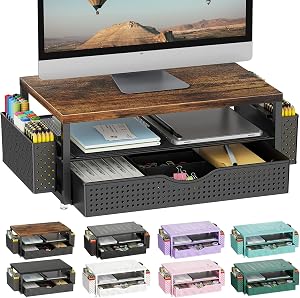
 Klearlook Foldable Height Adjustable Monitor Stand Lifts 1.4–3.2″ 6.8 DEAS