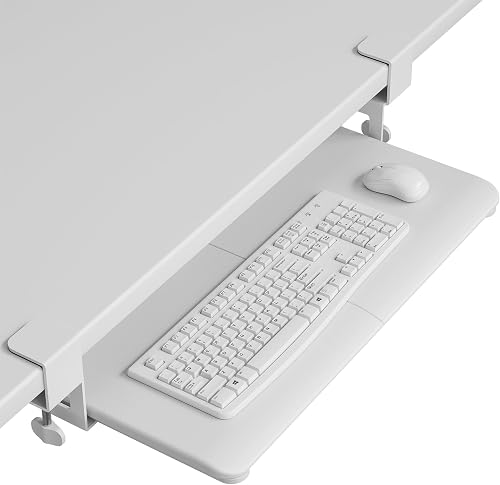
Short answer: the Humanscale 6G Keyboard Tray System is the best keyboard tray we’ve scored, the VIVO Premium 34-inch platform is the best value, and the VIVO clamp-on tray needs no drilling. Whether you need one, and how far it must drop, depends on your height and desk: the finder below works it out.
Your keyboard belongs at or just below your elbows when you sit. When the desk is higher than that, a tray drops the keyboard back to where your arms want it, so you can sit at your natural height with your feet flat. These are the numbers the Desk Doctor assessment uses: seated elbow height about 39% of your height, from Cornell’s CUErgo and OSHA’s computer workstation guidance.
The finder works out how far your desk sits above your elbows: that is the drop the tray has to reach. It also checks how much room is under your desk. With about 18 inches of depth and 27 of width, a bolt-on track fits; with less, it picks a clamp-on that grips the front edge. If your desk is already at elbow height or lower, it tells you a tray won’t fix anything.
The pick is the highest DEAS score that drops far enough and mounts on your desk. Fit comes before price: if nothing that fits is in your budget, the finder says so and shows the lowest-priced one that does.
Why a too-high desk hurts your wrists
Here's the setup I see over and over: a 29-inch desk, someone who's 5'4", and every keystroke running through wrists bent slightly back and shoulders lifted slightly up, eight hours a day. It's the setup I find behind a lot of the wrist, elbow and tight-shoulder complaints that come through an assessment.
A keyboard tray fixes that geometry without replacing the desk. It brings the keyboard and mouse down below the desktop to elbow height, and the better ones tilt the back edge up a little so your wrists stay straight. OSHA's guidance agrees: a tray may be needed when the desk or chair can't be adjusted properly.1
The honest catch: if you switch all day between typing and writing, sorting paper or reaching for references, a tray makes you reach over it to get to the desk. For typing-and-mouse work it's close to a universal upgrade; for mixed work, a desk that lowers is usually the better answer. The nine below are the trays I'd install.
When the desk is above your elbows, you lift your hands to reach the keys and your wrists bend back to stay on them. OSHA's guidance is a keyboard at about elbow height, and it warns that a keyboard tipped up at the back can bend the wrist upward too.1
What the research says
The bend matters. In healthy volunteers, about 33 degrees of wrist extension pushed carpal tunnel pressure over 30 mmHg, a common risk threshold, in a quarter of them.2 Tilting the keyboard away from you straightens it: in a typing study, a negative-slope keyboard support cut wrist extension from an average of 13 degrees to about –1, and the people using it chose a slope of about 12 degrees on their own.3
33°of wrist extension pushed carpal tunnel pressure over a common risk threshold in a quarter of healthy people.2
13° → –1°average wrist extension when typing, without and with a negative-slope keyboard support.3
What that means when you shop
Buy a tray that drops far enough for your desk, tilts away from you, and has room for the mouse beside the keyboard. A flat tray at the right height is better than none; a tilted one is better still.
Full reviews
1 of 9. Best overall
Humanscale 6G Keyboard Tray System
DEAS 8.0 out of 10
Tilts away from you to –15° with a dial; 1.75 inches above to 5.25 inches below its 22-inch track. A 25-inch board with a foam palm rest.
This is the tray I install in clinical workstations. The board tilts away from you as far as –15°, set with a dial, and glides in and out on its track. If your wrist pain is real and the budget allows, nothing else here comes close on the clinical scores.
Good: the top score and the best clinical scores here; tilts to –15°; the only strong certification score here; a 15-year warranty. Less good: priced further above the category benchmark than any tray here; keyboard and mouse share the 25-inch board, with no separate mouse platform; the track needs about 22 inches of depth under the desk.
Composite 8.0 on the DEAS (Desk Ergonomics Assessment Score). How we score
2 of 9. Best value
VIVO Premium Keyboard Platform, 34-inch (MOUNT-KB34P-B)
DEAS 6.5 out of 10
A 33.9 by 11.2-inch board with wrist pads; 6.3 inches of height adjustment; tilts and rotates 360°. Steel frame.
The tray I recommend when someone needs the wrist fix but can't justify a Humanscale. It gets the important parts right: real height adjustment, tilt, and a board wide enough for the keyboard and mouse side by side. Set the tilt so the back edge sits higher than the front.
Good: strong clinical scores for the price; a board wide enough for keyboard and mouse; a 3-year warranty. Less good: a low certification score; the 34-inch board needs a desk with room to match.
Composite 6.5 on the DEAS (Desk Ergonomics Assessment Score). How we score
3 of 9. Best swivel tray
Eureka Ergonomic Keyboard Tray (ERK-AKB-02)
DEAS 6.4 out of 10
A 28.35 by 10.24-inch board for keyboard and mouse; swivels 360° and tilts 15°. Carbon steel frame.
A solid tray with a board long enough for a full-size keyboard and mouse, and a swivel that lets you push it aside when you stand up or shift seats. When you install it, check the tilt: you want the back edge higher than the front, not the other way round.
Good: strong clinical scores; swivels out of the way; room for a full-size keyboard and mouse. Less good: a low certification score; priced above the category benchmark.
Composite 6.4 on the DEAS (Desk Ergonomics Assessment Score). How we score
4 of 9. Best clamp-on tray
VIVO Clamp-On Keyboard Tray (MOUNT-KB05-4D)
DEAS 6.0 out of 10
Clamps to the desk edge, no drilling; sits 2 to 2.75 inches below the desktop. A 26.8 by 11-inch tray with a pencil drawer.
If you can't drill into your desk, this clamps on and drops your keyboard about 2 to 3 inches. That drop is fixed, so it only suits a desk that's a little too high. If yours is, it's the simplest fix here.
Good: the top-scoring clamp-on tray; no drilling; a 3-year warranty; a strong price score. Less good: a fixed 2- to 2.75-inch drop, with no height or tilt adjustment; fits desks 0.5 to 1.25 inches thick.
Composite 6.0 on the DEAS (Desk Ergonomics Assessment Score). How we score
5 of 9. Most adjustment for the money
HUANUO 360° Sliding Keyboard Tray (HNKB03)
DEAS 6.0 out of 10
6.3 inches of height travel; tilts 22° down and 6° up; swivels 180° each way. A 25 by 9.84-inch tray with a wrist rest.
A lot of adjustment for the money: real downward tilt, a good range of height, and a swivel that lets you push the keyboard aside when you stand up. The keyboard and mouse share one tray, and it needs a clear space under the desk a little over 35 inches wide to swing.
Good: tilts well past flat, to 22° down; 6.3 inches of height travel; a good price score. Less good: keyboard and mouse share one tray; needs more than 35 inches of clear width to swivel; a 1-year warranty.
Composite 6.0 on the DEAS (Desk Ergonomics Assessment Score). How we score
6 of 9. Above or below the desk
Klearlook Above and Under Desk Keyboard Tray
DEAS 5.9 out of 10
Clamps to the desk edge and holds the keyboard above or below it; tilts and rotates. A 24.4 by 10-inch tray with a wrist rest, mouse pad and drawer.
A clamp-on arm that can hold the keyboard below the desk or above it, which helps if you share the desk or switch between setups. Keep the tilt angled away from you, and use the wrist rest for pauses, not while you type.
Good: clamps on with no drilling; works above or below the desktop; comes with a wrist rest, mouse pad and drawer. Less good: a low certification score; mid-pack clinical scores.
Composite 5.9 on the DEAS (Desk Ergonomics Assessment Score). How we score
7 of 9. Big height range for less
VIVO Under Desk Keyboard Platform (MOUNT-KB04C)
DEAS 5.7 out of 10
6.7 inches of height adjustment and 30° of tilt. One 26.5 by 10-inch tray for keyboard and mouse.
Plenty of height range at a low price, which matters most when the desk is a lot too high for you. The build is simpler than the trays above it.
Good: 6.7 inches of height adjustment; a 3-year warranty; a strong price score. Less good: keyboard and mouse share one tray; lower clinical scores than the trays above it.
Composite 5.7 on the DEAS (Desk Ergonomics Assessment Score). How we score
8 of 9. Best keyboard drawer
Mount-It! Keyboard Drawer with Mouse Platform
DEAS 5.5 out of 10
A 21 by 11.75-inch drawer on steel ball-bearing slides, with an 8 by 7.5-inch mouse platform for either side. Up to 1.25 inches of height adjustment.
A slide-out drawer rather than an arm: it tucks the keyboard under the desk and pulls out when you need it. It doesn't tilt and only adjusts a little, so it suits a desk that's just slightly too high.
Good: a lifetime warranty; smooth ball-bearing slides; a mouse platform for either hand; a strong price score. Less good: no tilt; up to 1.25 inches of height adjustment; lower clinical scores than the trays above it.
Composite 5.5 on the DEAS (Desk Ergonomics Assessment Score). How we score
10 of 9. Best budget
BONTEC KMT01 Keyboard Tray
DEAS 5.4 out of 10
Clamps to the desk edge, no drilling. A 25.6 by 11.8-inch slide-out tray for keyboard and mouse.
The tray I suggest when money is tight and the desk is a bit too high. It clamps on and slides out from under the desk. There's no tilt or height adjustment, so it fixes one thing, the height, and only if its drop suits you.
Good: tied for the best price score here; clamps on with no drilling; room for keyboard and mouse; slides away under the desk. Less good: no tilt; no height adjustment; lower clinical scores than the trays above it.
Composite 5.4 on the DEAS (Desk Ergonomics Assessment Score). How we score
How to set up your keyboard tray
1
Sit back with your feet supported. Feet flat on the floor or a footrest, back against the backrest. The chair has to be right before the tray can be.
2
Find your hand height. Shoulders relaxed, elbows at your sides and bent about 90 degrees or a little more. Where your hands land is where the keys go.4
3
Set the tray there. Most people are off by an inch the first time, so expect to adjust it once.
4
Tilt the back edge up slightly. Flat is fine; tipped toward you bends the wrists back. A slight negative tilt keeps them straight.3
5
Mouse beside the keyboard, on the tray. At the same height as the keys. A mouse left up on the desk keeps your shoulder hitched all day.
6
Give it two weeks. If your hands still hurt after that, recheck the height before you blame the tray.
Before you buy
If your desk is height-adjustable, lower the desk and skip the tray. A tray is the fix for a desk you can't lower.
Which pain is a tray fixing?
Tingling in the thumb and first fingers
Feels like
Worse at night; the hand feels asleep after typing.
What helps
Keyboard at elbow height with a slight negative tilt, so the wrist stays straight. If it wakes you at night, see a clinician.
An ache on the outside of the elbow
Feels like
Worse the more you type or use the mouse; the top of the forearm feels tight and tender.
What helps
Lower the keyboard so your wrists aren't bent back all day.
Tight shoulders by late morning
Feels like
Knots along the tops of the shoulders, sometimes a headache at the base of the skull.
What helps
A keyboard that sits too high makes you lift your arms from the shoulders. Lower it and let them drop.
Common questions
What is the best keyboard tray?
The Humanscale 6G Keyboard Tray System (DEAS 8.0): it tilts away from you on a 22-inch track, with a 15-year warranty. Best value: the VIVO Premium Keyboard Platform, 34-inch; no drilling: the VIVO Clamp-On Keyboard Tray. The finder above works out how far your tray has to drop.
When do I need a keyboard tray?
When your desk is too high for your keyboard to sit at elbow height with your feet flat. OSHA's guidance says the same: a tray may be needed when the desk or chair can't be adjusted properly.1 Put your height and desk height into the finder above; it works out how far the tray has to drop, the same way the free assessment does.
What should I look for in a tray?
OSHA's checklist: adjustable height and tilt, room for your legs, and space for the mouse as well as the keyboard.1 A tray too small for the mouse leaves you reaching for it on the desk. Then check how it mounts: screwed under the desk, or clamped to the edge if you can't drill.
What is the DEAS score?
The Desk Ergonomics Assessment Score, Desk Doctor's product rating out of 10. Every product is scored on eleven dimensions in three layers: clinical performance, product quality and value. For keyboard trays, the category-specific part is negative tilt and a straight wrist: how far the tray tilts away from you, and whether it gets your wrists straight without extra accessories. Tap any row in the ranking for the full breakdown. How we score.
How often is this ranking updated?
Scores are refreshed as products are revised and new models are scored. The ranking always reflects the current DEAS data.
Are these affiliate links?
Some are, which means Desk Doctor may earn a commission at no cost to you. Rankings are set by DEAS score alone and are never influenced by commissions.
Do I need a keyboard tray, or can I raise my chair?
Either can work. Raise the chair until your elbows meet the desk and put a footrest under your feet, or keep your feet on the floor and bring the keyboard down with a tray. OSHA's guidance covers both: feet flat on the floor or a footrest, and a tray when the desk or chair can't be adjusted properly.1,5 The free assessment offers both and lets you pick. If your desk is height-adjustable, lower it and skip both.
What should I look for in a keyboard tray?
Four things. Enough drop for your desk: the finder on our keyboard tray ranking works out how far yours needs to go. Tilt that goes past flat, so the back edge can sit higher than the front. Room for the mouse beside the keyboard. And a mount that suits your desk: screwed underneath, or clamped to the edge if you can't drill. OSHA's checklist adds leg room under the tray.1
I switch between typing and writing all day. Should I still use a tray?
Probably not. Anything left on the desk, a notebook, papers, the phone, means reaching over the tray to get it, and you'll do that hundreds of times a day. If your work is mostly typing and mousing, a tray is the right call. If you switch constantly, a desk that lowers, or a converter, brings the whole surface down with you.
How do I know if my desk is too high?
Sit back with your feet flat and your shoulders relaxed, forearms level. If the desk is above your forearms, so your wrists bend up to reach the keys, it's too high. In normal shoes, the assessment's numbers put a seated desk at about 22 to 26 inches for someone 5'4", and 25 to 29 inches at 6'0".
Which trays didn't make the cut?
Two more are in the ranking. The Klearlook Keyboard Tray with Wrist Rest scores 5.1; its wrist rest invites you to rest on it while you type, and OSHA's advice is that your hands should move freely above a rest while you work.6 The generic clamp-on tray scores 4.5, with the lowest adjustment and tilt scores here. None of the trays has enough user reviews yet for a reliability score.
Keir PJ, Bach JM, Hudes M, Rempel DM. Guidelines for wrist posture based on carpal tunnel pressure thresholds. Hum Factors. 2007;49(1):88–99. PMID: 17315846. PubMed
Hedge A, Powers JR. Wrist postures while keyboarding: effects of a negative slope keyboard system and full motion forearm supports. Ergonomics. 1995;38(3):508–517. PMID: 7729392. doi:10.1080/00140139508925122
OSHA. Computer Workstations eTool: good working positions. osha.gov
This article is general education, not medical advice. If you have wrist, elbow or shoulder pain, numbness or tingling that lasts, see a licensed clinician.
Healthcare Ergonomic Assessment Specialist. Conducts over a thousand workstation assessments a year across a multi-campus health system, and authored the DEAS standard used to rank every product on this site.
Diagnose your desk in 15 minutes.
The free assessment measures your setup against your body and names exactly what to change, what it costs, and what costs nothing.




 Humanscale Keyboard Tray System Drops up to 5.25″ Screws under the desk 8.0 DEAS