Desk Doctor Free assessment
Ergonomic products

The Best Ergonomic Mouse for Small Hands in 2026

Short answer: a mouse made for hands under two credit cards long, measured from your wrist crease to your middle fingertip. If your wrist pain is moderate or worse most days, the Logitech Lift and the Contour Unimouse are the vertical mice made for small to medium hands; with little or no pain, a small sculpted mouse like the Logitech Signature M750 is enough. A mouse that’s too big makes you stretch for the buttons.

By AJ Prince, HEAS

Healthcare Ergonomic Assessment Specialist. Updated 19 Nov 2026. A 9-minute read.

Desk Doctor earns a commission on some links, at no cost to you. It never changes a score. How we make money

Top picks for small hands

  1. Best overall

    Contour Unimouse

    A vertical mouse made for small to medium hands, with an angle you set yourself, from 35 to 70 degrees. Right- and left-handed.

  2. Best vertical mouse for small hands

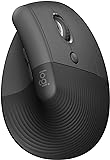
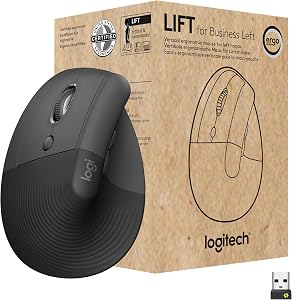
    Logitech Lift

    A 57-degree vertical mouse sized for small to medium hands, in right- and left-handed versions.

  3. Best trackball for small hands

    Logitech Trackman Marble

    Your fingers roll the ball, so your arm stays put and your thumb stays out of it. Works in either hand.

  4. Best under $50, for little or no pain

    Logitech Signature M750

    A sculpted mouse made for small to medium hands, tied for the top score of the standard mice that fit them. Right-handed.

  5. Fits any hand

    Contour Touch

    The top-scoring trackpad: nothing to grip, so hand size stops mattering. Either hand.

Not sure which one fits you? Use the finder above: it checks every mouse we’ve scored against your hand and your symptoms.

Why size matters more than style

Here’s why the finder picks what it does, and then how to set your mouse up so it fits.

A mouse that’s too big for your hand makes you stretch your fingers forward to reach the buttons, and the wrist tips back to help. That bend is the one that matters: in healthy volunteers, bending the wrist back about 33 degrees, or sideways about 15 degrees toward the little finger, pushed carpal tunnel pressure over a common risk threshold in a quarter of them.1 OSHA’s advice is a pointing device designed to fit the hand that will operate it, and many come in sizes for large and small hands.2

That’s why a vertical mouse that’s too big for you is worse than a flat one that fits. Most vertical mice are made for medium to large hands: of the 14 vertical models we’ve scored, only the Contour Unimouse and the Logitech Lift are sized for small hands in our database; Evoluent also sells a small version of its VerticalMouse 4, which we haven’t scored separately. Trackballs moved with the fingers, trackpads and roller bars sidestep the problem, because there’s no shell to wrap your hand around.

Size decides which mice fit; your symptoms decide the style. With little or no pain, the finder recommends a sculpted ergonomic mouse in your size. Once wrist pain is moderate most days, or severe, it recommends a vertical mouse, and shows a trackpad or a roller bar as the next steps. Thumb pain rules out trackballs and trackpads, as it does in the Desk Doctor assessment.

Measure, don’t guess

Lay a standard credit card, long side, from the crease of your wrist to the tip of your middle finger, end to end. Under two cards is small, about two is medium, more than two and a quarter is large. Plenty of people who think they have small hands measure medium, and get more choices.

Why these five

Contour Unimouse (DEAS 8.0). The top score of any mouse we’ve rated, made for small to medium hands, with an adjustable thumb support and a hinge that tilts from 35 to 70 degrees, so you can start at the flatter end and turn your hand up as it gets comfortable. Right- and left-handed. Less good: finding your angle takes a few days.

Logitech Lift (7.7). The vertical mouse I hand people with smaller hands: a fixed 57-degree angle, right or left, with the best reliability score from user reviews of any vertical mouse we’ve scored. Less good: one AA battery, and the angle doesn’t adjust.

Logitech Trackman Marble (7.0). A finger-operated ball under your index, middle and ring fingers, in either hand, with a 3-year warranty; it may suit small to average hands best. Less good: no tilt, and it’s corded.

Logitech Signature M750 (6.6). A sculpted mouse for small to medium hands, right-handed, under $50; it ties the Microsoft Bluetooth Ergonomic Mouse (6.6) for the top score of the standard mice made for small hands. For little or no pain, that’s all you need.

Contour Touch (6.6). The top-scoring trackpad, for either hand and any hand size. Less good: a learning curve, and not for a sore thumb.

How to measure and set up a mouse for small hands

  1. Measure your hand. Credit cards, long side, from the wrist crease to the tip of your middle finger. Under two is small.

  2. Check the fit. Your fingertips should rest on the buttons with your fingers relaxed, not stretched forward or curled back, and your palm should touch the shell.

  3. Put the mouse right beside the keyboard. OSHA’s guidance is to keep the mouse close to the keyboard.2 A narrower keyboard, without a number pad, lets it sit closer to a smaller frame.

  4. Keep the wrist level. Not bent back over the mouse. On a vertical mouse, ease the angle off if your wrist tips back.3

  5. Hold it lightly. OSHA’s guidance is to avoid gripping the mouse tightly and to set the sensitivity so you can control it with a light touch.2 A small mouse with a fast pointer means shorter moves, too.

  6. Support your forearm. Armrests at elbow height, or the desk. Paired with an alternative mouse, it’s the change with the best trial evidence.4

  7. Learn it, and take breaks. In the lab, wrist muscle activity on an alternative mouse fell only after people were shown how to use it.5 Microbreaks every 20 minutes eased discomfort the most in a study of computer workers, with no loss of productivity.6

The test

Rest your hand on the mouse and relax. If your fingertips land on the buttons and you can draw a straight line from your forearm across the back of your hand, it fits.

Which styles come in small sizes?

Every style can work for a small hand; the choice is narrower in some than others. Here’s how many models we’ve scored in each style that are made for small hands, and when the finder picks each one.

StyleWhat it changesMade for small handsWhen the finder shows it
Standard ergonomicA sculpted shape that rests the hand.4 modelsRecommended for little or no pain, or mild pain.
Vertical (lift)Turns your hand toward a handshake: less forearm twist.72 modelsRecommended once wrist pain is moderate most days, or severe.
TrackballYour arm stays still while your fingers or thumb roll the ball.5 modelsA next step when wrist and elbow both hurt most days; not for thumb pain.
TrackpadNothing to grip; your fingers do the moving.2 modelsA next step for moderate pain most days, or severe; not for thumb pain.
Roller barSits under your palms, in front of the keyboard.2 modelsA next step for severe wrist pain most days.

Every mouse made for small hands, ranked

All 17 mice we’ve scored that are made for small hands, best to worst by DEAS score. After you use the finder, this list keeps only the ones made for your size and mousing hand. Tap a row for its score breakdown. Every size is in the full mouse ranking.

  1. Contour Unimouse RightContour Unimouse Right Small to medium hands, right-handed Lift (vertical) 8.0 DEAS

    Clinical performance8.4

    I.1Neutral posture support9.0
    I.2Adjustability range8.5
    I.3Injury risk reduction9.0
    I.4Population accommodation6.5
    I.5Wrist neutral and grip position9.0

    Product quality5.1

    II.1Material & construction7.0
    II.2Published certification2.5
    II.3Warranty vs benchmark5.0
    II.4Verified user reliability6.0

    Market value6.8

    III.1Price vs category benchmark6.5
    III.2Ergonomic value ratio7.0
  2. Contour Unimouse LeftContour Unimouse Left Small to medium hands, left-handed Lift (vertical) 8.0 DEAS

    Clinical performance8.4

    I.1Neutral posture support9.0
    I.2Adjustability range8.5
    I.3Injury risk reduction9.0
    I.4Population accommodation6.5
    I.5Wrist neutral and grip position9.0

    Product quality5.1

    II.1Material & construction7.0
    II.2Published certification2.5
    II.3Warranty vs benchmark5.0
    II.4Verified user reliability6.0

    Market value6.8

    III.1Price vs category benchmark6.5
    III.2Ergonomic value ratio7.0
  3. Logitech Lift RightLogitech Lift Right Small to medium hands, right-handed Lift (vertical) 7.7 DEAS

    Clinical performance7.4

    I.1Neutral posture support8.5
    I.2Adjustability range6.5
    I.3Injury risk reduction8.0
    I.4Population accommodation5.5
    I.5Wrist neutral and grip position8.5

    Product quality5.8

    II.1Material & construction6.5
    II.2Published certification3.0
    II.3Warranty vs benchmark5.0
    II.4Verified user reliability8.5

    Market value8.0

    III.1Price vs category benchmark8.0
    III.2Ergonomic value ratio8.0
  4. Logitech Lift LeftLogitech Lift Left Small to medium hands, left-handed Lift (vertical) 7.7 DEAS

    Clinical performance7.4

    I.1Neutral posture support8.5
    I.2Adjustability range6.5
    I.3Injury risk reduction8.0
    I.4Population accommodation5.5
    I.5Wrist neutral and grip position8.5

    Product quality5.8

    II.1Material & construction6.5
    II.2Published certification3.0
    II.3Warranty vs benchmark5.0
    II.4Verified user reliability8.5

    Market value8.0

    III.1Price vs category benchmark8.0
    III.2Ergonomic value ratio8.0
  5. Logitech Trackman MarbleLogitech Trackman Marble Any hand size, either hand Trackball 7.0 DEAS

    Clinical performance6.7

    I.1Neutral posture support7.5
    I.2Adjustability range5.5
    I.3Injury risk reduction7.0
    I.4Population accommodation6.0
    I.5Wrist neutral and grip position7.5

    Product quality5.4

    II.1Material & construction6.5
    II.2Published certification3.0
    II.3Warranty vs benchmark5.0
    II.4Verified user reliability7.0

    Market value8.0

    III.1Price vs category benchmark8.5
    III.2Ergonomic value ratio7.5
  6. Kensington Expert Mouse Wireless TrackballKensington Expert Mouse Wireless Trackball Any hand size, either hand Trackball 7.0 DEAS

    Clinical performance7.1

    I.1Neutral posture support8.0
    I.2Adjustability range6.0
    I.3Injury risk reduction7.5
    I.4Population accommodation6.0
    I.5Wrist neutral and grip position8.0

    Product quality5.5

    II.1Material & construction7.0
    II.2Published certification3.0
    II.3Warranty vs benchmark5.0
    II.4Verified user reliability7.0

    Market value6.5

    III.1Price vs category benchmark6.5
    III.2Ergonomic value ratio6.5
  7. Kensington SlimBlade TrackballKensington SlimBlade Trackball Any hand size, either hand Trackball 7.0 DEAS

    Clinical performance7.1

    I.1Neutral posture support8.0
    I.2Adjustability range6.0
    I.3Injury risk reduction7.5
    I.4Population accommodation6.0
    I.5Wrist neutral and grip position8.0

    Product quality5.2

    II.1Material & construction6.5
    II.2Published certification3.0
    II.3Warranty vs benchmark5.0
    II.4Verified user reliability6.5

    Market value6.2

    III.1Price vs category benchmark6.0
    III.2Ergonomic value ratio6.5
  8. ELECOM EX-G Left TrackballELECOM EX-G Left Trackball Small to medium hands, left-handed Trackball 7.0 DEAS

    Clinical performance6.9

    I.1Neutral posture support8.0
    I.2Adjustability range5.5
    I.3Injury risk reduction7.5
    I.4Population accommodation6.0
    I.5Wrist neutral and grip position7.5

    Product quality5.1

    II.1Material & construction6.0
    II.2Published certification2.5
    II.3Warranty vs benchmark5.0
    II.4Verified user reliability7.0

    Market value8.0

    III.1Price vs category benchmark8.5
    III.2Ergonomic value ratio7.5
  9. Kensington Orbit TrackballKensington Orbit Trackball Any hand size, either hand Trackball 6.7 DEAS

    Clinical performance6.4

    I.1Neutral posture support7.0
    I.2Adjustability range5.5
    I.3Injury risk reduction6.5
    I.4Population accommodation6.0
    I.5Wrist neutral and grip position7.0

    Product quality5.0

    II.1Material & construction6.0
    II.2Published certification3.0
    II.3Warranty vs benchmark5.0
    II.4Verified user reliability6.0

    Market value7.5

    III.1Price vs category benchmark8.0
    III.2Ergonomic value ratio7.0
  10. Logitech Signature M750Logitech Signature M750 Small to medium hands, right-handed Standard ergonomic 6.6 DEAS

    Clinical performance5.6

    I.1Neutral posture support6.0
    I.2Adjustability range5.5
    I.3Injury risk reduction5.5
    I.4Population accommodation6.0
    I.5Wrist neutral and grip position5.0

    Product quality5.8

    II.1Material & construction6.5
    II.2Published certification3.0
    II.3Warranty vs benchmark5.0
    II.4Verified user reliability8.5

    Market value8.0

    III.1Price vs category benchmark8.5
    III.2Ergonomic value ratio7.5
Show all 17
  1. Contour TouchContour Touch Any hand size, either hand Trackpad 6.6 DEAS

    Clinical performance6.7

    I.1Neutral posture support7.5
    I.2Adjustability range5.0
    I.3Injury risk reduction7.0
    I.4Population accommodation6.5
    I.5Wrist neutral and grip position7.5

    Product quality5.2

    II.1Material & construction7.0
    II.2Published certification2.5
    II.3Warranty vs benchmark5.0
    II.4Verified user reliability6.5

    Market value5.0

    III.1Price vs category benchmark4.5
    III.2Ergonomic value ratio5.5
  2. Microsoft Bluetooth Ergonomic MouseMicrosoft Bluetooth Ergonomic Mouse Small to medium hands, right-handed Standard ergonomic 6.6 DEAS

    Clinical performance6.0

    I.1Neutral posture support6.5
    I.2Adjustability range5.5
    I.3Injury risk reduction6.0
    I.4Population accommodation6.0
    I.5Wrist neutral and grip position6.0

    Product quality5.1

    II.1Material & construction6.0
    II.2Published certification3.0
    II.3Warranty vs benchmark5.0
    II.4Verified user reliability6.5

    Market value7.5

    III.1Price vs category benchmark8.0
    III.2Ergonomic value ratio7.0
  3. ProtoArc TrackpadProtoArc Trackpad Any hand size, either hand Trackpad 6.5 DEAS

    Clinical performance5.9

    I.1Neutral posture support6.5
    I.2Adjustability range4.5
    I.3Injury risk reduction6.0
    I.4Population accommodation6.0
    I.5Wrist neutral and grip position6.5

    Product quality4.9

    II.1Material & construction5.5
    II.2Published certification2.0
    II.3Warranty vs benchmark4.5
    II.4Verified user reliability7.5

    Market value8.0

    III.1Price vs category benchmark8.5
    III.2Ergonomic value ratio7.5
  4. Contour Design Ultimate Workstation RollerMouse RedContour Design Ultimate Workstation RollerMouse Red Any hand size, either hand Roller bar 6.4 DEAS

    Clinical performance8.5

    I.1Neutral posture support9.0
    I.2Adjustability range8.0
    I.3Injury risk reduction9.0
    I.4Population accommodation7.5
    I.5Wrist neutral and grip position9.0

    Product quality5.5

    II.1Material & construction8.0
    II.2Published certification2.5
    II.3Warranty vs benchmark5.0
    II.4Verified user reliability6.5

    Market value1.5

    III.1Price vs category benchmark1.0
    III.2Ergonomic value ratio2.0
  5. Contour RollerMouse RedContour RollerMouse Red Any hand size, either hand Roller bar 6.3 DEAS

    Clinical performance8.1

    I.1Neutral posture support9.0
    I.2Adjustability range7.0
    I.3Injury risk reduction8.5
    I.4Population accommodation7.0
    I.5Wrist neutral and grip position9.0

    Product quality5.4

    II.1Material & construction7.5
    II.2Published certification2.5
    II.3Warranty vs benchmark5.0
    II.4Verified user reliability6.5

    Market value2.0

    III.1Price vs category benchmark1.5
    III.2Ergonomic value ratio2.5
  6. Razer Pro Click MiniRazer Pro Click Mini Small hands, right-handed Standard ergonomic 5.9 DEAS

    Clinical performance5.4

    I.1Neutral posture support6.0
    I.2Adjustability range5.5
    I.3Injury risk reduction5.5
    I.4Population accommodation5.0
    I.5Wrist neutral and grip position5.0

    Product quality5.0

    II.1Material & construction6.0
    II.2Published certification3.0
    II.3Warranty vs benchmark5.0
    II.4Verified user reliability6.0

    Market value6.8

    III.1Price vs category benchmark7.0
    III.2Ergonomic value ratio6.5
  7. Logitech MX Anywhere 2SLogitech MX Anywhere 2S Small hands, right-handed Standard ergonomic 5.7 DEAS

    Clinical performance4.7

    I.1Neutral posture support5.0
    I.2Adjustability range5.0
    I.3Injury risk reduction4.5
    I.4Population accommodation5.0
    I.5Wrist neutral and grip position4.0

    Product quality5.5

    II.1Material & construction6.5
    II.2Published certification3.0
    II.3Warranty vs benchmark5.0
    II.4Verified user reliability7.5

    Market value6.5

    III.1Price vs category benchmark7.0
    III.2Ergonomic value ratio6.0

Is your mouse the wrong size?

Too big

Looks like

Fingers stretched flat to reach the buttons, the wrist tipping back, and the little finger hanging off the side.

What helps

A smaller mouse from the ranking above, or a trackball or trackpad, which have no shell to fill.

Too small

Looks like

Only your fingertips touching it, fingers curled into a claw, and a grip that tightens through the day.

What helps

Measure again: you may be medium. The finder shows the next size up.

Right size, still sore

Looks like

A mouse that fits, but an ache in the wrist or forearm by the afternoon.

What helps

The style, not the size: see the best mouse for wrist pain.

When it isn’t just the mouse

Smaller hands often come with a smaller frame, and the rest of the desk is usually sized for someone bigger:

  • The keyboard. A full-width keyboard pushes the mouse further out than a small frame can comfortably reach. The keyboard finder sizes one to your height.
  • The desk. Most desks are set for taller people, so your wrist bends back to reach the mouse. See the desk setup for shorter people, or lower the work surface with a keyboard tray.
  • Your forearm. If nothing carries your arm, your wrist and shoulder do. In a year-long trial, a wide forearm support board eased neck, shoulder and right-arm pain.8

Not sure which of these is yours? The free assessment checks your whole desk in about 15 minutes.

Begin the free assessment

Common questions

What is the best mouse for small hands?

One made for hands under two credit cards long. Our top pick is the Contour Unimouse (DEAS 8.0), a vertical mouse for small to medium hands with an angle you set; the Logitech Lift (7.7) is the simpler vertical choice. With little or no pain, the Logitech Signature M750 (6.6) is enough. The finder above matches the style to your symptoms.

How do I measure my hand for a mouse?

Lay a standard credit card, long side, from the crease of your wrist to the tip of your middle finger, end to end. Under two cards is small, about two is medium, more than two and a quarter is large.

Is a vertical mouse good for small hands?

Only if it’s made for them: a vertical mouse that’s too big makes you stretch and bends the wrist back, which is worse than a flat mouse that fits. Of the vertical mice we’ve scored, the Contour Unimouse and the Logitech Lift are the ones made for small hands.

Is a trackball good for small hands?

A finger-operated one can be, because there’s no shell to fill. The Logitech Trackman Marble puts the ball under your index, middle and ring fingers and may suit small to average hands best. Skip trackballs if your thumb hurts.

How do I know my mouse is too big?

Your fingers stretch flat to reach the buttons, your wrist tips back, and your little finger hangs off the side. OSHA’s advice is a pointing device designed to fit the hand that will operate it.2

Are there left-handed mice for small hands?

Yes: the left-handed Contour Unimouse and Logitech Lift are made for small to medium hands, and the Logitech Trackman Marble and the Contour Touch work in either hand. Pick Left hand in the finder and it shows only the mice made for it.

Does a smaller mouse help wrist pain?

A mouse that fits takes away the stretch that bends your wrist back,1 but the style matters too: once pain is moderate most days, the finder recommends a vertical mouse in your size. See the best mouse for wrist pain.

References

  1. Keir PJ, Bach JM, Hudes M, Rempel DM. Guidelines for wrist posture based on carpal tunnel pressure thresholds. Hum Factors. 2007;49(1):88–99. PMID: 17315846. PubMed
  2. OSHA. Computer Workstations eTool: pointer/mouse. osha.gov
  3. Schmid AB, Kubler PA, Johnston V, Coppieters MW. A vertical mouse and ergonomic mouse pads alter wrist position but do not reduce carpal tunnel pressure in patients with carpal tunnel syndrome. Appl Ergon. 2015;47:151–156. PMID: 25479984. doi:10.1016/j.apergo.2014.08.020
  4. Hoe VCW, Urquhart DM, Kelsall HL, Zamri EN, Sim MR. Ergonomic interventions for preventing work-related musculoskeletal disorders of the upper limb and neck among office workers. Cochrane Database Syst Rev. 2018;10(10):CD008570. PMID: 30350850. doi:10.1002/14651858.CD008570.pub3
  5. Houwink A, Oude Hengel KM, Odell D, Dennerlein JT. Providing training enhances the biomechanical improvements of an alternative computer mouse design. Hum Factors. 2009;51(1):46–55. PMID: 19634308. doi:10.1177/0018720808329843
  6. McLean L, Tingley M, Scott RN, Rickards J. Computer terminal work and the benefit of microbreaks. Appl Ergon. 2001;32(3):225–237. PMID: 11394463. doi:10.1016/S0003-6870(00)00071-5
  7. Quemelo PRV, Vieira ER. Biomechanics and performance when using a standard and a vertical computer mouse. Ergonomics. 2013;56(8):1336–1344. PMID: 23777482. doi:10.1080/00140139.2013.805251
  8. Rempel DM, Krause N, Goldberg R, Benner D, Hudes M, Goldner GU. A randomised controlled trial evaluating the effects of two workstation interventions on upper body pain and incident musculoskeletal disorders among computer operators. Occup Environ Med. 2006;63(5):300–306. oem.bmj.com

This article is general education, not medical advice. If you have numbness that persists, night symptoms, a weak grip, swelling or pain after an injury, see a licensed clinician.

AJ Prince, HEAS

Healthcare Ergonomic Assessment Specialist. Conducts over a thousand workstation assessments a year across a multi-campus health system, and authored the DEAS standard used to rank every product on this site.

Not sure it’s just the mouse?

The free assessment checks your whole desk against your body in 15 minutes and names exactly what to change, what it costs, and what costs nothing.


Begin the free assessment