Desk Doctor Free assessment
Ergonomic products

The Best Mouse for Wrist Pain in 2026

Short answer: a vertical mouse sized to your hand, pulled in beside the keyboard, with your forearm supported. It takes out the palm-down twist and the bend toward the little finger that load your wrist all day. Milder pain can start with a sculpted ergonomic mouse; if severe pain doesn’t settle, step up to a trackpad or a roller bar.

By AJ Prince, HEAS

Healthcare Ergonomic Assessment Specialist. Updated 19 Nov 2026. An 11-minute read.

Desk Doctor earns a commission on some links, at no cost to you. It never changes a score. How we make money

Top picks for wrist pain

  1. Best overall

    Contour Unimouse

    You raise the angle a little at a time, from 35 to 70 degrees, as your forearm adapts. Right- and left-handed.

  2. Best for small to medium hands

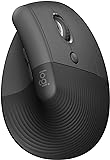
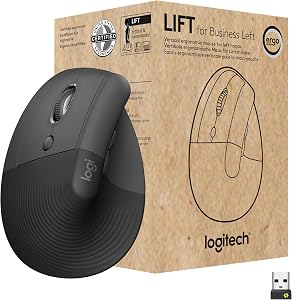
    Logitech Lift

    A 57-degree vertical mouse that takes out the twist without making you relearn how to point. Right- and left-handed.

  3. Best for larger hands

    Logitech MX Vertical

    A larger shell, so your fingers rest on the buttons instead of clawing forward. Right-handed only.

  4. Best under $50

    Anker Vertical Ergonomic Mouse

    The top-scoring vertical mouse under $50: an inexpensive way to find out whether the style suits you. Medium hands, right-handed.

  5. For severe pain, with no thumb pain

    Contour Touch

    The top-scoring trackpad: it stays put and your fingers do the moving, so the wrist stops travelling. Either hand.

Not sure which one fits you? Use the finder above: it checks every mouse we’ve scored against your hand and your symptoms.

Why a vertical mouse eases wrist pain

Here’s why the finder picks what it does, and then how to set your mouse up so it actually helps.

It’s rarely the clicking. It’s the position a flat mouse holds your forearm and wrist in between clicks, for hours. Lay your hand on one and your forearm turns fully palm-down, your wrist angles out toward the little finger, and the small muscles and tendons around it never get to rest. Why your wrist hurts from using a mouse walks through the four usual causes.

Turning the hand up changes that. When researchers compared mice slanted from 0 to 30 degrees, the more slanted mice lowered activity in the forearm muscles that hold and turn the wrist, and in the upper trapezius.1 A controlled comparison of a vertical and a standard mouse found the vertical design cut forearm rotation from 42 to 28 degrees and lowered wrist extensor activity at the same time, though people were a little slower to hit targets at first.2

42° → 28°forearm rotation with a vertical mouse instead of a flat one.2

16% → 13%wrist extensor muscle effort with the vertical mouse.2

The angle of the wrist matters too. In healthy volunteers, bending the wrist back about 33 degrees, or sideways about 15 degrees toward the little finger, pushed carpal tunnel pressure over a common risk threshold in a quarter of them.3 A vertical mouse cuts the sideways bend, but in one study it bent the wrist back the most of the devices tested,4 so it has to fit: sized to your hand, angled so the back of your hand stays in line with your forearm. OSHA’s advice is a mouse designed to fit the hand that operates it, in the right size and for the right hand.5

If your pain is moderate most days, or severe, the finder also shows the next steps up, in case a vertical mouse isn’t enough: a trackpad, which stays put while your fingers do the work, and, for severe pain most days, a roller bar that sits under your palms in front of the keyboard. Thumb pain on your mousing hand rules out trackballs and trackpads, as it does in the Desk Doctor assessment.

What the trials show

A better mouse changes your posture; the pain evidence is more modest. In a year-long trial of 206 engineers, a mouse with a vertical handle showed a protective trend against new right-arm disorders that didn’t reach significance,6 and in nerve tests it protected the ulnar nerve at the wrist, on the little-finger side.7 The clearest result came from pairing an alternative mouse with forearm support, which cut new neck and shoulder disorders roughly in half across two trials.8 So buy the mouse, and support the arm that uses it.

Why these five

Contour Unimouse (DEAS 8.0). When pain hasn’t settled on a fixed-angle mouse, this is where I send people: the hinge lets you raise the angle gradually, from 35 to 70 degrees, as your forearm adapts. Right- and left-handed, with an adjustable thumb support. Less good: it’s made for small to medium hands, and finding your angle takes a few days.

Logitech Lift (7.7). A fixed 57-degree angle for small to medium hands, right or left, with the best reliability score from user reviews in our top ten. It takes the twist out without making you relearn how to point. Less good: too small for large hands.

Logitech MX Vertical (7.4). The same angle in a larger shell, so medium to large hands can rest their fingers on the buttons instead of clawing forward, which bends the wrist back. Right-handed only: left-handers with bigger hands should look at the R-Go HE (7.5) or the left-handed Evoluent VerticalMouse 4 (7.1).

Anker Vertical Ergonomic Mouse (6.8). Tied for the best price score of any vertical mouse we’ve scored: a cheap way to try the style. Medium hands, right-handed, in wireless and wired versions.

Contour Touch (6.6). The top-scoring trackpad, for either hand. Your wrist stops travelling because the device doesn’t move. Less good: a learning curve, and not for a sore thumb. For severe pain most days, the Contour RollerMouse Red (6.4) takes the reach out entirely.

How to set up your mouse for wrist pain

  1. Support your forearm. Armrests at elbow height, or the chair pulled in so the desk carries your forearm. Paired with an alternative mouse, it’s the change with the best trial evidence.8,9

  2. Put the mouse right beside the keyboard. OSHA’s guidance is to keep the mouse close to the keyboard.5 A keyboard without a number pad lets it sit closer still.

  3. Keep the wrist level. Not bent back over the mouse, and not cocked toward the little finger. On a vertical mouse, ease the angle off if your wrist tips back.4

  4. Move from the elbow. Don’t anchor the side of your hand on the desk and pivot from the wrist; that’s the little-finger side, where one trial’s nerve tests favored an alternative mouse.7

  5. Hold it lightly and cut the drag. OSHA’s guidance is to avoid gripping the mouse tightly and to set the sensitivity so you can control it with a light touch.5 Pressure in the tunnel rose while dragging,10 so use drag lock or ClickLock and keyboard shortcuts.

  6. Rest the heel of your palm, only in pauses. Not your wrist: pressing on the palm over the tunnel raises the pressure inside it.11,12

  7. Learn the new mouse, and break every 20 minutes. In the lab, wrist muscle activity on an alternative mouse fell only after people were shown how to use it.13 Microbreaks every 20 minutes eased discomfort the most in a study of computer workers, with no loss of productivity.14

How to tell it’s working

In my experience a new mouse feels strange for a few days and normal within a couple of weeks, and the ache usually starts backing off in that time. Change one thing at a time so you know what helped. Numbness that persists, wakes you at night or comes with weakness needs a clinician, not a new mouse.

Vertical, trackball, trackpad or roller: which is best for wrist pain?

The finder uses the same ladder as the Desk Doctor assessment: it marks the lowest step that suits your symptoms Recommended, and shows the steps above it as Preventative, in case things don’t settle.

StyleWhat it changesWhen the finder shows itWatch out for
Standard ergonomicA sculpted shape that rests the hand; the forearm stays mostly palm-down.Recommended for mild pain, or moderate pain now and then.Changes the forearm angle least.
Vertical (lift)Turns your hand toward a handshake: less forearm twist and less sideways bend.2,4Shown for any wrist pain. Recommended once it’s moderate most days, or severe.Bends the wrist back if the angle or the size is wrong.4
TrackpadThe device stays put and your fingers do the moving.A next step for moderate pain most days, or severe pain, with no thumb pain.A learning curve, and not for a sore thumb.
TrackballYour arm and wrist stay still while a thumb or fingers roll the ball.A next step when wrist and elbow both hurt, moderately most days or worse, with no thumb pain.Thumb-operated models load the thumb; in one trial some people found it hard to use.9
Roller barSits centered under your palms, in front of the keyboard: no reach.A next step for severe pain most days.The price, and the longest learning curve.

Every vertical, trackball, trackpad and roller mouse, ranked

All 28 vertical, trackball, trackpad and roller mice we’ve scored, best to worst by DEAS score. After you use the finder, this list keeps only the ones made for your hand size and mousing hand. Tap a row for its score breakdown. Standard ergonomic mice are in the full mouse ranking.

  1. Contour Unimouse RightContour Unimouse Right Small to medium hands, right-handed Lift (vertical) 8.0 DEAS

    Clinical performance8.4

    I.1Neutral posture support9.0
    I.2Adjustability range8.5
    I.3Injury risk reduction9.0
    I.4Population accommodation6.5
    I.5Wrist neutral and grip position9.0

    Product quality5.1

    II.1Material & construction7.0
    II.2Published certification2.5
    II.3Warranty vs benchmark5.0
    II.4Verified user reliability6.0

    Market value6.8

    III.1Price vs category benchmark6.5
    III.2Ergonomic value ratio7.0
  2. Contour Unimouse LeftContour Unimouse Left Small to medium hands, left-handed Lift (vertical) 8.0 DEAS

    Clinical performance8.4

    I.1Neutral posture support9.0
    I.2Adjustability range8.5
    I.3Injury risk reduction9.0
    I.4Population accommodation6.5
    I.5Wrist neutral and grip position9.0

    Product quality5.1

    II.1Material & construction7.0
    II.2Published certification2.5
    II.3Warranty vs benchmark5.0
    II.4Verified user reliability6.0

    Market value6.8

    III.1Price vs category benchmark6.5
    III.2Ergonomic value ratio7.0
  3. Logitech Lift RightLogitech Lift Right Small to medium hands, right-handed Lift (vertical) 7.7 DEAS

    Clinical performance7.4

    I.1Neutral posture support8.5
    I.2Adjustability range6.5
    I.3Injury risk reduction8.0
    I.4Population accommodation5.5
    I.5Wrist neutral and grip position8.5

    Product quality5.8

    II.1Material & construction6.5
    II.2Published certification3.0
    II.3Warranty vs benchmark5.0
    II.4Verified user reliability8.5

    Market value8.0

    III.1Price vs category benchmark8.0
    III.2Ergonomic value ratio8.0
  4. Logitech Lift LeftLogitech Lift Left Small to medium hands, left-handed Lift (vertical) 7.7 DEAS

    Clinical performance7.4

    I.1Neutral posture support8.5
    I.2Adjustability range6.5
    I.3Injury risk reduction8.0
    I.4Population accommodation5.5
    I.5Wrist neutral and grip position8.5

    Product quality5.8

    II.1Material & construction6.5
    II.2Published certification3.0
    II.3Warranty vs benchmark5.0
    II.4Verified user reliability8.5

    Market value8.0

    III.1Price vs category benchmark8.0
    III.2Ergonomic value ratio8.0
  5. R-Go HE Left Vertical MouseR-Go HE Left Vertical Mouse Medium to large hands, left-handed Lift (vertical) 7.5 DEAS

    Clinical performance8.0

    I.1Neutral posture support9.0
    I.2Adjustability range6.5
    I.3Injury risk reduction8.5
    I.4Population accommodation7.5
    I.5Wrist neutral and grip position8.5

    Product quality5.9

    II.1Material & construction7.0
    II.2Published certification3.0
    II.3Warranty vs benchmark6.5
    II.4Verified user reliability7.0

    Market value6.0

    III.1Price vs category benchmark5.5
    III.2Ergonomic value ratio6.5
  6. Logitech MX VerticalLogitech MX Vertical Medium to large hands, right-handed Lift (vertical) 7.4 DEAS

    Clinical performance7.5

    I.1Neutral posture support8.5
    I.2Adjustability range6.5
    I.3Injury risk reduction8.0
    I.4Population accommodation6.0
    I.5Wrist neutral and grip position8.5

    Product quality5.4

    II.1Material & construction6.5
    II.2Published certification3.0
    II.3Warranty vs benchmark5.0
    II.4Verified user reliability7.0

    Market value7.5

    III.1Price vs category benchmark7.5
    III.2Ergonomic value ratio7.5
  7. Evoluent VerticalMouse 4 RightEvoluent VerticalMouse 4 Right Medium to large hands, right-handed Lift (vertical) 7.1 DEAS

    Clinical performance7.3

    I.1Neutral posture support8.5
    I.2Adjustability range6.0
    I.3Injury risk reduction8.0
    I.4Population accommodation5.5
    I.5Wrist neutral and grip position8.5

    Product quality4.9

    II.1Material & construction6.0
    II.2Published certification2.5
    II.3Warranty vs benchmark5.0
    II.4Verified user reliability6.0

    Market value6.8

    III.1Price vs category benchmark6.5
    III.2Ergonomic value ratio7.0
  8. Evoluent VerticalMouse 4 LeftEvoluent VerticalMouse 4 Left Medium to large hands, left-handed Lift (vertical) 7.1 DEAS

    Clinical performance7.3

    I.1Neutral posture support8.5
    I.2Adjustability range6.0
    I.3Injury risk reduction8.0
    I.4Population accommodation5.5
    I.5Wrist neutral and grip position8.5

    Product quality4.9

    II.1Material & construction6.0
    II.2Published certification2.5
    II.3Warranty vs benchmark5.0
    II.4Verified user reliability6.0

    Market value6.8

    III.1Price vs category benchmark6.5
    III.2Ergonomic value ratio7.0
  9. Logitech MX ErgoLogitech MX Ergo Medium to large hands, right-handed Trackball 7.0 DEAS

    Clinical performance7.2

    I.1Neutral posture support8.0
    I.2Adjustability range6.5
    I.3Injury risk reduction7.5
    I.4Population accommodation6.0
    I.5Wrist neutral and grip position8.0

    Product quality5.6

    II.1Material & construction7.0
    II.2Published certification3.0
    II.3Warranty vs benchmark5.0
    II.4Verified user reliability7.5

    Market value6.2

    III.1Price vs category benchmark6.0
    III.2Ergonomic value ratio6.5
  10. Logitech MX Ergo SLogitech MX Ergo S Medium to large hands, right-handed Trackball 7.0 DEAS

    Clinical performance7.2

    I.1Neutral posture support8.0
    I.2Adjustability range6.5
    I.3Injury risk reduction7.5
    I.4Population accommodation6.0
    I.5Wrist neutral and grip position8.0

    Product quality5.6

    II.1Material & construction7.0
    II.2Published certification3.0
    II.3Warranty vs benchmark5.0
    II.4Verified user reliability7.5

    Market value6.2

    III.1Price vs category benchmark6.0
    III.2Ergonomic value ratio6.5
Show all 28
  1. Logitech Trackman MarbleLogitech Trackman Marble Any hand size, either hand Trackball 7.0 DEAS

    Clinical performance6.7

    I.1Neutral posture support7.5
    I.2Adjustability range5.5
    I.3Injury risk reduction7.0
    I.4Population accommodation6.0
    I.5Wrist neutral and grip position7.5

    Product quality5.4

    II.1Material & construction6.5
    II.2Published certification3.0
    II.3Warranty vs benchmark5.0
    II.4Verified user reliability7.0

    Market value8.0

    III.1Price vs category benchmark8.5
    III.2Ergonomic value ratio7.5
  2. Kensington Expert Mouse Wireless TrackballKensington Expert Mouse Wireless Trackball Any hand size, either hand Trackball 7.0 DEAS

    Clinical performance7.1

    I.1Neutral posture support8.0
    I.2Adjustability range6.0
    I.3Injury risk reduction7.5
    I.4Population accommodation6.0
    I.5Wrist neutral and grip position8.0

    Product quality5.5

    II.1Material & construction7.0
    II.2Published certification3.0
    II.3Warranty vs benchmark5.0
    II.4Verified user reliability7.0

    Market value6.5

    III.1Price vs category benchmark6.5
    III.2Ergonomic value ratio6.5
  3. Kensington SlimBlade TrackballKensington SlimBlade Trackball Any hand size, either hand Trackball 7.0 DEAS

    Clinical performance7.1

    I.1Neutral posture support8.0
    I.2Adjustability range6.0
    I.3Injury risk reduction7.5
    I.4Population accommodation6.0
    I.5Wrist neutral and grip position8.0

    Product quality5.2

    II.1Material & construction6.5
    II.2Published certification3.0
    II.3Warranty vs benchmark5.0
    II.4Verified user reliability6.5

    Market value6.2

    III.1Price vs category benchmark6.0
    III.2Ergonomic value ratio6.5
  4. ELECOM EX-G Left TrackballELECOM EX-G Left Trackball Small to medium hands, left-handed Trackball 7.0 DEAS

    Clinical performance6.9

    I.1Neutral posture support8.0
    I.2Adjustability range5.5
    I.3Injury risk reduction7.5
    I.4Population accommodation6.0
    I.5Wrist neutral and grip position7.5

    Product quality5.1

    II.1Material & construction6.0
    II.2Published certification2.5
    II.3Warranty vs benchmark5.0
    II.4Verified user reliability7.0

    Market value8.0

    III.1Price vs category benchmark8.5
    III.2Ergonomic value ratio7.5
  5. Evoluent VMC Vertical Mouse Wireless RightEvoluent VMC Vertical Mouse Wireless Right Medium to large hands, right-handed Lift (vertical) 6.9 DEAS

    Clinical performance7.0

    I.1Neutral posture support8.0
    I.2Adjustability range6.0
    I.3Injury risk reduction7.5
    I.4Population accommodation5.5
    I.5Wrist neutral and grip position8.0

    Product quality4.5

    II.1Material & construction6.0
    II.2Published certification2.5
    II.3Warranty vs benchmark5.0

    Market value7.0

    III.1Price vs category benchmark7.0
    III.2Ergonomic value ratio7.0
  6. Anker Vertical Ergonomic Mouse WirelessAnker Vertical Ergonomic Mouse Wireless Medium hands, right-handed Lift (vertical) 6.8 DEAS

    Clinical performance6.6

    I.1Neutral posture support7.5
    I.2Adjustability range5.5
    I.3Injury risk reduction7.0
    I.4Population accommodation5.5
    I.5Wrist neutral and grip position7.5

    Product quality4.5

    II.1Material & construction5.5
    II.2Published certification2.0
    II.3Warranty vs benchmark4.5
    II.4Verified user reliability6.0

    Market value8.5

    III.1Price vs category benchmark9.0
    III.2Ergonomic value ratio8.0
  7. Anker Vertical Ergonomic Mouse WiredAnker Vertical Ergonomic Mouse Wired Medium hands, right-handed Lift (vertical) 6.8 DEAS

    Clinical performance6.6

    I.1Neutral posture support7.5
    I.2Adjustability range5.5
    I.3Injury risk reduction7.0
    I.4Population accommodation5.5
    I.5Wrist neutral and grip position7.5

    Product quality4.5

    II.1Material & construction5.5
    II.2Published certification2.0
    II.3Warranty vs benchmark4.5
    II.4Verified user reliability6.0

    Market value8.5

    III.1Price vs category benchmark9.0
    III.2Ergonomic value ratio8.0
  8. Razer Pro Click V2 VerticalRazer Pro Click V2 Vertical Large hands, right-handed Lift (vertical) 6.8 DEAS

    Clinical performance7.1

    I.1Neutral posture support8.0
    I.2Adjustability range6.5
    I.3Injury risk reduction7.5
    I.4Population accommodation5.5
    I.5Wrist neutral and grip position8.0

    Product quality5.1

    II.1Material & construction6.5
    II.2Published certification3.0
    II.3Warranty vs benchmark5.0
    II.4Verified user reliability6.0

    Market value5.2

    III.1Price vs category benchmark5.0
    III.2Ergonomic value ratio5.5
  9. MEETION Left Vertical MouseMEETION Left Vertical Mouse Medium hands, left-handed Lift (vertical) 6.8 DEAS

    Clinical performance6.8

    I.1Neutral posture support8.0
    I.2Adjustability range5.5
    I.3Injury risk reduction7.5
    I.4Population accommodation5.5
    I.5Wrist neutral and grip position7.5

    Product quality4.5

    II.1Material & construction5.5
    II.2Published certification2.0
    II.3Warranty vs benchmark4.5
    II.4Verified user reliability6.0

    Market value8.5

    III.1Price vs category benchmark9.0
    III.2Ergonomic value ratio8.0
  10. Evoluent VerticalMouse D RightEvoluent VerticalMouse D Right Medium to large hands, right-handed Lift (vertical) 6.7 DEAS

    Clinical performance7.3

    I.1Neutral posture support8.5
    I.2Adjustability range6.0
    I.3Injury risk reduction8.0
    I.4Population accommodation5.5
    I.5Wrist neutral and grip position8.5

    Product quality4.8

    II.1Material & construction6.0
    II.2Published certification2.5
    II.3Warranty vs benchmark5.0
    II.4Verified user reliability5.5

    Market value5.2

    III.1Price vs category benchmark5.0
    III.2Ergonomic value ratio5.5
  11. Kensington Orbit TrackballKensington Orbit Trackball Any hand size, either hand Trackball 6.7 DEAS

    Clinical performance6.4

    I.1Neutral posture support7.0
    I.2Adjustability range5.5
    I.3Injury risk reduction6.5
    I.4Population accommodation6.0
    I.5Wrist neutral and grip position7.0

    Product quality5.0

    II.1Material & construction6.0
    II.2Published certification3.0
    II.3Warranty vs benchmark5.0
    II.4Verified user reliability6.0

    Market value7.5

    III.1Price vs category benchmark8.0
    III.2Ergonomic value ratio7.0
  12. Contour TouchContour Touch Any hand size, either hand Trackpad 6.6 DEAS

    Clinical performance6.7

    I.1Neutral posture support7.5
    I.2Adjustability range5.0
    I.3Injury risk reduction7.0
    I.4Population accommodation6.5
    I.5Wrist neutral and grip position7.5

    Product quality5.2

    II.1Material & construction7.0
    II.2Published certification2.5
    II.3Warranty vs benchmark5.0
    II.4Verified user reliability6.5

    Market value5.0

    III.1Price vs category benchmark4.5
    III.2Ergonomic value ratio5.5
  13. ProtoArc TrackpadProtoArc Trackpad Any hand size, either hand Trackpad 6.5 DEAS

    Clinical performance5.9

    I.1Neutral posture support6.5
    I.2Adjustability range4.5
    I.3Injury risk reduction6.0
    I.4Population accommodation6.0
    I.5Wrist neutral and grip position6.5

    Product quality4.9

    II.1Material & construction5.5
    II.2Published certification2.0
    II.3Warranty vs benchmark4.5
    II.4Verified user reliability7.5

    Market value8.0

    III.1Price vs category benchmark8.5
    III.2Ergonomic value ratio7.5
  14. Contour Design Ultimate Workstation RollerMouse RedContour Design Ultimate Workstation RollerMouse Red Any hand size, either hand Roller bar 6.4 DEAS

    Clinical performance8.5

    I.1Neutral posture support9.0
    I.2Adjustability range8.0
    I.3Injury risk reduction9.0
    I.4Population accommodation7.5
    I.5Wrist neutral and grip position9.0

    Product quality5.5

    II.1Material & construction8.0
    II.2Published certification2.5
    II.3Warranty vs benchmark5.0
    II.4Verified user reliability6.5

    Market value1.5

    III.1Price vs category benchmark1.0
    III.2Ergonomic value ratio2.0
  15. Contour RollerMouse RedContour RollerMouse Red Any hand size, either hand Roller bar 6.3 DEAS

    Clinical performance8.1

    I.1Neutral posture support9.0
    I.2Adjustability range7.0
    I.3Injury risk reduction8.5
    I.4Population accommodation7.0
    I.5Wrist neutral and grip position9.0

    Product quality5.4

    II.1Material & construction7.5
    II.2Published certification2.5
    II.3Warranty vs benchmark5.0
    II.4Verified user reliability6.5

    Market value2.0

    III.1Price vs category benchmark1.5
    III.2Ergonomic value ratio2.5
  16. Adesso iMouse E10Adesso iMouse E10 Medium hands, right-handed Lift (vertical) 6.1 DEAS

    Clinical performance6.2

    I.1Neutral posture support7.0
    I.2Adjustability range5.0
    I.3Injury risk reduction6.5
    I.4Population accommodation5.5
    I.5Wrist neutral and grip position7.0

    Product quality4.1

    II.1Material & construction4.5
    II.2Published certification2.0
    II.3Warranty vs benchmark4.5
    II.4Verified user reliability5.5

    Market value8.0

    III.1Price vs category benchmark8.5
    III.2Ergonomic value ratio7.5
  17. Acer Wireless Vertical Ergonomic MouseAcer Wireless Vertical Ergonomic Mouse Medium hands, right-handed Lift (vertical) 6.0 DEAS

    Clinical performance6.2

    I.1Neutral posture support7.0
    I.2Adjustability range5.0
    I.3Injury risk reduction6.5
    I.4Population accommodation5.5
    I.5Wrist neutral and grip position7.0

    Product quality3.8

    II.1Material & construction5.0
    II.2Published certification2.0
    II.3Warranty vs benchmark4.5

    Market value8.2

    III.1Price vs category benchmark9.0
    III.2Ergonomic value ratio7.5
  18. Adesso iMouse E50Adesso iMouse E50 Medium hands, right-handed Lift (vertical) 5.9 DEAS

    Clinical performance6.2

    I.1Neutral posture support7.0
    I.2Adjustability range5.0
    I.3Injury risk reduction6.5
    I.4Population accommodation5.5
    I.5Wrist neutral and grip position7.0

    Product quality3.7

    II.1Material & construction4.5
    II.2Published certification2.0
    II.3Warranty vs benchmark4.5

    Market value7.5

    III.1Price vs category benchmark8.0
    III.2Ergonomic value ratio7.0

Where does your wrist hurt?

Thumb side, with gripping

Feels like

An ache on the thumb side of the wrist that builds through the afternoon and is worse when you grip or click.

What helps

A vertical mouse with a thumb support, held lightly. Tell the finder your thumb hurts and it rules out trackballs and trackpads.

Little-finger side

Feels like

An ache or tingling along the ring and little fingers, and a clumsy grip late in the day.

What helps

Stop anchoring the side of your hand and move from the elbow. If it starts at the elbow, see elbow pain and the ulnar nerve.

Tingling in the thumb and first fingers

Feels like

Numbness or tingling in the fingers, especially the thumb, index and middle fingers, often first at night.15

What helps

That’s the carpal tunnel pattern: see the best mouse for carpal tunnel.

Clinical note

These overlap and can happen together. Numbness that persists, night waking or a weakening grip is a reason to see a clinician, not to shop.

When it isn’t just the mouse

Your mouse is one input. Three more matter at the desk:

  • Your forearm. If nothing carries your arm while you mouse, your wrist and shoulder do. In a year-long trial, a wide forearm support board eased neck, shoulder and right-arm pain.9
  • The keyboard. A full-width keyboard pushes the mouse further out, so you reach for it all day. The keyboard finder sizes one to your frame.
  • Desk height. If the desk sits above your elbows, your wrist bends back to reach the mouse. A keyboard tray or a lower desk fixes that.

Not sure which of these is yours? The free assessment checks your whole desk in about 15 minutes.

Begin the free assessment

Common questions

What is the best mouse for wrist pain?

A vertical mouse sized to your hand, pulled in beside the keyboard. Our top pick is the Contour Unimouse (DEAS 8.0), because you raise the angle as your forearm adapts; the Logitech Lift (7.7) suits smaller hands and the Logitech MX Vertical (7.4) larger ones. Milder pain can start with a sculpted ergonomic mouse; if severe pain doesn’t settle, a trackpad or a roller bar is the next step. The finder above matches the step to yours.

Does a vertical mouse help wrist pain?

It takes load off the wrist: a vertical mouse cut forearm rotation from 42 to 28 degrees and lowered wrist extensor activity in a controlled comparison.2 The trial evidence on pain is modest: the clearest result came from pairing an alternative mouse with forearm support.8 Set it so your wrist stays level, and give it a couple of weeks.

Is a trackball good for wrist pain?

It can be, once a vertical mouse isn’t enough and your thumb is fine. A trackball keeps your arm and wrist still while your thumb or fingers roll the ball. In the finder it comes up when moderate or severe wrist pain most days comes with elbow pain; for the wrist alone, the next step is a trackpad. In a year-long trial of 182 call-center workers, a trackball didn’t reduce right-arm disorders, and some people found it hard to use.9

Why does my wrist hurt when I use a mouse?

Usually the position, not the clicking: a flat mouse turns your forearm palm-down and angles your wrist toward the little finger for hours, and a mouse that’s too far away or too small adds a reach and a tight grip. Why your wrist hurts from using a mouse covers the four causes.

What size mouse do I need?

Lay a standard credit card, long side, from the crease of your wrist to the tip of your middle finger. Under two cards is small, about two is medium, more than two and a quarter is large. A mouse that’s too small makes you claw and grip; too big and you stretch. The finder keeps only the mice made for your size.

Should I use a wrist rest with my mouse?

Not under your wrist. Pressing on the palm over the tunnel raises the pressure inside it.11 OSHA’s guidance is to rest the heel of your palm, not the wrist, and only during pauses.12 Support under the forearm does more.8

How long does it take to get used to a vertical mouse?

In my experience, a few days to a couple of weeks, and longer for a trackpad or a roller bar. People were a little slower to hit targets on a vertical mouse at first,2 and in the lab, wrist muscle activity fell only after people were shown how to use an alternative mouse.13

Which mice come in a left-handed version?

The Contour Unimouse, the Logitech Lift, the R-Go HE and the Evoluent VerticalMouse 4 come in left-handed versions; the Logitech MX Vertical doesn’t. The Contour Touch works with either hand. Pick Left hand in the finder and it shows only the mice made for it.

References

  1. Chen HM, Leung CT. The effect on forearm and shoulder muscle activity in using different slanted computer mice. Clin Biomech. 2007;22:518–523. ScienceDirect
  2. Quemelo PRV, Vieira ER. Biomechanics and performance when using a standard and a vertical computer mouse. Ergonomics. 2013;56(8):1336–1344. PMID: 23777482. doi:10.1080/00140139.2013.805251
  3. Keir PJ, Bach JM, Hudes M, Rempel DM. Guidelines for wrist posture based on carpal tunnel pressure thresholds. Hum Factors. 2007;49(1):88–99. PMID: 17315846. PubMed
  4. Schmid AB, Kubler PA, Johnston V, Coppieters MW. A vertical mouse and ergonomic mouse pads alter wrist position but do not reduce carpal tunnel pressure in patients with carpal tunnel syndrome. Appl Ergon. 2015;47:151–156. PMID: 25479984. doi:10.1016/j.apergo.2014.08.020
  5. OSHA. Computer Workstations eTool: pointer/mouse. osha.gov
  6. Conlon CF, Krause N, Rempel DM. A randomised controlled trial evaluating an alternative mouse and forearm support on upper body discomfort and musculoskeletal disorders among engineers. Occup Environ Med. 2008;65(5):311–318. PMID: 17626135. doi:10.1136/oem.2006.032243
  7. Conlon CF, Krause N, Rempel DM. A randomized controlled trial evaluating an alternative mouse or forearm support on change in median and ulnar nerve motor latency at the wrist. Am J Ind Med. 2009;52(4):304–310. PMID: 19142961. doi:10.1002/ajim.20674
  8. Hoe VCW, Urquhart DM, Kelsall HL, Zamri EN, Sim MR. Ergonomic interventions for preventing work-related musculoskeletal disorders of the upper limb and neck among office workers. Cochrane Database Syst Rev. 2018;10(10):CD008570. PMID: 30350850. doi:10.1002/14651858.CD008570.pub3
  9. Rempel DM, Krause N, Goldberg R, Benner D, Hudes M, Goldner GU. A randomised controlled trial evaluating the effects of two workstation interventions on upper body pain and incident musculoskeletal disorders among computer operators. Occup Environ Med. 2006;63(5):300–306. oem.bmj.com
  10. Keir PJ, Bach JM, Rempel D. Effects of computer mouse design and task on carpal tunnel pressure. Ergonomics. 1999;42(10):1350–1360. PMID: 10582504. doi:10.1080/001401399184992
  11. Cobb TK, An KN, Cooney WP. Externally applied forces to the palm increase carpal tunnel pressure. J Hand Surg Am. 1995;20(2):181–185. PMID: 7775748. doi:10.1016/S0363-5023(05)80004-8
  12. OSHA. Computer Workstations eTool: wrist/palm supports. osha.gov
  13. Houwink A, Oude Hengel KM, Odell D, Dennerlein JT. Providing training enhances the biomechanical improvements of an alternative computer mouse design. Hum Factors. 2009;51(1):46–55. PMID: 19634308. doi:10.1177/0018720808329843
  14. McLean L, Tingley M, Scott RN, Rickards J. Computer terminal work and the benefit of microbreaks. Appl Ergon. 2001;32(3):225–237. PMID: 11394463. doi:10.1016/S0003-6870(00)00071-5
  15. National Institute of Arthritis and Musculoskeletal and Skin Diseases. Carpal tunnel syndrome. niams.nih.gov

This article is general education, not medical advice. If you have numbness that persists, night symptoms, a weak grip, swelling or pain after an injury, see a licensed clinician.

AJ Prince, HEAS

Healthcare Ergonomic Assessment Specialist. Conducts over a thousand workstation assessments a year across a multi-campus health system, and authored the DEAS standard used to rank every product on this site.

Not sure it’s just the mouse?

The free assessment checks your whole desk against your body in 15 minutes and names exactly what to change, what it costs, and what costs nothing.


Begin the free assessment