FAQWhat the Research Says About Ergonomic Keyboards (2026)
Split and tented keyboards fix your wrist angles. Whether they fix your pain is a different question. Here's what the studies found.

By AJ Prince, HEAS
Healthcare Ergonomic Assessment Specialist. Updated 13 Jul 2026. A 11-minute read.
Desk Doctor earns a commission on some links, at no cost to you. It never changes a score. How we make money
People ask me about ergonomic keyboards constantly, usually while flexing a hand that's been buzzing since Tuesday. They've read that split keyboards are a scam. They've also read that a split keyboard saved someone's career. Both claims come with confidence, and neither comes with a citation.
The confusion comes from a real split in the research. Keyboard studies measure two different things: posture, the angles your wrists and forearms hold while you type, and symptoms, whether your hands hurt less months later. Those aren't the same question, and the studies don't give them the same answer. Here's what each side shows.
What a flat keyboard does to your wrists
Start with the baseline, because most people have never seen it measured. When researchers measured 90 experienced clerical workers typing on a conventional keyboard, their wrists sat nowhere near straight. The left wrist averaged 15 degrees of sideways bend toward the little finger and 21 degrees bent back; the right, 10 and 17. Both forearms were turned more than 60 degrees toward palm-down.1
That's the posture a flat keyboard asks for: hands turned palm-down, wrists cocked back to clear the keys, and hands angled out toward the little finger to reach a key grid narrower than your shoulders. It feels like nothing. It isn't nothing.
Here's why the numbers matter. In healthy volunteers, about 33 degrees of wrist extension, or about 15 degrees of sideways bend toward the little finger, pushed carpal tunnel pressure over a common risk threshold in a quarter of them.2 The left wrist's 15 degrees sits right at that line. And typing adds to it: pressure rose with typing compared with holding the same posture still, and rose further as the wrist bent back.3
What this means in an assessment
When someone tells me their wrists feel fine at the keyboard, I don't argue. A sustained, low-grade bend doesn't hurt in the moment, which is exactly why it can go on for years before anything does.
What split and tented keyboards actually change
This is the strongest part of the research, and it's worth being precise about. Alternative keyboards measurably change wrist posture, and the effect isn't subtle.
In a study of 90 experienced office workers, split keyboards set up correctly cut the average sideways bend from about 12 degrees to within 5 of straight in both wrists.4 A meta-analysis of six studies found adjustable tented designs had a large effect on forearm twist and the sideways bend, fixed splits on the sideways bend, and adjustable slope on the bend back, but no single design improved all three.5 Fixing one angle doesn't fix the others.
Two lab studies narrowed down the geometry. Of six keyboard designs, the one that held wrists and forearms closest to neutral had a moderate fixed split of 12 degrees, a moderate tent of 14 degrees and no slope, though people typed fastest on the conventional keyboard they knew.6 On a split, tented keyboard, with 24 touch typists, a slope of 0 to -4 degrees gave the least wrist extension and forearm twist and the lowest elbows, and the lower of two keyboard heights cut the sideways bend. A 15-degree opening angle may give the best balance between less sideways bend and no extra twist or elbow spread.7
A review of the experimental data drew the same lines: a split of 10 to 12.5 degrees per half, or halves set about shoulder-width apart, puts the wrist near straight sideways; a negative slope of about 7.5 degrees brings the bend back close to zero; and tenting the halves 20 to 30 degrees cuts forearm twist. Experienced touch typists adapted within minutes, with similar speed and accuracy. The authors still called for randomized trials before strong recommendations.8
The takeaway on posture
Will a split, gently tented keyboard with a flat or slightly negative slope put your wrists closer to straight? Yes. Independent labs have measured it repeatedly. That part isn't controversial.
Do ergonomic keyboards reduce wrist pain?
Now the part the marketing pages leave out.
The landmark trial gave 80 computer users who already had arm and hand disorders one of three alternative keyboards or a placebo keyboard for six months. Against the placebo, the split, tented design showed an improving trend in pain, and another alternative keyboard did too, to a lesser degree. Clinical findings on examination didn't consistently improve.9
A second trial changed only the feel of the keys. Twenty computer users with tingling hands were randomly given one of two conventional-layout keyboards that differed only in their key switches. Over 12 weeks, the group on one keyboard reported less hand pain from week 6 on and did better on a wrist-flexion test for carpal tunnel symptoms, but hand function and nerve conduction didn't change.10 With 20 people, that's a signal, not proof, but it suggests key feel isn't cosmetic.
Then comes the trial that keeps everyone honest. Seventy-seven computer operators with symptoms used a fixed split keyboard and a standard flat one for five months each at their own workplaces. There was no keyboard effect on any measure of discomfort: discomfort fell sharply in the first month whichever keyboard people had, and users rated the flat keyboard easier to use.11
The 2018 Cochrane review wasn't kinder. Across 15 trials with 2,165 office workers, its strongest equipment finding came from two trials of a forearm support combined with an alternative mouse, which cut new neck and shoulder disorders roughly in half. It called the evidence inconsistent overall, and only one of the 15 trials was at low risk of bias.12 Note what carried that finding: the arm support and the mouse, not the keyboard.
12° → 5°average sideways wrist bend on a flat keyboard, then within 5 of straight on a split set up correctly.4 77operators with symptoms, five months on each keyboard: no difference in discomfort.11 How I reconcile this
The posture evidence is strong and the symptom evidence is weak, and that isn't a contradiction. Changing a joint angle by 7 degrees is a small intervention against a problem driven by hours, force, recovery, stress and sleep. Equipment is a real lever, but a modest one, and the studies big enough to detect a modest effect mostly haven't been done.
One more finding belongs here, because it's among the strongest equipment results in office ergonomics, and it isn't about keyboards. A one-year trial gave 182 call-centre operators a wide forearm support board, a trackball, both or neither, on top of ergonomics training. The forearm support roughly halved new neck and shoulder disorders and eased neck, shoulder and right-arm pain.13 If you're going to spend money on one thing, the evidence points at supporting your forearms first.
Does typing cause carpal tunnel syndrome?
Almost everyone who comes to me with tingling fingers has already blamed the keyboard. The evidence doesn't back them, and that's good news, because it means the fix is somewhere they haven't looked yet.
In a one-year study of nearly 7,000 computer users, more than 20 hours of mouse use a week was linked to possible carpal tunnel syndrome, but keyboard use showed no significant link. The authors concluded computer use doesn't pose a severe occupational hazard for it.14 A 2008 review of eight studies, all with weaknesses, found too little evidence that computer work causes carpal tunnel syndrome, and the associations it did find involved the mouse, not the keyboard.15
So there's an honest tension. Bending the wrist back while typing measurably raises carpal tunnel pressure,3 yet the population studies don't find keyboards causing carpal tunnel syndrome.14,15 If your hands go numb, the keyboard is rarely the whole story. Look at your mouse hours first, and at how long you go without moving. If the numbness wakes you at night, stop adjusting your desk and see a clinician.
The practical answer
Here's how I translate this research at the desk, in the order I'd actually do it.
- Support your forearms. A wide forearm support was among the strongest equipment results in a year-long trial.13 Armrests at elbow height or the desk edge can carry your arms so your shoulders don't.
- Lower the keyboard and flatten it. A slope of 0 to slightly negative gave the least wrist extension, and the lower keyboard height gave lower elbows and less sideways bend.7 The flip-out feet on the back of your keyboard do the opposite: fold them in.
- Split it, modestly. The best posture came from an opening of about 12 to 15 degrees and a moderate tent of about 14,6,7 a gentle split, not a dramatic one.
- Set your expectations. A better keyboard reliably fixes your wrist angles. It may ease your pain, but in the trials the relief was modest and inconsistent.9,11
The keyboards that fit the research
Of the 53 keyboards we've scored, these three map most cleanly onto the geometry the studies tested. If you have carpal tunnel symptoms, the best keyboard for carpal tunnel guide matches one to your symptoms and your frame.

The split I recommend first
Cloud Nine C989M
DEAS 7.7 out of 10
Two halves that separate up to 6 inches; a built-in 7-degree tent; full size with a number pad; Kailh Box mechanical switches; molded palm rests.
A true split you can pull apart to your shoulder width, with a gentle built-in tent and molded palm rests at the height of the keys, so the palm support comes in the box. It ties for our top keyboard score, and the familiar layout means you're not relearning to type.
Good: halves that separate up to 6 inches; palm rests built in; a number pad; one of the best price scores of our top keyboards. Less good: the tent is fixed at 7 degrees; a large footprint; too few user reviews yet for a reliability score.
Score breakdown
Clinical performance7.8
I.1Neutral posture support8.5
I.2Adjustability range7.5
I.3Injury risk reduction8.0
I.4Population accommodation6.5
I.5Wrist neutral and key actuation8.5
Product quality4.7
II.1Material & construction7.0
II.2Published certification2.0
II.3Warranty vs benchmark5.0
Market value6.0
III.1Price vs category benchmark6.0
III.2Ergonomic value ratio6.0
Composite 7.7 on the DEAS (Desk Ergonomics Assessment Score). How we score

Easiest to switch to
Logitech ERGO K860
DEAS 7.3 out of 10
Curved one-piece split; full size with a number pad; front legs tilt it to -4 or -7 degrees; pillowed palm rest; pairs with up to 3 devices. 1-year warranty.
A curved one-piece split with a cushioned palm rest and front legs that tilt it away from you, so your wrists don't bend back. The curve is gentle, so there's little to relearn. If you've only ever used a flat keyboard, start here.
Good: a familiar layout; negative tilt; a number pad; three devices; one of the best price scores of our top keyboards. Less good: a fixed split with no tent; membrane keys; a 1-year warranty.
Score breakdown
Clinical performance7.4
I.1Neutral posture support8.0
I.2Adjustability range7.0
I.3Injury risk reduction7.5
I.4Population accommodation6.5
I.5Wrist neutral and key actuation8.0
Product quality5.2
II.1Material & construction6.5
II.2Published certification2.0
II.3Warranty vs benchmark5.0
II.4Verified user reliability7.5
Market value6.0
III.1Price vs category benchmark6.0
III.2Ergonomic value ratio6.0
Composite 7.3 on the DEAS (Desk Ergonomics Assessment Score). How we score

For established symptoms
Kinesis Advantage360
DEAS 7.6 out of 10
Contoured key wells in two separate halves, 15.25 to 21.25 inches apart (wired); three tent settings; a wireless Pro version. 3-year warranty.
Contoured key wells bring the keys to your fingers, in two halves you set to your shoulder width and tent at three heights. For people who type all day and already hurt, it's worth the learning period, and it's the contoured one to buy now that the  Advantage2 is winding down.
Good: fully separate halves for any shoulder width; three tent settings; a wireless version; a 3-year warranty. Less good: among the lowest keyboard price scores, from $499 at list; a real learning period.
Score breakdown
Clinical performance8.8
I.1Neutral posture support9.5
I.2Adjustability range9.0
I.3Injury risk reduction9.0
I.4Population accommodation7.0
I.5Wrist neutral and key actuation9.5
Product quality5.0
II.1Material & construction8.0
II.2Published certification2.0
II.3Warranty vs benchmark5.0
Market value1.2
III.1Price vs category benchmark1.0
III.2Ergonomic value ratio1.5
Composite 7.6 on the DEAS (Desk Ergonomics Assessment Score). How we score
#ProductDEAS
1  Cloud Nine C989M Best overall Advanced split 7.7 DEAS
Clinical performance7.8
I.1Neutral posture support8.5
I.2Adjustability range7.5
I.3Injury risk reduction8.0
I.4Population accommodation6.5
I.5Wrist neutral and key actuation8.5
Product quality4.7
II.1Material & construction7.0
II.2Published certification2.0
II.3Warranty vs benchmark5.0
Market value6.0
III.1Price vs category benchmark6.0
III.2Ergonomic value ratio6.0
2  Kinesis mWave Best compact split Split 7.7 DEAS
Clinical performance7.8
I.1Neutral posture support8.5
I.2Adjustability range7.5
I.3Injury risk reduction8.0
I.4Population accommodation6.5
I.5Wrist neutral and key actuation8.5
Product quality4.7
II.1Material & construction7.0
II.2Published certification2.0
II.3Warranty vs benchmark5.0
Market value6.0
III.1Price vs category benchmark6.0
III.2Ergonomic value ratio6.0
3  Kinesis Advantage2 Contoured, while stocks last Advanced split 7.7 DEAS
Clinical performance8.7
I.1Neutral posture support9.5
I.2Adjustability range8.5
I.3Injury risk reduction9.0
I.4Population accommodation7.0
I.5Wrist neutral and key actuation9.5
Product quality5.0
II.1Material & construction8.0
II.2Published certification2.0
II.3Warranty vs benchmark5.0
Market value1.8
III.1Price vs category benchmark1.5
III.2Ergonomic value ratio2.0
4  Kinesis Advantage360 Best contoured keyboard Advanced split 7.6 DEAS
Clinical performance8.8
I.1Neutral posture support9.5
I.2Adjustability range9.0
I.3Injury risk reduction9.0
I.4Population accommodation7.0
I.5Wrist neutral and key actuation9.5
Product quality5.0
II.1Material & construction8.0
II.2Published certification2.0
II.3Warranty vs benchmark5.0
Market value1.2
III.1Price vs category benchmark1.0
III.2Ergonomic value ratio1.5
5 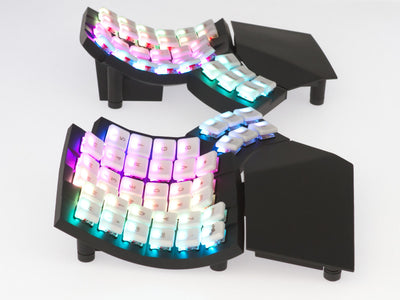 MoErgo Glove80 Best wireless contoured Advanced split 7.6 DEAS
Clinical performance8.8
I.1Neutral posture support9.5
I.2Adjustability range9.0
I.3Injury risk reduction9.0
I.4Population accommodation7.0
I.5Wrist neutral and key actuation9.5
Product quality5.0
II.1Material & construction8.0
II.2Published certification2.0
II.3Warranty vs benchmark5.0
Market value1.8
III.1Price vs category benchmark1.5
III.2Ergonomic value ratio2.0
6 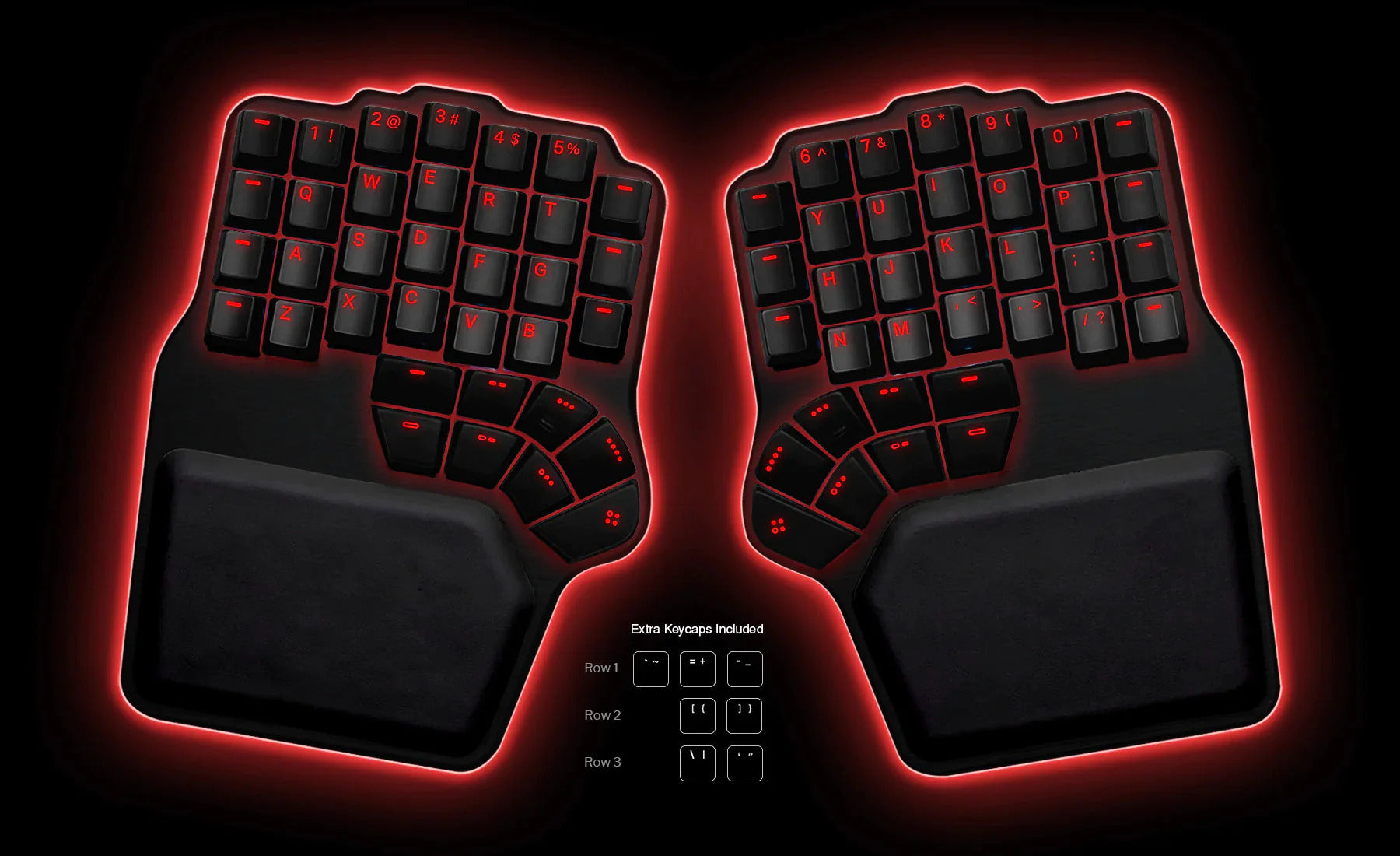 Dygma Defy Most adjustable tent Advanced split 7.5 DEAS
Clinical performance8.4
I.1Neutral posture support9.0
I.2Adjustability range8.5
I.3Injury risk reduction8.5
I.4Population accommodation7.0
I.5Wrist neutral and key actuation9.0
Product quality5.0
II.1Material & construction8.0
II.2Published certification2.0
II.3Warranty vs benchmark5.0
Market value1.2
III.1Price vs category benchmark1.0
III.2Ergonomic value ratio1.5
7  Perixx PERIBOARD-835 Best quiet mechanical split Split 7.4 DEAS
Clinical performance7.5
I.1Neutral posture support8.0
I.2Adjustability range7.5
I.3Injury risk reduction7.5
I.4Population accommodation6.5
I.5Wrist neutral and key actuation8.0
Product quality5.4
II.1Material & construction7.0
II.2Published certification2.0
II.3Warranty vs benchmark5.0
II.4Verified user reliability7.5
Market value4.8
III.1Price vs category benchmark4.5
III.2Ergonomic value ratio5.0
8  R-Go Split Keyboard Best low-profile split Advanced split 7.4 DEAS
Clinical performance7.3
I.1Neutral posture support8.0
I.2Adjustability range7.0
I.3Injury risk reduction7.5
I.4Population accommodation6.5
I.5Wrist neutral and key actuation7.5
Product quality6.6
II.1Material & construction6.5
II.2Published certification7.0
II.3Warranty vs benchmark6.5
II.4Verified user reliability6.5
Market value6.0
III.1Price vs category benchmark6.0
III.2Ergonomic value ratio6.0
9 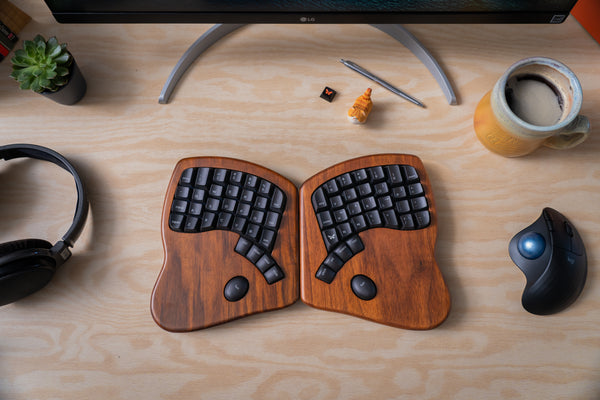 Keyboardio Model 100 Hardwood split Advanced split 7.4 DEAS
Clinical performance8.3
I.1Neutral posture support9.0
I.2Adjustability range8.5
I.3Injury risk reduction8.5
I.4Population accommodation6.5
I.5Wrist neutral and key actuation9.0
Product quality4.8
II.1Material & construction7.5
II.2Published certification2.0
II.3Warranty vs benchmark5.0
Market value2.2
III.1Price vs category benchmark2.0
III.2Ergonomic value ratio2.5
10  Logitech ERGO K860 Easiest to switch to Split 7.3 DEAS
Clinical performance7.4
I.1Neutral posture support8.0
I.2Adjustability range7.0
I.3Injury risk reduction7.5
I.4Population accommodation6.5
I.5Wrist neutral and key actuation8.0
Product quality5.2
II.1Material & construction6.5
II.2Published certification2.0
II.3Warranty vs benchmark5.0
II.4Verified user reliability7.5
Market value6.0
III.1Price vs category benchmark6.0
III.2Ergonomic value ratio6.0
Show all 53
11 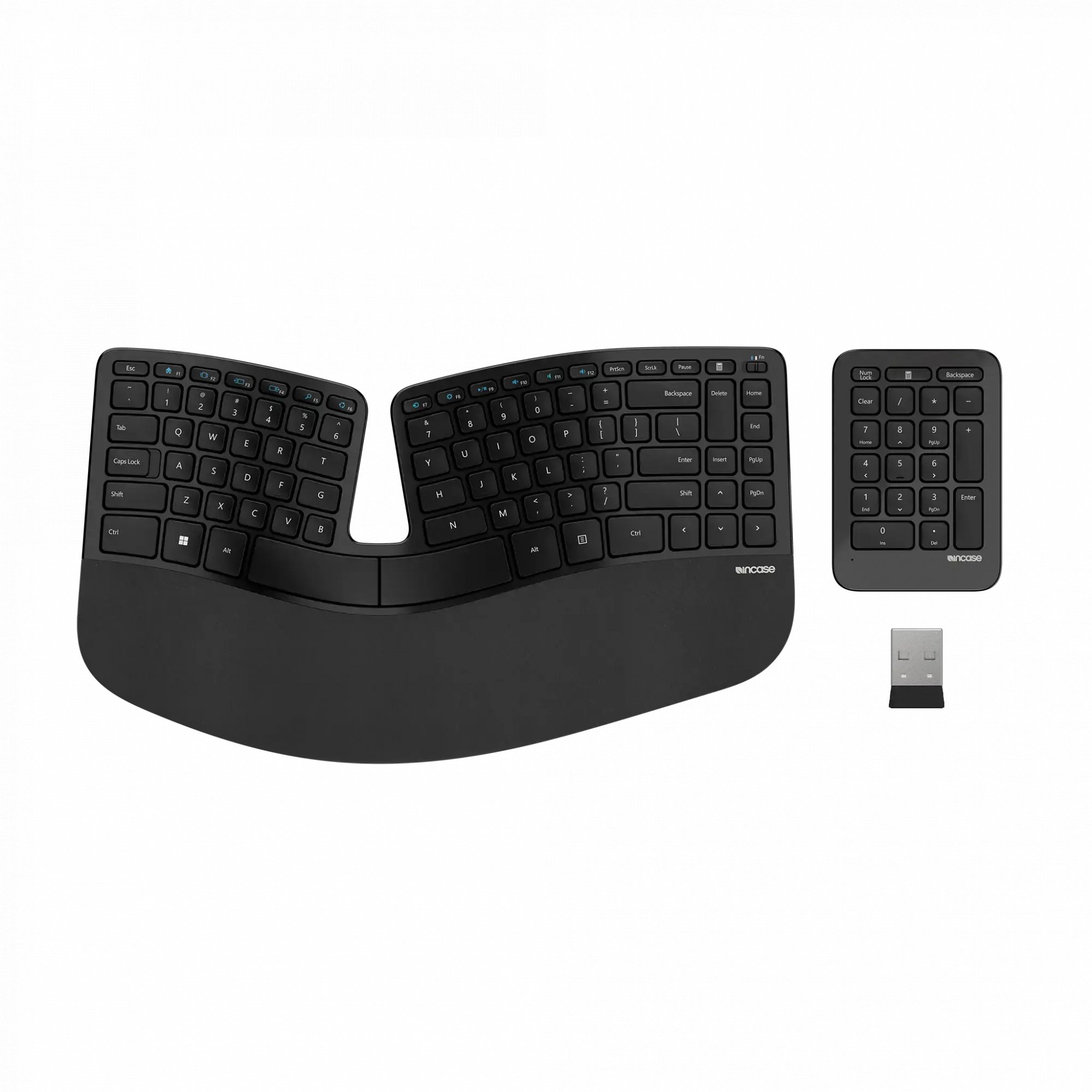 InCase Ergonomic Keyboard Split 7.3 DEAS
Clinical performance7.1
I.1Neutral posture support8.0
I.2Adjustability range6.5
I.3Injury risk reduction7.0
I.4Population accommodation6.5
I.5Wrist neutral and key actuation7.5
Product quality5.4
II.1Material & construction6.5
II.2Published certification2.0
II.3Warranty vs benchmark5.0
II.4Verified user reliability8.0
Market value6.5
III.1Price vs category benchmark6.5
III.2Ergonomic value ratio6.5
12  Matias Ergo Pro Advanced split 7.2 DEAS
Clinical performance7.8
I.1Neutral posture support8.5
I.2Adjustability range7.5
I.3Injury risk reduction8.0
I.4Population accommodation6.5
I.5Wrist neutral and key actuation8.5
Product quality5.1
II.1Material & construction7.0
II.2Published certification2.0
II.3Warranty vs benchmark5.0
II.4Verified user reliability6.5
Market value2.2
III.1Price vs category benchmark2.0
III.2Ergonomic value ratio2.5
13 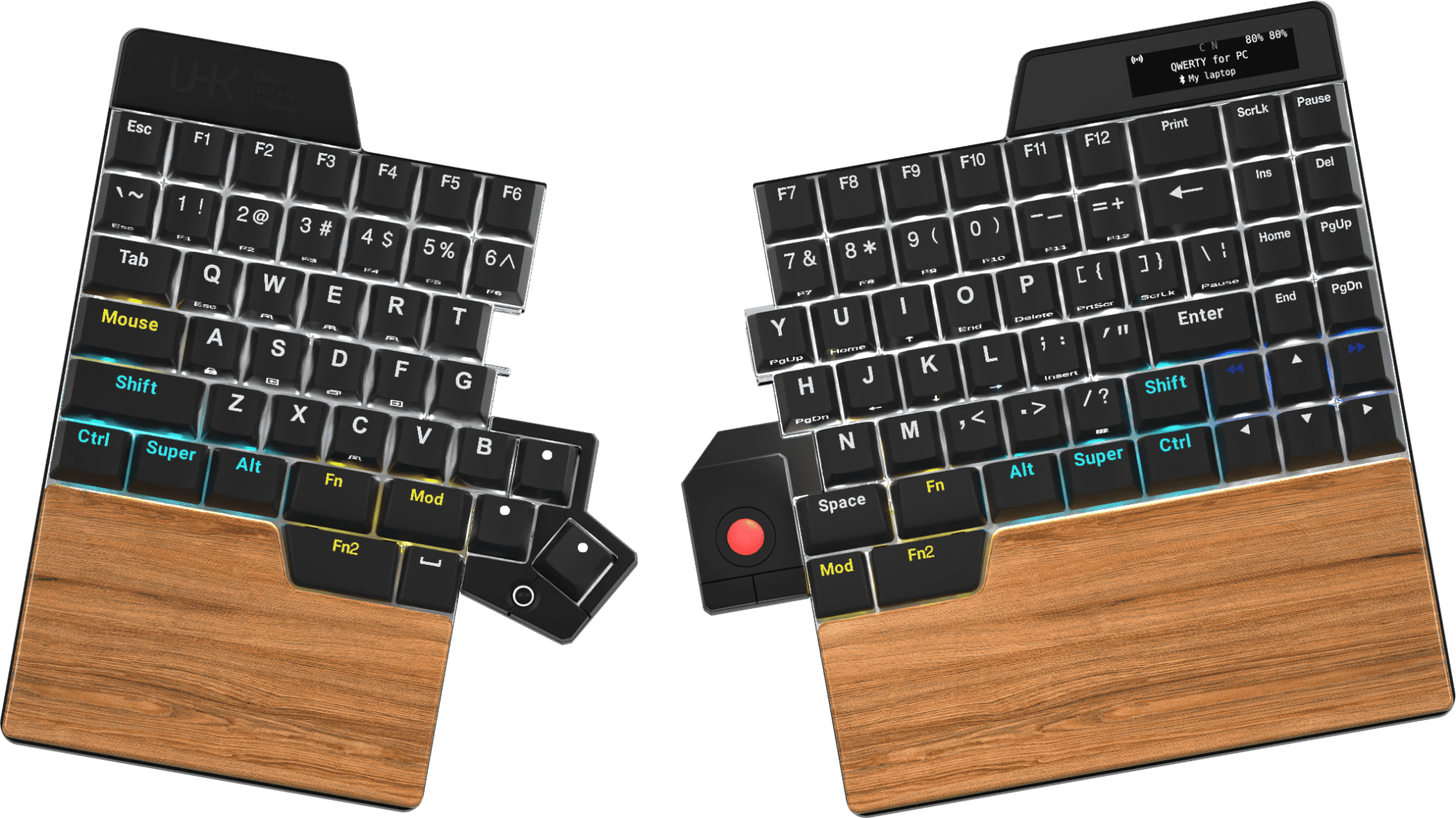 Ultimate Hacking Keyboard UHK v2 Advanced split 7.2 DEAS
Clinical performance7.9
I.1Neutral posture support8.5
I.2Adjustability range8.0
I.3Injury risk reduction8.0
I.4Population accommodation6.5
I.5Wrist neutral and key actuation8.5
Product quality4.8
II.1Material & construction7.5
II.2Published certification2.0
II.3Warranty vs benchmark5.0
Market value2.2
III.1Price vs category benchmark2.0
III.2Ergonomic value ratio2.5
14  Dygma Raise Advanced split 7.2 DEAS
Clinical performance7.9
I.1Neutral posture support8.5
I.2Adjustability range8.0
I.3Injury risk reduction8.0
I.4Population accommodation6.5
I.5Wrist neutral and key actuation8.5
Product quality4.8
II.1Material & construction7.5
II.2Published certification2.0
II.3Warranty vs benchmark5.0
Market value2.2
III.1Price vs category benchmark2.0
III.2Ergonomic value ratio2.5
15  Kinesis Freestyle2 Advanced split 7.1 DEAS
Clinical performance7.3
I.1Neutral posture support8.0
I.2Adjustability range7.0
I.3Injury risk reduction7.5
I.4Population accommodation6.5
I.5Wrist neutral and key actuation7.5
Product quality4.5
II.1Material & construction6.5
II.2Published certification2.0
II.3Warranty vs benchmark5.0
Market value6.5
III.1Price vs category benchmark6.5
III.2Ergonomic value ratio6.5
16  Goldtouch V2 Adjustable Split 7.0 DEAS
Clinical performance7.0
I.1Neutral posture support7.5
I.2Adjustability range7.0
I.3Injury risk reduction7.0
I.4Population accommodation6.0
I.5Wrist neutral and key actuation7.5
Product quality5.0
II.1Material & construction6.0
II.2Published certification2.0
II.3Warranty vs benchmark5.0
II.4Verified user reliability7.0
Market value6.0
III.1Price vs category benchmark6.0
III.2Ergonomic value ratio6.0
17  R-Go Compact Ergo Basic ergonomic 7.0 DEAS
Clinical performance6.7
I.1Neutral posture support7.5
I.2Adjustability range6.5
I.3Injury risk reduction7.0
I.4Population accommodation6.0
I.5Wrist neutral and key actuation6.5
Product quality6.6
II.1Material & construction6.5
II.2Published certification7.0
II.3Warranty vs benchmark6.5
II.4Verified user reliability6.5
Market value6.5
III.1Price vs category benchmark6.5
III.2Ergonomic value ratio6.5
18  Mistel Barocco MD600 Advanced split 7.0 DEAS
Clinical performance7.2
I.1Neutral posture support8.0
I.2Adjustability range7.0
I.3Injury risk reduction7.5
I.4Population accommodation6.0
I.5Wrist neutral and key actuation7.5
Product quality5.1
II.1Material & construction6.5
II.2Published certification2.0
II.3Warranty vs benchmark5.0
II.4Verified user reliability7.0
Market value6.0
III.1Price vs category benchmark6.0
III.2Ergonomic value ratio6.0
19  Kinesis Freestyle Edge RGB Advanced split 6.9 DEAS
Clinical performance7.4
I.1Neutral posture support8.0
I.2Adjustability range7.5
I.3Injury risk reduction7.5
I.4Population accommodation6.5
I.5Wrist neutral and key actuation7.5
Product quality5.4
II.1Material & construction7.0
II.2Published certification2.0
II.3Warranty vs benchmark5.0
II.4Verified user reliability7.5
Market value3.8
III.1Price vs category benchmark3.5
III.2Ergonomic value ratio4.0
20  Perixx PERIBOARD-512 Split 6.9 DEAS
Clinical performance6.5
I.1Neutral posture support7.0
I.2Adjustability range6.5
I.3Injury risk reduction6.5
I.4Population accommodation6.0
I.5Wrist neutral and key actuation6.5
Product quality4.6
II.1Material & construction5.5
II.2Published certification2.0
II.3Warranty vs benchmark5.0
II.4Verified user reliability6.0
Market value8.2
III.1Price vs category benchmark8.5
III.2Ergonomic value ratio8.0
21  Adesso Tru-Form 150 Split 6.9 DEAS
Clinical performance6.5
I.1Neutral posture support7.0
I.2Adjustability range6.5
I.3Injury risk reduction6.5
I.4Population accommodation6.0
I.5Wrist neutral and key actuation6.5
Product quality4.9
II.1Material & construction5.5
II.2Published certification2.0
II.3Warranty vs benchmark5.0
II.4Verified user reliability7.0
Market value8.8
III.1Price vs category benchmark9.0
III.2Ergonomic value ratio8.5
22  Arteck Split Ergonomic Split 6.9 DEAS
Clinical performance6.5
I.1Neutral posture support7.0
I.2Adjustability range6.5
I.3Injury risk reduction6.5
I.4Population accommodation6.0
I.5Wrist neutral and key actuation6.5
Product quality4.6
II.1Material & construction5.0
II.2Published certification2.0
II.3Warranty vs benchmark5.0
II.4Verified user reliability6.5
Market value8.8
III.1Price vs category benchmark9.0
III.2Ergonomic value ratio8.5
23  X-Bows Ergonomic Mechanical Split 6.9 DEAS
Clinical performance7.2
I.1Neutral posture support8.0
I.2Adjustability range7.0
I.3Injury risk reduction7.5
I.4Population accommodation6.0
I.5Wrist neutral and key actuation7.5
Product quality5.1
II.1Material & construction6.5
II.2Published certification2.0
II.3Warranty vs benchmark5.0
II.4Verified user reliability7.0
Market value5.0
III.1Price vs category benchmark5.0
III.2Ergonomic value ratio5.0
24  Mistel MD770 Advanced split 6.9 DEAS
Clinical performance7.2
I.1Neutral posture support8.0
I.2Adjustability range7.0
I.3Injury risk reduction7.5
I.4Population accommodation6.0
I.5Wrist neutral and key actuation7.5
Product quality5.1
II.1Material & construction6.5
II.2Published certification2.0
II.3Warranty vs benchmark5.0
II.4Verified user reliability7.0
Market value5.0
III.1Price vs category benchmark5.0
III.2Ergonomic value ratio5.0
25  Adesso WKB-7500CB Wireless Ergonomic Keyboard Split 6.8 DEAS
Clinical performance6.6
I.1Neutral posture support7.0
I.2Adjustability range6.5
I.3Injury risk reduction6.5
I.4Population accommodation6.5
I.5Wrist neutral and key actuation6.5
Product quality5.2
II.1Material & construction6.0
II.2Published certification2.0
II.3Warranty vs benchmark5.0
II.4Verified user reliability8.0
Market value7.0
III.1Price vs category benchmark7.0
III.2Ergonomic value ratio7.0
26  Kinesis Freestyle Pro Advanced split 6.8 DEAS
Clinical performance7.3
I.1Neutral posture support8.0
I.2Adjustability range7.0
I.3Injury risk reduction7.5
I.4Population accommodation6.5
I.5Wrist neutral and key actuation7.5
Product quality4.5
II.1Material & construction6.5
II.2Published certification2.0
II.3Warranty vs benchmark5.0
Market value4.8
III.1Price vs category benchmark4.5
III.2Ergonomic value ratio5.0
27  Perixx PERIBOARD-612 Split 6.8 DEAS
Clinical performance6.5
I.1Neutral posture support7.0
I.2Adjustability range6.5
I.3Injury risk reduction6.5
I.4Population accommodation6.0
I.5Wrist neutral and key actuation6.5
Product quality4.9
II.1Material & construction5.5
II.2Published certification2.0
II.3Warranty vs benchmark5.0
II.4Verified user reliability7.0
Market value7.2
III.1Price vs category benchmark7.5
III.2Ergonomic value ratio7.0
28  Matias Sculpted Ergonomic Split 6.8 DEAS
Clinical performance6.8
I.1Neutral posture support7.5
I.2Adjustability range6.5
I.3Injury risk reduction7.0
I.4Population accommodation6.0
I.5Wrist neutral and key actuation7.0
Product quality4.3
II.1Material & construction6.0
II.2Published certification2.0
II.3Warranty vs benchmark5.0
Market value6.8
III.1Price vs category benchmark7.0
III.2Ergonomic value ratio6.5
29 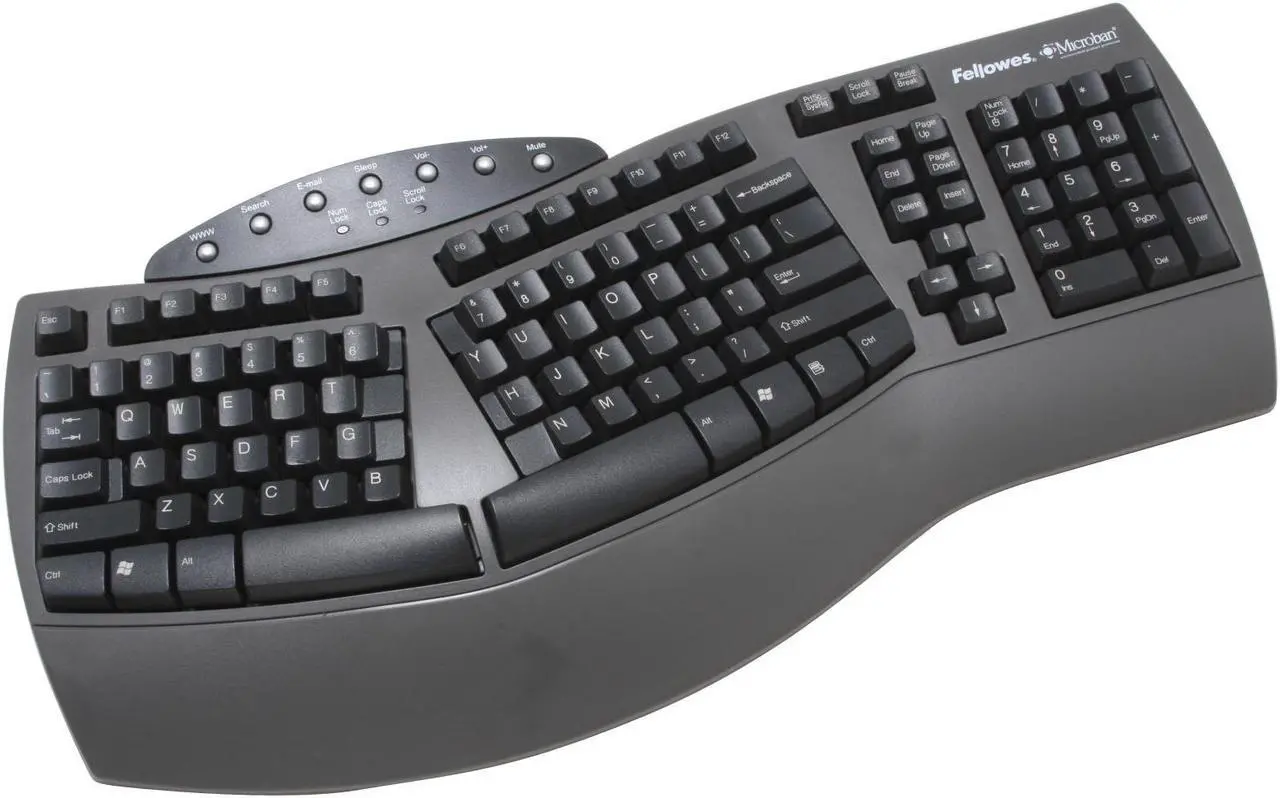 Fellowes Microban Split Split 6.8 DEAS
Clinical performance6.5
I.1Neutral posture support7.0
I.2Adjustability range6.5
I.3Injury risk reduction6.5
I.4Population accommodation6.0
I.5Wrist neutral and key actuation6.5
Product quality4.9
II.1Material & construction5.5
II.2Published certification2.0
II.3Warranty vs benchmark5.0
II.4Verified user reliability7.0
Market value7.8
III.1Price vs category benchmark8.0
III.2Ergonomic value ratio7.5
30  ProtoArc EK01 Split 6.8 DEAS
Clinical performance6.5
I.1Neutral posture support7.0
I.2Adjustability range6.5
I.3Injury risk reduction6.5
I.4Population accommodation6.0
I.5Wrist neutral and key actuation6.5
Product quality4.9
II.1Material & construction5.5
II.2Published certification2.0
II.3Warranty vs benchmark5.0
II.4Verified user reliability7.0
Market value7.8
III.1Price vs category benchmark8.0
III.2Ergonomic value ratio7.5
31 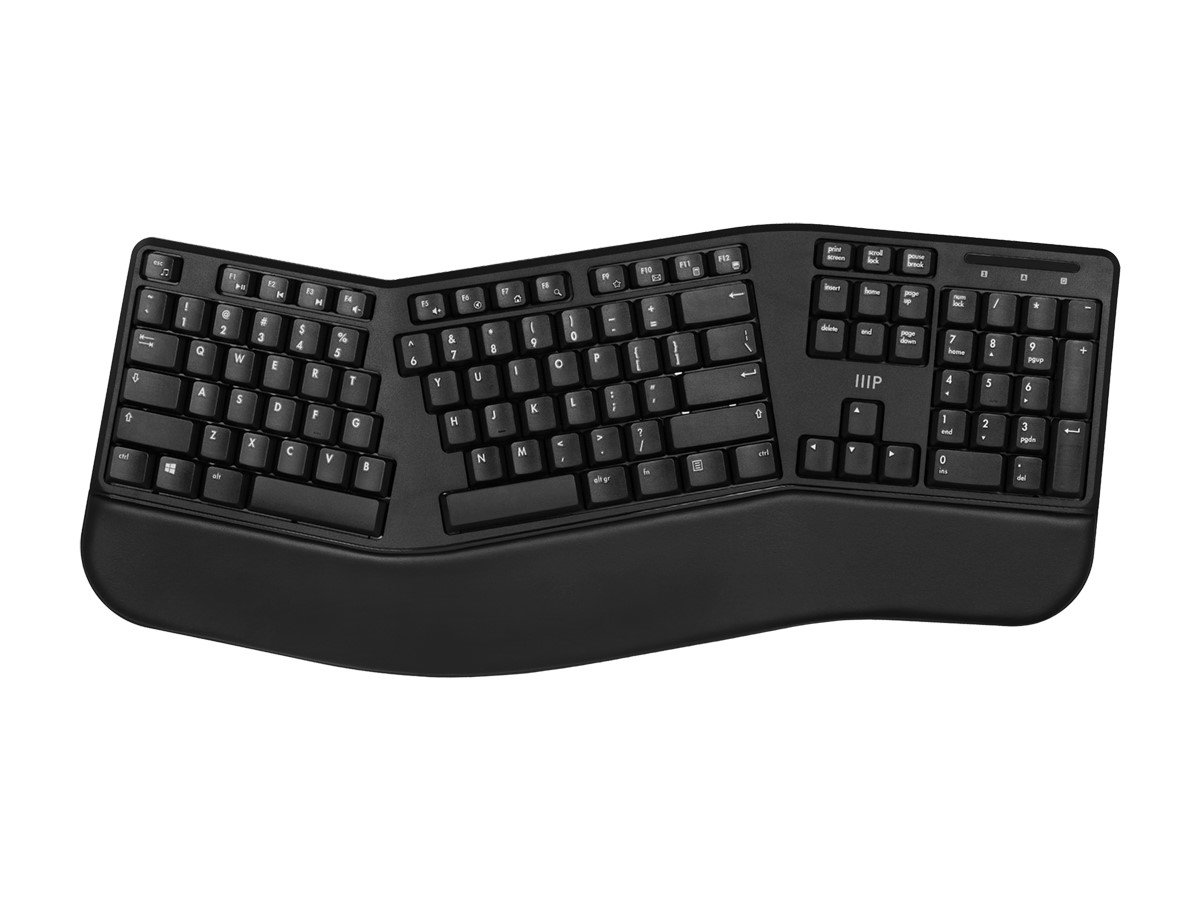 Monoprice Ergonomic Split Split 6.8 DEAS
Clinical performance6.5
I.1Neutral posture support7.0
I.2Adjustability range6.5
I.3Injury risk reduction6.5
I.4Population accommodation6.0
I.5Wrist neutral and key actuation6.5
Product quality4.0
II.1Material & construction5.0
II.2Published certification2.0
II.3Warranty vs benchmark5.0
Market value8.8
III.1Price vs category benchmark9.0
III.2Ergonomic value ratio8.5
32  Logitech Wave Keys Wave 6.7 DEAS
Clinical performance6.2
I.1Neutral posture support6.5
I.2Adjustability range6.0
I.3Injury risk reduction6.0
I.4Population accommodation6.5
I.5Wrist neutral and key actuation6.0
Product quality5.1
II.1Material & construction6.0
II.2Published certification2.0
II.3Warranty vs benchmark5.0
II.4Verified user reliability7.5
Market value7.8
III.1Price vs category benchmark8.0
III.2Ergonomic value ratio7.5
33  Kensington Pro Fit Ergo Split 6.7 DEAS
Clinical performance6.4
I.1Neutral posture support7.0
I.2Adjustability range6.0
I.3Injury risk reduction6.5
I.4Population accommodation6.0
I.5Wrist neutral and key actuation6.5
Product quality5.1
II.1Material & construction6.0
II.2Published certification2.0
II.3Warranty vs benchmark6.5
II.4Verified user reliability6.0
Market value7.0
III.1Price vs category benchmark7.0
III.2Ergonomic value ratio7.0
34  EPOMAKER Split65 Advanced split 6.7 DEAS
Clinical performance6.8
I.1Neutral posture support7.5
I.2Adjustability range6.5
I.3Injury risk reduction7.0
I.4Population accommodation6.0
I.5Wrist neutral and key actuation7.0
Product quality4.5
II.1Material & construction6.5
II.2Published certification2.0
II.3Warranty vs benchmark5.0
Market value6.2
III.1Price vs category benchmark6.5
III.2Ergonomic value ratio6.0
35  Perixx PERIBOARD-624B Advanced split 6.6 DEAS
Clinical performance6.2
I.1Neutral posture support7.0
I.2Adjustability range6.0
I.3Injury risk reduction6.5
I.4Population accommodation5.5
I.5Wrist neutral and key actuation6.0
Product quality4.2
II.1Material & construction5.5
II.2Published certification2.0
II.3Warranty vs benchmark5.0
Market value7.8
III.1Price vs category benchmark8.0
III.2Ergonomic value ratio7.5
36  Cloud Nine ErgoTKL Advanced split 6.6 DEAS
Clinical performance7.0
I.1Neutral posture support7.5
I.2Adjustability range7.0
I.3Injury risk reduction7.0
I.4Population accommodation6.0
I.5Wrist neutral and key actuation7.5
Product quality4.5
II.1Material & construction6.5
II.2Published certification2.0
II.3Warranty vs benchmark5.0
Market value3.2
III.1Price vs category benchmark3.0
III.2Ergonomic value ratio3.5
37  Adesso Tru-Form 450 Split 6.6 DEAS
Clinical performance6.5
I.1Neutral posture support7.0
I.2Adjustability range6.5
I.3Injury risk reduction6.5
I.4Population accommodation6.0
I.5Wrist neutral and key actuation6.5
Product quality4.0
II.1Material & construction5.0
II.2Published certification2.0
II.3Warranty vs benchmark5.0
Market value7.8
III.1Price vs category benchmark8.0
III.2Ergonomic value ratio7.5
38  EPOMAKER Split70 Advanced split 6.6 DEAS
Clinical performance6.8
I.1Neutral posture support7.5
I.2Adjustability range6.5
I.3Injury risk reduction7.0
I.4Population accommodation6.0
I.5Wrist neutral and key actuation7.0
Product quality4.5
II.1Material & construction6.5
II.2Published certification2.0
II.3Warranty vs benchmark5.0
Market value5.8
III.1Price vs category benchmark6.0
III.2Ergonomic value ratio5.5
39  ProtoArc EK01 Plus Split 6.6 DEAS
Clinical performance6.5
I.1Neutral posture support7.0
I.2Adjustability range6.5
I.3Injury risk reduction6.5
I.4Population accommodation6.0
I.5Wrist neutral and key actuation6.5
Product quality4.8
II.1Material & construction5.5
II.2Published certification2.0
II.3Warranty vs benchmark5.0
II.4Verified user reliability6.5
Market value7.2
III.1Price vs category benchmark7.5
III.2Ergonomic value ratio7.0
40  Goldtouch Go!2 Mobile Advanced split 6.5 DEAS
Clinical performance6.3
I.1Neutral posture support7.0
I.2Adjustability range6.0
I.3Injury risk reduction6.5
I.4Population accommodation5.5
I.5Wrist neutral and key actuation6.5
Product quality4.8
II.1Material & construction5.5
II.2Published certification2.0
II.3Warranty vs benchmark5.0
II.4Verified user reliability6.5
Market value6.8
III.1Price vs category benchmark7.0
III.2Ergonomic value ratio6.5
41 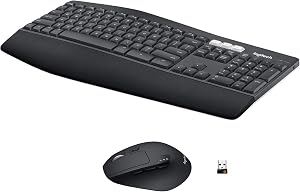 Logitech MK850 Performance Wireless Keyboard Basic ergonomic 6.4 DEAS
Clinical performance6.2
I.1Neutral posture support6.5
I.2Adjustability range6.0
I.3Injury risk reduction6.0
I.4Population accommodation6.5
I.5Wrist neutral and key actuation6.0
Product quality5.0
II.1Material & construction6.5
II.2Published certification2.0
II.3Warranty vs benchmark5.0
II.4Verified user reliability6.5
Market value6.5
III.1Price vs category benchmark6.5
III.2Ergonomic value ratio6.5
42  MOFII Wireless Ergonomic Keyboard Split 6.4 DEAS
Clinical performance6.1
I.1Neutral posture support6.5
I.2Adjustability range6.0
I.3Injury risk reduction6.0
I.4Population accommodation6.0
I.5Wrist neutral and key actuation6.0
Product quality5.1
II.1Material & construction6.0
II.2Published certification2.0
II.3Warranty vs benchmark5.0
II.4Verified user reliability7.5
Market value7.0
III.1Price vs category benchmark7.0
III.2Ergonomic value ratio7.0
43  Keychron Q8 Alice Split 6.4 DEAS
Clinical performance6.3
I.1Neutral posture support7.0
I.2Adjustability range6.0
I.3Injury risk reduction6.5
I.4Population accommodation6.0
I.5Wrist neutral and key actuation6.0
Product quality5.5
II.1Material & construction7.5
II.2Published certification2.0
II.3Warranty vs benchmark5.0
II.4Verified user reliability7.5
Market value4.8
III.1Price vs category benchmark4.5
III.2Ergonomic value ratio5.0
44  DeLUX Full Size Ergonomic Keyboard Split 6.2 DEAS
Clinical performance6.1
I.1Neutral posture support6.5
I.2Adjustability range6.0
I.3Injury risk reduction6.0
I.4Population accommodation6.0
I.5Wrist neutral and key actuation6.0
Product quality4.2
II.1Material & construction5.5
II.2Published certification2.0
II.3Warranty vs benchmark5.0
Market value7.2
III.1Price vs category benchmark7.5
III.2Ergonomic value ratio7.0
45  Perixx Periduo-605 Split 6.1 DEAS
Clinical performance6.1
I.1Neutral posture support6.5
I.2Adjustability range6.0
I.3Injury risk reduction6.0
I.4Population accommodation6.0
I.5Wrist neutral and key actuation6.0
Product quality4.2
II.1Material & construction5.5
II.2Published certification2.0
II.3Warranty vs benchmark5.0
Market value6.8
III.1Price vs category benchmark7.0
III.2Ergonomic value ratio6.5
46  X9 Wired Ergonomic Keyboard Split 6.1 DEAS
Clinical performance6.1
I.1Neutral posture support6.5
I.2Adjustability range6.0
I.3Injury risk reduction6.0
I.4Population accommodation6.0
I.5Wrist neutral and key actuation6.0
Product quality4.2
II.1Material & construction5.5
II.2Published certification2.0
II.3Warranty vs benchmark5.0
Market value6.8
III.1Price vs category benchmark7.0
III.2Ergonomic value ratio6.5
47  Kinesis Freestyle Solo Advanced split 6.1 DEAS
Clinical performance6.0
I.1Neutral posture support6.5
I.2Adjustability range5.5
I.3Injury risk reduction6.0
I.4Population accommodation6.0
I.5Wrist neutral and key actuation6.0
Product quality4.3
II.1Material & construction6.0
II.2Published certification2.0
II.3Warranty vs benchmark5.0
Market value6.5
III.1Price vs category benchmark6.5
III.2Ergonomic value ratio6.5
48  HP 680 Comfort Dual-Mode Keyboard Wave 5.9 DEAS
Clinical performance5.7
I.1Neutral posture support6.0
I.2Adjustability range5.5
I.3Injury risk reduction5.5
I.4Population accommodation6.0
I.5Wrist neutral and key actuation5.5
Product quality4.2
II.1Material & construction5.5
II.2Published certification2.0
II.3Warranty vs benchmark5.0
Market value6.2
III.1Price vs category benchmark6.5
III.2Ergonomic value ratio6.0
49  HP 480 Comfort Wired Keyboard Wave 5.9 DEAS
Clinical performance5.7
I.1Neutral posture support6.0
I.2Adjustability range5.5
I.3Injury risk reduction5.5
I.4Population accommodation6.0
I.5Wrist neutral and key actuation5.5
Product quality4.2
II.1Material & construction5.5
II.2Published certification2.0
II.3Warranty vs benchmark5.0
Market value7.2
III.1Price vs category benchmark7.5
III.2Ergonomic value ratio7.0
50  Keychron K11 Pro Split 5.9 DEAS
Clinical performance5.8
I.1Neutral posture support6.5
I.2Adjustability range5.5
I.3Injury risk reduction6.0
I.4Population accommodation5.5
I.5Wrist neutral and key actuation5.5
Product quality4.9
II.1Material & construction6.5
II.2Published certification2.0
II.3Warranty vs benchmark5.0
II.4Verified user reliability6.0
Market value6.8
III.1Price vs category benchmark7.0
III.2Ergonomic value ratio6.5
51  ASUS ROG Strix Scope II 96 Wireless Mechanical Keyboard Basic ergonomic 5.8 DEAS
Clinical performance5.6
I.1Neutral posture support6.0
I.2Adjustability range5.5
I.3Injury risk reduction5.5
I.4Population accommodation6.0
I.5Wrist neutral and key actuation5.0
Product quality5.4
II.1Material & construction7.5
II.2Published certification2.0
II.3Warranty vs benchmark5.0
II.4Verified user reliability7.0
Market value4.5
III.1Price vs category benchmark4.5
III.2Ergonomic value ratio4.5
52  Kensington Pro Fit Ergo Wired Keyboard Split 5.8 DEAS
Clinical performance5.7
I.1Neutral posture support6.0
I.2Adjustability range5.5
I.3Injury risk reduction5.5
I.4Population accommodation6.0
I.5Wrist neutral and key actuation5.5
Product quality4.2
II.1Material & construction5.5
II.2Published certification2.0
II.3Warranty vs benchmark5.0
Market value7.2
III.1Price vs category benchmark7.5
III.2Ergonomic value ratio7.0
53  CORSAIR K70 MAX RGB Magnetic Mechanical Keyboard Basic ergonomic 5.6 DEAS
Clinical performance5.6
I.1Neutral posture support6.0
I.2Adjustability range5.5
I.3Injury risk reduction5.5
I.4Population accommodation6.0
I.5Wrist neutral and key actuation5.0
Product quality4.8
II.1Material & construction7.5
II.2Published certification2.0
II.3Warranty vs benchmark5.0
Market value3.8
III.1Price vs category benchmark3.5
III.2Ergonomic value ratio4.0
The full reviews are in the keyboard guide.
How to set up any keyboard to the evidence
- 1
Set your chair first. Upper arms at your sides, elbows bent 90 to 120 degrees, feet supported.16
- 2
Bring the keyboard to elbow height or just below. The lower keyboard height gave lower elbows and less sideways bend.7 If the desk won't come down, a tray can.
- 3
Fold the back feet in. A flat to slightly negative slope gave the least wrist extension.7
- 4
Open a split gently. About 12 to 15 degrees. Wider angles trade the sideways bend for more twist and wider elbows.7
- 5
Tent it moderately. About 14 degrees held wrists and forearms closest to neutral in the lab.6
- 6
Rest your palms between bursts, not while you type. A palm rest is for pauses; hover while your fingers move.17
- 7
Keep the mouse close. A full-width keyboard pushes the mouse further out. Keep it right beside the keyboard.18
The point of the setup
The most common mistake I correct isn't the keyboard model. It's a well-chosen split keyboard on a desk two inches too high, with its feet propped up.
What keyboard posture feels like when it goes wrong
Pinky-side wrist ache
Feels like
A dull, deep soreness on the little-finger side of the wrist that shows up late in the day and eases overnight.
What helps
A split keyboard, the change with the largest measured effect on the sideways bend.
Forearm burn and grip fatigue
Feels like
A tight, hot band along the top of the forearm; hands feel clumsy and heavy by mid-afternoon.
What helps
A flat or negative slope, a lower keyboard, and support that carries the forearm.
Numbness and tingling in the fingers
Feels like
Pins and needles in the thumb, index and middle fingers, sometimes waking you at night.
What helps
Probably not the keyboard: the population studies point at heavy mouse use. Cut mouse hours, and see a clinician if it wakes you at night.
When to get it checked
Numbness that persists, wakes you at night or comes with weakness needs a clinician. A keyboard is not a treatment.
Common questions
Do ergonomic keyboards actually reduce pain?
They reliably improve wrist posture; the pain evidence is mixed. In a six-month trial of people who already had arm and hand disorders, a split, tented keyboard showed an improving trend in pain against a placebo keyboard, without consistent change on examination.9 A workplace trial that gave 77 operators with symptoms five months on each keyboard found no difference in discomfort.11 Expect a modest benefit, not a cure.
Does typing cause carpal tunnel syndrome?
The evidence says it's unlikely to be a major cause. A one-year study of nearly 7,000 computer users found no significant link with keyboard use, though more than 20 hours a week of mouse use was linked to possible carpal tunnel syndrome.14 A review of eight studies found too little evidence that computer work causes it.15 If your fingers go numb at night, see a clinician rather than buy a keyboard.
Split or tent: which matters more?
They fix different things. A split cuts the sideways bend, from about 12 degrees to within 5 of straight in one study.4 A tent cuts forearm twist. A meta-analysis found no single design fixed the sideways bend, the twist and the bend back all at once.5 If you have to pick one, split first: the sideways bend crosses the pressure threshold at the smallest angle.2
Does key feel matter?
A little evidence says yes. In a 12-week trial of 20 computer users with tingling hands, using keyboards that differed only in their key switches, one group reported less hand pain from week 6 on.10 It's a small study, so treat it as a reason to prefer keys you don't have to hammer, not to spend heavily on switches.
Will I type slower on a split keyboard?
Not for long. A review of the experimental data found experienced touch typists adapted to split, sloped and tented features within minutes, with similar speed and accuracy,8 and in a learning-curve study of 16 typists, the speed they lost on a fixed split and a contoured split came back quickly.19 In my experience, keys in straight columns take longer to learn than a standard layout that's simply split.
How many keyboards did you score, and which do you recommend?
We've scored 53. The  Cloud Nine C989M (DEAS 7.7) is the split I recommend first, the
 Logitech ERGO K860 (7.3) is the easiest to switch to, and the
 Kinesis Advantage360 (7.6) is for people who type all day and already hurt. The full ranking is above and in the keyboard guide.
References
- Simoneau GG, Marklin RW, Monroe JF. Wrist and forearm postures of users of conventional computer keyboards. Hum Factors. 1999;41(3):413–424. PMID: 10665209. doi:10.1518/001872099779610978
- Keir PJ, Bach JM, Hudes M, Rempel DM. Guidelines for wrist posture based on carpal tunnel pressure thresholds. Hum Factors. 2007;49(1):88–99. PMID: 17315846. PubMed
- Rempel DM, Keir PJ, Bach JM. Effect of wrist posture on carpal tunnel pressure while typing. J Orthop Res. 2008;26(9):1269–1273. PMID: 18383144. doi:10.1002/jor.20599
- Marklin RW, Simoneau GG, Monroe JF. Wrist and forearm posture from typing on split and vertically inclined computer keyboards. Hum Factors. 1999;41(4):559–569. PMID: 10774127. doi:10.1518/001872099779656770
- Baker NA, Cidboy EL. The effect of three alternative keyboard designs on forearm pronation, wrist extension, and ulnar deviation: a meta-analysis. Am J Occup Ther. 2006;60(1):40–49. PMID: 16541983. doi:10.5014/ajot.60.1.40
- Rempel D, Barr A, Brafman D, Young E. The effect of six keyboard designs on wrist and forearm postures. Appl Ergon. 2007;38(3):293–298. PMID: 16806042. doi:10.1016/j.apergo.2006.05.001
- Rempel D, Nathan-Roberts D, Chen BY, Odell D. The effects of split keyboard geometry on upper body postures. Ergonomics. 2009;52(1):104–111. PMID: 19308823. doi:10.1080/00140130802481040
- Marklin RW, Simoneau GG. Design features of alternative computer keyboards: a review of experimental data. J Orthop Sports Phys Ther. 2004;34(10):638–649. PMID: 15552709. doi:10.2519/jospt.2004.34.10.638
- Tittiranonda P, Rempel D, Armstrong T, Burastero S. Effect of four computer keyboards in computer users with upper extremity musculoskeletal disorders. Am J Ind Med. 1999;35(6):647–661. PMID: 10332518.
- Rempel D, Tittiranonda P, Burastero S, Hudes M, So Y. Effect of keyboard keyswitch design on hand pain. J Occup Environ Med. 1999;41(2):111–119. PMID: 10029956. doi:10.1097/00043764-199902000-00006
- Baker NA, Moehling KK, Park SY. The effect of an alternative keyboard on musculoskeletal discomfort: a randomized cross-over trial. Work. 2015;50(4):677–686. CDC Stacks
- Hoe VCW, Urquhart DM, Kelsall HL, Zamri EN, Sim MR. Ergonomic interventions for preventing work-related musculoskeletal disorders of the upper limb and neck among office workers. Cochrane Database Syst Rev. 2018;10(10):CD008570. PMID: 30350850. doi:10.1002/14651858.CD008570.pub3
- Rempel DM, Krause N, Goldberg R, Benner D, Hudes M, Goldner GU. A randomised controlled trial evaluating the effects of two workstation interventions on upper body pain and incident musculoskeletal disorders among computer operators. Occup Environ Med. 2006;63(5):300–306. oem.bmj.com
- Andersen JH, Thomsen JF, Overgaard E, et al. Computer use and carpal tunnel syndrome: a 1-year follow-up study. JAMA. 2003;289(22):2963–2969. PMID: 12799404. doi:10.1001/jama.289.22.2963
- Thomsen JF, Gerr F, Atroshi I. Carpal tunnel syndrome and the use of computer mouse and keyboard: a systematic review. BMC Musculoskelet Disord. 2008;9:134. PMID: 18838001. doi:10.1186/1471-2474-9-134
- OSHA. Computer Workstations eTool: neutral working postures. osha.gov
- OSHA. Computer Workstations eTool: wrist/palm supports. osha.gov
- OSHA. Computer Workstations eTool: pointer/mouse. osha.gov
- Anderson AM, Mirka GA, Joines SMB, Kaber DB. Analysis of alternative keyboards using learning curves. Hum Factors. 2009;51(1):35–45. PMID: 19634307. CDC Stacks
This article is general education, not medical advice. A keyboard is not a treatment for any condition; persistent numbness, tingling, pain or weakness in the hand needs a licensed clinician.
AJ Prince, HEAS
Healthcare Ergonomic Assessment Specialist. Conducts over a thousand workstation assessments a year across a multi-campus health system, and authored the DEAS standard used to rank every product on this site.
